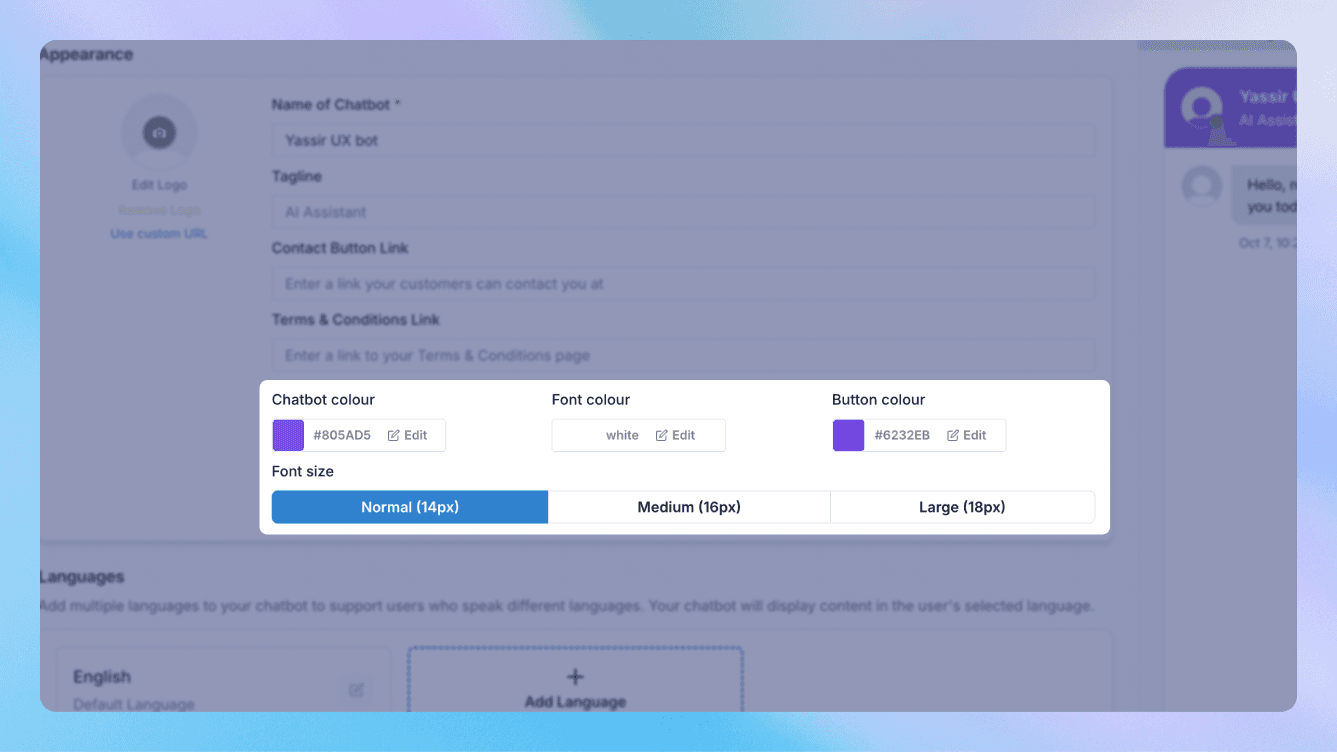
A chat widget that clashes with your site undermines trust before the agent says a word. Wonderchat lets you theme the widget to match your brand, so it looks like a native part of your site rather than a third-party box stuck in the corner.
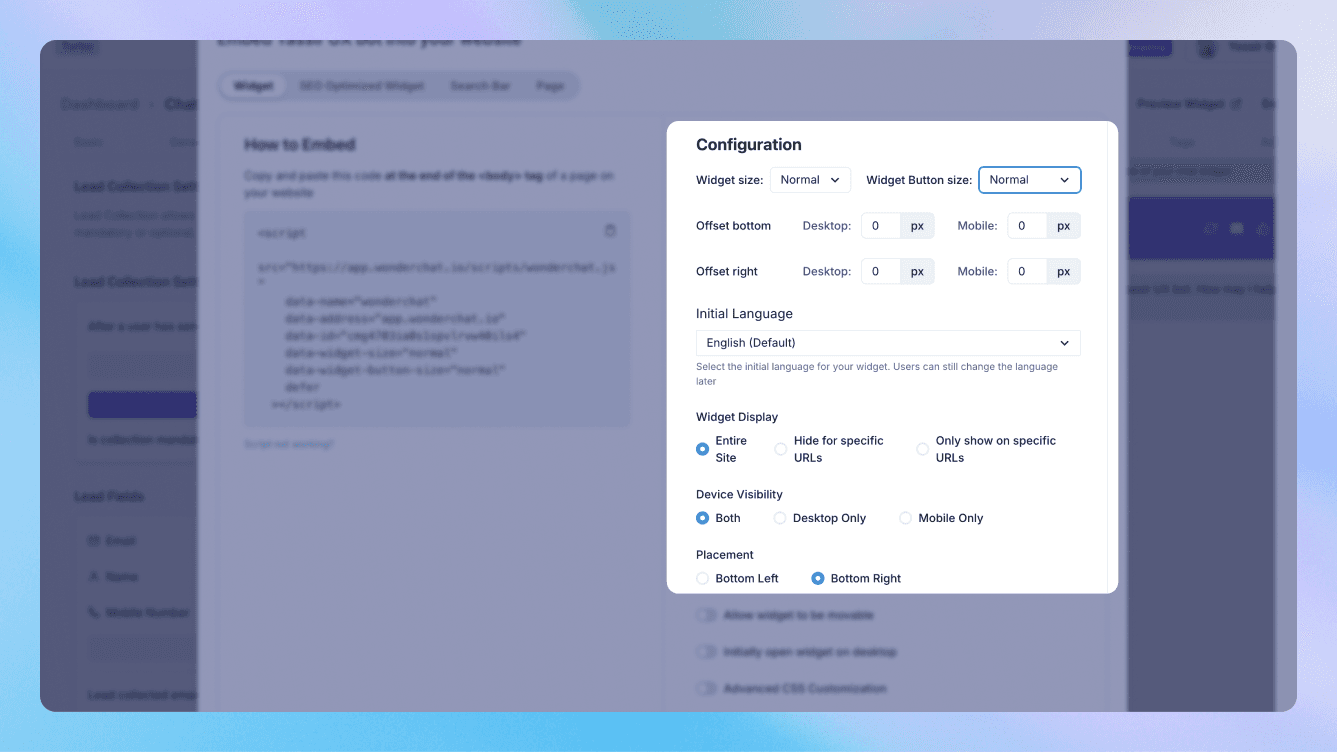
Set the colours, the styling and where the widget sits, and match it to your existing design - your palette, your feel, your placement. Visitors read an agent that looks like it belongs there as trustworthy; one that looks bolted on, they hesitate to use. The theming is the difference between the two, and it takes minutes rather than a design project.
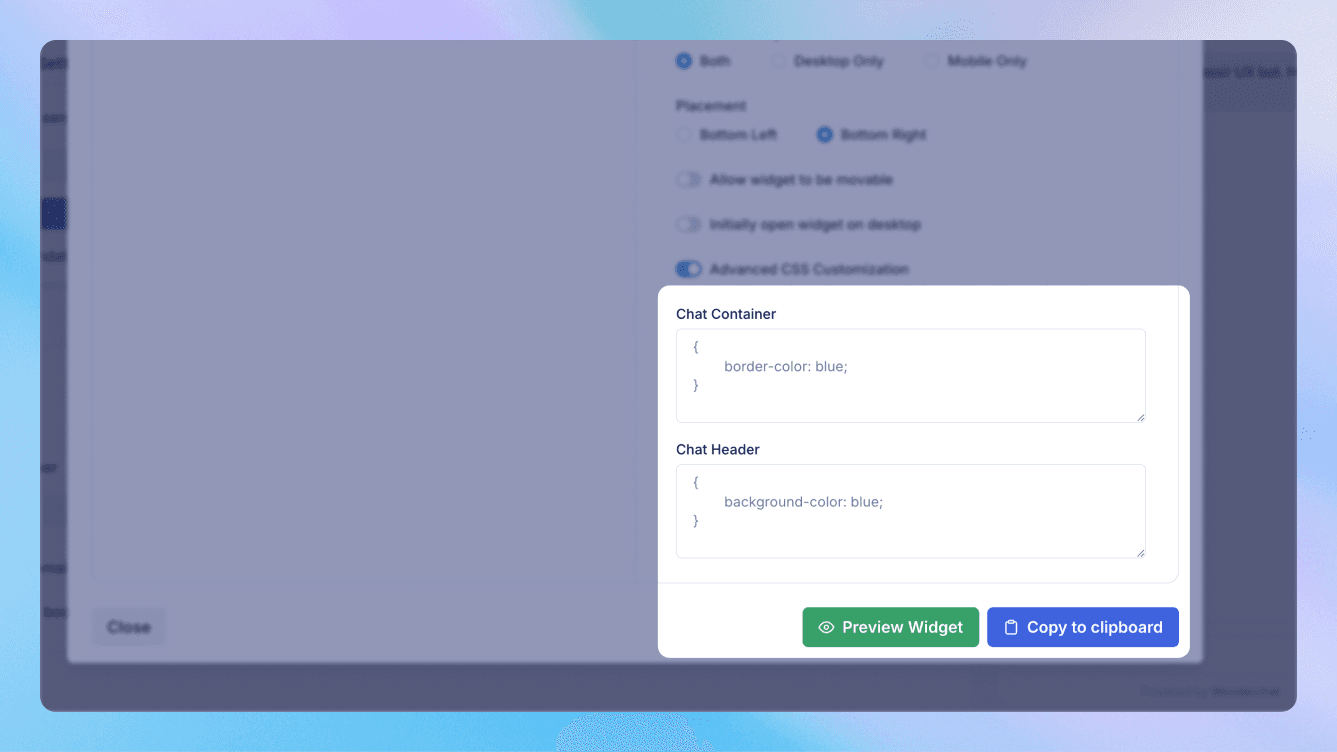
For teams that want finer control, styling goes as deep as you need it to, so the widget can match a carefully designed site exactly rather than approximately. And because appearance is separate from behaviour, you can restyle the widget any time without touching how the agent works.
Underneath the theme, it's the same grounded agent - answering from your content, citing sources - just wearing your brand instead of a default skin. It's part of a SOC 2 Type II certified, GDPR-compliant platform. Make it look like part of your site, because to your visitors, it is.
FAQ
Can I match the chat widget to my brand?
Yes. Set the widget's colours, styling and placement to match your site, so it looks native rather than bolted on.
How much control do I have over the styling?
Does restyling the widget affect the agent?
See it answer your hardest question — from your own docs.
One agent for support and sales, trained on your content, ready in minutes.