
Quick Summary
Neither is better on its own. A chatbot is better for customer support when the same simple questions arrive all day and after hours; live chat is better when the issue is complex, urgent or sensitive. Most support teams get the best result from both: an AI agent answers the repeat questions from your own content, and a person takes over in live chat when it can't. This guide compares the two on speed, cost, scale and customer experience, and shows where Wonderchat fits.
Chatbot or Live Chat: Which Should You Choose?
Both have their place, and they do different jobs.
Chatbots handle simple inquiries and answer instantly at 3 a.m. Live chat connects customers with real agents for the issues that need judgment or a personal touch.
The gain comes from knowing when to use each one and how to make them hand off to each other, so customers get answers and your team sees only the conversations that need a person.
Why Listen to Wonderchat?
Wonderchat runs both sides of this comparison: an AI Customer Service Agent that answers from a company's own content, and the live chat inbox it hands conversations into. Its customer stories cover teams that pair automated answers with a human handover. Wonderchat analyzed 5,848,078 conversations across 14,318 businesses between March 2023 and August 2026.

Chatbot vs Live Chat: Quick Comparison
Chatbots and live chat are both customer support tools, but they serve different needs. Chatbots are built for automation and instant responses. Live chat connects customers to human agents for help that needs a person.
Here’s how they compare:
Features | AI Chatbots | Live Chat |
|---|---|---|
Response Time | Seconds, at any hour | Depends on the queue and who is on shift |
Availability | 24/7 | Business hours only, unless you staff nights |
Accuracy | Only as good as the content it answers from | Only as good as the agent's training |
Cost per Interaction | Falls as volume grows on a flat monthly plan | Roughly constant, because each chat takes agent time |
Setup Time | Fast when it answers from existing content; slower for scripted flows | Software is quick; hiring and training agents is not |
Emotional Intelligence | Limited | High |
Chatbots win on automation and speed. Live chat wins when a customer needs a human who can read the situation.
What Is a Chatbot?
A chatbot is an AI tool that mimics human conversation through text or voice. It uses natural language processing (NLP) to understand and respond to user inputs, so it can answer questions, make recommendations, or resolve issues.
Key Features
24/7 Availability: Provides round-the-clock customer support.
Instant Responses: Answers customer inquiries in seconds.
Task Automation: Automates repetitive tasks like answering FAQs, booking appointments, or processing orders.
Natural Language Processing (NLP): Understands how people actually phrase questions, not just keywords.
Personalization: Can match your brand voice. On Wonderchat you set the agent's tone, personality and responses without code.
Integration: Connects to CRMs and help desks. Wonderchat, for example, syncs leads to HubSpot from the Basic plan and hands conversations into Zendesk as tickets. For a small team with real docs, the agent answers only from those docs and shows the source on every reply, so a wrong answer is easy to catch.
Scalability: Handles large volumes of customer inquiries on the same plan.
AI Chatbot Cost Structure
Most AI agents are sold as a monthly plan metered on usage (replies, conversations or resolutions), not on how many people you employ. Wonderchat's plans, as listed on its pricing page, are metered on AI replies:
Plan | Monthly Price | What It Adds |
|---|---|---|
Free | $0 | 50 AI replies a month, refilled monthly, no card |
Starter | See pricing page | 500 AI replies a month |
Basic | See pricing page | 3,000 AI replies, live chat, HubSpot sync, analytics |
Scale | See pricing page | 9,000 AI replies, SharePoint, weekly auto-recrawl |
Pros
24/7 instant support for customers
Takes the repetitive questions off your team
Consistent answers, as long as the content behind them is current
Scales easily to handle high volume
Reduces operational costs
Cons
Struggles with complex issues
Older bots are limited to pre-set scripts
Integration may require technical setup
Can feel impersonal to customers
Frustrates users when the answer was never written down.
What Is a Live Chat?
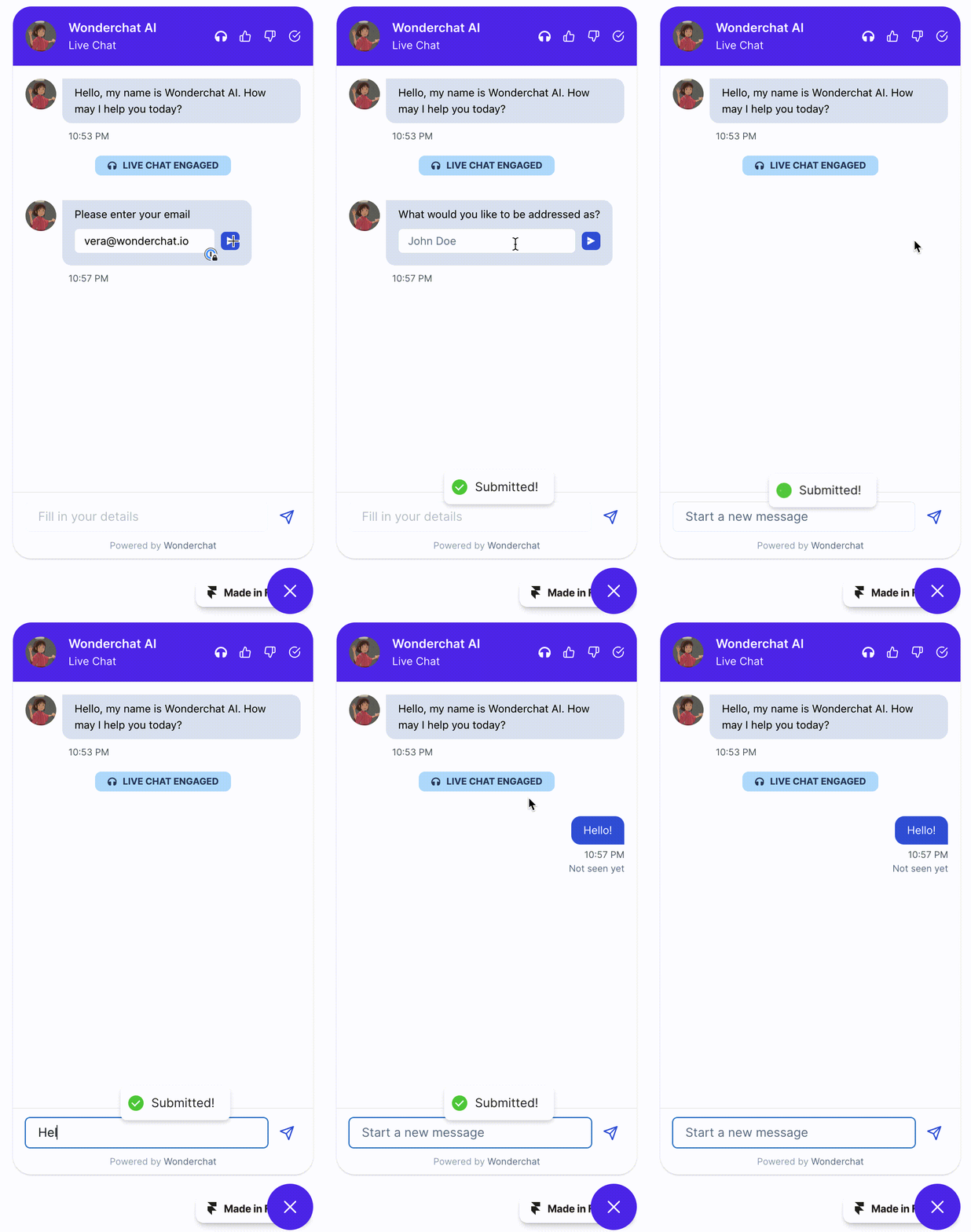
Live chat is a real-time tool that connects customers with human agents through text conversations. It lets businesses give personalized support, answer questions, and resolve issues while the customer is still on the page.
Key Features
Real-Time Responses: Enables instant, real-time communication.
Human Interaction: Connects customers directly with human agents for personalized support and problem resolution.
Multi-Channel Support: Works across websites, mobile apps, and social media platforms.
Ticketing System Integration: Converts chats into tickets for follow-up.
Customizable Chat Windows: Chat windows can match website design and branding.
Analytics and Reporting: Shows response times, customer satisfaction, and agent performance.
File Sharing Capability: Customers and agents can exchange documents, images, or screenshots to fix issues faster.
Live Chat Staff Expenses
Live chat software is usually the small line. The cost that grows is the people answering it.
Expense Category | What Drives the Annual Cost |
|---|---|
Agent Salary | One agent for every shift and every language you want covered |
Training | Onboarding, plus a refresher every time the product or policy changes |
Tools | Live chat licenses, usually billed per agent seat |
Pros
Real-time support with human agents
Personalized responses for complex inquiries
Works across multiple channels
Builds stronger customer relationships
Increases customer satisfaction with quick resolutions
Cons
Limited to human agent availability
Can be time-consuming without automation
Requires agent training and expertise
Not scalable for high-volume, simple inquiries
Slower than chatbots for basic queries
Chatbot vs Live Chat: Key Differences
Feature | Chatbot | Live Chat |
|---|---|---|
Response Type | Automated, AI responses | Real-time, human agent responses |
Availability | 24/7 instant support | Available during business hours or as needed |
Complexity | Handles simple and repetitive queries | Handles complex, personalized inquiries |
Human Interaction | No human interaction unless transferred | Direct interaction with human agents |
Speed | Instant responses for basic questions | Depends on agent availability, but generally fast |
Cost | Low cost per answer on a monthly plan | Higher cost due to human involvement |
Scalability | Scales easily to handle large volumes of inquiries | Less scalable without additional agents |
Customization | Limited by AI programming and scripting | Highly customizable based on agent expertise |
User Experience | Fast and consistent, but can feel robotic | Personal and human, offering a more engaging experience |
How To Know If You Need A Chatbot, Or A Live Chat, Or Both
The choice depends on your business, what customers expect, and how complex their questions are. Here’s how to decide:
When to Use a Chatbot
Handling Simple, Repetitive Queries: If customers keep asking the same questions, such as order status or store hours, a chatbot answers them instantly.
24/7 Support: If you need round-the-clock customer service but can't staff agents at all hours, a chatbot covers the time outside business hours.
High Volume: If inquiries pile up, a chatbot answers the basic questions on its own and stops them reaching your team, which leaves people free for the harder cases.
Lead Qualification: Use a chatbot to gather basic information before passing leads to sales, so reps see the qualified ones first.
When to Use Live Chat
Complex Customer Issues: If customers need personalized help with technical problems, live chat provides the human touch.
Building Relationships: In finance, healthcare, or luxury services, live chat offers a direct, human connection.
Escalation from Chatbots: When a chatbot can't resolve an issue, it can transfer the conversation to a human agent through live chat.
Urgent Matters: Live chat suits issues that need immediate attention, such as account access problems or time-sensitive support.
When to Use Both
Handling Queries Efficiently: Let the chatbot take common questions, then escalate to live chat for complex or personal ones. Wonderchat AI agents answer the routine inquiries and pass the conversation to live chat when they can't.
Tracking Preferences: Chatbots can collect details and pass them to live agents, so nobody asks the customer twice.
Boosting Conversions: Let chatbots qualify leads, then hand off to live chat to close sales or resolve high-priority issues.
Managing Overflow: Chatbots can handle peak-time queries and cut wait times until an agent is free.
Scale Support: As the customer base grows, the bot absorbs volume and people keep the conversations that need them.

ROI on Chatbots and Live Chats
The ROI differs. Chatbots return more as conversation volume grows, because one agent can answer thousands of requests on the same plan. Live chat needs more staff as interactions increase, and expenses climb with every hire.
For many businesses that makes chatbots the stronger long-term saving, while live chat earns its cost where a personal conversation directly leads to more sales.
The gap is small at low volume and widens with every conversation a person would otherwise answer.
What decides the result is less the software than the content behind it.
Overall, ROI depends on two things: interaction volume and business needs. Where volume is high and personalization matters less, chatbots deliver stronger returns over time.
The clearest case is a Wonderchat customer: Jortt, a Dutch accounting platform, resolves about 92% of roughly 30,000 monthly inquiries without a person. That is what an AI agent adds to a high-volume operation.
Wonderchat: AI Answers With Live Chat Built In

Wonderchat gives you the speed of automation with a handover to people. Its live chat inbox is built in on every plan, so you don't need a third-party plugin. Admins turn it on from the dashboard and manage real-time notifications in one place.
Here’s what Wonderchat does in practice:
Instant, 24/7 Support: Answers common questions around the clock from your help center, docs, website and files, and shows the source on every reply.
Handover: When the content doesn't cover a question, the agent says so and hands the conversation to a person: by email, or as a ticket with the full chat or in live chat on every plan, or into Zendesk or Freshdesk as a ticket from Basic.
Custom Agent Persona: Set the agent's tone and responses to match your brand's voice.
Multi-Language Capabilities: Answers in 40+ languages.
Gap List: Keeps the questions it couldn't answer in a review inbox, so your team knows which page to write next.
Integrations: Connects to HubSpot, Zendesk, Freshdesk and more, so conversations land where your team already works.

Scalability: Handles high volumes of customer queries on a flat monthly plan, without per-seat pricing.
Running both in one place also avoids a familiar problem. Teams migrating off a chat widget hit the same wall: the export carries the transcript but not the routing rules, so every rule is rebuilt by hand. One honest limit: if your team already runs every conversation inside Zendesk, Zendesk is already installed, and its own messaging and bot may be enough to keep you there.
Improve Your Customer Support With Wonderchat
Both have their strengths, and the value comes from using them together.
Wonderchat makes that balance simple. Its AI agents answer the repetitive questions instantly and pass the complex ones to your team. The Free plan includes 50 AI replies a month with no card, with paid plans when you need more.
Ready to improve your customer support? Try Wonderchat free.
FAQ
Is a chatbot or live chat better for customer support?
Neither on its own. A chatbot is better for repeat questions and after-hours volume; live chat is better for complex, urgent or sensitive issues. Most teams run both, with the chatbot handing over to a person when it can't answer.
Can a chatbot replace live chat agents?
Not fully. An AI agent resolves what your content already answers. Anything undocumented, or that needs judgment, still needs a person, so plan for a handover.
What does a chatbot cost compared with live chat?
An AI agent is usually a monthly plan metered on usage; Wonderchat's plans are metered on AI replies, starting with a free plan. Live chat cost is mostly agent salaries, which rise with every shift and language you cover.

