
Summary
An AI knowledge base chatbot answers customer questions from your existing help center instead of returning a list of articles. The difference that matters isn’t the interface: search returns documents and leaves the reading to the customer, while an agent returns the answer with the source it came from.
We built Wonderchat for sourced answers from selected company content. Our review tools turn failed conversations into corrections your team approves.
Fin, Zendesk AI Agents, Freshdesk Omni, and Help Scout suit customer support teams that need knowledge answers tied to help desk workflows.
Document360, Guru, and Glean serve documentation or internal knowledge teams, while Chatbase gives teams a configurable standalone builder.
A help center can contain the right answer and still make it hard to find. A customer may search for a cancellation rule and find four similar pages. An employee may search for parental leave and open an old policy.
Support teams use these agents for setup, refund, and product questions. Internal teams use the same retrieval idea for policy, IT, and process questions. Yet the two buyers need different permissions, channels, review controls, and ways to reach a person.
We compared nine products through current product pages and documentation. We show what each tool retrieves and how you can inspect its answers.
But first..
Why Knowledge Base Search Still Leaves People Looking for Answers
Search is useful when someone knows the right term and wants the full document. It finds pages that may contain an answer, ranks them, and leaves the user to open and read them.
A knowledge base agent adds another step. It uses retrieval to find relevant passages, then grounds the answer in that evidence, and it may also show source links for review.
Used this way, the chatbot acts as an answer engine. In plain terms, search returns documents; an agent returns an answer.
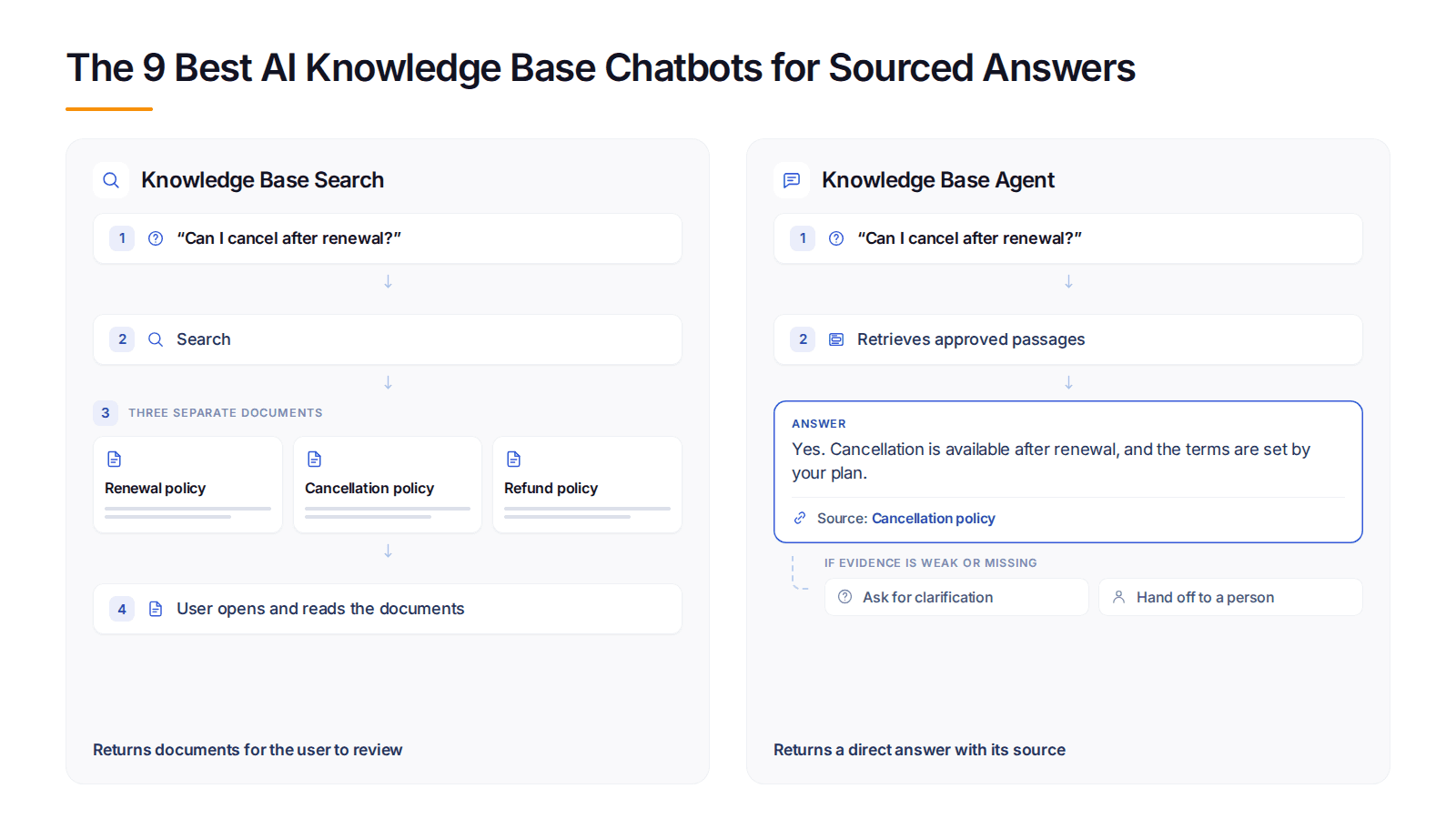
Knowledge-base search returns documents and leaves the reading to the user. A knowledge-base agent returns a direct answer and shows the source used to produce it.
Suppose a customer asks, “Can I cancel after renewal?” Search may return four pages about billing, renewal, cancellation, and refunds. An agent can pull the relevant policy into one reply, cite the page, and hand the conversation to a person if two policies conflict.
That process can still fail. The answer may be missing, buried under a different term, out of date, blocked by permissions, or split across pages that disagree. A citation makes the reply easier to check, but it doesn't prove that the source or the generated answer is correct.
Our 2026 source study found that businesses with knowledge bases under 10,000 characters averaged about 61% resolution, compared with about 74% for those above 150,000 characters.
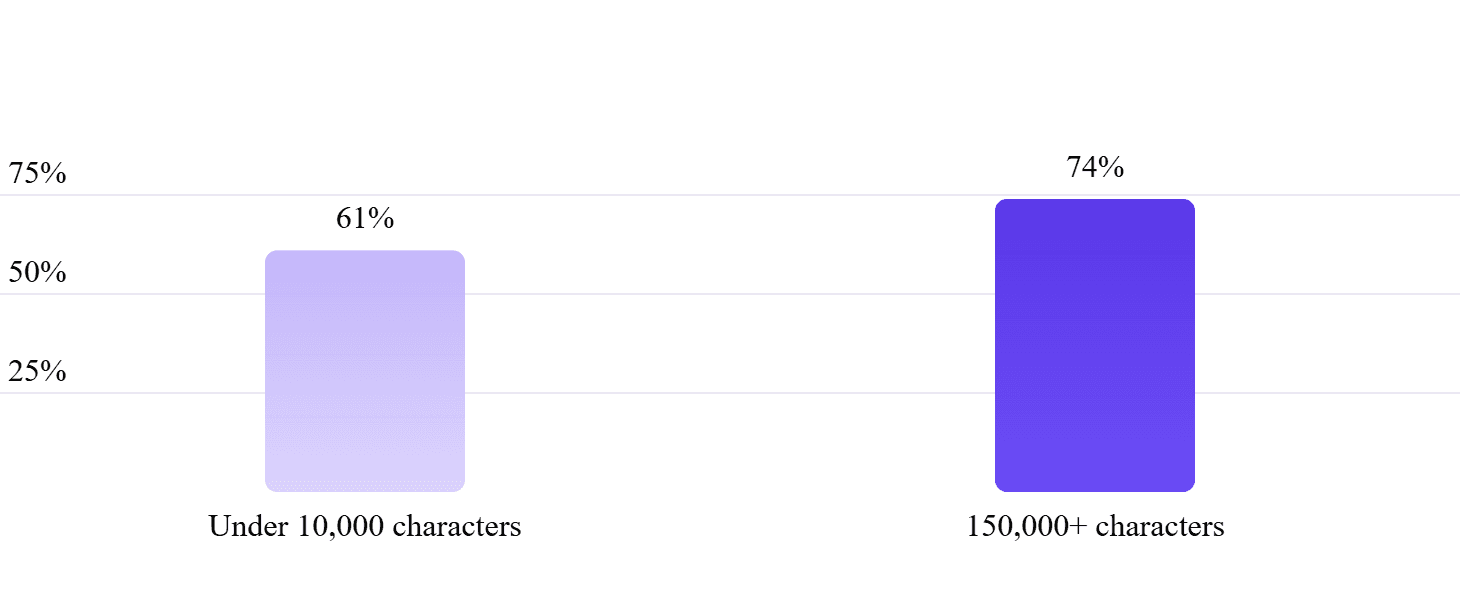
This was a 13-point association, not proof that adding more text caused the change. Content quality, age, structure, and upkeep still set the agent's ceiling.
The study covered 5,848,078 conversations across 14,318 businesses and 18,156 assistants from March 2023 through August 2026. An AI reviewer scored 2,794,330 conversations 15 minutes after the last message.
“Resolved” meant the AI handled the conversation without a person, and the reviewer judged that the user got what they needed. These were model judgments, not direct customer confirmations, and about 99% of conversations came through website chat.
Internal and Customer-Facing Knowledge Agents Solve Different Problems
Customer support and internal knowledge use the same basic retrieval process, but their operating risks are different. A public agent needs the right support channels and a clear human path, while an employee agent must protect restricted policies and system access.
Comparison | External Customer Support | Internal Employee Support |
Owner | Support or CX team | IT, HR, operations, or knowledge team |
Common questions | Setup, refunds, orders, product use | Policies, benefits, access, troubleshooting |
Content | Help center, product docs, approved FAQs, selected tickets | SharePoint, Drive, Confluence, Slack, policies, manuals |
Main failure | A wrong answer creates a poor customer outcome or another ticket | An answer exposes restricted content or guides work incorrectly |
Essential controls | Source scope, answer review, channel rules, human handoff | Inherited permissions, identity, source ownership, audit trail |
Useful signal | Resolved requests and clean handoffs | Time saved and verified answers found in the flow of work |
Tools such as Fin, Zendesk, Freshdesk, and Help Scout focus on customer service. Guru and Glean are among the internal knowledge base tools built around employee access. Other products can cover more than one setting, but each audience still needs separate content, permissions, and success measures.
How We Evaluated AI Knowledge Base Chatbots
We reviewed current first-party product pages and documentation on September 15, 2026. We did not claim hands-on testing where none took place.
The comparison uses nine observable areas:
Intended audience,
Supported knowledge sources,
Retrieval scope,
Source visibility,
Content freshness,
Failure behavior,
Human handoff,
Governance,
Implementation fit.
These areas show what your team must connect, test, and maintain after launch.
A product trial should use more than a list of easy FAQs. Give each tool a known question, a missing answer, an outdated page, two conflicting pages, a restricted source, a multi-part request, and a direct request for a person. Then inspect the answer, citation, permission behavior, transcript, and handoff.
The method shows whether a product fits a public help center, an internal system, a support suite, or a focused website agent.
We excluded pricing because these products use different plans and billing units, and this comparison focuses on knowledge quality, source controls, permissions, and workflow fit.
The 9 Best AI Knowledge Base Chatbots in 2026
“Best” here means best suited to a stated job. It isn't a claim that one tool leads every category.
Tool | Best for | Audience | Main sources | Source visibility | Human path | Main trade-off |
Best for external and internal knowledge workflows | Customer support; scoped internal use | Websites and supported files | Configurable web and PDF citations | Configured fallback or handoff | Not a full ticketing or workforce suite | |
Adding AI to an existing supported help desk | Customers | Connected support knowledge | Sources within the answer experience | Human escalation | Customer service focus, not broad internal search | |
Teams already using Zendesk | Customers | Zendesk help centers and external sources | Knowledge sources can support reply links | Zendesk support flow | A wider suite decision for new buyers | |
Buying omnichannel support and AI together | Customers | Articles, files, URLs, Q&A, workflows | File citation visibility is configurable | Rule-based transfer | Chat and email agents have different rules | |
Simple inbox-led support | Customers | Docs, public sites, documents | Tied to configured AI Agent sources | Beacon support options | Narrower than enterprise search platforms | |
Technical documentation teams | Readers and doc teams | Document360 content and added external sources | Numbered citations | Outside its main document-answer flow | Documentation platform first | |
Governed answers in daily work tools | Employees | Workplace and business systems | Cited, permission-aware answers | Existing team workflow | Requires active content ownership | |
Enterprise search across many systems | Employees | Connected enterprise apps | Depends on mode and source retrieval | Internal workflow | Not a light public support chatbot | |
A configurable standalone knowledge agent | Mainly customers | Sites, files, text, Q&A, Notion, tickets | Depends on setup and source behavior | Live chat or ticket options | More setup choices to own |
1. Wonderchat: Best for External and Internal Knowledge Workflows
We built Wonderchat for teams that want sourced answers from selected website pages and supported files. For customer support, you can add an AI agent that answers from your help center to your website as a chat widget or a full chat screen.
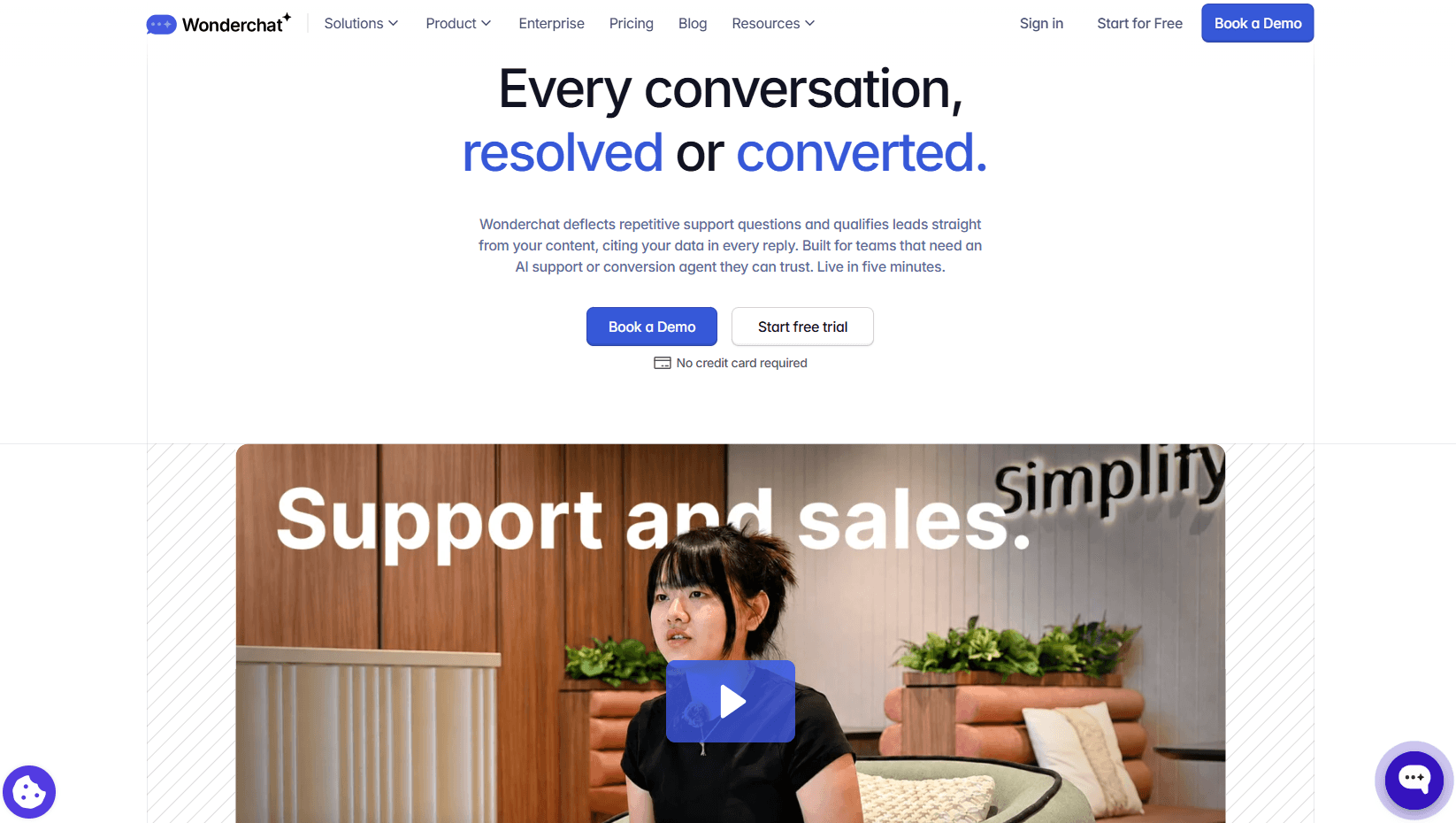
For employee use, Wonderchat Workspaces gives teams a shared place to work with internal agents and company knowledge. Our Internal Agent page shows you how that setup can support HR, procurement, and IT questions. Customer and employee deployments should still have separate sources, access rules, and success measures.
You can configure linked web citations and, when useful, citations to specific PDF pages. This lets readers and reviewers inspect the material behind a reply instead of taking the answer on trust.
The operating loop goes beyond the first answer. Our QA Agent reviews conversations and sorts issues such as user reports, knowledge gaps, quick fixes, content conflicts, and model-quality problems. It drafts a correction for review, but your team approves the change before it’s applied.
Configured fallback and handoff paths cover questions the agent shouldn't answer. Knowledge sync timing depends on the plan and source, so teams should check the schedule instead of assuming every edit appears in real time.
We aren't a full ticket administration, voice, routing, or workforce platform. Choose us when you need sourced external or internal answers and a manageable knowledge-gap review loop without replacing your whole support stack.
2. Fin: Best for Adding AI to an Existing Help Desk
Fin, formerly Intercom, which Salesforce acquired in September 2026, is built for customer service. Salesforce completed the acquisition on September 10, 2026, and Fin now operates within Salesforce AI Labs.
Fin retrieves and reranks connected knowledge before forming an answer. It also supports procedures, testing, analytics, and human escalation. Those procedures help when a request needs several defined steps rather than one passage from a help article.
A team can use Fin with its own help desk or a supported external help desk. This makes it useful when support leaders want to add an AI agent without moving every workflow at once.
Fin isn't an enterprise employee-search product. Its value depends on your help desk and channel fit, and on whether your support work needs structured procedures and actions beyond knowledge answers.
3. Zendesk: Best for Teams Already Using Zendesk
If your support team lives in Zendesk, its AI Agents are a natural next step. The help center, article permissions, customer records, tickets, and human queue can remain in one service environment.

Zendesk requires at least one connected knowledge source for a knowledge reply. That source can be an activated Zendesk help center or external content brought in through a crawler or connector. Restricted help-center articles follow view permissions, so an authenticated customer may receive an answer that an anonymous visitor cannot.
Freshness depends on the source. Zendesk searches its help-center content at request time, while it says external knowledge usually syncs every 24 hours. Zendesk also warns that connecting too many sources can lower accuracy and add delay.
Teams outside Zendesk should weigh the full platform change. A broader suite can add more administration than this use case requires.
4. Freshdesk Omni With Freddy AI Agent: Best for Buying Omnichannel Support and AI Together
Freshdesk Omni with Freddy AI Agent suits teams buying support channels, routing, knowledge, and AI as one platform decision. For web chat and messaging channels, the relevant product is Freshdesk Omni, not classic Freshdesk.
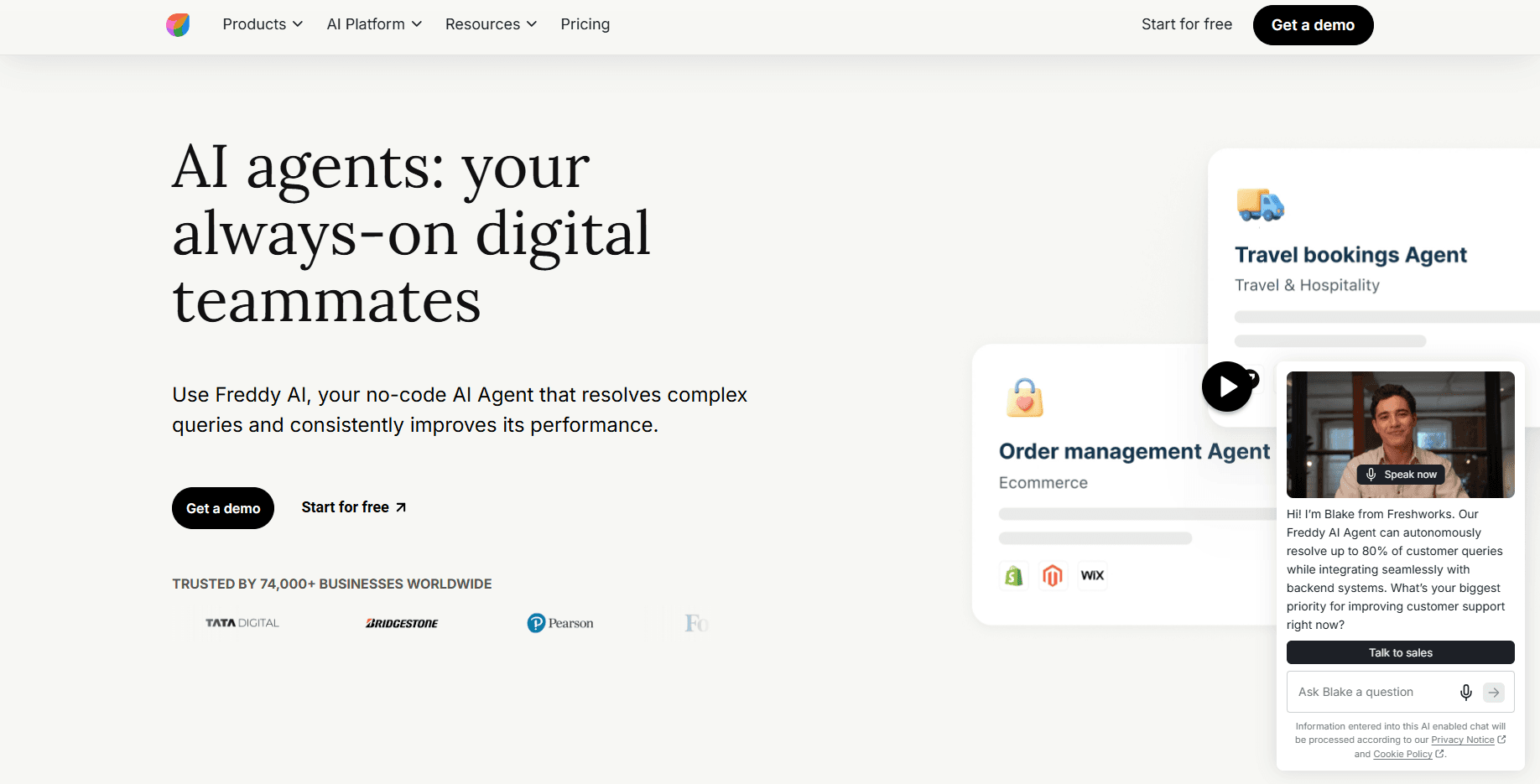
Its Chat AI Agent needs AI Agent Studio, administrator access, a configured widget, and at least one knowledge source. Supported knowledge includes solution articles, files, URLs, and custom Q&A. Teams can control whether citations from uploaded files are visible, preview the agent, run batches of test questions, and map workflows or human transfers.
That range is useful when a business wants one support system and is ready to manage it. It’s more than a knowledge layer, and its Email AI Agent and Chat AI Agent follow different deployment rules. Your team should confirm the exact channel, agent type, and plan before designing the workflow.
5. Help Scout AI Answers: Best for Simple Inbox-Led Support
Help Scout with its AI Answers works inside a support setup built around Docs, Beacon, and the shared inbox. Its AI Agent can use Help Scout Docs sites, public websites, and documents as knowledge sources.
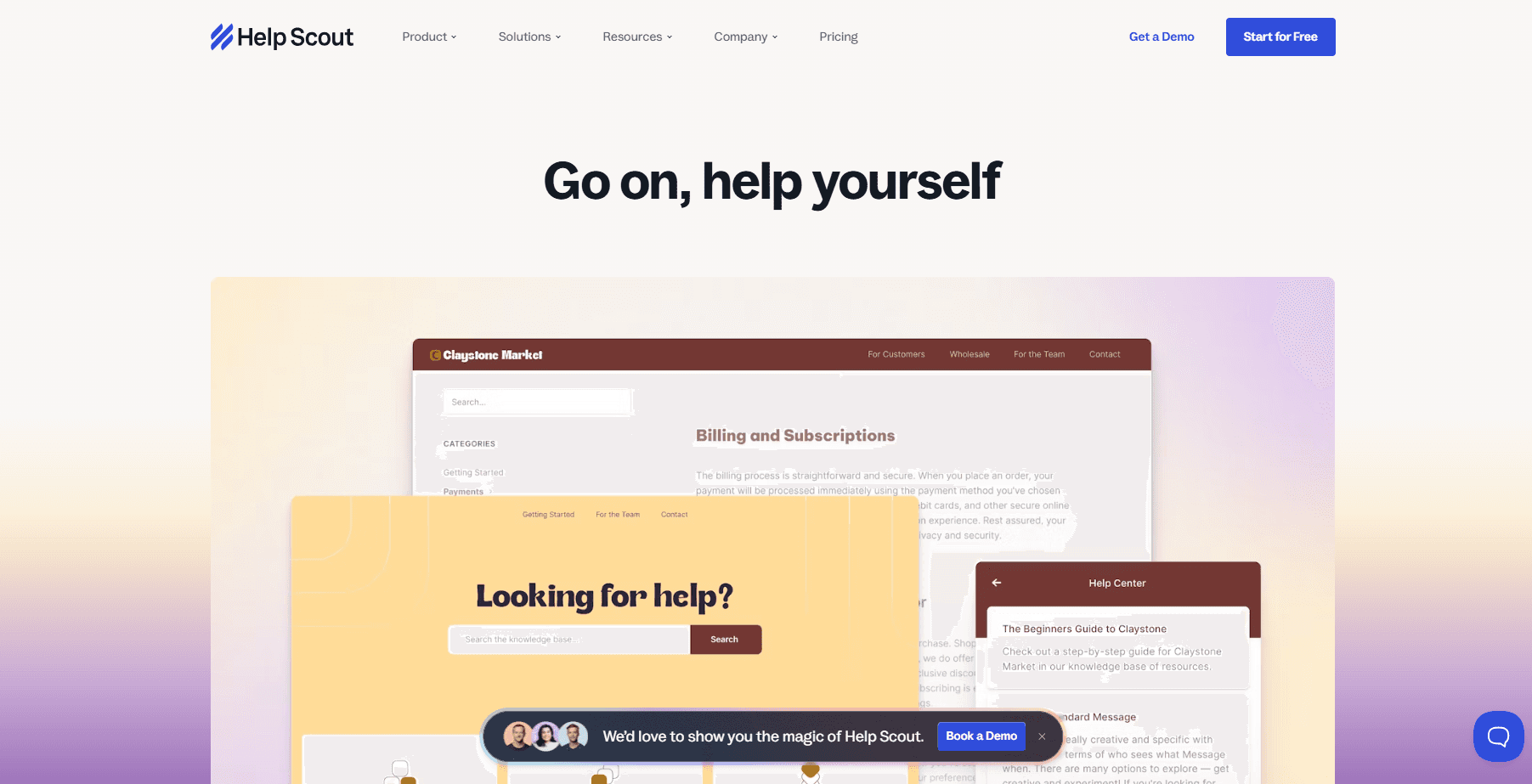
The customer-facing experience needs a Docs-enabled Beacon on the website or inside the product. Teams can use Self Service mode when the main job is helping visitors find answers, or Neutral mode when they want other contact choices to stay visible.
This layout suits a smaller team that wants help content, AI answers, email, and optional chat in one support environment.
It isn't designed as an enterprise-wide employee search layer with deep permission mapping across many systems.
6. Document360 Ask Eddy AI: Best for Technical Documentation Teams
Document360 Ask Eddy AI turns a Document360 knowledge base into direct answers with numbered citations. It can appear on the knowledge base home page, in site search, and through the embedded widget.
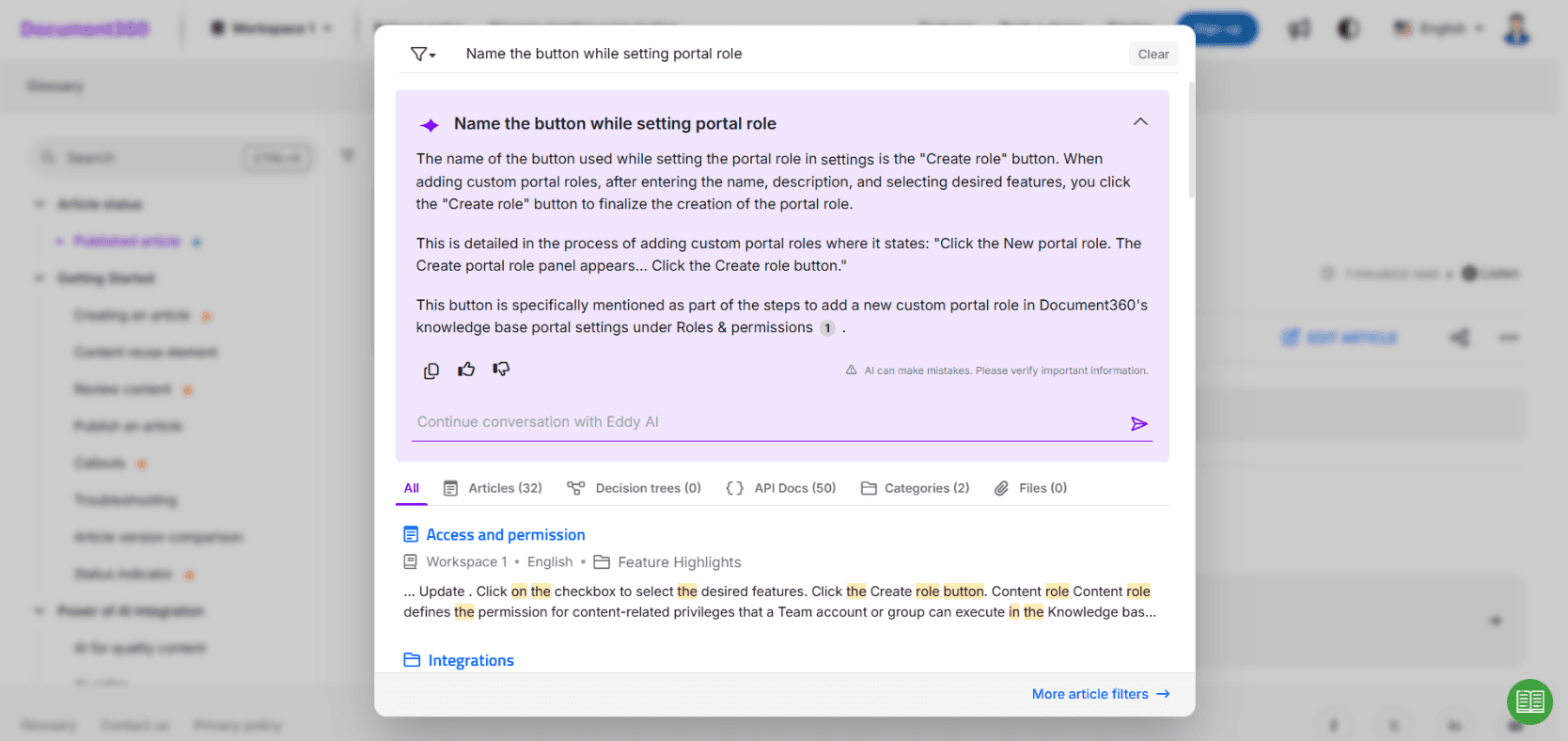
Its index can cover published text, tables, code blocks, LaTeX, structured page elements, and PDF attachments within documented limits. External sources can extend the search, while access rules keep restricted articles out of answers for readers who lack permission.
Document360 says published changes and deletions usually reach the index in about 15 minutes. That gives documentation teams a clear freshness check. The vendor also warns that Eddy isn't a calculation engine and may be approximate with numbers or dates, so those questions need direct testing.
Choose Document360 when governing technical documentation is the main job. It adds an answer layer, but doesn't replace a help desk or company-wide employee search.
7. Guru: Best for Governed Internal Answers in the Flow of Work
Guru focuses on helping employees find company knowledge where they already work. It can connect sources such as Google Drive, SharePoint, Slack, Zendesk, Confluence, and CRM systems while keeping source permissions in place.
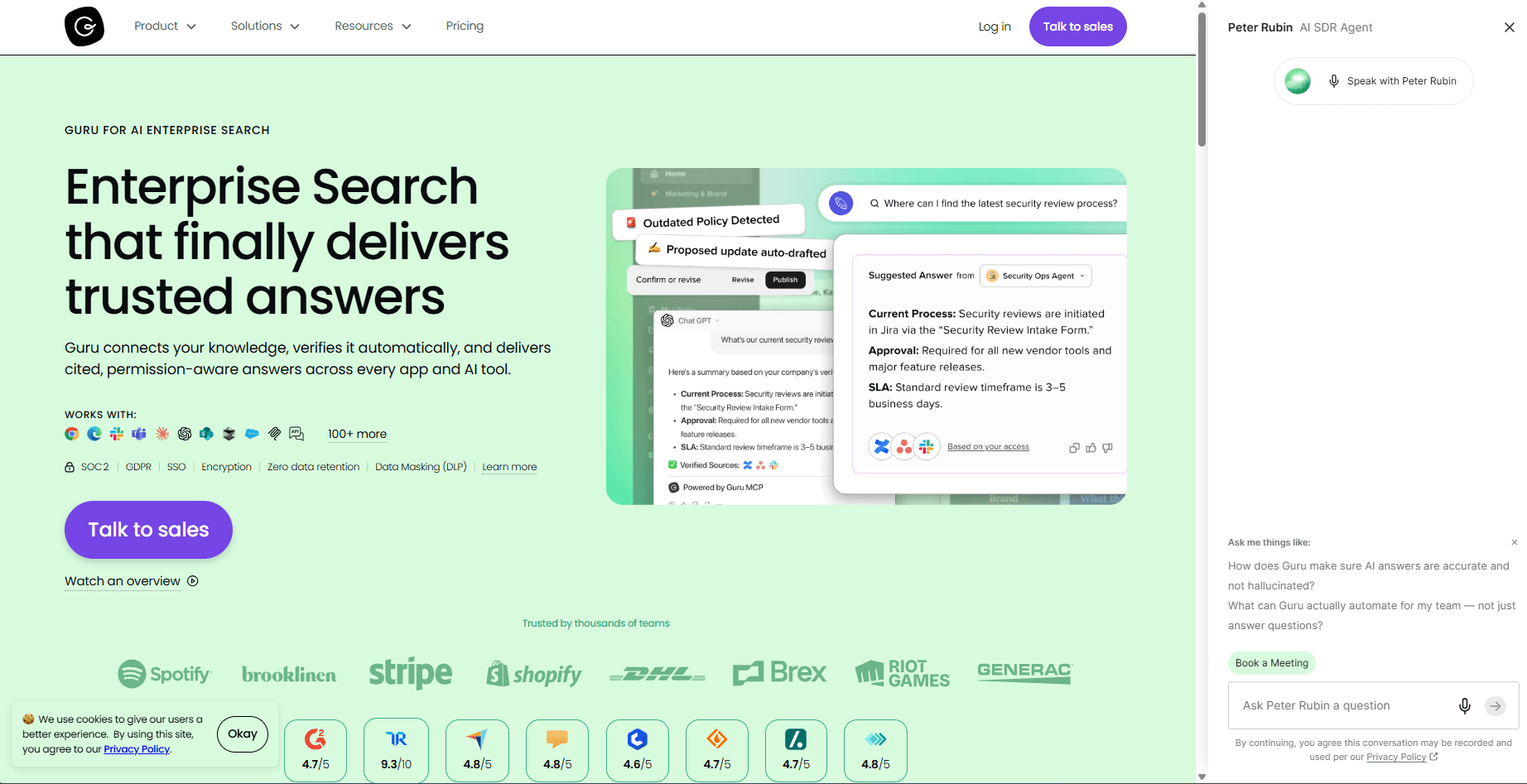
Answers can include citations and appear in Slack, Teams, the browser, Guru, and supported AI tools through MCP. That makes Guru useful when a sales, support, or operations employee needs a policy or process without leaving the current task.
Its governance model adds another layer. Verification workflows and usage signals help owners find stale, duplicate, or risky content.
They don't maintain the content themselves. A named person still needs to review the source and approve what stays current.
Guru focuses on employee knowledge rather than public support and customer ticket operations.
8. Glean: Best for Enterprise Search Across Many Internal Systems
Glean is aimed at enterprise knowledge spread across many applications. An employee can ask across sources such as Drive, Confluence, and SharePoint, then open a cited file only when their existing access allows it.
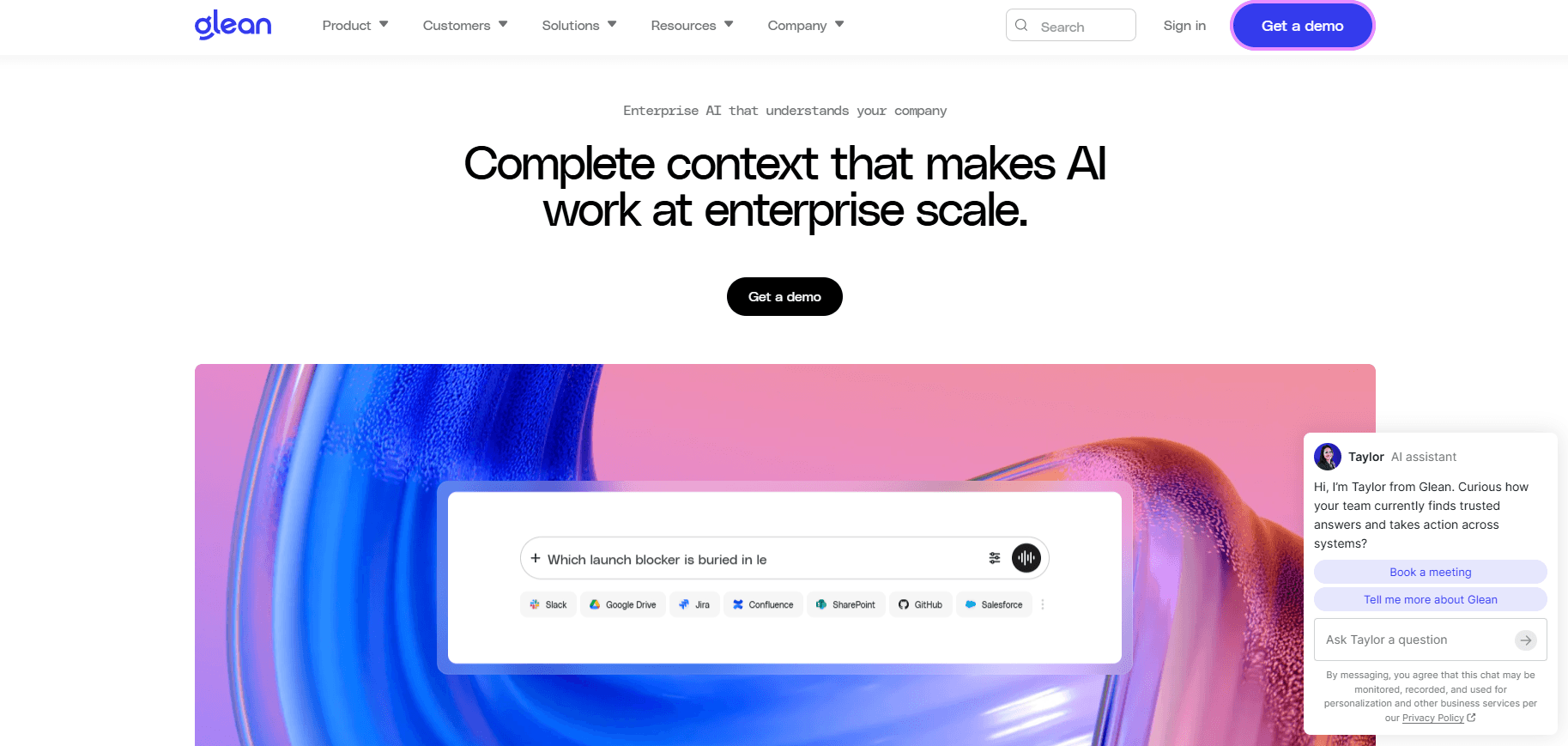
Its citations can point to documents, pages, files, and people records. Previews and links inherit company access controls, so a citation doesn't grant new permission. Deep-link behavior may also change by connector and administrator setup.
Citation coverage needs careful testing. Glean's own documentation says citations aren't always present, and a generic fast mode may answer from pretrained knowledge without retrieving company sources.
A buyer who needs every company-specific answer grounded in approved content should test modes, source controls, and permissions. Glean isn't a lightweight chatbot for a public help center.
9. Chatbase: Best for a Fast, Customizable Knowledge Agent
Chatbase uses websites, text, Q&A pairs, Notion pages, and supported ticket sources. Uploaded files can be PDF, TXT, DOC, or DOCX. It can also connect actions and procedures when a conversation needs to do more than return an answer.

Handoff can go to Chatbase's own Help Desk, a supported live-chat destination, or a ticket in an integrated help desk. Website, Notion, and eligible ticket sources can auto-resync weekly on stated plans; other setups need manual resync.
The main limit is also a part of the setup decision. Chatbase uses readable text and says it cannot process images, videos, or other non-text document elements as knowledge.
Teams must define the source scope, resync settings, instructions, actions, and escalation rules. It’s configurable, but that doesn't make every setup reliable by default.
How to Choose an AI Knowledge Base Chatbot
Start with the audience and the evidence path, not the longest feature list. Ask every vendor, including us, the same questions:
Who will ask questions? Separate customers, employees, and mixed use cases.
Where does approved content live? Check whether the tool connects to it without copying restricted material into a public index.
When are sources used and shown? Ask whether company-specific answers always retrieve approved content and when citations may be absent.
How fast do edits and deletions appear? Test each source type, not only the native help center.
What happens when sources conflict? A safe answer may be a refusal or a handoff.
What happens when the answer is missing? Look for clear fallback behavior, not a polished guess.
Do permissions hold? Test the same restricted question as an authorized and unauthorized user.
Can reviewers inspect failures? Check transcripts, citations, feedback, and unanswered questions.
Can a failure become a task? The team needs a path from a bad answer to a source correction.
How does a person take over? For customers, confirm live chat, ticket, email, or an external integration. For employees, confirm the workplace surface and owner.
What needs upkeep? Record who owns sources, tests, conflicts, and sync failures after launch.
Run the same trial pack across every shortlist tool. Include a known answer, a missing answer, an old page, two conflicting pages, and a restricted source. Add a multi-part question and a request for a person.
Maintenance affects the result after launch. In our 2026 source study, a fixed group of 84 businesses moved from 75.4% to 80.8% average resolution over three months.
That is a 5.4 percentage-point increase. About 57% improved, 23% declined, and the rest stayed broadly flat. The study was observational, so it supports a review-and-correction loop rather than a promised lift.
Where We Lose, and Where Another AI Knowledge Base Tool Fits Better
We aren't the best choice when you want one large platform to run ticketing, voice, broad routing, workforce management, and the AI agent. Zendesk or Freshdesk Omni can fit better because they govern those support operations within one suite. That advantage may justify the added platform setup or migration.
Fin is the better option when you want structured customer-service procedures and actions while keeping a supported help desk. Document360 fits a different need. Its main job is helping teams build, version, translate, and govern technical documentation before adding AI answers.
For internal use, Guru or Glean may be a better match when inherited permissions, workplace integrations, and company-wide employee search matter most. Guru focuses more on owned, verified knowledge, while Glean searches across a wider set of enterprise systems.
Chatbase makes more sense when your team wants a configurable self-serve builder and is comfortable managing source scope, resync settings, actions, and escalation rules.
Our narrower scope works in our favor when the immediate job is a focused agent over selected company content. We make sources visible, surface failed conversations for review, and support configured handoffs without asking you to replace your whole support stack.
Turn Failed Answers Into Better Documentation With Wonderchat
The durable work starts after launch. Review failed questions, inspect the source, fix missing or conflicting content, retest the answer, and watch the next set of conversations.
Our QA Agent turns that process into a review queue and drafts fixes for your approval. A repeated billing question can become a documentation task instead of another hidden failure.
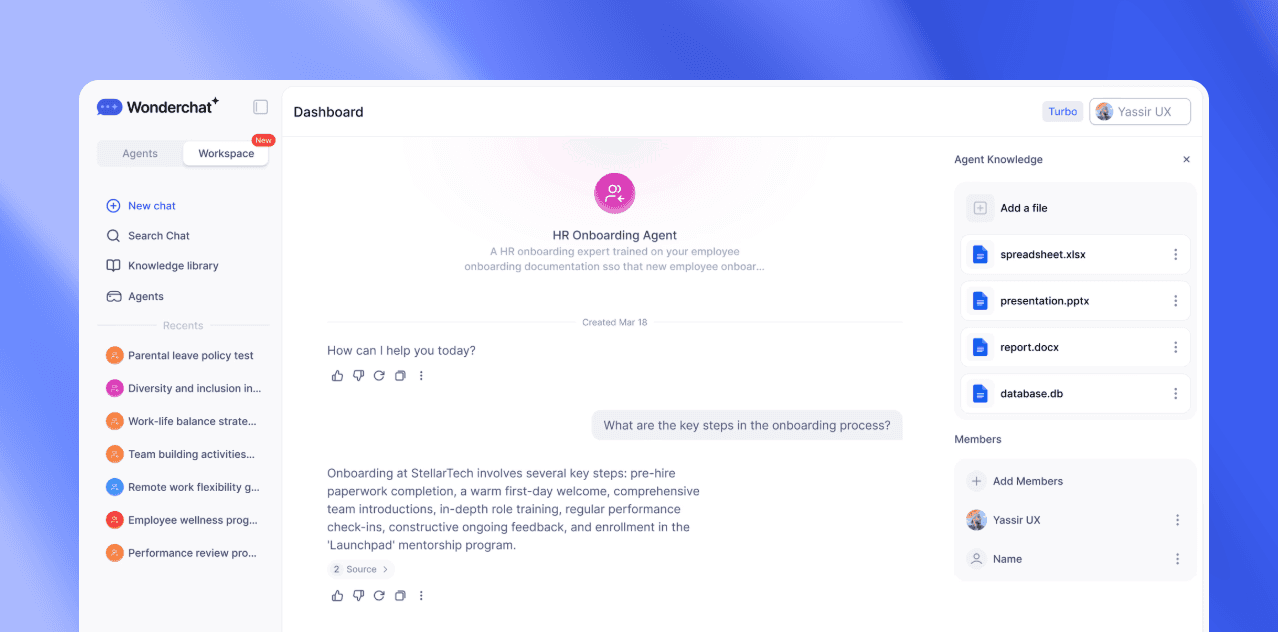
Build a focused agent from the content you already own, then review the questions it cannot answer and the sources behind weak replies.
See what your help center can't answer
Frequently Asked Questions
What is an AI knowledge base chatbot?
An AI knowledge base chatbot retrieves relevant passages from approved company content and uses them to write a direct answer. It may also show citations so the reader can inspect the source. When the evidence is missing or weak, the agent should refuse, ask for more detail, or provide a clear path to a person.
How is a knowledge base chatbot different from search?
Search returns a ranked list of documents, while a knowledge base chatbot retrieves passages and forms an answer from them. Search remains useful when you want to explore the full source. The agent is more direct for a clear question, especially when it shows the pages used to create the reply.
Can an AI knowledge base chatbot still give a wrong answer?
Yes. Retrieval can select a stale, incomplete, restricted, or conflicting source, and the model can misstate what the passage says.
Citations, refusal rules, permission tests, review logs, and repeat testing help teams catch or reduce those errors. None of these controls makes every answer correct.
Can one knowledge base chatbot serve employees and customers?
Some products can support both groups, but the setup should keep them separate. Employees and customers use different sources, permissions, interfaces, analytics, and handoff paths. A public support agent must not reach restricted employee content, while an internal agent needs identity and access checks that a public help-center widget may not provide.
What content should you add to an AI knowledge base first?
Start with frequent questions that have a clear, current answer and a named content owner. Use the words customers or employees use, remove conflicting instructions, and record when each source was updated.
Then test missing-answer behavior. More text alone won't help if the content is old, unclear, or repeated across pages that disagree.

