
Summary
The best AI customer support agent for SaaS retrieves answers from current product documentation, shows the source behind each answer, and hands unresolved work to a person with the full context.
Wonderchat is the best pick for small SaaS teams with real product documentation: it answers from your docs and shows the source on every reply. When no page covers a question, it says so instead of guessing and hands the customer to a person with the whole conversation, in its own tickets or in Zendesk or Freshdesk.
Fin, formerly Intercom, is the strongest option when you want to add a mature AI agent to the help desk you already use. It’s now owned by Salesforce but remains a separate product alongside Agentforce.
Zendesk Suite and Freshdesk Omni make more sense when you need the help desk, customer channels, and AI agent in one system.
Salesforce Agentforce is the stronger fit when customer data, permissions, and support workflows already live inside Salesforce.
Most SaaS teams don’t need another bot that can rewrite a help article. They need an AI agent that can find the right passage across setup guides, pricing pages, release notes, and product policies, then recognize when a question requires account data or human judgment.
That gets harder as your product changes. An old release note can look relevant, a setup guide may apply to only one plan, and two help articles can describe different versions of the same feature. The reply may sound polished while giving the customer an answer that is months out of date. According to Wonderchat's support team, the failure seen most often is not invention; it is retrieval pulling an archived policy and answering from it correctly.
For every vendor in this comparison, Wonderchat reviewed its public product documentation, pricing pages, integration guides, and support content. Wonderchat checked:
Which knowledge sources the agent can read,
Whether the reader can trace a reply to its source,
What reaches the human agent during handoff,
Which help desks it connects to,
How teams control and test automation, and
Whether billing is based on seats, conversations, resolutions, or another unit.
Wonderchat publishes this comparison and appears in it, so the bias is obvious. Wonderchat ranked the platforms by their fit for documentation-led SaaS support, not by pretending one tool is right for every team.
The 10 profiles below explain where each agent fits, what it asks you to give up, and what to verify before signing a contract.
Best AI Customer Support Agents for SaaS at a Glance
Tool | Best Fit | Knowledge and Source Control | Human Handoff | Billing Unit | Main Reason to Rule It Out |
Documentation-led SaaS support | Websites, files and Google Drive; source shown on every reply; weekly recrawl on Scale | Tickets with the full chat and live chat on every plan, or Zendesk and Freshdesk handover on Basic and above | Monthly plan metered in AI replies; no per-seat cost | No actions in your systems, such as refunds; no A/B testing | |
AI added to an existing help desk | Connected knowledge, training, and testing | Current help desk or Fin’s Intercom help desk | Outcomes; Intercom seats if used | Each successful outcome adds cost | |
AI and help desk together | Zendesk knowledge or connected external sources | Native routing and tickets | Seats, automated resolutions, and add-ons | AI starts with Suite, not the $19 Support plan | |
Smaller teams buying omnichannel support | Knowledge, testing, and monitoring | Native tickets and routing | Seats, AI sessions, and add-ons | The 500-session allowance is one-time | |
Fast self-service launch | Connected data; higher-plan source controls | Built-in takeover or external desk | Message credits | Key integrations need Standard | |
Developer-controlled workflows | Multiple source types and inspectable logs | Botpress Desk or integrations | Conversations and automatic overage packs | More build work; forced auto-recharge | |
Enterprise omnichannel support | Playbooks, coaching, simulations, APIs | Voice, email, chat, and messaging | Quote-specific | Quote-specific | |
Complex workflows and experiments | Guardrails, tests, tracing, versions | Chat, voice, and email | Conversations or resolutions | Custom price and larger implementation | |
Bespoke enterprise deployment | Testing, monitoring, and system connections | Voice, chat, email, and WhatsApp | Outcomes | Sales-led with no public price | |
Salesforce-native actions | Salesforce data, knowledge, flows, and permissions | Salesforce service workflows | Credits, conversations, resolutions, or licenses | Best for committed Salesforce teams |
Sources for the table and every price on this page: official vendor product, documentation and pricing pages, reviewed September 15, 2026.
Use the table to narrow your shortlist, then review the profiles below for plan requirements, setup needs, pricing details, and the limitation that could rule out each tool.
1. Wonderchat, Best for Documentation-Led SaaS Support
Best for: Small SaaS teams that write their own product documentation and want an agent that answers from it, shows the source and hands unresolved questions to a person.
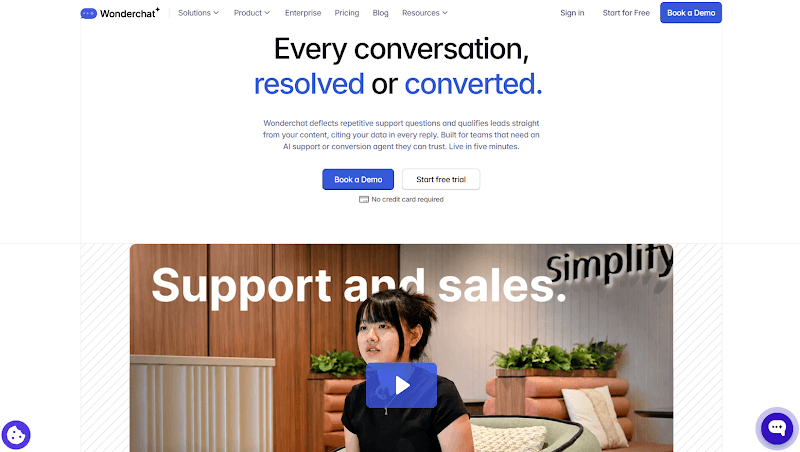
Wonderchat's AI Customer Service Agent answers from your website, help center, docs, uploaded files and Google Drive, in a widget on your site, inside your product or on your help center.
It shows the source on every reply, so customers and your team can check the page behind an answer. A visible source doesn’t prove that an answer is correct, so you should still test the agent against real support questions.
When no page covers a question, the agent says so instead of guessing, offers a person and hands over with the whole conversation: as a ticket or email follow-up, or to a teammate in live chat, on every plan. Teams on Zendesk or Freshdesk keep them, and the agent hands over into them with the whole conversation. Automatic weekly recrawling of your site comes with the Scale plan, rather than a real-time connection.
Jortt, a Dutch accounting platform, offers a concrete example: it reports that its Wonderchat agent resolves about 92% of roughly 30,000 monthly inquiries without a person.
Your results will depend on your documentation, configuration, and the questions your customers ask, so treat Jortt’s result as one customer example rather than a performance promise. Across Wonderchat agents, about 75% of evaluated conversations are resolved without a person.
Key Features for SaaS Teams
Many channels, one setup: Add the agent as a website widget, hosted page or search bar, or let it answer in email, SMS, Slack, WhatsApp, Microsoft Teams and phone calls, with Slack and WhatsApp from Starter and Microsoft Teams and voice from Basic.
Fallback and answer controls: Configure fallback responses, reviewed corrections, and routing behavior for questions your connected sources cannot support.
Contact capture and routing: Collect customer details and pass the conversation to the right person, with custom fields and triggers on the Scale plan.
Review inbox: Questions your docs couldn't answer land in one place; answer each once, by pasting a URL, picking a file or writing it, and the agent answers it from then on.
Strengths and Limitations
Strengths: Use Wonderchat's own tickets and live chat, or keep Zendesk or Freshdesk and let the agent hand over into them. Source visibility, fallback controls, configurable handoff, and knowledge-gap analysis suit SaaS teams that already maintain detailed product documentation.
Limitations: Wonderchat doesn't take actions in your systems, such as refunds, cancellations or account changes, and has no built-in A/B testing. Grounded answers and visible sources don’t guarantee correctness, while handing off a conversation doesn’t guarantee how quickly a human agent will respond.
Pricing
Free: 50 AI replies, refilled every month, no credit card.
Basic: 3,000 AI replies a month and an estimated 600 resolutions.
Scale: 9,000 AI replies a month and an estimated 1,800 resolutions.
Enterprise: Custom pricing, with custom capacity, integrations, and controls.
Starter sits between Free and Basic with 500 AI replies a month, and resolution figures are estimates. Actual capacity depends on conversation length and usage. There is no per-seat cost on any plan, and paid plans include unlimited team seats.
Why Wonderchat
Wonderchat comes first because the primary comparison is for SaaS teams that already have detailed product documentation and may already use a help desk. Wonderchat's product focuses on turning that knowledge into source-visible answers while giving unresolved questions a clear route to human support.
Wonderchat isn’t the strongest option for every support operation. Zendesk and Freshdesk offer broader help-desk administration, Decagon provides built-in A/B testing, and Salesforce Agentforce is better suited to support actions that must run inside Salesforce. Larger teams weighing these options can also read the best enterprise AI customer service platforms for a wider view.
2. Fin, Best for Adding AI to an Existing Help Desk
Best for: Teams that want a mature AI agent across an existing support system and can forecast outcome-based charges.
Fin is now part of Salesforce following the acquisition completed on September 10, 2026. It remains a separate product within Salesforce AI Labs and continues to serve existing customers.
The distinction between Fin and Agentforce still matters. Fin is designed for relatively fast deployment across existing help desks and customer-service systems. Agentforce offers deeper customization when the underlying data, permissions, and workflows already live inside Salesforce.
Fin can work with a current help desk through supported integrations and custom channels. Teams can also buy it with Intercom, the help-desk product that retained its name when the company became Fin.
The handoff model depends on the selected help desk and channel. Verify which transcripts, fields, routing rules, and actions reach your system rather than assuming every integration behaves like Fin’s native Intercom help desk.
Key Features for SaaS Teams
Connected knowledge and procedures: Uses connected support content and configured Procedures to answer questions or complete defined support work.
Prelaunch testing: Lets your team test responses and run simulations before introducing Fin to a wider customer audience.
Multichannel support: Works across chat, email, voice, social media, and supported custom channels, depending on the integration and setup.
Routing and outcome reporting: Provides audience rules, routing controls, usage alerts, and reports showing which interactions became chargeable outcomes.
Strengths and Limitations
Strengths: Fin offers broad help-desk compatibility and strong testing controls. Its pricing documentation also explains which outcomes create a charge and when a simple transfer to a person does not.
Limitations: The bill rises as Fin records more paid outcomes. Teams must also verify how their help desk handles handoff and whether the selected integration supports every required channel, field, and action.
Pricing
With a current help desk: $0.99 per outcome, with a minimum of 50 outcomes per month and no additional Fin seat charge.
With the Intercom help desk: From $0.99 per outcome plus $19 per help-desk seat each month.
Qualification outcomes: $9.99 each.
Resolutions, Procedure handoffs, and disqualifications: $0.99 each.
According to Fin, a simple pass to the team without an outcome is not charged. See how Fin outcome pricing works.
Why Fin Made the List
Fin comes second because it combines broad help-desk support with testing and outcome controls. It is stronger when a team wants a mature agent layer across an existing service platform, but each paid outcome adds to the bill.
3. Zendesk AI, Best Full Suite for Zendesk Teams
Best for: Support organizations that need ticketing, routing, channels, knowledge, reporting, and AI in the same system.

Zendesk is a complete service platform rather than a focused documentation agent. Suite Team is the first listed plan that combines AI Agents, Knowledge Base, Action Builder, omnichannel routing, messaging, live chat, and telephony. Higher Suite plans add deeper routing, reporting, and governance.
A connected knowledge source is required for generative answers. That source can be a Zendesk help center or supported external content, depending on the configuration. AI usage is measured through automated resolutions, so the seat price isn’t the complete cost.
Key Features for SaaS Teams
Unified support workspace: Combines ticketing, messaging, live chat, voice, routing, and customer context within the Zendesk service platform.
Knowledge-connected AI: Uses connected support knowledge and an AI agent builder to answer questions and create defined customer-service flows.
Multi-step actions: Action Builder runs approved steps across Zendesk and connected systems, subject to your permissions and configuration.
Support operations: Eligible plans add intelligent triage, agent assistance, reporting, routing controls, and sandbox tools for testing changes.
Strengths and Limitations
Strengths: Zendesk can manage the full path from automated answer to routed human ticket. It suits mature operations that need SLAs, multiple channels, skills-based routing, and established administration controls.
Limitations: Smaller teams may pay for a wider service platform than they need. The total cost can combine seats, automated resolutions, consumption-based features, and optional add-ons.
Pricing
Support Team: $19 per agent each month when paid yearly. This is a core email-ticketing plan and doesn’t include AI Agents, Knowledge Base, messaging, or live chat.
Suite Team: $55 per agent each month when paid yearly. This is the first listed plan that includes AI Agents and the wider Suite channel and knowledge features.
Suite Professional: $115 per agent each month when paid yearly.
Copilot add-on: $50 per agent each month when paid yearly on eligible plans.
AI-agent usage: Included with Suite plans and measured through automated resolutions, with allowances and additional terms depending on the plan or contract.
Why Zendesk AI Made the List
Zendesk is the strongest complete-suite option for teams organized around tickets, queues, channels, and SLAs. A team that only wants a documentation agent may find it too broad.
4. Freshdesk Omni, Best for Small and Mid-Sized Support Teams
Best for: Teams that want chat, email, ticketing, knowledge, routing, and AI agent tools in one support platform.
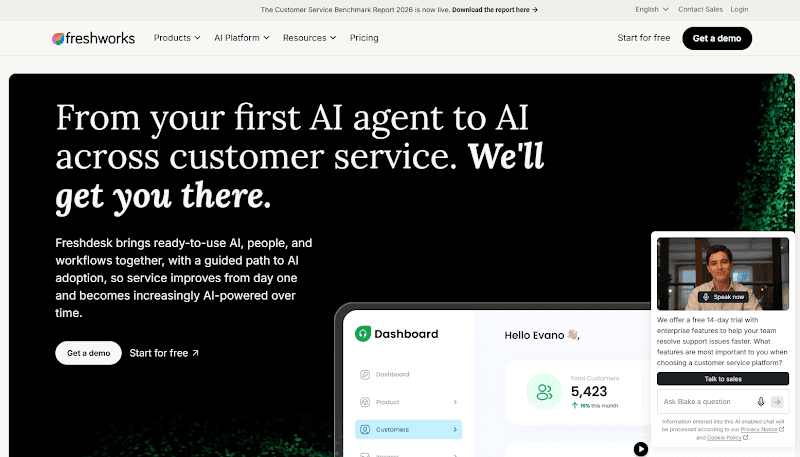
Freshdesk Omni combines ticketing, messaging, a customer portal, knowledge, reporting, and Freddy AI Agent. AI Agent Studio supports building, testing, deploying, and monitoring customer-facing agents.
The Omni distinction matters. Email AI Agent is available in both classic Freshdesk and Freshdesk Omni, but Chat AI Agent is available only in Freshdesk Omni. Using Omni pricing keeps the web-and-email capabilities in this profile aligned with the product being compared.
Key Features for SaaS Teams
Omnichannel help desk: Brings tickets, email, chat, messaging, customer portals, knowledge, and reporting into one platform.
Chat and email automation: Uses separate session rules for supported chat and email interactions.
AI Agent Studio: Gives your team one place to build, test, deploy, and monitor customer-facing agents.
Advanced routing and controls: Higher plans add intelligent routing, advanced analytics, multilingual support, audit logs, and sandbox access.
Strengths and Limitations
Strengths: New customers receive a one-time allowance of 500 Freddy AI Agent sessions when purchasing Growth, Pro, or Enterprise. Freshworks also publishes the price of additional session packs and Copilot.
Limitations: The 500 sessions are a one-time account allowance, not a recurring monthly inclusion. AI sessions are separate from agent seats, while Copilot and some operational features require additional spending or higher plans.
Pricing
Growth: $29 per agent each month, billed annually.
Pro: $79 per agent each month, billed annually.
Enterprise: $119 per agent each month, billed annually.
Freddy AI Agent: A one-time allowance of 500 sessions for new Growth, Pro, and Enterprise customers; additional sessions cost $49 per 100.
Freddy AI Copilot: $29 per agent each month on Pro and Enterprise
Why Freshdesk Omni Made the List
Freshdesk Omni is on the list because it gives smaller and mid-sized teams a published route into omnichannel support and customer-facing AI. The starting cost is higher than classic Freshdesk, but it is the relevant product when chat automation is part of the comparison.
5. Chatbase, Best for a Fast Self-Service Launch
Best for: Small SaaS teams that want to build an agent from existing content and add actions or help-desk functions without an enterprise contract.

Chatbase builds an AI agent from connected data and deploys it across chat, email, and other channels. Actions can create tickets, hand off a conversation, collect fields, call APIs, and trigger billing or scheduling tools.
Its takeover flow stops AI replies, creates a ticket, writes a summary, and links the original conversation. Help desk, API access, voice, auto-retraining, and advanced integrations begin at the Standard plan.
Key Features for SaaS Teams
Knowledge-source management: Connects company content, with source suggestions, ticket ingestion, and automatic retraining available on eligible plans.
Support actions: Collects customer details, creates tickets, calls custom APIs, and connects with supported billing, commerce, and scheduling tools.
Human takeover: Stops AI replies, creates a linked ticket, and gives the human agent a summary of the original conversation.
Help-desk integrations: Connects with Zendesk, Salesforce, Fin, HubSpot, and Freshdesk, although these integrations require the Standard plan or higher.
Strengths and Limitations
Strengths: Chatbase offers public self-service plans and a broad action catalog. It also gives more units per dollar than Wonderchat and has gap detection on every plan. Its takeover documentation explains when the AI stops, what ticket is created, and which context the person receives.
Limitations: The Free and Hobby plans do not include the full help-desk surface. Costs rise with message-credit use, extra agents, and optional credit top-ups.
Pricing
Free: $0 with 50 message credits per month.
Hobby: $40 per month with 700 message credits.
Standard: $150 per month with 4,000 message credits, help desk, API access, and advanced integrations.
Pro: $500 per month with 15,000 message credits and advanced analytics.
Extra credits: $40 per 1,000 message credits.
Why Chatbase Made the List
Chatbase is the strongest self-service option here. Its public plans aid comparison, while its actions and takeover go beyond a basic FAQ bot. Standard is the practical starting point when a help desk or API is needed.
6. Botpress, Best for Developer-Controlled Workflows
Best for: SaaS companies with technical resources that want to control retrieval, workflow logic, integrations, fallback, and human routing.
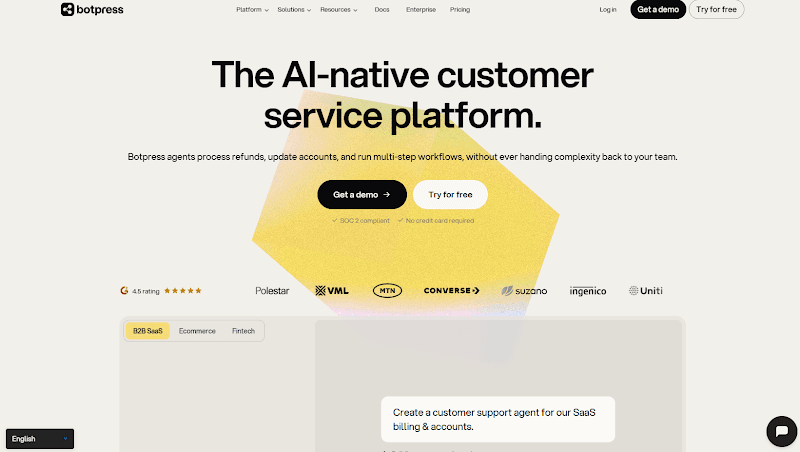
Botpress provides a visual studio, developer tools, knowledge bases, workflows, integrations, logs, and Botpress Desk. Its knowledge bases can use websites, documents, tables, web search, rich text, and connected services. Builders can route searches and inspect retrieved results in logs.
That control requires someone to design and maintain the agent. A conversation counts after at least two end-user messages. Paid plans add conversation packs near the allowance, and auto-recharge cannot be disabled.
Key Features for SaaS Teams
Flexible knowledge sources: Uses websites, documents, tables, rich text, web search, and connected services as retrieval sources.
Custom workflow control: Combines visual workflows, autonomous nodes, custom logic, and code when your support process needs more technical control.
Inspectable retrieval logs: Shows the knowledge query, matched content, source name, and token use so developers can investigate weak retrieval.
Human support tools: Connects conversations to Botpress Desk or configured integrations, with routing and role controls for support teams.
Strengths and Limitations
Strengths: Botpress gives technical teams more control over retrieval and workflow design than a fixed support product. Its logs and inspection tools help diagnose weak retrieval rather than only showing the final response.
Limitations: More control creates more implementation and maintenance work. Conversations handled by AI and people use the same billing unit, and mandatory overage packs can raise the invoice.
Pricing
Free: $0 with 100 conversations, three seats, and three AI agents.
Plus: $150 per month billed annually with 250 conversations; extra packs cost $65 per 100 conversations.
Team: $750 per month billed annually with 1,500 conversations; extra packs cost $50 per 100 conversations.
Enterprise: Custom
Why Botpress Made the List
Botpress is here for teams that want to build their support logic. Its retrieval and inspection controls stand out, but teams without developer time may launch faster with Wonderchat, Chatbase, or a native help-desk agent.
7. Ada, Best for High-Volume Omnichannel Support
Best for: Enterprise teams that need one managed agent across voice, email, chat, messaging, and connected business systems.
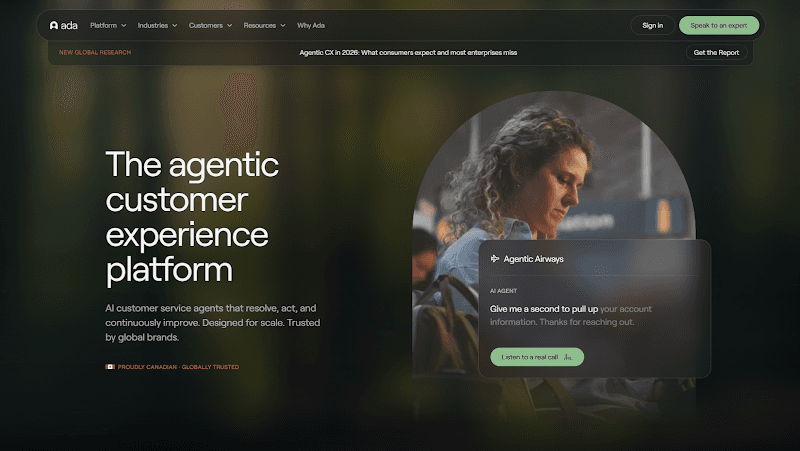
Ada combines shared reasoning, a Conversation Hub, a Performance Center, and developer tools. Playbooks define procedures, Coaching applies feedback, and Simulations test changes. APIs, SDKs, and integrations connect business systems.
This is an enterprise platform for teams that can run agent operations as an ongoing function. Ada's vendor-wide performance figures are excluded because the public method was not detailed enough for a fair comparison.
Key Features for SaaS Teams
Omnichannel agent logic: Applies shared agent behavior across voice, email, chat, messaging, SMS, and supported custom channels.
Multi-step Playbooks: Uses connected data and defined procedures to guide the agent through support requests that require several steps.
Coaching and simulations: Lets your team apply feedback, test changes, monitor conversations, and review performance before broader deployment.
Enterprise development tools: Provides APIs, SDKs, MCP support, and integrations with systems such as Zendesk, Salesforce, ServiceNow, and Freshworks.
Strengths and Limitations
Strengths: Ada offers more channel depth and operating controls than a lightweight chatbot. It is built for teams that need to connect customer conversations to backend actions at high volume.
Limitations: Ada doesn’t publish dollar prices. Implementation, governance, and ongoing agent management require more people and planning than a self-service tool.
Pricing
Billing unit: Defined in the commercial quote
Purchase path: Custom pricing
Ada discusses conversation- and resolution-based pricing models publicly, but it doesn’t publish a universal billing unit that applies to every customer contract.
Why Ada Made the List
Ada is here for large organizations that need one agent across channels and business systems. Its Playbooks, Coaching, Simulations, and developer tools add depth that a low-volume queue may not need.
8. Decagon, Best for Complex Workflows and Experiments
Best for: Enterprise teams that want natural-language procedures, detailed traceability, version control, and A/B testing.
Decagon uses Agent Operating Procedures to define logic in natural language. Teams can inspect guardrails, integrations, model calls, triggers, and referenced knowledge without rebuilding a rigid decision tree.
Teams can run simulations and unit tests, trace decisions, version workflows, and A/B test changes. Wonderchat lacks built-in A/B testing, so Decagon is stronger when controlled experiments are required.
Key Features for SaaS Teams
Natural-language procedures: Agent Operating Procedures let technical and nontechnical teams define support logic without relying only on rigid decision trees.
Controlled experiments: Supports simulations, unit tests, and A/B experiments so your team can compare workflow changes before or during deployment.
Traceable agent decisions: Records guardrails, model calls, workflow triggers, referenced knowledge, and versions for deeper review of agent behavior.
Connected omnichannel workflows: Runs support processes across chat, voice, and email while connecting with ticketing systems, CRMs, knowledge bases, and custom tools.
Strengths and Limitations
Strengths: Decagon connects workflow construction to an unusually clear testing and observability surface. Its A/B experiments can measure whether a change improves real conversations instead of relying on an editor’s judgment alone.
Limitations: Decagon doesn’t publish dollar prices, and the product is aimed at a larger enterprise program. It can require more integration and operating work than a focused documentation agent.
Pricing
Billing models: Per conversation or per resolution
Purchase path: Custom pricing
Why Decagon Made the List
Decagon is here for its documented testing, tracing, versioning, and experiments. Those controls matter for sensitive actions, but this is not the simplest path to a documentation assistant.
9. Sierra, Best for Bespoke Enterprise Deployment
Best for: Large companies that want a sales-led partner to build and manage agents tied to valuable business outcomes.
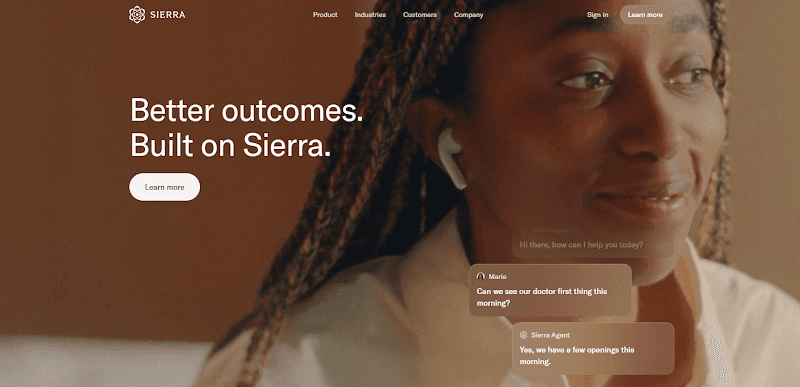
Sierra supports voice, chat, email, and WhatsApp in 59 languages. Its agents connect to systems of record for work such as returns, claims, and account processes. The platform includes testing, monitoring, behavior analysis, workflows, and guardrails.
Sierra pairs its software with an agent development team and outcome-based pricing. That suits enterprises seeking an implementation partner, but not small teams seeking public pricing and self-service setup.
Key Features for SaaS Teams
Multilingual channel coverage: Supports voice, chat, email, and WhatsApp conversations across 59 languages from one agent platform.
System actions: Connects with CRMs and other systems of record to complete approved account, claim, return, and service processes.
Testing and monitoring: Provides testing, automated monitoring, behavior analysis, and performance insights for reviewing how deployed agents operate.
Expert implementation support: Pairs the platform with an agent development team that helps build, deploy, and maintain enterprise workflows.
Strengths and Limitations
Strengths: Sierra combines software, implementation support, and outcome-based commercial terms. Its multi-channel and system-action coverage fits complex enterprise service programs.
Limitations: Dollar pricing and precise outcome definitions are not public. Teams need a sales process to learn what creates a charge, how failed or disputed outcomes are handled, and what implementation work is included.
Pricing
Billing model: Outcome-based pricing
Why Sierra Made the List
Sierra is here for companies that want a partner to build and operate the agent. Its channel and action coverage is broad, but the custom sales process makes it harder to shortlist on a fixed budget.
10. Salesforce Agentforce, Best for Salesforce-Native Support Actions
Best for: SaaS companies that already use Salesforce data, Service Cloud, flows, and permissions to run customer support.
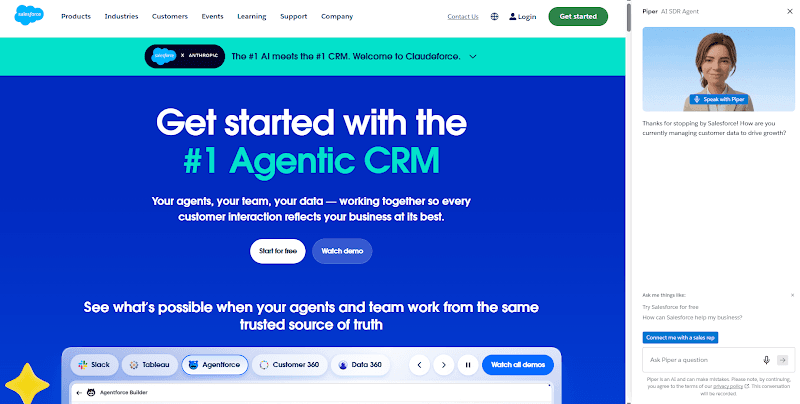
Salesforce now owns both Agentforce and Fin, but the products serve different buying situations. Agentforce is Salesforce’s deeply customizable platform for agents built around Salesforce data, permissions, knowledge, and Flow. Fin remains a separate, faster-deployment customer agent that can work across existing help desks.
Agentforce can answer from approved Salesforce knowledge, use customer records, call flows, and perform authorized actions. Teams can pay through Flex Credits, conversations, Help Agent resolutions, employee licenses, or wider Agentforce editions.
These options make cost modeling harder and may depend on other Salesforce products. Teams outside Salesforce also face more setup than buyers whose support records, permissions, and workflows already live there.
Key Features for SaaS Teams
Salesforce knowledge and data: Uses approved knowledge, customer records, prompts, flows, and business rules already stored in Salesforce.
Salesforce-native actions: Performs configured work such as updating records or following custom troubleshooting steps within existing permissions.
Customer and employee agents: Supports customer-facing service agents and internal agents for employees working inside Salesforce.
Building and usage controls: Includes Agentforce Builder for creating agents and Digital Wallet for tracking supported usage models.
Strengths and Limitations
Strengths: Agentforce can work directly with the data, permissions, and processes a Salesforce team already maintains. Salesforce’s acquisition of Fin broadens its customer-service portfolio, but Agentforce remains the stronger fit when Salesforce-native records and actions are central to the deployment.
Limitations: The available buying models are difficult to compare without a realistic action forecast. Teams may also need Service Cloud, Salesforce specialists, and wider platform licenses.
Pricing
Flex Credits: $500 per 100,000 credits. Standard Agentforce actions use 20 credits each.
Conversations: $2 per customer-facing conversation
Help Agent resolutions: $2 per resolution
Agentforce add-ons: $125 per user each month for eligible employee use cases
Agentforce 1 Editions: From $550 per user each month
Why Salesforce Agentforce Made the List
Agentforce is here for teams that need the agent to operate inside Salesforce. Fin may be faster to deploy across an existing help desk, while Agentforce provides deeper control over Salesforce data, permissions, flows, and service processes.
How to Choose an AI Support Agent for SaaS
Choosing an AI support agent starts with the support system you already run and the work you expect the agent to handle.
Before comparing individual features, decide which layer you need, which systems must remain, and which customer requests the agent may handle.
Use the four checks below to evaluate each vendor against your support process.
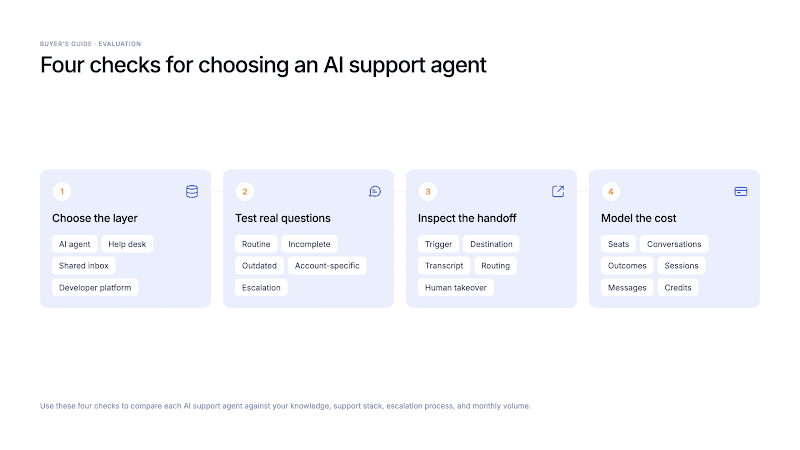
Start With the Layer You Need
An AI agent answers questions or performs defined work.
A help desk manages tickets, queues, channels, SLAs, and reporting.
A shared inbox centralizes messages.
A developer platform supplies custom building blocks.
Zendesk and Freshdesk combine the help desk and AI. Fin and Wonderchat can add an AI layer to the help desk you keep, or bring their own: Intercom for Fin, built-in tickets and live chat for Wonderchat. Botpress is a construction platform. Buying the wrong layer creates gaps or waste.
List the systems you will keep. If the help desk already owns tickets and routing, test how the agent adds value. If the inbox lacks SLAs, permissions, or channels, a complete suite may solve more.
Test Answers Against Real Support Questions
A useful test set includes messy cases from real support work, not only clear demo questions.
Include routine questions, vague requests, wrong product names, old policies, multi-step issues, account-specific requests, and cases with no approved answer. Add mandatory escalations such as disputed charges or security concerns.
Record the expected source, answer boundary, and handoff first. Check retrieval, source limits, citations, and whether the agent stops on weak evidence. A citation cannot make a poor source correct.
Inspect the Handoff
Handoff may mean an email, a ticket with context, or a person joining the same conversation.
Test both sides. Confirm the trigger, destination, transcript, summary, fields, routing, after-hours message, and takeover controls. Check whether the customer repeats the problem and whether AI replies stop.
Handoff doesn’t guarantee a fast human response. Staffing, queues, channel coverage, and SLAs remain part of the support operation.
Compare Billing Units With Your Own Volume
Convert each option into a monthly scenario using your own volume.
Seat pricing grows with users. Conversation pricing follows a vendor’s interaction rule. Resolution or outcome pricing follows a stated success event. Sessions, messages, and credits measure other activity and may have top-ups or limits.
Ask what creates a charge, what is included, and how overages, reopenings, repeat contacts, handoffs, tests, spam, and abandoned chats count. Then compare SaaS support software and outsourcing costs.
Turn Your Product Documentation Into an AI Customer Service Agent with Wonderchat
If your SaaS team already maintains product documentation, you don’t need to rebuild your support operation to start testing AI.
With Wonderchat, you can connect that knowledge, show the source behind each answer, and hand unresolved conversations to a person by ticket, email or live chat on every plan. If you already run Zendesk or Freshdesk, keep it: the agent hands over into it with the whole conversation.
Book a Demo with Wonderchat's team to discuss your knowledge sources, existing support stack, handoff needs, and expected volume.
If you prefer to test it yourself, build an agent from your docs on the free plan, which refills 50 AI replies every month with no credit card, and run it against the questions your customers already ask.
Frequently Asked Questions
What is the best AI customer support agent for SaaS?
Wonderchat is the top pick for answers from SaaS documentation with visible sources and configured handoff. Fin is stronger across an existing help desk. Zendesk or Freshdesk suits teams buying the help desk and AI together.
What AI agents offer customer support automation?
All ten products reviewed here automate some support work. Some focus on knowledge answers and escalation. Others add ticketing, routing, multiple channels, testing, or actions in business systems.
Can an AI support agent reduce tickets without trapping customers?
Yes, an AI agent can reduce repeat tickets when it resolves the issue and offers a clear human path. Test stopping, handoff, transcript transfer, and after-hours behavior. Track repeat contact alongside resolution.
What is the difference between an AI support agent and a help desk?
An AI agent answers questions or performs defined work, while a help desk manages tickets, channels, ownership, routing, SLAs, and reporting. Some products combine both; others add an AI layer to an existing desk.
How should SaaS teams compare AI support pricing?
SaaS teams should calculate monthly cost using their own volume and the vendor’s billing unit. Include minimums, help-desk seats, add-ons, overages, automatic top-ups, and implementation.
Do I need to replace my current help desk to use an AI agent?
No, several AI agents connect to an existing help desk. Confirm the supported channels, fields, transcript, routing, plan gate, and actions for your setup before buying.

