Chatbot Calendly Integration That Books Meetings Automatically
Enable Wonderchat's Calendly integration in minutes — no code required. Set a booking trigger, paste your Calendly link, and let your AI chatbot schedule meetings for you.
Trusted by businesses worldwide








Easy 5 minute set-up
How Wonderchat Works
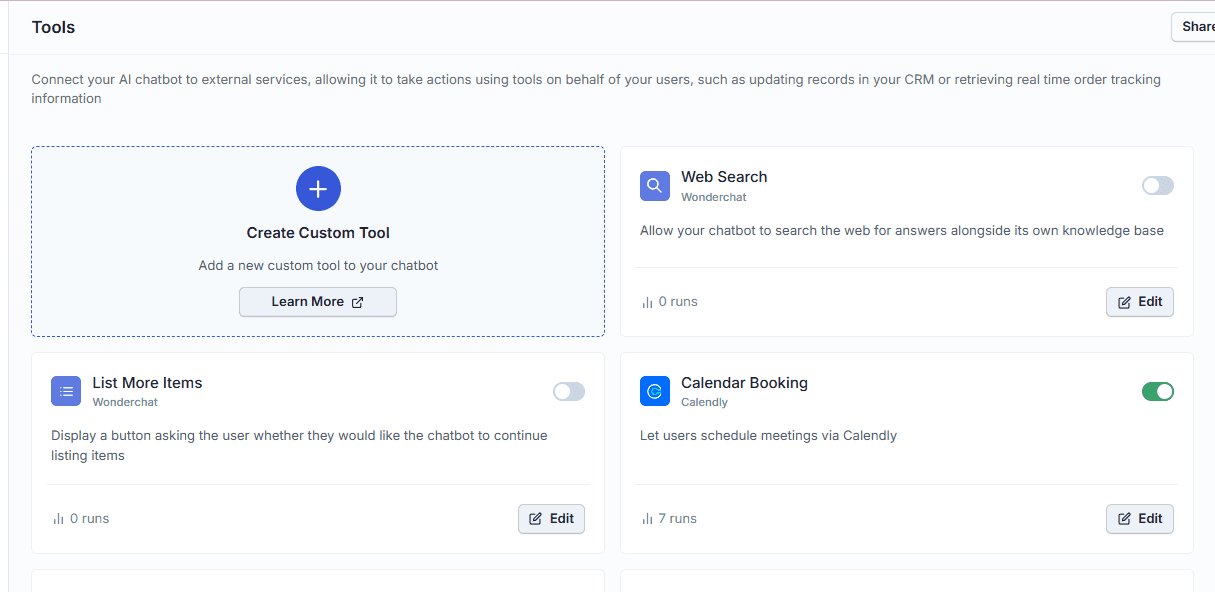
Enable Calendly in Your Chatbot
Activate meeting booking with one toggle
Inside your Wonderchat dashboard, navigate to Tools and locate the Calendly option. Toggle it on and the booking capability is immediately active — your chatbot can now schedule meetings on your behalf without any manual involvement.
Found inside the Tools section
Single toggle to activate
No code required
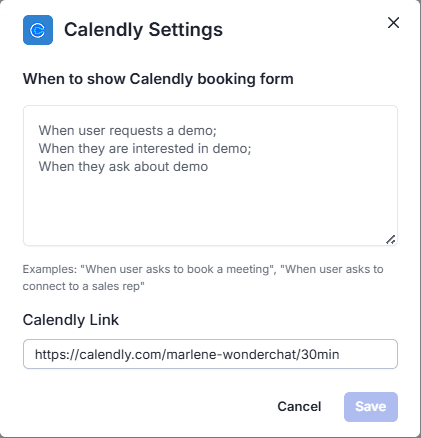
Configure Booking Trigger Conditions
Set exactly when Calendly should appear
In the Calendly tool settings, define the trigger condition that tells the chatbot when to surface the booking flow. Use phrases like "when user asks to book a call" or "when user requests a demo call" — fully customizable to match your specific use case.
Fully customizable trigger phrases
Matches your sales language
Edit settings anytime
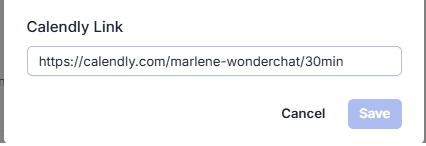
Add Your Calendly Link
Paste your link and save to go live
Below the trigger condition field, paste your personal Calendly URL directly into the link input field and click Save. That is all the configuration needed — your chatbot is now ready to route visitors to your calendar automatically.
Paste any Calendly URL
Save and go live instantly
No developer needed
5-minute set up with our native integration
Set Up Your Live Chat Alternative in Minutes
1
Create your AI chatbot – Pick the perfect AI model fit for your support needs.
2
Train AI with Docs, FAQs & Policies – Upload knowledge base files and site links.
3
Customise Workflows & Escalation Rules – AI handles what it can, and escalates what it can’t.
4
Monitor & Optimise with Analytics – See where customers get stuck and fine-tune responses.
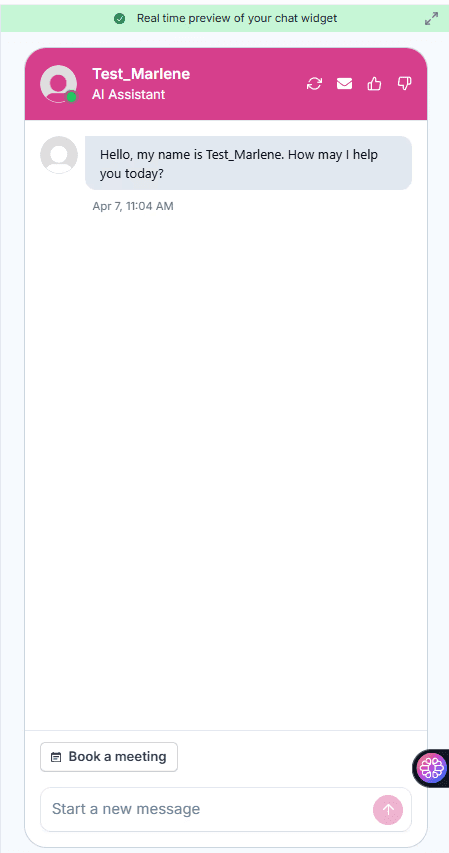
Persistent Book a Meeting Button
Always-visible booking access below the chat widget
A "Book a Meeting" button appears persistently beneath the chat widget — visible at all times, no conversation required. Visitors can click it at any point to open your Calendly page in a new tab and select a date directly.
Always visible to visitors
No chat interaction needed
Opens Calendly in new tab
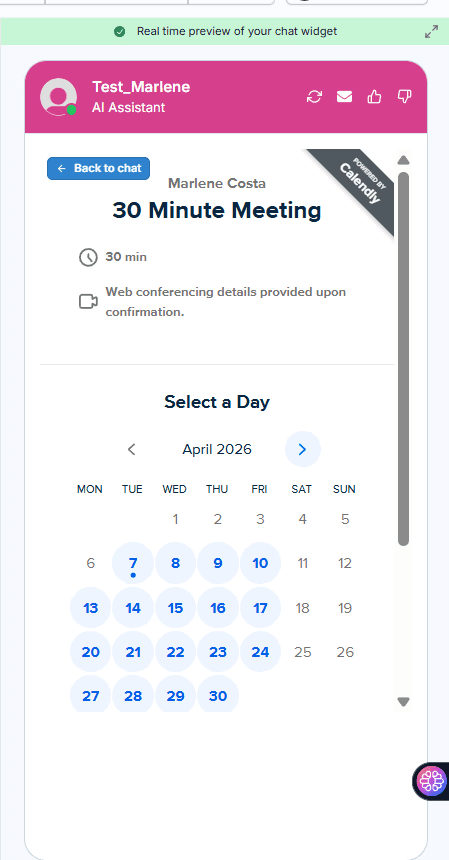
Conversational Calendly Booking Trigger
AI detects intent and redirects to your calendar
When a visitor types a booking intent like "I want to book a call," the chatbot detects it and automatically redirects them to your Calendly link. The visitor selects a date, picks a time slot, fills in their details, and confirms — all within the natural conversation flow.
Detects booking intent automatically
Redirects without manual input
Visitor completes booking in-flow










