A Slack Ticketing System That Resolves Tickets
Deploy a Wonderchat AI agent in any Slack channel to resolve support requests instantly. Team members @mention the bot and get accurate answers from your knowledge base in seconds.
Trusted by businesses worldwide








Easy 5 minute set-up
How Wonderchat Works
Slack Ticketing System Problem
Stop answering the same Slack questions repeatedly
When staff and clients repeatedly ask the same questions about SOPs and documentation inside Slack, team leads waste hours answering manually. Wonderchat deploys an AI agent trained on your company knowledge base directly into your Slack channels, resolving those questions autonomously before they become tickets.
Eliminate repetitive question load
Instant answers from your docs
No human intervention needed

Slack Integration Setup
Connect Wonderchat to your Slack workspace
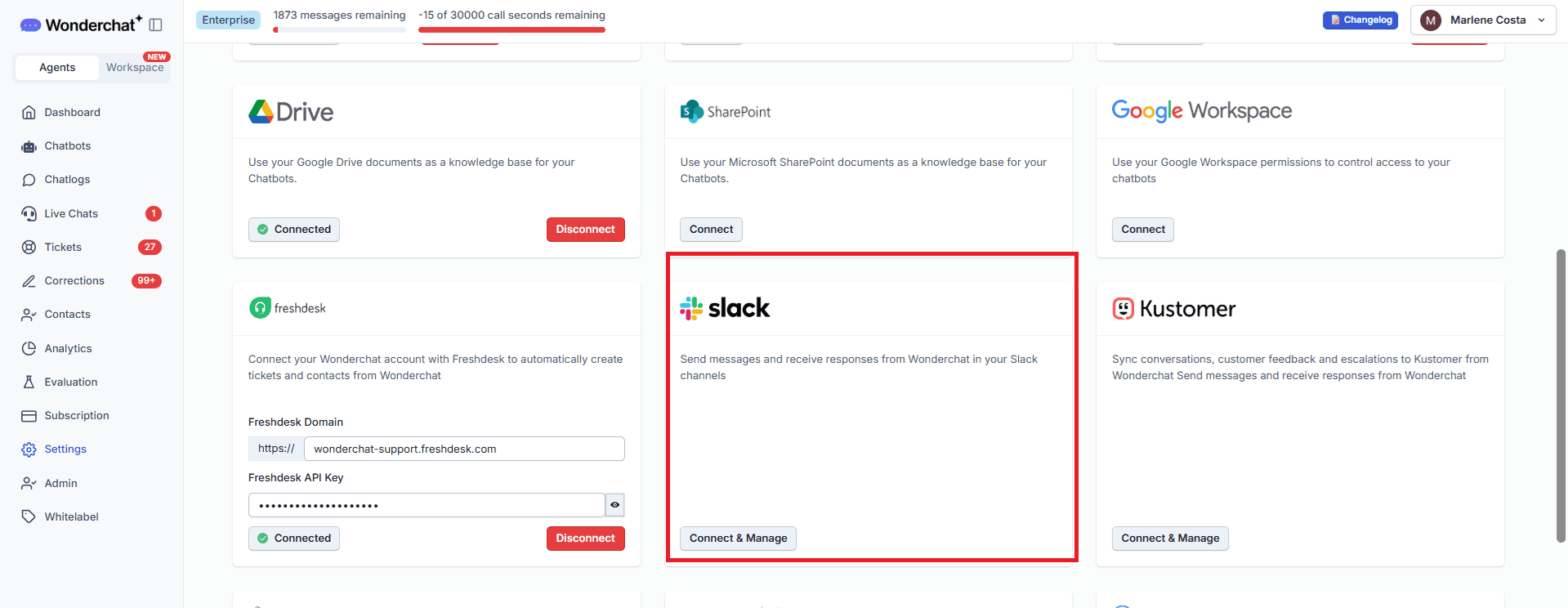
Inside the Wonderchat dashboard, navigate to Settings then Integrations and select Slack. Click Connect and Manage, choose the right chatbot and your target Slack workspace, then close. A one-time setup links your AI agent to Slack so it is ready to serve every channel in your workspace.
One-time workspace connection
No coding required
Works across all channels
Slack Channel Bot Configuration
Configure which channel your ticketing bot serves
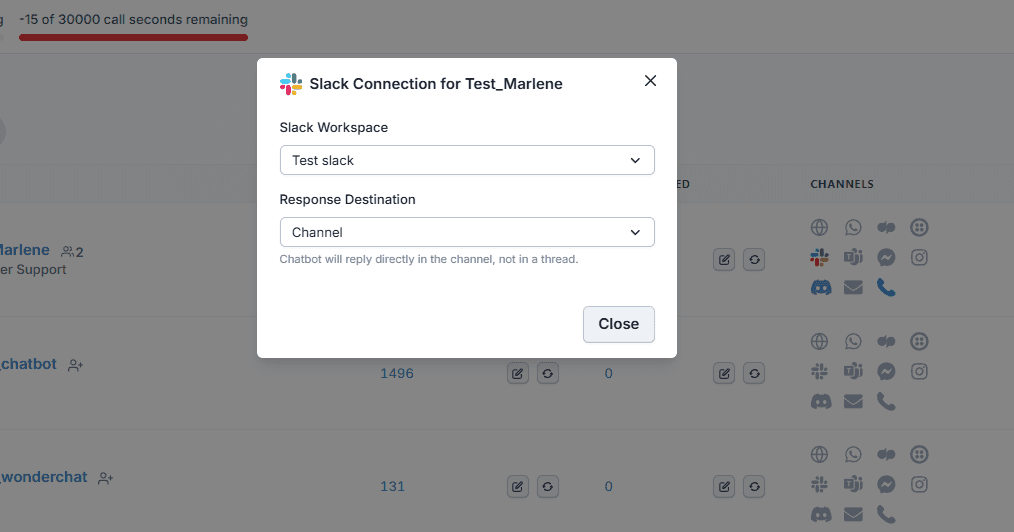
From the Chatbots page, select your chatbot and click the Slack logo. Choose your Slack workspace and set the response destination — replies can go into a thread or directly into the channel. Once saved, the Slack logo turns from gray to colorful, confirming your AI ticketing bot is live.
Thread or channel responses
Per-chatbot configuration
Live status confirmation
5-minute set up with our native integration
Set Up Your Live Chat Alternative in Minutes
1
Create your AI chatbot – Pick the perfect AI model fit for your support needs.
2
Train AI with Docs, FAQs & Policies – Upload knowledge base files and site links.
3
Customise Workflows & Escalation Rules – AI handles what it can, and escalates what it can’t.
4
Monitor & Optimise with Analytics – See where customers get stuck and fine-tune responses.
Slack Ticketing Bot in Action
Resolve tickets the moment your team asks
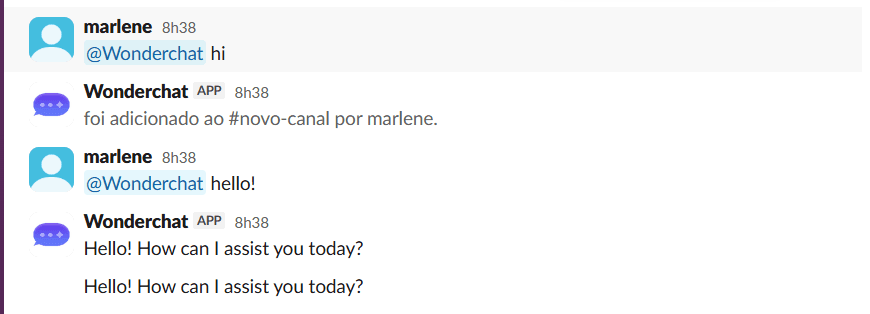
Inside Slack, any team member simply @mentions Wonderchat with their question. If the bot is not yet in the channel, a single click adds it. From that point forward, every question receives an AI-powered answer in seconds — turning your Slack channel into a self-service ticket resolution system.
Mention to activate instantly
Seconds to first answer
Self-service for every team member










