AI Onboarding Assistant to Scale Your Team

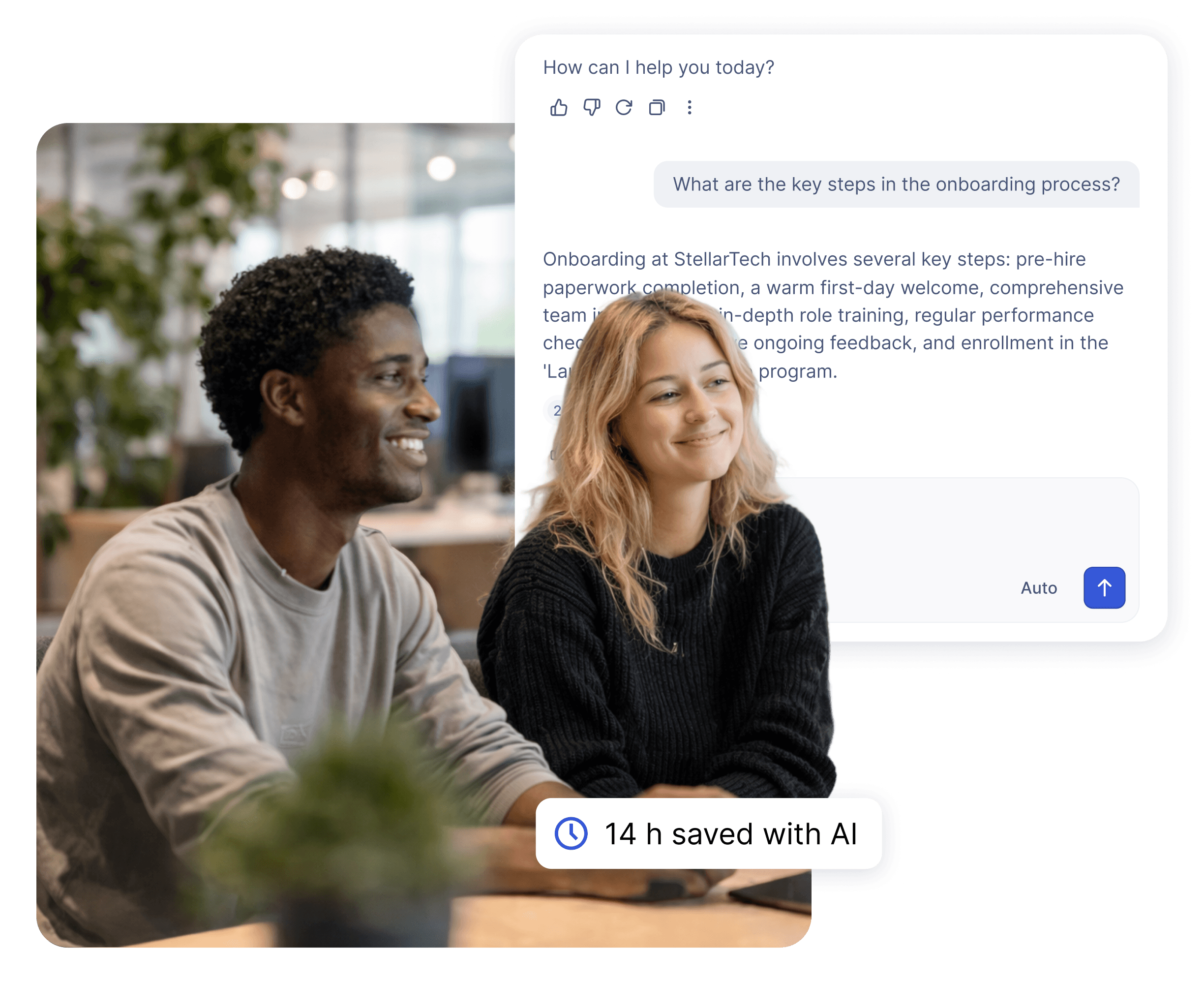
Give every new hire instant AI-powered answers from your company knowledge base. Wonderchat Workspace builds a dedicated onboarding assistant trained on your actual policies, guides, and training materials.
Most teams use AI every day, but everyone's doing it differently, on different tools, with no shared knowledge.

Most teams use AI every day, but everyone's doing it differently, on different tools, with no shared knowledge.

That means duplicated effort, inconsistent results, and AI that never quite fits the way your team actually works.

That means duplicated effort, inconsistent results, and AI that never quite fits the way your team actually works.

Wonderchat Workspaces changes that.

Wonderchat Workspaces changes that.

Purpose-Built Onboarding AI

A Dedicated AI Agent for New Hires

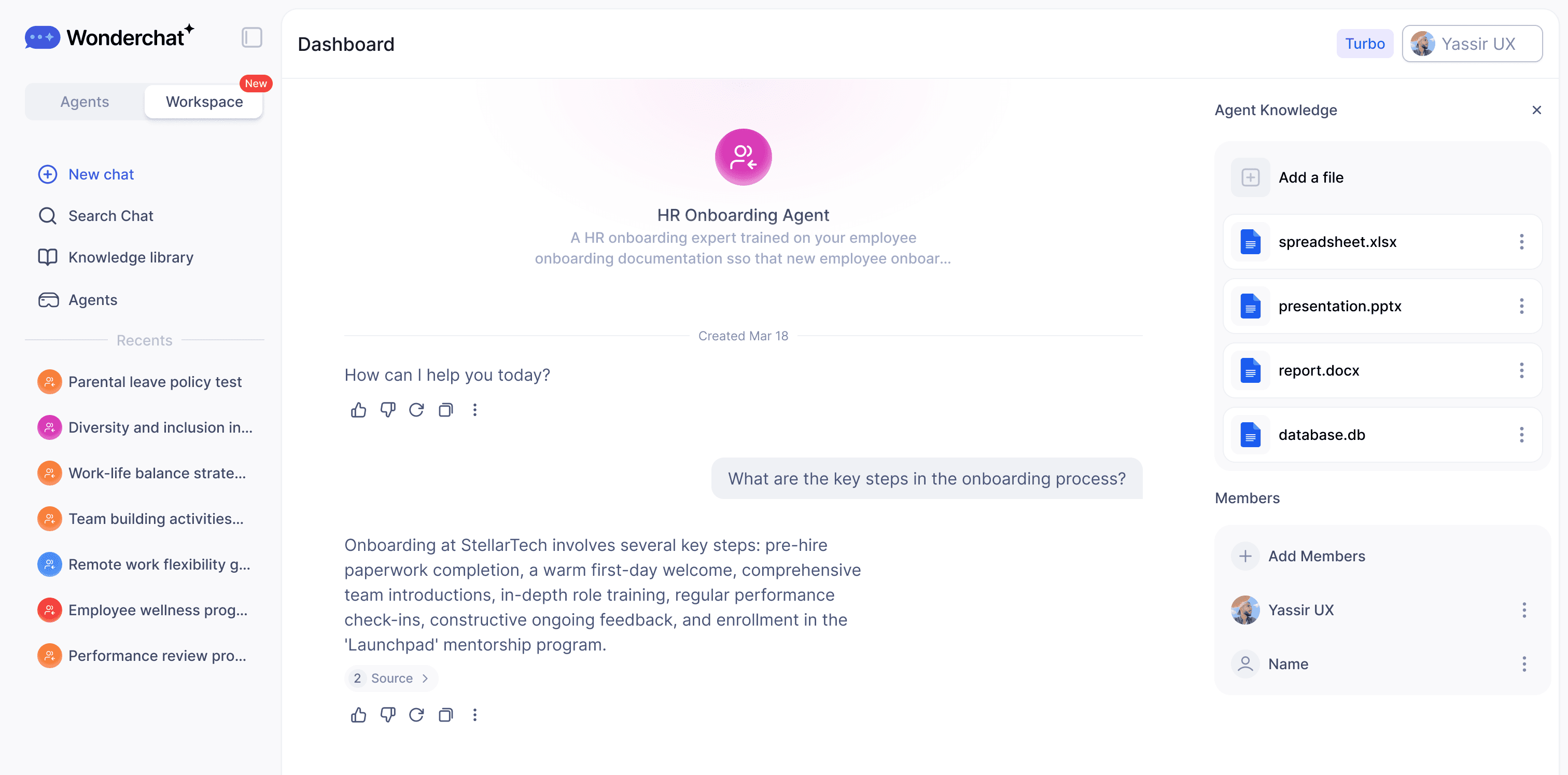
Create a specialized onboarding assistant trained on your employee handbook, IT setup guides, benefits documentation, and company policies. Share it company-wide with role-based access so every new hire gets consistent, accurate answers from day one — without burdening your HR team.

Trained on your real docs

Shared company-wide instantly

Role-based access control

Single AI Search for Employees

One Search Bar for All Onboarding Knowledge

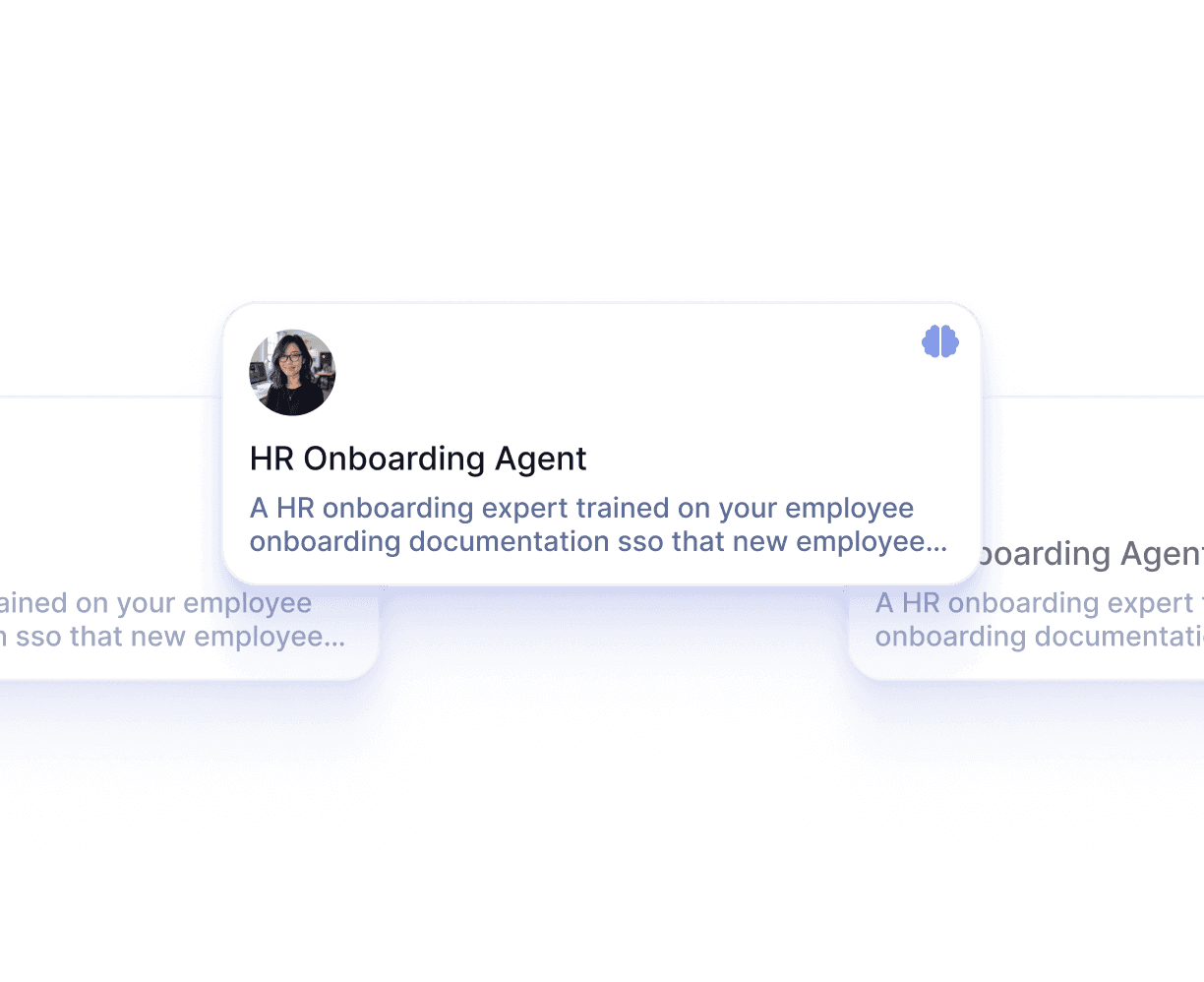
New hires stop hunting across SharePoint, email, and shared drives for policies and procedures. Workspace gives every employee a single AI-powered search interface that pulls source-cited answers from all connected knowledge sources — no tools to learn, no folders to navigate.

Natural language questions

Source-cited every answer

Instant answers across all docs
Continuous Onboarding Improvement

Surface What Your Onboarding Docs Are Missing

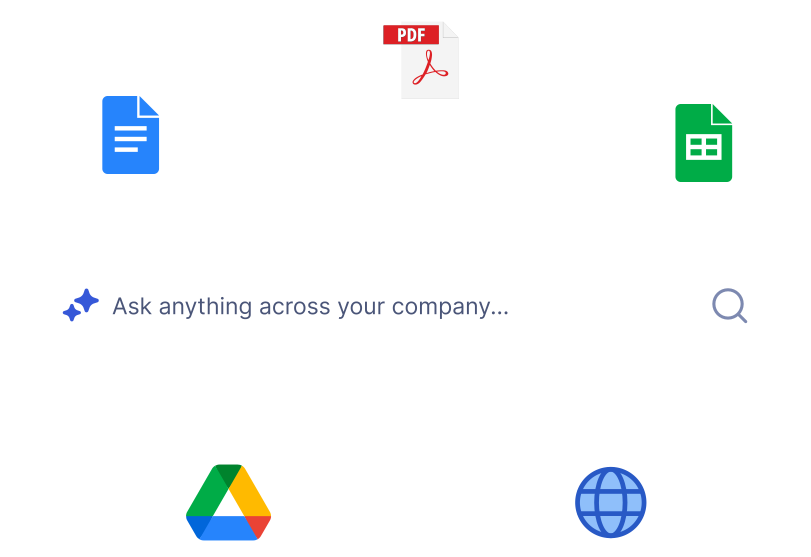
When new hires flag unhelpful answers with a thumbs-down, Workspace surfaces exactly where your onboarding documentation is incomplete or outdated. Admins see a prioritized list of knowledge gaps so your onboarding content gets measurably better over time.

Thumbs-down gap tracking

Prioritized admin dashboard

Turn feedback into better docs
Key Features

Built for Team Collaboration

Work alongside your teammates in shared AI workspaces. See what's been built, build on top of it, and keep everyone aligned — all in real time.

Access Every Major LLM — In One Place

Stop choosing between AI models. With Wonderchat Workspaces, your team can switch between the best large language models in seconds.

AI That Works the Way Your Team Does

Workspaces isn't just a chat tool, it's a platform for AI-powered work. Train chatbots on your own data and embed AI into your existing workflows.

Visibility Across Your Entire Team

See how AI is being used across your organization and continuously improve your team's workflows.

Secure and Structured Access

Control What Each New Hire Can Access

Restrict sensitive HR, legal, and finance knowledge to authorized personnel. Assign role-based permissions so new hires in different departments or seniority levels see only the content relevant to them. Enterprise deployments add SSO and SAML for centralized identity management.

Grade-based access levels

Department-level permissions

SSO and SAML support

All Your Onboarding Content in One Place

Ingest Every Format Your HR Team Uses

Upload PDFs, PowerPoints, CSVs, videos, and web pages — Workspace indexes everything automatically. Employee handbooks, benefits guides, compliance training videos, and IT setup instructions all become instantly searchable the moment they are uploaded. Handles thousands of pages with no manual tagging.

PDF, PPT, MP4 and more

Automatic indexing on upload

Handles 20000 plus pages
Why Wonderchat Workspaces?

Why Wonderchat Workspaces?

Without Workspaces

With Workspaces

Every team member uses different AI tools

One unified platform for the whole team

Knowledge and prompts get lost

Shared libraries everyone can access

No visibility into team AI usage

Full analytics and reporting

AI lives outside your workflow

AI embedded into how your team works

FAQ

What is an AI onboarding assistant and how does it work?

An AI onboarding assistant is a purpose-built AI agent trained on your company's actual onboarding materials — employee handbooks, IT setup guides, benefits documentation, compliance policies, and training resources. New hires ask questions in natural language and receive instant, source-cited answers without waiting for HR or a manager to respond. Wonderchat Workspace lets you build and deploy this assistant in minutes by uploading your existing documents. The AI indexes everything automatically and answers questions accurately from the content you provide.

Can I build a dedicated onboarding agent for specific departments or roles?

Yes. Workspace lets you create multiple purpose-built agents, each scoped to specific document sets and shared with specific teams. You can build a general onboarding assistant for all new hires and separate agents for engineering, sales, or operations — each trained on department-specific materials. Role-based access control ensures employees only see the knowledge base relevant to their department, seniority level, or location. Sensitive HR or legal content can be restricted to authorized personnel only.

What file formats and sources can I upload for onboarding content?

Workspace ingests PDF, CSV, PPT, DOCX, HTML, JSON, Markdown, MP4, and web pages. You can upload employee handbooks, training slide decks, recorded onboarding videos, benefits guides, and compliance documentation — all in their original formats. Native SharePoint and Google Drive sync means documents your HR team already maintains in those platforms are automatically kept up to date in the AI. No manual re-uploading when policies change.

How does Workspace handle outdated onboarding documentation?

When you upload an updated version of a document, Workspace automatically overrides the previous version in the AI's knowledge. New hires always receive answers based on the current policy or procedure — not an outdated one. In addition, the knowledge gap tracking feature surfaces questions that the AI could not answer well, so your HR team knows exactly which onboarding documents need to be created or updated. Over time, your onboarding content improves based on real employee questions.

Is Wonderchat Workspace secure enough for sensitive HR and employee data?

Yes. Wonderchat Workspace is SOC 2 and GDPR compliant. Role-based access control lets admins restrict sensitive content — payroll information, legal agreements, confidential HR policies — to authorized personnel only. Grade-based permissions mean junior employees cannot access senior-level documentation. Enterprise deployments support SSO, SAML, and SCIM for centralized identity management, ensuring only authenticated employees can access the platform. Wonderchat does not use your company data to train external AI models.

How much does Wonderchat Workspace cost and how do I get started?

Workspace offers a free plan at $0 per month for up to 5 members with 30 queries per member per month, 1,000 pages of content, and 3 agents — enough to pilot an AI onboarding assistant with no upfront cost. The Premium plan is $99 per month for 5 members, with 300 queries per member, 10,000 pages, and unlimited agents. Enterprise pricing is custom and includes unlimited everything, SSO, audit logs, a dedicated customer success manager, and SLA guarantees. You can start for free and upgrade as your team grows.

FAQ

What is an AI onboarding assistant and how does it work?

An AI onboarding assistant is a purpose-built AI agent trained on your company's actual onboarding materials — employee handbooks, IT setup guides, benefits documentation, compliance policies, and training resources. New hires ask questions in natural language and receive instant, source-cited answers without waiting for HR or a manager to respond. Wonderchat Workspace lets you build and deploy this assistant in minutes by uploading your existing documents. The AI indexes everything automatically and answers questions accurately from the content you provide.

Can I build a dedicated onboarding agent for specific departments or roles?

Yes. Workspace lets you create multiple purpose-built agents, each scoped to specific document sets and shared with specific teams. You can build a general onboarding assistant for all new hires and separate agents for engineering, sales, or operations — each trained on department-specific materials. Role-based access control ensures employees only see the knowledge base relevant to their department, seniority level, or location. Sensitive HR or legal content can be restricted to authorized personnel only.

What file formats and sources can I upload for onboarding content?

Workspace ingests PDF, CSV, PPT, DOCX, HTML, JSON, Markdown, MP4, and web pages. You can upload employee handbooks, training slide decks, recorded onboarding videos, benefits guides, and compliance documentation — all in their original formats. Native SharePoint and Google Drive sync means documents your HR team already maintains in those platforms are automatically kept up to date in the AI. No manual re-uploading when policies change.

How does Workspace handle outdated onboarding documentation?

When you upload an updated version of a document, Workspace automatically overrides the previous version in the AI's knowledge. New hires always receive answers based on the current policy or procedure — not an outdated one. In addition, the knowledge gap tracking feature surfaces questions that the AI could not answer well, so your HR team knows exactly which onboarding documents need to be created or updated. Over time, your onboarding content improves based on real employee questions.

Is Wonderchat Workspace secure enough for sensitive HR and employee data?

Yes. Wonderchat Workspace is SOC 2 and GDPR compliant. Role-based access control lets admins restrict sensitive content — payroll information, legal agreements, confidential HR policies — to authorized personnel only. Grade-based permissions mean junior employees cannot access senior-level documentation. Enterprise deployments support SSO, SAML, and SCIM for centralized identity management, ensuring only authenticated employees can access the platform. Wonderchat does not use your company data to train external AI models.

How much does Wonderchat Workspace cost and how do I get started?

Workspace offers a free plan at $0 per month for up to 5 members with 30 queries per member per month, 1,000 pages of content, and 3 agents — enough to pilot an AI onboarding assistant with no upfront cost. The Premium plan is $99 per month for 5 members, with 300 queries per member, 10,000 pages, and unlimited agents. Enterprise pricing is custom and includes unlimited everything, SSO, audit logs, a dedicated customer success manager, and SLA guarantees. You can start for free and upgrade as your team grows.

Start Onboarding Smarter with AI