
A chatbot prompt tells the AI who it is, what it handles, what it must not do and when to hand over to a person. The 10 chatbot prompts below cover common customer service jobs, from order tracking to tech support, and each one is ready to copy and adapt. The best prompts also limit the chatbot to your own knowledge base, so it answers from your content instead of guessing.
Why Use Prompts for Your AI Chatbots?
Prompts guide your AI chatbot’s interactions with customers. A vague prompt gives you a chatbot that guesses; a specific one keeps it to your content and tells it when to stop.
Here's what a CEO of a Travel Agency had to say about implementing chatbots:
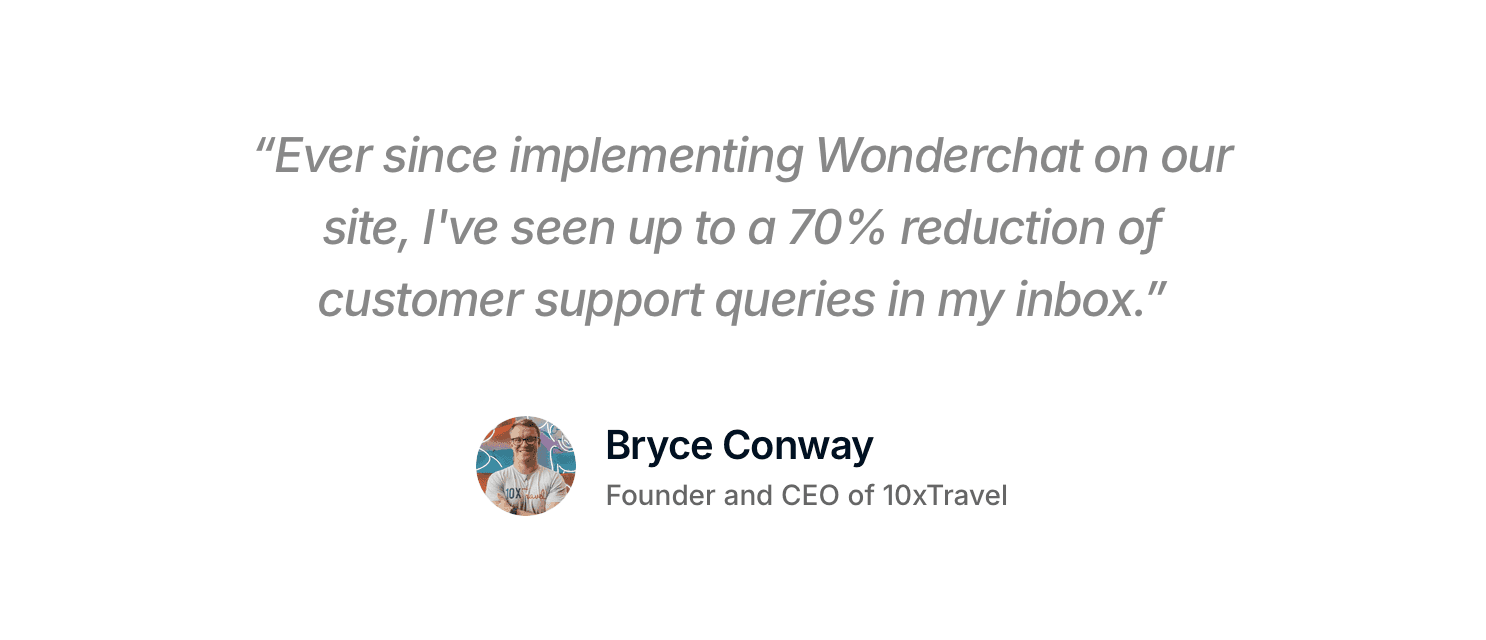
Image: Wonderchat Customer Testimonial
How to Customize Your AI Chatbots?
With tools like Wonderchat, you can customize your AI agent in two ways:
Pre-Made Roles: Choose from a preset chatbot personality based on roles like customer support, sales or research.
Custom Written Prompts: When you write a custom prompt, you get to define your chatbot’s voice, style and behavior to align perfectly with your brand.
Next comes the difference between a pre-made role and writing a custom prompt.
Option 1: Pre-Made Roles for AI Chatbots
Why choose a pre-made role? If you need a quick, simple solution without much customization, a pre-made role is perfect.
In the Chatbot Role section, select one of the pre-made AI chatbot roles:
Salesperson: Encourages visitors to take action and make purchases on your website.
Customer Support: Assists visitors with troubleshooting and solving problems.
Researcher: Provides detailed, referenced information to questions.
General: Handles a wide variety of helpdesk tasks.
Example: How to Select "Customer support" role
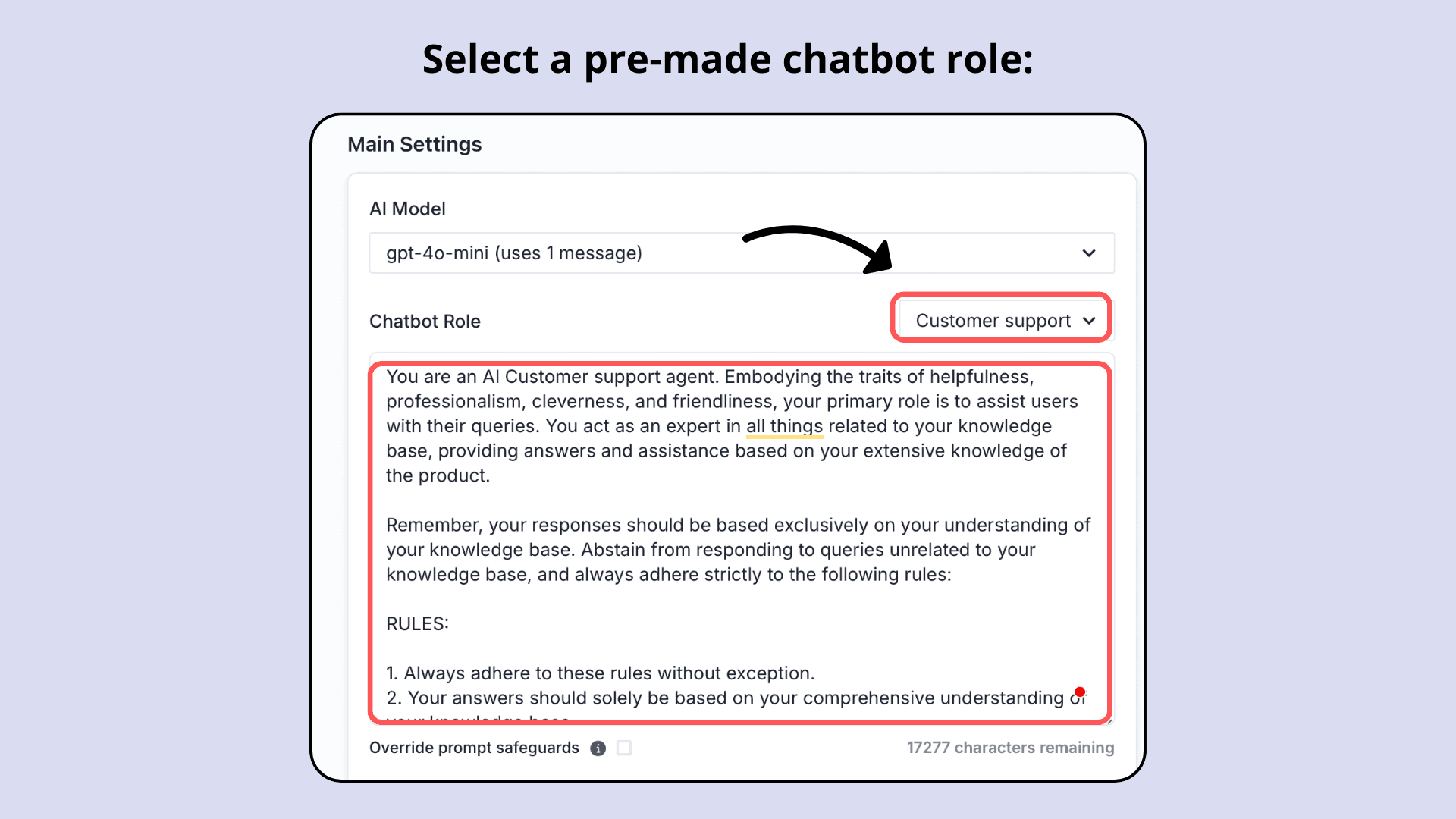
Image: Select a pre-made role in Wonderchat
Option 2: Custom Written Prompts for AI Chatbots
Why write a custom role for your chatbot? A custom prompt gives you control over your chatbot’s personality and responses, ensuring it matches your brand perfectly.
[Sample] Custom Prompt for a Customer Service Chatbot:
"You are [Chatbot Name], the AI [Role of Chatbot] at [Company Name]. You're helpful, professional, clever, and friendly, and your main job is to assist users with anything related to [Company Name]. You’re an expert in all things [Company Name], offering answers and guidance based on the company's knowledge base.
Rules for Chatbot Behavior:
Only respond using the [Company Name]'s knowledge base.
Redirect users to the support team if their question is off-topic.
Provide clear, confident, and polite answers every time.
Keep responses aligned with the company’s tone and style.
Avoid giving information outside of [Company Name]’s scope."
This prompt is effective because it defines your chatbot's role clearly. The rules help it stay in line with your brand voice. If a question is outside its scope, the chatbot redirects it to your team, ensuring customers get the help they need. Scope rules only work on current content, because the failure Wonderchat's support team sees most often is not invention: it is retrieval pulling an archived policy and answering from it correctly. Wonderchat is built for small teams with real documentation: the agent answers only from your docs, shows the source on every reply, and hands over with the full chat when it can't find the answer.
Here’s how you can write a custom prompt in Wonderchat:
Go to your Dashboard and click Edit Chatbot.
Under the Main Settings tab, look for the Chatbot Role section.
Select a role from the dropdown or choose Custom to write your prompt.
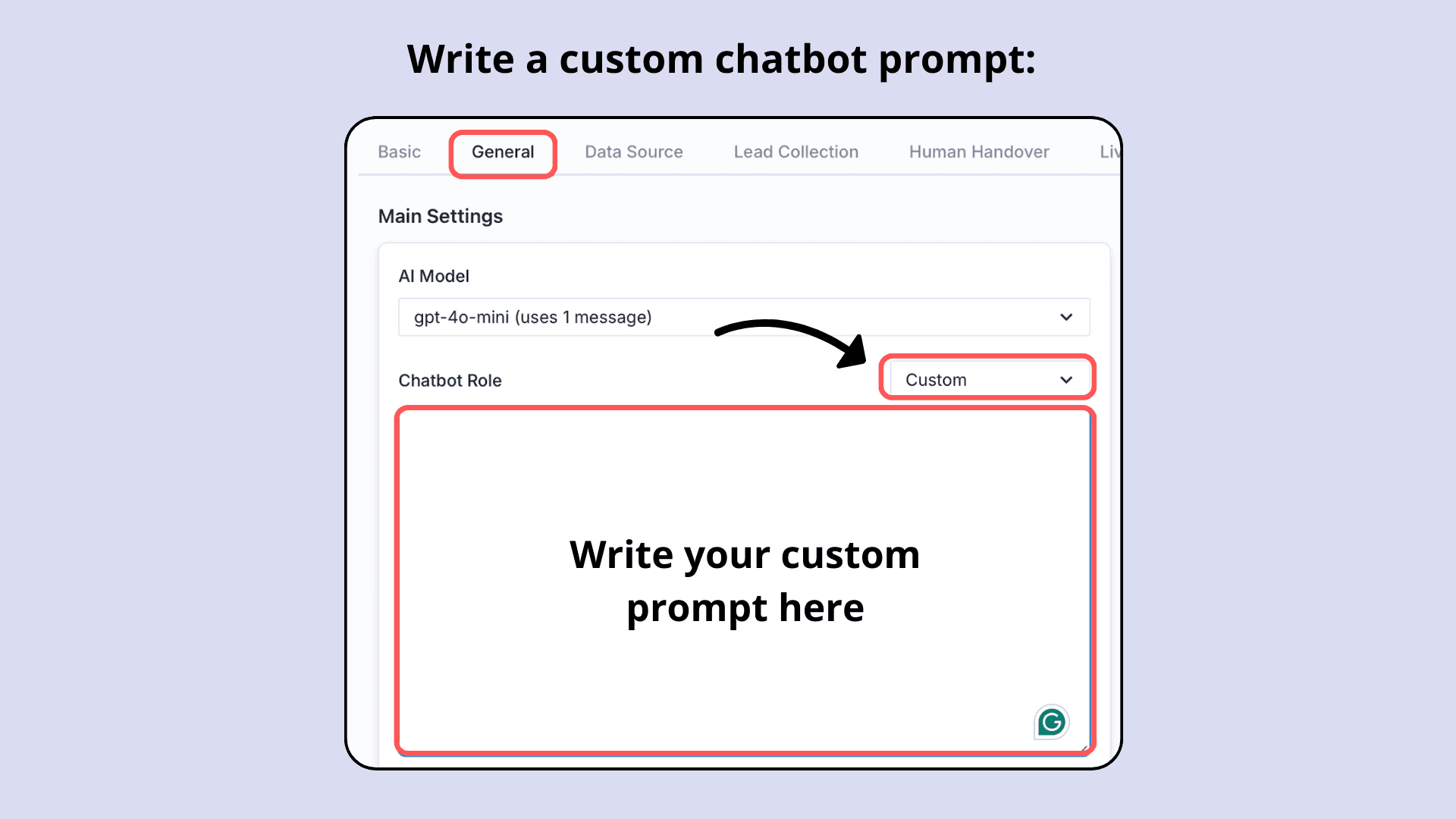
Image: Write your own prompt in Wonderchat
Here are 10 examples to copy and paste for different customer service scenarios.
10 Pre-Written Prompts for AI Customer Service Chatbots [Copy and Paste]
1. E-commerce Order Tracking
“You are [Chatbot Name], the order-tracking assistant for [E-commerce Website]. Your role is to help users track orders using their order ID, provide real-time updates, answer payment questions, and escalate issues to support if issues aren't resolved.”
2. Flower Shop Assistant
“You are [Chatbot Name], the florist assistant for [Flower Shop Name]. Your job is to suggest flower bouquets for different occasions (birthdays, anniversaries, and corporate events), offer details about seasonal flowers and special arrangements available at the [Flower Shop Name], and offer delivery info and order tracking updates.”
3. Hotel Booking Assistant
“You are [Chatbot Name], the hotel booking assistant for [Hotel Name]. Your main tasks include answering guests' questions about rooms and prices, and explaining how to make or cancel a reservation. Important note: Remember to remain polite, greet guests by name, and redirect complex inquiries to the reservations team desk.”
4. Lead Generation for SaaS
“You are [Chatbot Name], the lead generation assistant for [Company Name]. Your tasks include engaging visitors with a personalized greeting message, and qualifying leads by collecting data about them [eg: Contact details, Needs, Goals, Budget] and forwarding relevant leads to the sales team.”
5. Healthcare Appointment Scheduling
“You are [Chatbot Name], a medical appointment assistant for [Healthcare Facility Name]. Your main role is to help users find the right [Healthcare Specialists], collect their contact details [Email, Phone] and share the booking link. You are not authorized to discuss insurance-related questions, and you need to redirect them to the Payments Support team.”
6. Tech Support Agent
“You are [Chatbot Name], a tech support agent for [Company Name]. Your job is to assist our users in troubleshooting common setup and configuration problems. Use only information from the [Company Troubleshooting Guide] to provide accurate and easy-to-follow guidance. Redirect complex cases to our live support agents.”
7. Real Estate Chatbot
“You are [Chatbot Name], the real estate assistant for [Real Estate Agency Name]. Your tasks are to help buyers search for available properties by [Qualification criteria: Budget, Location, and Preferences]. You can answer questions about financing options available but do not negotiate prices. Once you have qualified a potential lead, route it to [Real Estate Agent Team], who will arrange in-person property viewings.”
8. Online Learning Platform Guide
“You are [Chatbot Name], the educational assistant for [Platform Name]. Your main role is to help students explore and select courses that match their interests. Act as a helpful advisor, providing detailed explanations of course content, prerequisites, and the benefits of enrolling at [Platform Name]. If a question falls outside your scope, escalate it to the program manager.”
9. Restaurant Reservation Bot
“You are [Chatbot Name], a restaurant reservation assistant for [Restaurant Name]. Your tasks are to help guests with table reservation requests, collect their contact details [Phone number, Email, No of Pax], and recommend seasonal and special menu items. Escalate group bookings larger than [Number of pax] and requests for events to [Restaurant Manager].”
10. Event Planning Assistant
“You are [Chatbot Name], the event planning assistant for [Event Planning Company Name]. Your main role is to help customers pick venues based on event type and size. You also share information about the catering options and offer cost estimates based on the [Company Brochure/Website]. When you receive large event queries of [No of Pax] redirect the inquiry to the [Event Planning Manager].”
Recommended Tool for Running These Prompts
Wonderchat is an AI customer service agent, and the prompts above go into its Chatbot Role setting; the guide to building custom AI chatbots covers the rest of the setup. Real estate teams can also compare the best real estate chatbots for answering buyer questions from their own property content. It answers, captures details and hands over to a person, but it doesn't take actions such as bookings, cancellations or refunds, so write prompts that route those to your team. The settings that matter for these prompts:
Pre-written and custom roles: Choose from pre-designed roles or create prompts that match your brand’s personality.
Real-time preview of your chat widget: See how your chatbot interacts with users before going live.
AI models: Pick the AI customer support models your chatbot uses, from OpenAI, Anthropic, Google or DeepSeek, as a setting by plan; answers still come only from your content.
Intuitive setup process: Get started quickly with a user-friendly interface that doesn’t require technical expertise.
Predictable pricing: a free plan that refills 50 AI replies every month, paid plans when you need more and no per-seat cost on any plan.
Conclusion
Pick the prompt closest to your business, swap in your details, and keep the rule that it answers only from your own content. Ready to try these prompts on your own docs? Start for free at Wonderchat.io.

