
Summary
The 10 best enterprise AI customer service platforms in 2026: Wonderchat, Zendesk AI Agents, Fin (formerly Intercom), Salesforce Agentforce, Ada, Forethought, Decagon, Sierra, Crisp Hugo, and Rasa. Enterprise-grade means SSO, role-based access, audit logs, controlled knowledge, human handoff, and a deployment model that passes security review.
Commercial models vary as much as the products, from seats and conversations to actions, resolutions, prepaid usage units, and six-figure custom contracts.
The right choice depends on your stack and risk. Zendesk and Salesforce reward existing customers, Rasa gives developers more deployment control, and Crisp runs its own AI in France with outside model providers off by default.
Wonderchat brings source-cited answers and human handoff into the support systems your team already uses, with SAML SSO and an audit log on Enterprise.
Enterprise-grade is not a larger message limit with single sign-on (SSO) added to the plan.
The platform must control who can access each source, record who changed the agent, keep customer data in an approved region, and pass the full conversation to a person when AI should stop.
Executives are already pushing the timetable. Gartner found that 91% of customer service leaders faced executive pressure to implement AI in 2026. Help desk automation is usually sold on moving tickets, not on answers: across 1,679 AI answers in the help desk category, the word "citations" appeared zero times and "ticket" appeared 671 times.
This comparison ranks the best enterprise AI customer service platforms on the controls that still have to work after the demo ends.
10 Leading Enterprise AI Customer Service Platforms
This list covers ready-made AI agents for support, full customer service suites, and developer platforms.
Wonderchat checked each vendor's official product, security, help, and pricing pages on August 26, 2026; prices below are as of that date. A high ranking here does not mean one platform fits every enterprise. For a small team that answers support from its own help center, Wonderchat fits: it answers only from your docs, shows the source on every reply, and has no per-seat cost.
The useful question is what your team must own. Keeping Zendesk or Freshdesk leads to an agent that sits above the current queue, and native CRM actions, voice, EU-only storage, or customer-controlled infrastructure lead to very different shortlists.
These are the 10 platforms worth comparing first, with the enterprise setup each one suits best.
1. Wonderchat
Best for: Enterprise teams that need checkable answers from complex content while keeping their current support stack.

Wonderchat's AI customer service agent answers from the company content your support team already trusts. It can crawl an entire public website (private sites on Enterprise), stay within one directory, or use selected pages. You can also connect help centers, SharePoint (Scale plan), Google Drive, and files such as PDF, Word, PowerPoint, Excel, CSV and text.
Every answer shows the source behind it, and the agent says so when your content doesn't cover the question. Questions it couldn't answer land in the review inbox, where you answer each one once and it answers it from then on.
Use Wonderchat's built-in help desk, or keep Zendesk or Freshdesk as the system of record: unresolved requests move into the human queue as tickets with the full conversation attached. Email handover works on every plan.
On Enterprise, teams get SAML SSO with their identity provider and an audit log. Paid plans are there when you need more AI replies and there is no per-seat pricing; the full tiers are on the Wonderchat pricing page.
Key Strengths
The AI model as a setting, by plan, from OpenAI, Anthropic, Google or DeepSeek
Many channels from one setup, from the website widget and email to Slack and WhatsApp (from Starter), Microsoft Teams and voice (from Basic) and SMS
An analytics dashboard and automatic QA review, both from Basic
Multilingual answers from the same approved content in 40+ languages
Limitations
Adds an AI layer and a built-in help desk to your stack rather than replacing your whole support setup
Legacy and custom systems may require API or workflow development
No published self-hosted or air-gapped deployment option
Large knowledge bases take longer: Wonderchat's support team sees the slowest go-lives on accounts with more than 500 documentation pages, a median of 15 days, against the same day for 80% of agents that go live
“Response quality was very accurate, little training needed. It is worth the price for my corporation, but individual consumers may find it pricey.”
Bring one complex knowledge set and your current support stack to a Wonderchat demo.
2. Zendesk AI Agents
Best for: Support operations already built around Zendesk ticketing, knowledge, routing, and the Zendesk agent interface.

Zendesk AI Agents keep automation, tickets, human agents, and reporting inside one service suite. External knowledge connectors and Action Builder extend the agent beyond Zendesk, while escalation flows can collect fields and route work before a person takes over.
The Zendesk agent interface keeps the conversation, ticket fields, routing state, and human reply in the same operating layer. If Zendesk is already installed, that is hard to beat.
Key Strengths
Knowledge connectors for Confluence, SharePoint, Google Drive, authenticated websites, CSV, and Markdown
Search rules that limit which sources each procedure or use case can access
Action flows with branching, loops, custom code, error handling, and external MCP tools
Built-in QA that reviews interactions and identifies failing procedures
Contained and Verified Resolution tiers, with an LLM checking completed conversations
Limitations
Messaging, email, and voice require separate channel setups, while voice remains in early access
Connecting too many knowledge sources can reduce accuracy and increase response time
Seat fees, automated resolutions, and per-action charges can all affect the final cost
Zendesk overage can be billed automatically, although eligible accounts can pause AI at the allowance limit.
3. Fin
Best for: Teams that want a mature AI agent for support on Fin's own help desk or another supported help desk.

Fin, formerly Intercom, uses support content, Procedures, rules, and secure data connectors to answer questions or finish multi-step work. Simulations let teams test Procedures before launch, and escalation can route a customer to a teammate or workflow.
It can run on Fin's own help desk or a supported external help desk, which gives buyers a choice between a full move and an AI layer over the current queue. It has the deepest ecosystem of any agent on this list.
Key Strengths
Multi-turn simulations with defined success criteria and pass-or-fail results
Procedures with branching logic, code snippets, event triggers, and secure data connectors
Deployment across web, mobile, email, phone, WhatsApp, SMS, Slack, Facebook, and Instagram
Automation reporting that separates Fin’s involvement rate from its resolution rate
One outcome charge per conversation, with usage reminders and hard spending limits
Limitations
An Assumed Resolution can be billed without the customer confirming that the answer worked
A configured Procedure handoff is billable, while a standard human request or frustration-based escalation is not
External help desk deployments have minimum commitments, while deployments on Fin's own help desk add seat costs
Salesforce signed an agreement to acquire Fin on June 15, 2026, and completed the acquisition on September 10, 2026. Enterprise buyers should ask how the roadmap and contract change now that the deal has closed.
4. Salesforce Agentforce
Best for: Salesforce customers that need AI to read and update CRM records through governed actions.

Agentforce connects agents to Salesforce data, Flow, MuleSoft, and business actions. That makes it useful when support work includes checking an order, changing a record, or starting another process inside Customer 360.
Digital Wallet shows consumption, while the buyer chooses conversation pricing, action-based Flex pricing, or an employee license that still draws on Flex units.
Key Strengths
Data 360 grounding with RAG, unified customer records, real-time data, and zero-copy access
Einstein Trust Layer controls for PII masking, toxicity detection, and zero data retention
Salesforce permissions that restrict which records, fields, topics, and approved actions an agent can use
Testing Center with generated test cases, multi-turn simulations, and LLM-as-a-judge evaluation
Audit and feedback trails covering prompts, masked data, safety scores, actions, and user feedback
Limitations
Administrators remain responsible for least-privilege access, action limits, and agent guardrails
Advanced monitoring may depend on Data 360, Salesforce Shield, or Security Center
Conversation charges, Flex units, licenses, and add-ons make forecasting more involved
Agentforce pricing listed $2 per conversation, whether it resolves or not, as of August 26, 2026. Flex units cost $500 per 100,000, with standard actions using 20 units and voice actions using 30.
5. Ada
Best for: Global enterprises running one support program across messaging, email, social, and voice.

Ada uses one Unified Reasoning Engine across channels. Playbooks set multi-step procedures, Coaching changes future behavior, and Simulations test updates before they reach customers. Its Knowledge Hub and APIs connect content and business systems.
The same customer context, policies, and safeguards can run across voice, messaging, email, social, and 60 languages instead of being rebuilt for each channel.
Key Strengths
Up to 1,000 stored test cases and 3,000 simulation runs per day, per Ada's documentation
Multi-turn testing across web chat, email, and voice, with full transcripts and evaluation reasons
Voice simulations that test speech recognition, response delay, DTMF input, SMS, and call recordings
Linked Playbooks that reuse shared steps such as authentication and eligibility checks
Change sets that let teams draft, test, approve, release, and reverse agent changes
Limitations
Dashboard simulations use the published configuration, while staged testing requires MCP change sets
Standard simulation results use pass-or-fail evaluation rather than weighted scoring
Only five handoffs can remain active at the same time
Ada offers conversation-based pricing and a resolution-based option for specific enterprise needs. Ask for the outcome definition and three-year volume model in the same quote.
6. Forethought
Best for: Large support teams that want resolution, triage, agent help, QA, and knowledge improvement in one system.

Forethought combines Solve, Triage, Assist, Discover, and QA agents. Autoflows can take action through APIs, and the platform lists more than 70 helpdesk, CRM, knowledge, contact-center, and API integrations.
Team covers chat and mobile. Professional adds email, voice, and Slack, while Enterprise adds the Solve API, governance controls, and deeper knowledge-gap tools.
Key Strengths
Browser Agent can click, type, and complete work in legacy systems without APIs
Triage classifies intent, sentiment, language, urgency, and spam before routing
Agent QA scores every interaction instead of relying on a small manual sample
Discover drafts knowledge articles and Autoflows from gaps found in real conversations
Multi-brand management supports up to 20 brands with separate agents, workflows, and personalities
Limitations
No public unit price, included outcome allowance, or minimum commitment
Discover, Analytics API, and expanded multi-brand controls may require higher tiers or add-ons
QA is limited to one rubric on Team, five on Professional, and 20 on Enterprise
Forethought is built for teams with real ticket volume. Its pricing page combines platform access with outcome-based charges, so confirm the minimum, required channels, and overage terms before the proof of value.
7. Decagon
Best for: High-volume enterprises that need AI to complete complex actions across several systems.

Decagon turns support rules into Agent Operating Procedures, or AOPs. CX teams can edit the logic in natural language, while engineers control integrations, guardrails, and versions. Duet finds gaps and proposes tested AOP changes.
Its security layer includes SSO, role-based access, short-lived tokens, encrypted data, tamper-protected audit logs, and zero data retention with AI model providers.
Key Strengths
AOPs combine entry conditions, conditional blocks, API tools, calculations, and customer metadata
Message Replays test individual answers, while Simulations test complete conversations
Trace View shows the selected AOP, tool calls, workflow path, switches, and reasoning
Watchtower reviews conversations against custom quality and compliance criteria
Duet proposes changes, tests them, and places them in a versioned draft for approval
Limitations
No public rate card, usage allowance, or minimum contract details
No self-service trial for running an independent proof of concept
Its 4.7 G2 rating rests on only around 31 reviews, which is thin evidence for an enterprise purchase
Treat Decagon as a high-volume buy, not a small support pilot. Where the agent has to complete complex actions across several systems, it is a stronger choice than an answer-first agent like Wonderchat.
8. Sierra
Best for: Large brands that want a bespoke agent tied to business outcomes across voice and digital channels.

Sierra builds one agent for voice, chat, email, and WhatsApp in 59 languages. It can connect to systems of record, complete tasks such as returns or claims, and use Ghostwriter and Explorer to change behavior and study conversations.
Persistent memory carries customer context across a longer journey, while goals and guardrails set the points where human approval is required.
Key Strengths
Explorer groups findings into themes and links every insight back to the source conversations
Weekly Explorer briefings surface new issues, trends, and recommended changes automatically
Ghostwriter turns support transcripts, documents, and recordings into agent behavior
Recommendations can move from Explorer into Ghostwriter and be checked against earlier performance
Personas keep brand tone, terminology, and voice consistent across supported languages
Limitations
No public price, outcome rate, included volume, or minimum commitment
Deployment depends on Sierra’s agent-development partnership rather than a self-service setup
Thin public review evidence makes independent diligence harder than it is for established service suites
Sierra says customers pay for agreed outcomes, not tokens. That model still needs a written definition for every outcome, exception, escalation, and renewal rate.
9. Crisp Hugo
Best for: EU-focused companies that want AI inside a shared support inbox.
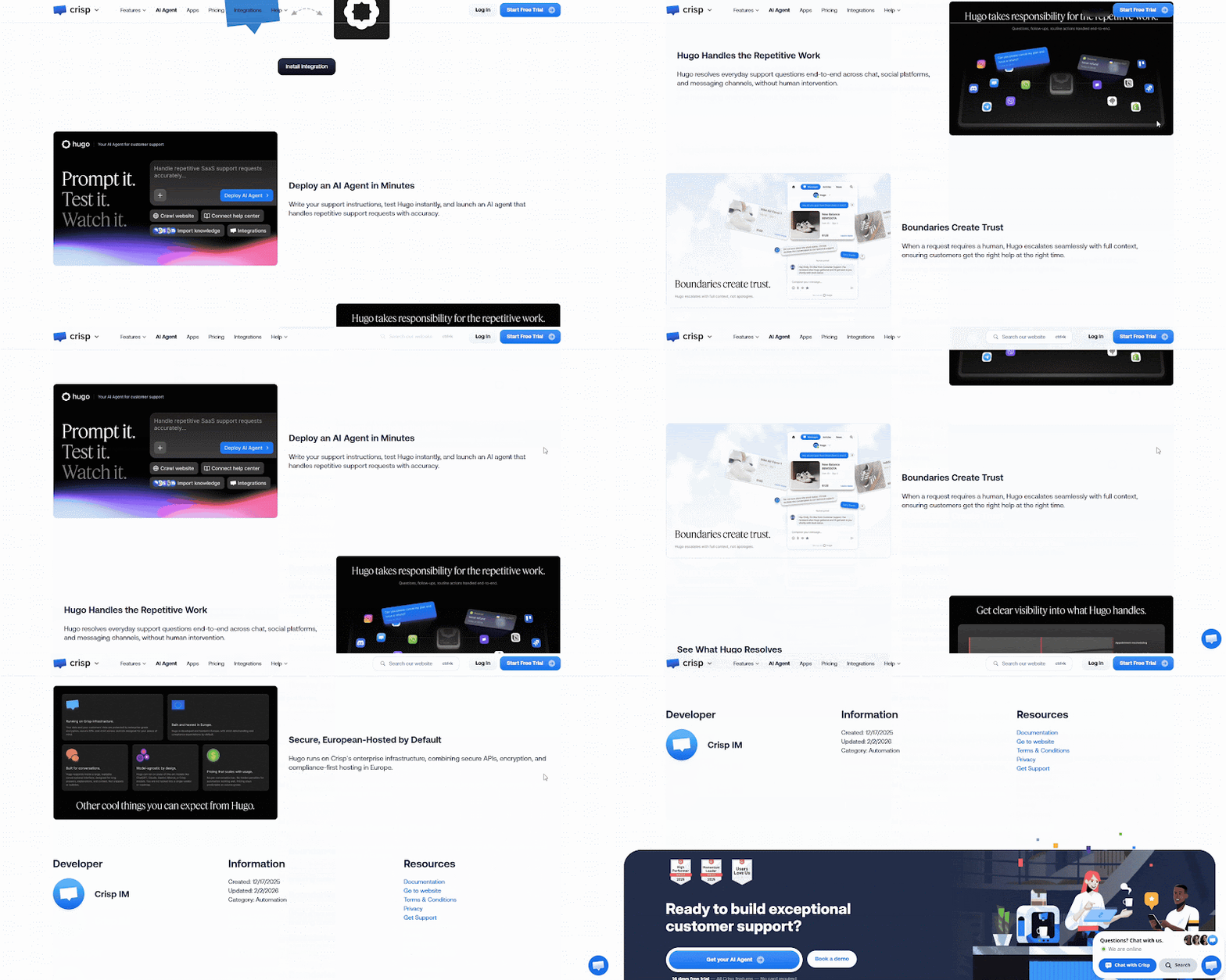
Crisp Hugo works across chat, email, WhatsApp, Instagram, forms, and other Crisp channels. Routing moves a conversation from the Automated Inbox to a named sub-inbox, where a person continues in the same thread.
Crisp stores its main messaging data in the Netherlands, plugin data in Germany, and runs its own AI infrastructure in France. External LLM providers stay off by default.
Key Strengths
Escalation can respond to a missing answer, customer frustration, or a direct request for a person
Named sub-inboxes and Operator Routing decide which team receives the conversation
Availability checks and workflows can collect customer details before a human takes over
Regular Crisp workflows can run beside Hugo without consuming AI credits
Pay-as-you-go limits can be set at the account level instead of allowing uncontrolled AI spending
Limitations
As of August 26, 2026, Mini includes only €5 of monthly Hugo usage, Essentials €25, and Plus €75
Testing, training, and Playground activity can consume the same paid AI replies
When that allowance runs out without pay-as-you-go, Hugo stops and sends new conversations to human operators
Crisp is a stronger choice than Wonderchat when the AI itself must run in-house in the EU rather than with an outside model provider. Its main data sits in the Netherlands and Germany, and its in-house AI runs in France.
10. Rasa
Best for: Engineering teams that need self-hosted, private-cloud, or air-gapped AI agents.

Rasa combines autonomous reasoning, guided workflows, knowledge retrieval, and tool-backed actions in one developer platform. Teams can inspect dialogue state, choose their models, and deploy on their own infrastructure.
Rasa Studio adds a visual editor, while its orchestrator keeps conversation state and routes work between guided skills, autonomous skills, retrieval, and external tools.
Key Strengths
CALM separates LLM-based language understanding from deterministic business logic
Flows support data collection, conditions, API actions, reusable subflows, and conversation repair
Inspector displays the active flow, event history, stored memory, slot changes, and action calls
Conversation records can be exported as end-to-end tests or raw tracker logs
Teams can choose hosted models or smaller self-hosted models such as Llama 8B
Limitations
Teams must build and maintain flows, actions, integrations, tests, and deployment infrastructure
Rasa Studio adds a visual editor, but it does not remove production engineering ownership
Self-hosting also transfers scaling, monitoring, model operations, and security patching to the buyer
“I developed and ran a production grade complex chatbot with high scaling capabilities using RASA in the past. It was a steep learning curve (about 6 months) but no running expense since I used Rasa open source and free AWS credits.”
Rasa gives regulated buyers more deployment control than the managed platforms here. The tradeoff is the team needed to build, test, run, and improve it.
What Enterprise-Grade AI Customer Service Requires
Use procurement language that can be tested. A vendor saying “enterprise-ready” tells you almost nothing on its own.
Requirement | Proof to Request |
Identity and access | SSO method, role matrix, provisioning, and admin audit logs |
Data handling | Hosting region, subprocessors, retention, deletion, and model-training rules |
Regulated workloads | Current SOC report, DPA, and BAA availability where PHI is involved |
Deployment | Shared SaaS, private cloud, on-prem, or air-gapped architecture |
Knowledge quality | Source permissions, sync schedule, citations, testing, and correction tools |
Operations | Channels, human handoff, CRM or ERP actions, SLAs, and failure behavior |
Evaluation | Test set, simulation results, fallback rate, CSAT, escalation, and repeat contact |
Commercial fit | Minimum volume, billing unit, allowance, overage, and implementation fees |
For knowledge-heavy support, ask how grounding works. A RAG pipeline should index approved content, retrieve passages the user can access, add them to the model prompt, and return a verifiable answer. A fluent answer without visible evidence is still hard to audit. Then ask what the vendor shows when the content runs out. In September 2026 Wonderchat read every promise on twelve competitor homepages. On 10 September, none of the twelve promised to show the questions it couldn't answer.
Industry fit changes the order of the shortlist.
Finance, healthcare, legal, and government teams first put data location, access, audit logs, and human approval.
Manufacturing needs product documents and ERP actions.
SaaS and higher education often prioritize multilingual coverage, seasonal volume, and reliable intent detection.
Where Wonderchat Is Not the Best Fit
Crisp is the stronger choice when the AI itself must run in-house in the EU, while Rasa gives engineering teams on-prem, private-cloud, and air-gapped deployment. Wonderchat's help desk is a feature, with tickets and live chat on every plan, not a full ticketing or contact-center suite. It fits when you want a governed AI layer over approved knowledge and an existing helpdesk, not when you want to replace the whole service stack.
Test Wonderchat With Your Hardest Support Cases
A security checklist can narrow the field. Your own support questions will show which platform deserves the pilot.
Take one queue, 20 to 30 real conversations, and the documents your team trusts. Add an outdated article, two policies that disagree, a request that needs approval, and a question from someone who should not have access to the answer. The outdated article matters most. Wonderchat's support team finds that the failure seen most often is not invention. It is retrieval pulling an archived policy and answering from it correctly: the citation is real, and the answer is out of date.
During the test, check the citation behind each reply, see what it says when the docs don't cover a question, correct a weak answer, and follow one unresolved conversation into the human queue.
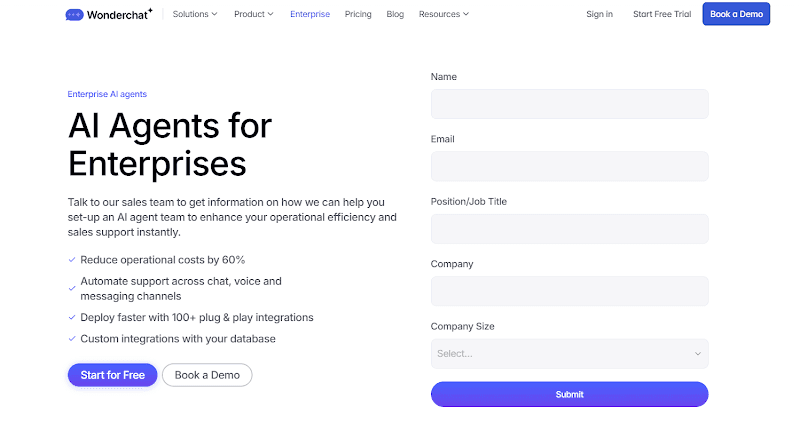
Your security team will have questions too. Wonderchat's security: SOC 2 Type II, GDPR, EU-hosted in Frankfurt, HIPAA BAA available. On Enterprise, ask for the SOC 2 report and DPA during the review.
The verdict: choose Wonderchat if you want a governed AI layer that answers from approved knowledge and hands over into its own help desk or the one you keep; Zendesk AI Agents if you live in Zendesk; Agentforce if the agent must change Salesforce records; Rasa if the deployment must be your own. Book a demo and bring the hardest question in your queue. If you would rather test it yourself, start for free and run the same set of questions.
Frequently Asked Questions
What makes an AI customer service platform enterprise-grade?
An enterprise AI customer service platform supports SSO, role-based access, audit logs, defined data residency, governed knowledge, human handoff, and integrations with systems of record. Buyers should also confirm the deployment model, BAA availability, minimum usage, billing unit, overage rules, and failure behavior.
What is an enterprise conversational AI platform?
An enterprise conversational AI platform lets a company build and manage AI agents across channels such as web chat, email, messaging, voice, and internal tools. Unlike a basic chatbot, it can use business data, follow governed workflows, take approved actions and transfer work to a person.
How does RAG improve enterprise customer service?
Retrieval-augmented generation, or RAG, searches approved company content before the model writes an answer. The system retrieves relevant passages, adds them to the prompt, and can cite the source. RAG improves control and review, but teams still need source permissions, scheduled sync, corrections, and testing.
Which enterprise AI platform is best for regulated industries?
The best platform is the one that meets the exact control your compliance team requires. Check data residency, encryption, SSO, roles, audit logs, retention, subprocessors, model-training terms, and BAA availability. If self-hosting or an air-gapped deployment is mandatory, choose a platform that supports it directly.
How should enterprises compare AI customer service pricing?
Compare the full billing unit, not the headline rate. Model seats, conversations, actions, resolutions, usage units, platform fees, implementation, minimums, overage and renewal terms against the same annual workload. Define what counts as a resolved outcome first: a rate without a denominator is a guess wearing a number.
Can one enterprise AI agent support customers and employees?
Yes, if permissions keep the knowledge separate. Customer agents can use public product and support content, while employee agents use private HR, IT, legal, or operations sources. Role-based access and source-level permissions must prevent one audience from retrieving content meant for another.

