Building a Virtual Concierge with AI Chatbots for Hospitality: A Detailed Guide
An AI chatbot on a hotel website answers guest questions about amenities, policies and the local area at any hour, and hands the rest to your front desk.
works like a virtual concierge for the questions guests ask over and over.
Wonderchat is one way to build it: the agent answers from your own website and documents and shows the source on every reply.
This guide walks through the build step by step.
Step 1: Define the Purpose and Scope
Start by deciding what the chatbot is for.
Every later choice, from content to handover, follows from that.
In a hotel setting, chatbots typically handle tasks such as:
Answering FAQs about hotel amenities and policies.
Answering questions about reservations and booking policies.
Providing information about local attractions and events.
Explaining check-in and check-out.
Handing room service and maintenance requests to staff.
Writing these down tells you which content the chatbot needs and which requests should go to a person.
Step 2: Choose the Right Platform
Choosing the right platform is essential for the success of your AI chatbot. Wonderchat answers from your website, help pages and files, hands over to your team with the whole conversation, and includes every channel, from the website widget to WhatsApp, on every plan.
When choosing a platform, it is important to consider the following:
Integration capabilities: How well does it integrate with your existing software systems, such as CRM and ERP?
Customization: Can the chatbot be customized to reflect your brand's voice and ethos?
Scalability: Can it handle the volume of interactions typical for your business, especially during peak times?
80% of Wonderchat agents that go live do so the same day, and the free plan needs no credit card.
When you create the chatbot, you give it instructions on tone and scope. It
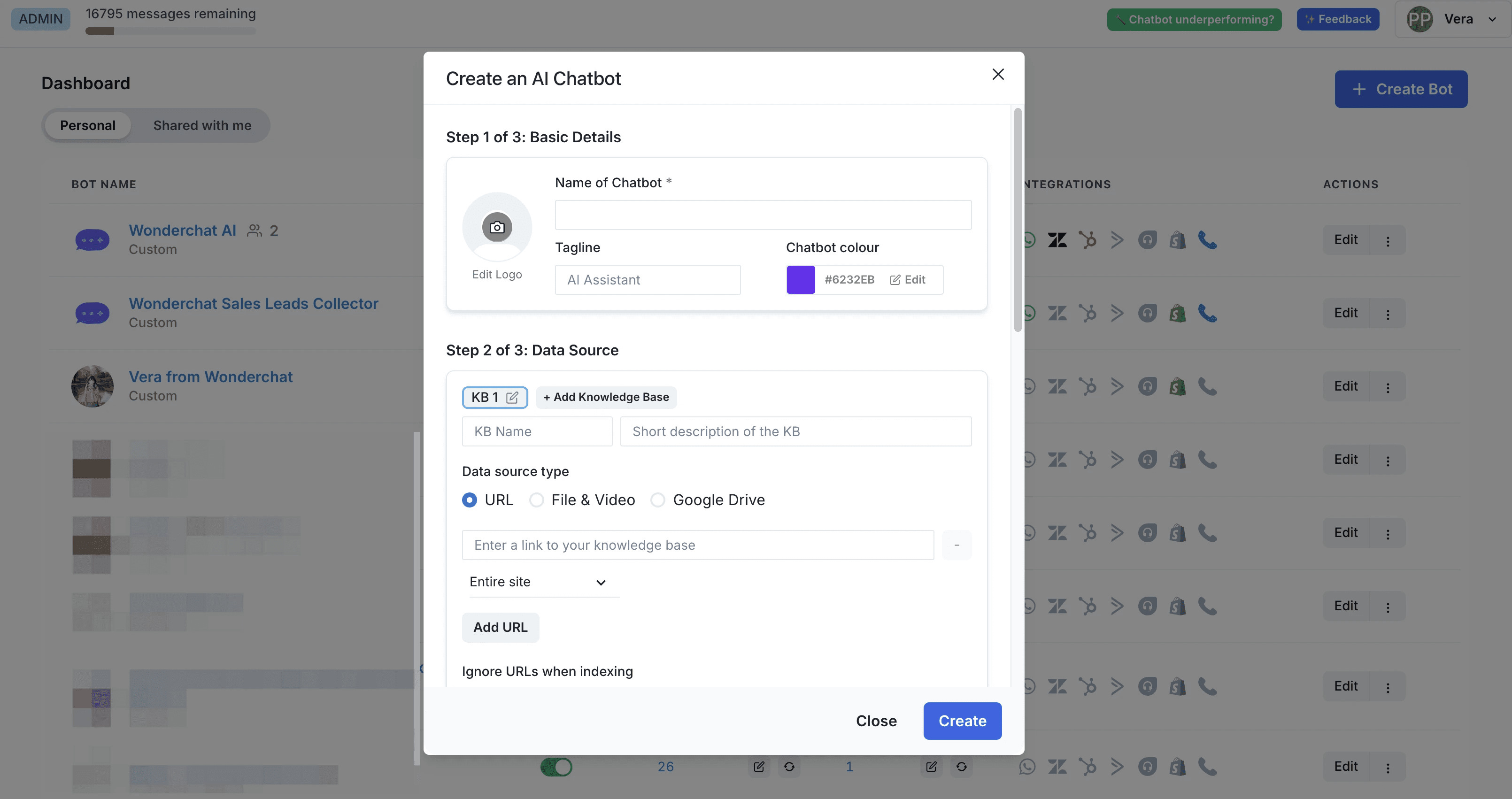
Step 3: Write your Chatbot Instructions
Chatbot instructions tell the chatbot how to behave and how to represent your hotel.
They also set what it says for common requests.
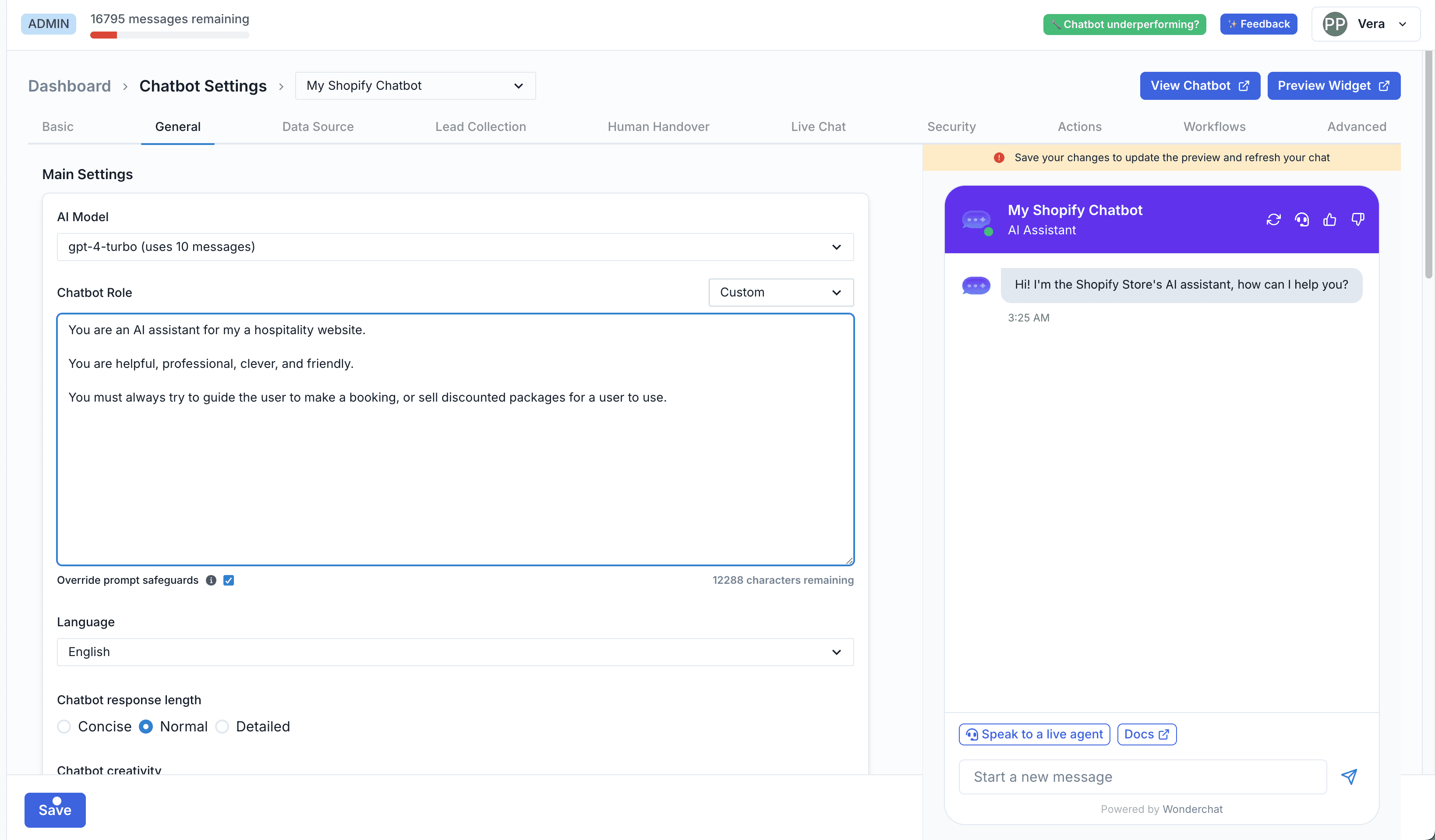
For instance:
For a booking inquiry, the chatbot should explain room types and booking policies and point the guest to your booking page.
For check-ins, it should explain the process, pass special requests such as a late check-in to staff, and describe the amenities.
Map out the guest journey and look for the points where the chatbot can help.
Step 4: Personalize the Experience
In the hospitality industry, people want to feel special; this is where customization comes in. AI chatbots should use data collected from current and previous interactions for a customized approach.
For example, if the user has a history of patronizing the spa facility, the chatbot may recommend getting a spa session as soon as they arrive.
Customizations also help enhance the guests' satisfaction level and the chances of offering additional services.
Accenture's survey reveals that 91% of consumers are more willing to engage in business with brands that acknowledge, recall, and offer personalized promotions.
Step 5: Keep the Information Guests Ask About Current
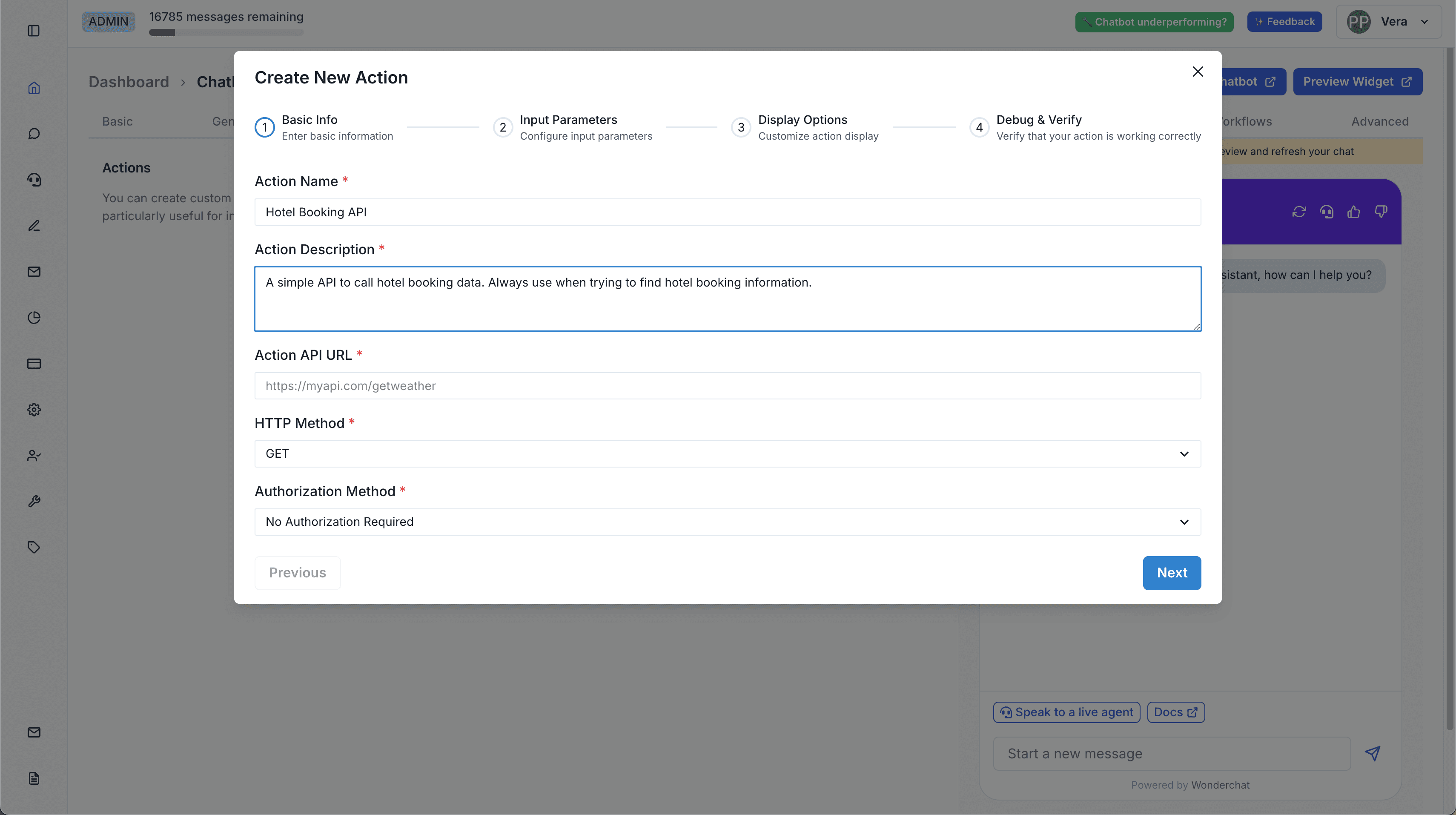
Keep the chatbot's content current: room types, policies, opening hours and seasonal offers. Wonderchat answers only from the content you add, so an outdated page means an outdated answer; on the Scale plan, a weekly auto-recrawl picks up website changes.
Wonderchat doesn't make reservations or change bookings: it points the guest to your booking page or hands them to your team with the whole conversation.
Step 6: Test and Train the Chatbot
Test the chatbot thoroughly before launch.
Play different types of guests and ask questions your content doesn't cover, to see how it responds.
Then improve the content and instructions based on what the tests show.
The chatbot doesn't learn on its own: in Wonderchat, questions it couldn't answer land in the review inbox, and once you answer one, it answers it from then on.
Step 7: Launch and Monitor
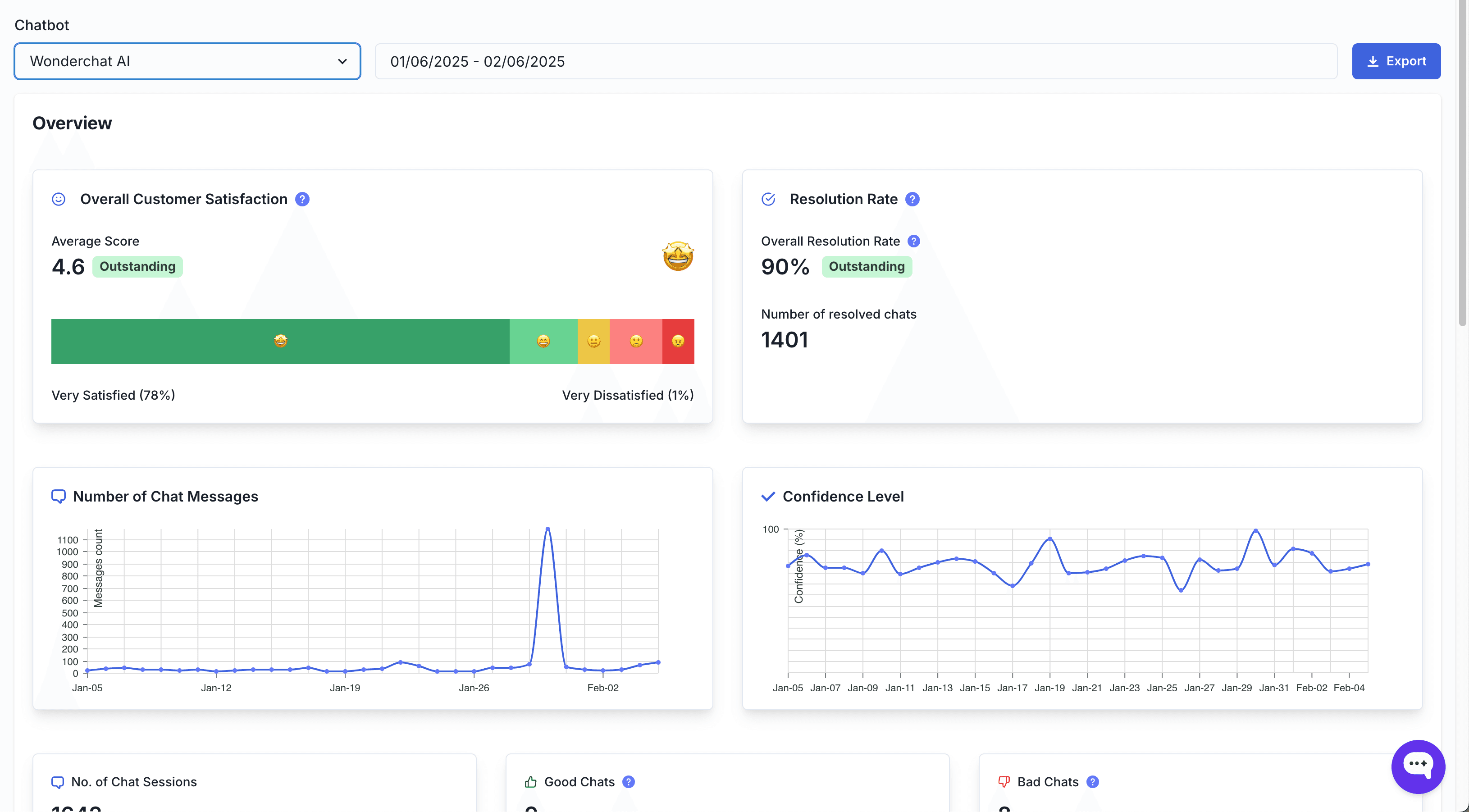
Launching the chatbot is only the first step. After launch, monitor it to see whether it works and where it can improve.
Track how many questions it answers, how fast, and how often it hands over.
Monitoring also shows which services guests ask about most and where content is missing.
From the Basic plan, Wonderchat's analytics dashboard lets you track conversations and the number of handovers each month.
Step 8: Collect Feedback and Iterate
Use guest and staff feedback to improve the chatbot. Integrate methods to collect responses focused on the guests' experience and interactions with the chatbot, including positive experiences, negative ones, and extra features.
Based on that feedback, update the chatbot's content and instructions.
Conclusion
A hotel chatbot built on Wonderchat works as a virtual concierge for the questions guests ask over and over, and hands everything else to your staff.