Category
conversation-ux
Setup
Dashboard, minutes
Channels
Web, WhatsApp, SMS, Slack, Teams
Data handling
SOC 2 Type II · GDPR
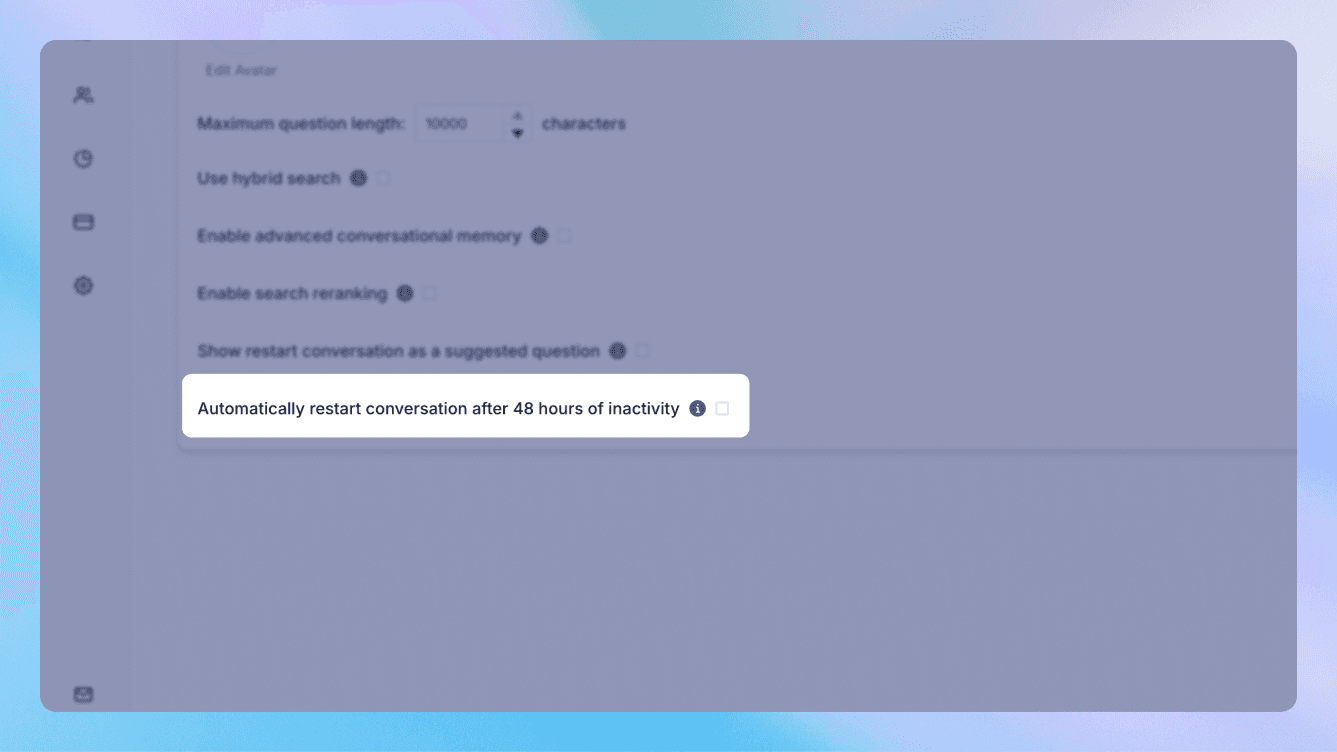
On a shared device, a kiosk, or a busy support desk, the last thing you want is one person's conversation bleeding into the next. Wonderchat lets you control exactly when a conversation resets and when a session expires, so every visitor starts clean.
Set the rules that fit where the agent lives: clear the conversation after a period of inactivity, expire a session after a set time, or reset on demand. On a public terminal, that means the next person doesn't inherit the previous one's chat. In a normal web session, it means a returning visitor gets sensible continuity without a stale conversation hanging around forever. You decide the behaviour rather than accepting a fixed default.
This is a small setting that prevents a real problem - the awkward, sometimes sensitive situation of one user seeing another's questions, or an agent answering with context that no longer applies. It keeps each conversation scoped to the person actually having it.
It works alongside memory and history settings, so you can tune the whole picture: how much the agent remembers, and when it forgets. It's part of a SOC 2 Type II certified, GDPR-compliant platform. Decide when a conversation should end, so the next one starts right.
What you control
Which sources conversation reset / session timeout may use
Wording for answers you cannot get wrong
Who on the team can change it
What gets logged and exported
Frequently asked question
Can I control when a conversation resets?
Yes. Set the agent to clear a conversation after inactivity, expire a session after a set time, or reset on demand - whatever fits where it's deployed.
Is this useful for shared devices or kiosks?
Does it work with the agent's memory settings?
See it answer your hardest question — from your own docs.
One agent for support and sales, trained on your content, ready in minutes.