


26/09/2026
Deflection Rate
Deflection rate is the share of support requests resolved without a human agent. There is no standard denominator, so two vendors can report the same rate while measuring different finish lines. Always ask which conversations are counted and which are excluded.
How to Calculate Deflection Rate
Deflection rate = eligible requests resolved without human handling ÷ all eligible support requests × 100.
For this definition, the numerator contains eligible requests resolved without human handling, while the denominator contains every eligible support request, including those later escalated. Any exclusions, such as spam, test conversations, or topics the system was not allowed to handle, should appear beside the reported rate.
Suppose a team receives 1,000 eligible requests and resolves 420 without human help. Its deflection rate is 42%, but that number can still overstate the work removed when customers return through another channel with the same problem.
Why Deflection and Resolution Are Different
Gartner found that 73% of customers used self-service during their support journey, yet only 14% fully resolved their issue there. The figures measure use and resolution, not deflection, but they show that keeping a request out of a human queue doesn't mean the customer got an answer.
Fin gives an even sharper example in its KPI framework: a platform can show 90% deflection while reaching only 40% true resolution when redirected or abandoned conversations stay in the deflection count. A high rate can therefore hide customers who gave up, reopened the chat, or contacted support by email.
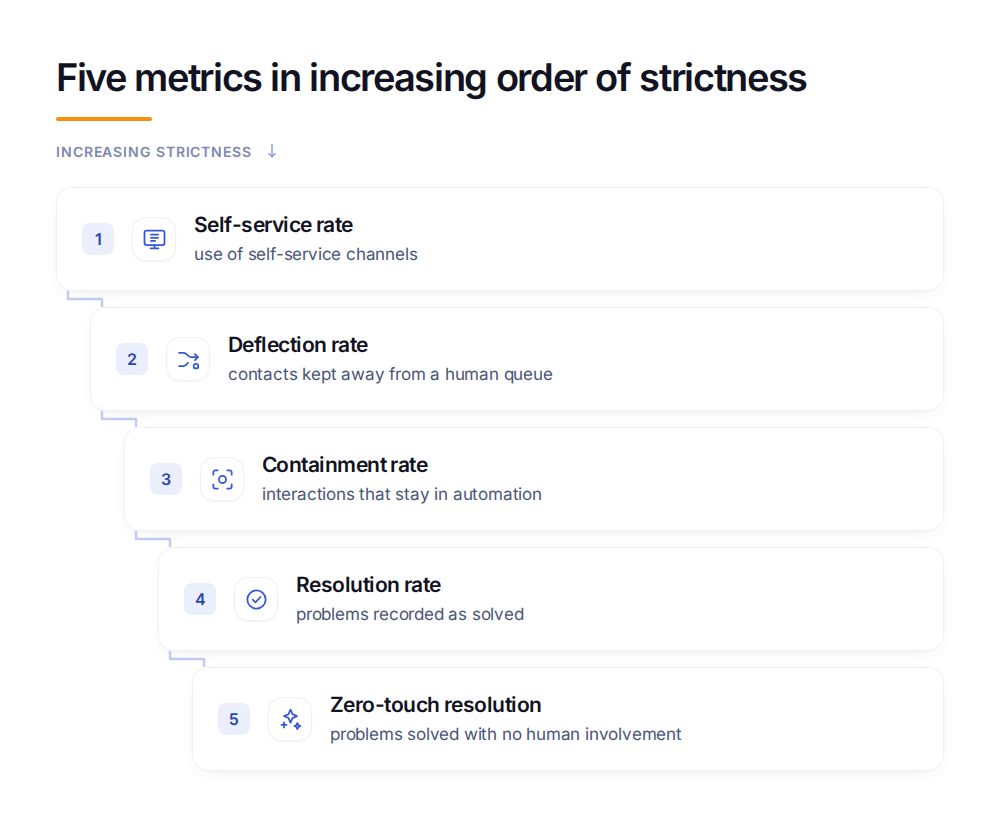
Self-service rate records whether customers use a self-service channel, deflection rate tracks eligible requests kept from human handling, and containment rate shows whether automation kept control. Resolution rate asks whether the problem was solved, while zero-touch resolution adds the stricter condition that no human took part at any stage.
How to Audit a Deflection Rate
Before comparing two rates, check the rules behind each calculation.
- Confirm what enters the numerator and denominator, including every excluded request type.
- Check whether abandoned conversations count as successes or remain unclassified.
- Review repeat contacts across a stated time window and across chat, email, and phone.
- Compare deflection with resolution and escalation, because one number cannot show whether customers received useful help.
Wonderchat publishes the denominator behind every rate it reports.
What Is a Good Deflection Rate?
ClarityArc’s 2026 production benchmarks, cited by eesel, put the enterprise median for tier-1 deflection at 41.2%, with the top quartile at 58.7%. The underlying primary dataset is not publicly available, so these figures are directional comparisons rather than a universal target.
A useful target must match the same request types, exclusions, channels, and repeat-contact window. Rates also vary by request type, so complex troubleshooting and complaints will usually produce a different result from password resets or order-status questions, even when both systems work as intended.
Frequently Asked Questions
What is deflection rate?
Deflection rate is the percentage of eligible support requests resolved without human handling. Its meaning depends on the denominator, the exclusions, and whether abandoned or repeated contacts are counted.
How is deflection rate calculated?
Divide eligible requests resolved without human handling by all eligible support requests, then multiply by 100. Publish the exclusions and repeat-contact window beside the result.
What is a good deflection rate?
ClarityArc’s 2026 benchmarks, cited by eesel, place the enterprise median at 41.2% and the top quartile at 58.7%. Treat them as directional because definitions, request types, and exclusions vary.
