AI Chatbot for HR Teams

Automate employee onboarding, PTO policies, benefits questions, and internal HR FAQs. Deploy on Slack, Teams, or your intranet. SOC 2 certified and secure for employee data.

Trusted by businesses worldwide
Why HR Teams Choose Wonderchat

HR teams spend a significant part of their day answering the same employee questions over and over—“How many PTO days do I have?”, “How do I submit an expense?”, “What’s our parental leave policy?” While these questions are important, handling them manually creates constant interruptions, growing ticket queues, and less time for strategic people initiatives. Wonderchat’s AI-powered chatbot is trained on your employee handbook, benefits documentation, and internal policies in just minutes. Once live, it delivers instant, accurate answers to routine HR questions 24/7—directly inside Slack, Microsoft Teams, or on the web. Employees get clear guidance when they need it, without opening tickets or waiting for responses. By automating repetitive HR inquiries, Wonderchat can reduce HR ticket volume by up to 70%, improve employee satisfaction, and free your team to focus on high-impact work like talent development, culture, and compliance—rather than repetitive FAQs.

Emily

AI Agent

Wonderbot

Welcome to Wonderchat! How can I help you today?

hey i’d like to upgrade to enterprise please

Wonderbot

Sure, please hold on for a second.

Retrieving account details...

Please confirm that you would like to upgrade to Wonderchat Enterprise. Your Visa card ending in 1234 will be charged $480.00 a year.

Cancel

Upgrade

Message...

Easy 5 minute set-up

How Wonderchat Works

Employee Handbook AI

Instant Answers to Policy Questions

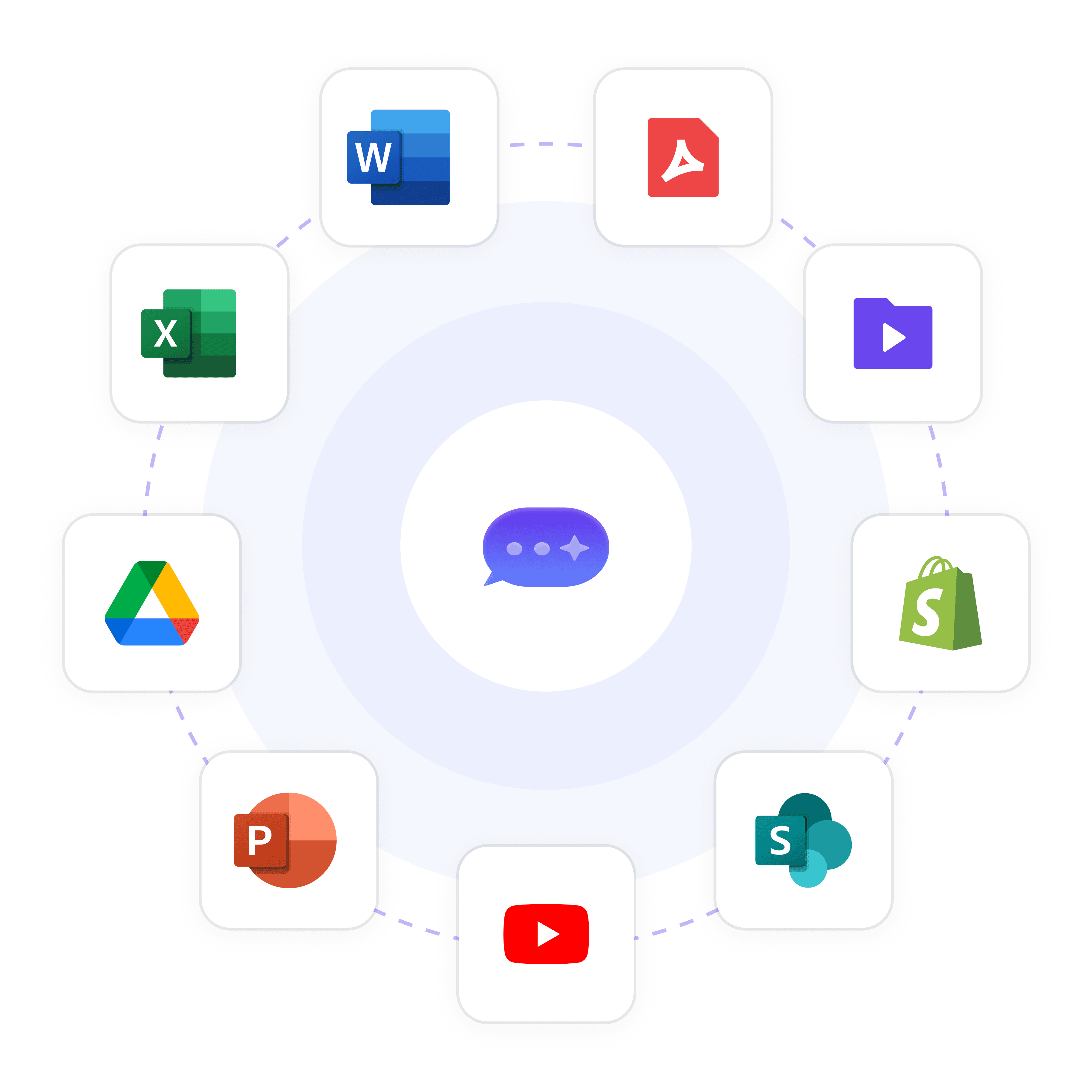
Upload your employee handbook, PTO policies, expense procedures, and benefits docs. The AI answers questions about parental leave, remote work rules, dress code, holidays, and more—citing exact handbook sections for transparency.

Trains on PDFs, Google Docs, Notion, Sharepoint

Cites sources (e.g., "See Employee Handbook, Section 4.2")

Auto-sync weekly (Turbo) or monthly (Basic) when policies change

Employee Handbook AI

Instant Answers to Policy Questions

Upload your employee handbook, PTO policies, expense procedures, and benefits docs. The AI answers questions about parental leave, remote work rules, dress code, holidays, and more—citing exact handbook sections for transparency.

Trains on PDFs, Google Docs, Notion, Sharepoint

Cites sources (e.g., "See Employee Handbook, Section 4.2")

Auto-sync weekly (Turbo) or monthly (Basic) when policies change

Employee Handbook AI

Instant Answers to Policy Questions

Upload your employee handbook, PTO policies, expense procedures, and benefits docs. The AI answers questions about parental leave, remote work rules, dress code, holidays, and more—citing exact handbook sections for transparency.

Trains on PDFs, Google Docs, Notion, Sharepoint

Cites sources (e.g., "See Employee Handbook, Section 4.2")

Auto-sync weekly (Turbo) or monthly (Basic) when policies change

Onboarding Automation

Guide New Hires Through First Week

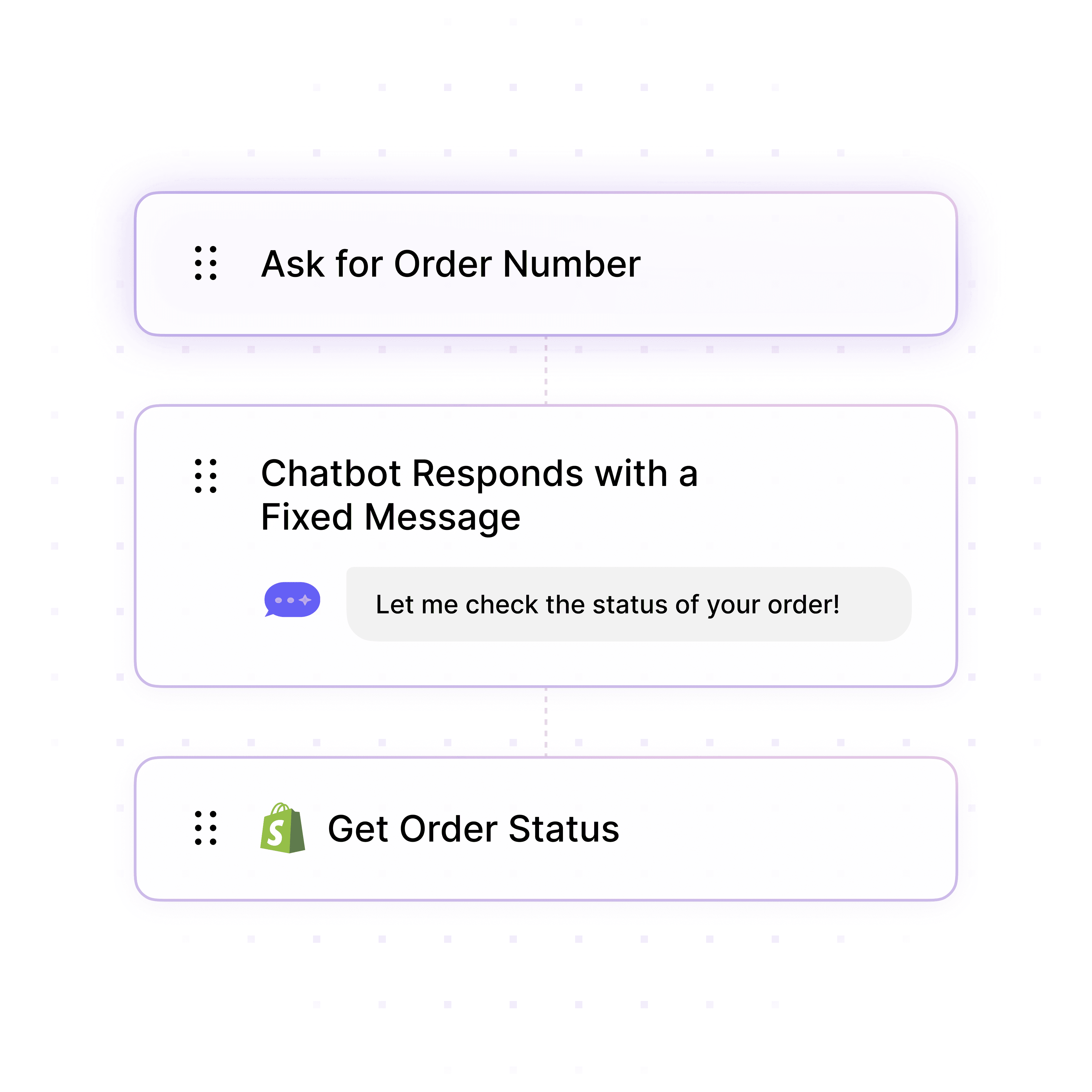
New employees get instant answers about IT setup, benefits enrollment, payroll forms, and first-day logistics. Reduce onboarding emails and free HR to focus on high-touch check-ins.

Answers "How do I set up my laptop?", "When do benefits start?"

Provides links to enrollment portals and training materials

Reduces HR onboarding emails by 60%+
Onboarding Automation

Guide New Hires Through First Week

New employees get instant answers about IT setup, benefits enrollment, payroll forms, and first-day logistics. Reduce onboarding emails and free HR to focus on high-touch check-ins.

Answers "How do I set up my laptop?", "When do benefits start?"

Provides links to enrollment portals and training materials

Reduces HR onboarding emails by 60%+

Onboarding Automation

Guide New Hires Through First Week

New employees get instant answers about IT setup, benefits enrollment, payroll forms, and first-day logistics. Reduce onboarding emails and free HR to focus on high-touch check-ins.

Answers "How do I set up my laptop?", "When do benefits start?"

Provides links to enrollment portals and training materials

Reduces HR onboarding emails by 60%+

Deploy on Slack or Teams

Employees Ask Questions Where They Work

Deploy Wonderchat in Slack, Microsoft Teams, or Discord. No need for employees to visit a separate HR portal—they get instant answers in the tools they already use daily.

Native Slack, Teams, Discord integration

Also available as web widget or internal portal

WhatsApp for remote/frontline workers

Deploy on Slack or Teams

Employees Ask Questions Where They Work

Deploy Wonderchat in Slack, Microsoft Teams, or Discord. No need for employees to visit a separate HR portal—they get instant answers in the tools they already use daily.

Native Slack, Teams, Discord integration

Also available as web widget or internal portal

WhatsApp for remote/frontline workers

Deploy on Slack or Teams

Employees Ask Questions Where They Work

Deploy Wonderchat in Slack, Microsoft Teams, or Discord. No need for employees to visit a separate HR portal—they get instant answers in the tools they already use daily.

Native Slack, Teams, Discord integration

Also available as web widget or internal portal

WhatsApp for remote/frontline workers

5-minute set up with our native integration

AI Chatbot for HR Teams

1

Create your AI chatbot – Pick the perfect AI model fit for your support needs.

2

Train AI with Docs, FAQs & Policies – Upload knowledge base files and site links.

3

Customise Workflows & Escalation Rules – AI handles what it can, and escalates what it can’t.

4

Monitor & Optimise with Analytics – See where customers get stuck and fine-tune responses.
Secure & Compliant

SOC 2 Certified for Employee Data

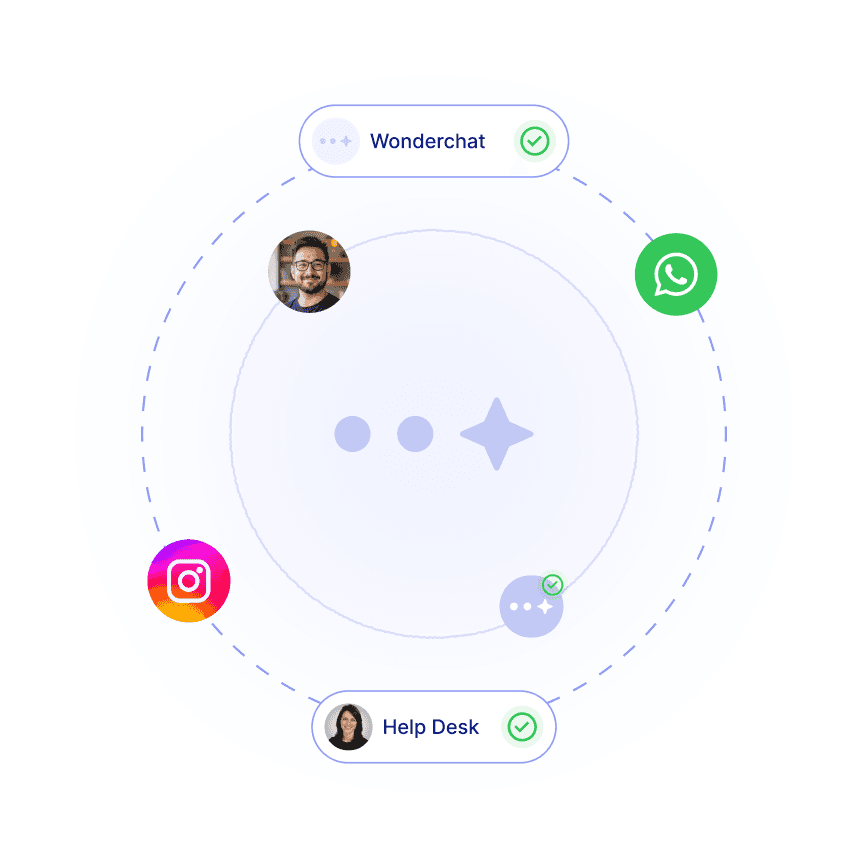
Wonderchat Enterprise is SOC 2 Type II certified with customizable data retention, SSO integration, and IP geo-location restrictions. GDPR compliant on all plans for EU employees.

SOC 2 Type II certified (Enterprise)

SSO integration (Okta, Azure AD, etc.)

Customizable chatlog retention for compliance
Secure & Compliant

SOC 2 Certified for Employee Data

Wonderchat Enterprise is SOC 2 Type II certified with customizable data retention, SSO integration, and IP geo-location restrictions. GDPR compliant on all plans for EU employees.

SOC 2 Type II certified (Enterprise)

SSO integration (Okta, Azure AD, etc.)

Customizable chatlog retention for compliance
Secure & Compliant

SOC 2 Certified for Employee Data

Wonderchat Enterprise is SOC 2 Type II certified with customizable data retention, SSO integration, and IP geo-location restrictions. GDPR compliant on all plans for EU employees.

SOC 2 Type II certified (Enterprise)

SSO integration (Okta, Azure AD, etc.)

Customizable chatlog retention for compliance

Smart Escalation

Route Sensitive Issues to HR Staff

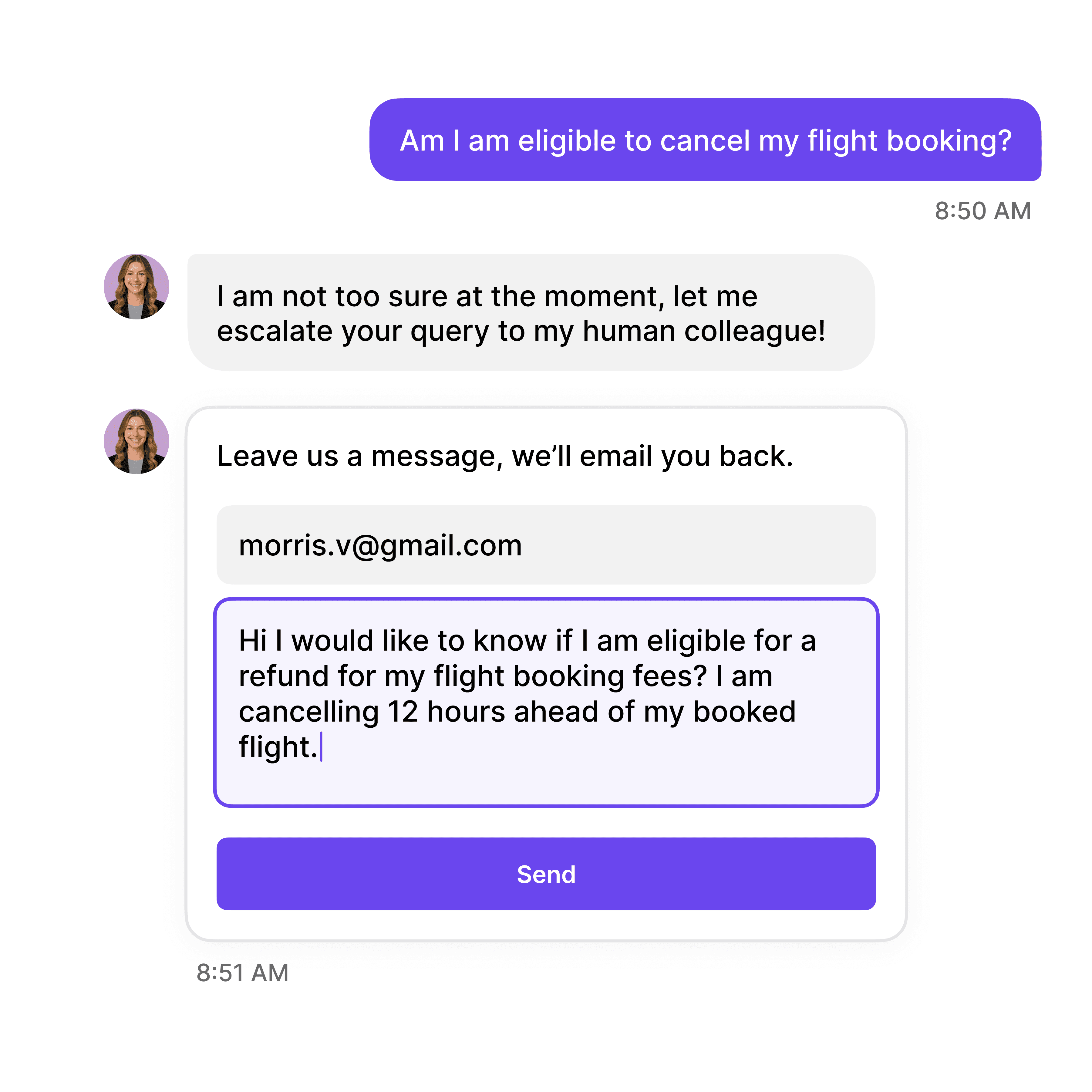
When employees ask about sensitive topics (discrimination, harassment, medical leave), the AI escalates to live chat or creates a private ticket in your intranet with AI-generated summary and sentiment analysis.

Instantly retrieves information about your HR Policies

Escalate to a human to receive urgent support

Sentiment analysis flags urgent or distressed conversations

Smart Escalation

Route Sensitive Issues to HR Staff

When employees ask about sensitive topics (discrimination, harassment, medical leave), the AI escalates to live chat or creates a private ticket in your intranet with AI-generated summary and sentiment analysis.

Instantly retrieves information about your HR Policies

Escalate to a human to receive urgent support

Sentiment analysis flags urgent or distressed conversations

Smart Escalation

Route Sensitive Issues to HR Staff

When employees ask about sensitive topics (discrimination, harassment, medical leave), the AI escalates to live chat or creates a private ticket in your intranet with AI-generated summary and sentiment analysis.

Instantly retrieves information about your HR Policies

Escalate to a human to receive urgent support

Sentiment analysis flags urgent or distressed conversations

40+ Languages

Starts at $0.02/message

Available 24/7

Start Free Trial

Testimonials

Businesses with successful customer service start

with Wonderchat

Industry Grade Compliance

Wonderchat is GDPR compliant and AICPA SOC 2 Certified.

FAQ

Can employees use this for sensitive HR issues?

Wonderchat is designed for routine policy questions—not confidential HR matters. For sensitive topics (harassment, discrimination, medical issues), configure the AI to immediately escalate to live chat or create a private ticket in your HRIS/ticketing system. The AI detects keywords and sentiment to route appropriately.

How do we keep employee data secure?

Wonderchat Enterprise is SOC 2 Type II certified. You can enable SSO integration (Okta, Azure AD), whitelist domains, restrict by IP geo-location, and customize chatlog retention. GDPR compliant on all plans. Employee conversations are encrypted in transit and at rest.

Can it handle PTO balance lookups or expense submissions?

Wonderchat answers policy questions ("How many PTO days do I get?") but doesn't connect to HRIS systems for live data lookups. For actions (check PTO balance, submit expense), use Tools (Turbo+ plans) to connect to your HRIS API, or provide links to self-service portals like BambooHR, Gusto, or Workday.

Will it work with our existing HR tools (BambooHR, Workday, etc.)?

Wonderchat integrates with Zendesk, Freshdesk, Slack, Teams, Workday, Microsoft Sharepoint and 5,000+ apps via Zapier/n8n. For direct HRIS integration, use API access (Turbo+) or request custom integration (Enterprise). Most HR teams use Wonderchat for FAQs and escalate to existing HRIS for transactional tasks.

Can we have different bots for different departments?

Yes. Create multiple AI agents (2 on Basic, 4 on Turbo, unlimited on Enterprise) and train each on department-specific content. For example: one bot for general HR, one for IT policies, one for benefits. Deploy each bot in different Slack channels or restrict by employee group.

How do we update the bot when policies change?

Wonderchat auto-syncs with your data sources monthly (Starter/Basic), weekly (Turbo), or daily (Enterprise). If you store policies in Google Drive, Notion, or Sharepoint, the AI pulls updates automatically. For one-off changes, manually re-upload files or edit content in the dashboard—takes under 2 minutes.

FAQ

Can employees use this for sensitive HR issues?

Wonderchat is designed for routine policy questions—not confidential HR matters. For sensitive topics (harassment, discrimination, medical issues), configure the AI to immediately escalate to live chat or create a private ticket in your HRIS/ticketing system. The AI detects keywords and sentiment to route appropriately.

How do we keep employee data secure?

Wonderchat Enterprise is SOC 2 Type II certified. You can enable SSO integration (Okta, Azure AD), whitelist domains, restrict by IP geo-location, and customize chatlog retention. GDPR compliant on all plans. Employee conversations are encrypted in transit and at rest.

Can it handle PTO balance lookups or expense submissions?

Wonderchat answers policy questions ("How many PTO days do I get?") but doesn't connect to HRIS systems for live data lookups. For actions (check PTO balance, submit expense), use Tools (Turbo+ plans) to connect to your HRIS API, or provide links to self-service portals like BambooHR, Gusto, or Workday.

Will it work with our existing HR tools (BambooHR, Workday, etc.)?

Wonderchat integrates with Zendesk, Freshdesk, Slack, Teams, Workday, Microsoft Sharepoint and 5,000+ apps via Zapier/n8n. For direct HRIS integration, use API access (Turbo+) or request custom integration (Enterprise). Most HR teams use Wonderchat for FAQs and escalate to existing HRIS for transactional tasks.

Can we have different bots for different departments?

Yes. Create multiple AI agents (2 on Basic, 4 on Turbo, unlimited on Enterprise) and train each on department-specific content. For example: one bot for general HR, one for IT policies, one for benefits. Deploy each bot in different Slack channels or restrict by employee group.

How do we update the bot when policies change?

Wonderchat auto-syncs with your data sources monthly (Starter/Basic), weekly (Turbo), or daily (Enterprise). If you store policies in Google Drive, Notion, or Sharepoint, the AI pulls updates automatically. For one-off changes, manually re-upload files or edit content in the dashboard—takes under 2 minutes.

FAQ

Can employees use this for sensitive HR issues?

Wonderchat is designed for routine policy questions—not confidential HR matters. For sensitive topics (harassment, discrimination, medical issues), configure the AI to immediately escalate to live chat or create a private ticket in your HRIS/ticketing system. The AI detects keywords and sentiment to route appropriately.

How do we keep employee data secure?

Wonderchat Enterprise is SOC 2 Type II certified. You can enable SSO integration (Okta, Azure AD), whitelist domains, restrict by IP geo-location, and customize chatlog retention. GDPR compliant on all plans. Employee conversations are encrypted in transit and at rest.

Can it handle PTO balance lookups or expense submissions?

Wonderchat answers policy questions ("How many PTO days do I get?") but doesn't connect to HRIS systems for live data lookups. For actions (check PTO balance, submit expense), use Tools (Turbo+ plans) to connect to your HRIS API, or provide links to self-service portals like BambooHR, Gusto, or Workday.

Will it work with our existing HR tools (BambooHR, Workday, etc.)?

Wonderchat integrates with Zendesk, Freshdesk, Slack, Teams, Workday, Microsoft Sharepoint and 5,000+ apps via Zapier/n8n. For direct HRIS integration, use API access (Turbo+) or request custom integration (Enterprise). Most HR teams use Wonderchat for FAQs and escalate to existing HRIS for transactional tasks.

Can we have different bots for different departments?

Yes. Create multiple AI agents (2 on Basic, 4 on Turbo, unlimited on Enterprise) and train each on department-specific content. For example: one bot for general HR, one for IT policies, one for benefits. Deploy each bot in different Slack channels or restrict by employee group.

How do we update the bot when policies change?

Wonderchat auto-syncs with your data sources monthly (Starter/Basic), weekly (Turbo), or daily (Enterprise). If you store policies in Google Drive, Notion, or Sharepoint, the AI pulls updates automatically. For one-off changes, manually re-upload files or edit content in the dashboard—takes under 2 minutes.

40+ Languages

Starts at $0.02/message

Available 24/7

Start Free Trial

The platform to build AI agents that feel human

© 2025 Wonderchat Private Limited