Deflect Freshdesk Tickets with AI Workflows

Stop drowning in repetitive tickets. Wonderchat deflects Freshdesk tickets using AI workflows that pre-qualify inquiries, collecting all necessary data before a human agent ever gets involved.

Trusted by businesses worldwide

Easy 5 minute set-up

How Wonderchat Works
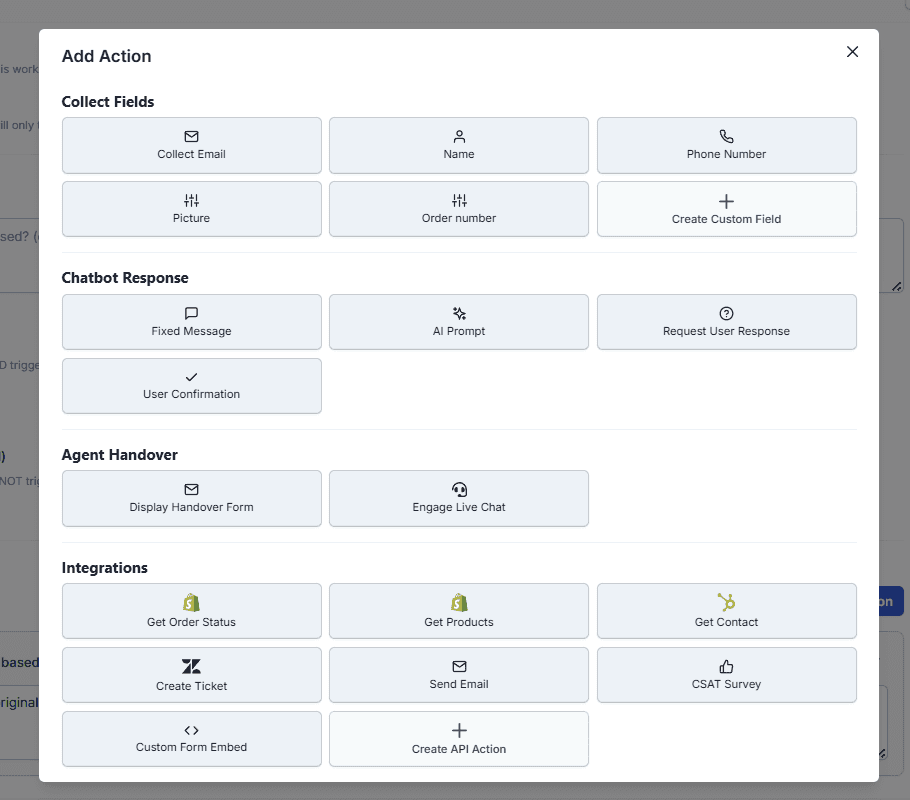
Automate Freshdesk Ticket Workflows

Build multi-step workflows that run automatically

Create triggered workflows inside Wonderchat that activate when a customer expresses a specific intent, such as requesting a return. The AI walks the customer through each step sequentially, collecting all required information before any human involvement is needed.

Trigger on customer intent

Sequential automated steps

No developer required
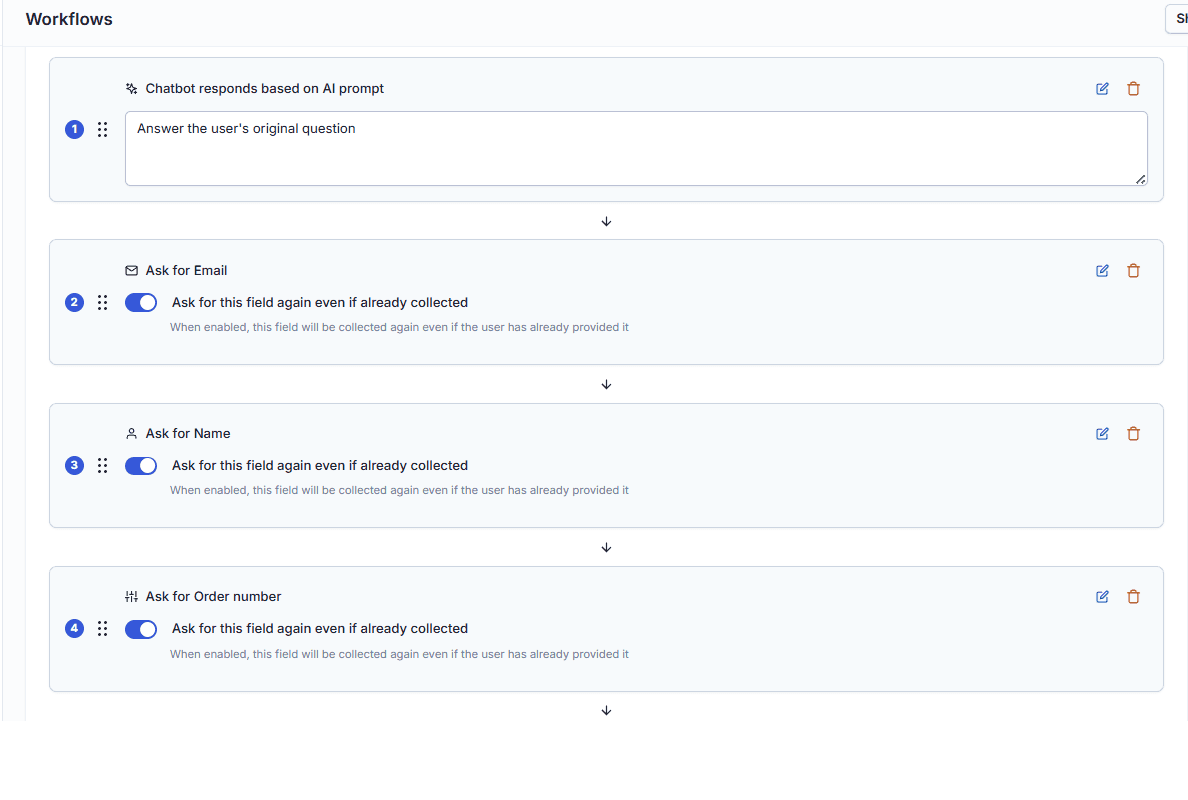
AI Pre-Qualification for Support Tickets

Pre-qualify every inquiry before it reaches agents

Instead of agents exchanging five back-and-forth messages to gather basic details, Wonderchat collects email addresses, order numbers, and item condition upfront. Human agents receive a complete, pre-qualified ticket and can resolve the issue in a single reply.

Collect email and order data

Reduce replies per ticket

Agents start with full context
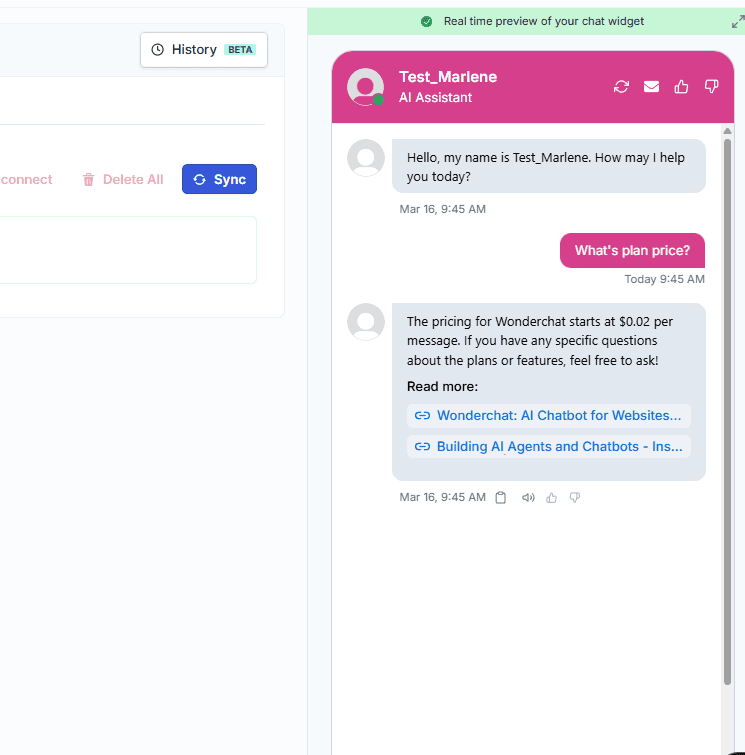
Reduce Freshdesk Ticket Volume

Resolve common requests without creating a ticket

For straightforward cases, Wonderchat completes the entire interaction autonomously, providing a resolution such as a return label link directly in the chat. A Freshdesk ticket is only created when the situation genuinely requires a human agent.

Autonomous end-to-end resolution

Fewer tickets created overall

Humans handle complex cases only

5-minute set up with our native integration

Set Up Your Live Chat Alternative in Minutes

1

Create your AI chatbot – Pick the perfect AI model fit for your support needs.

2

Train AI with Docs, FAQs & Policies – Upload knowledge base files and site links.

3

Customise Workflows & Escalation Rules – AI handles what it can, and escalates what it can’t.

4

Monitor & Optimise with Analytics – See where customers get stuck and fine-tune responses.
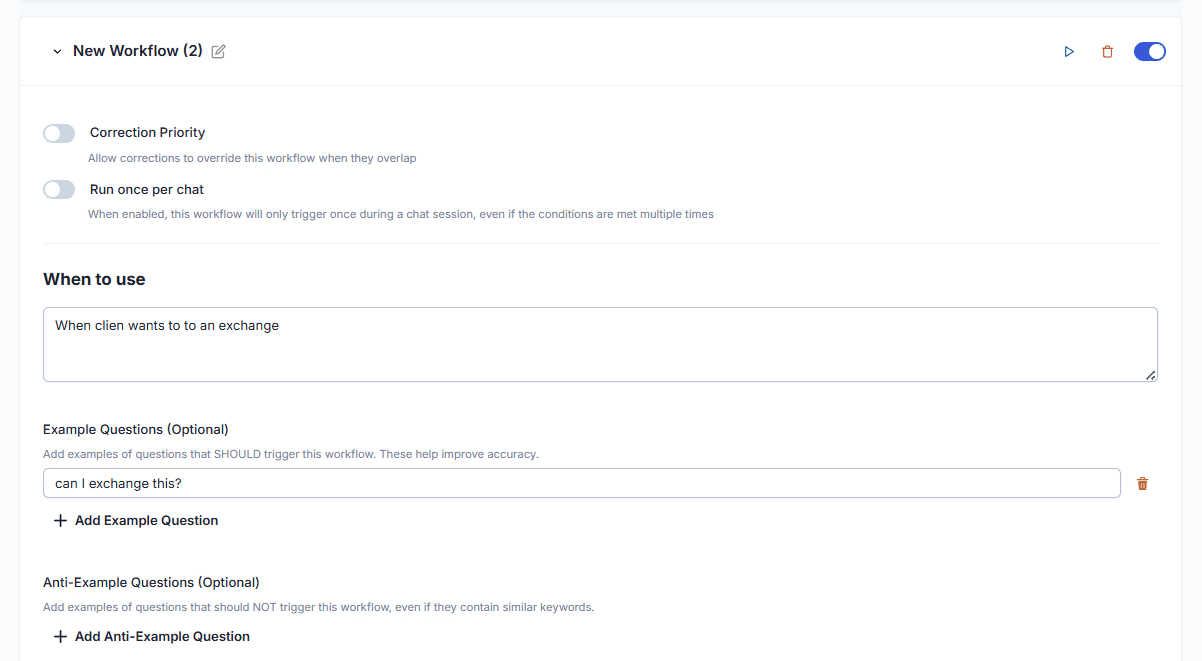
Chatbot Workflow Builder for Freshdesk

Design workflows with a no-code visual builder

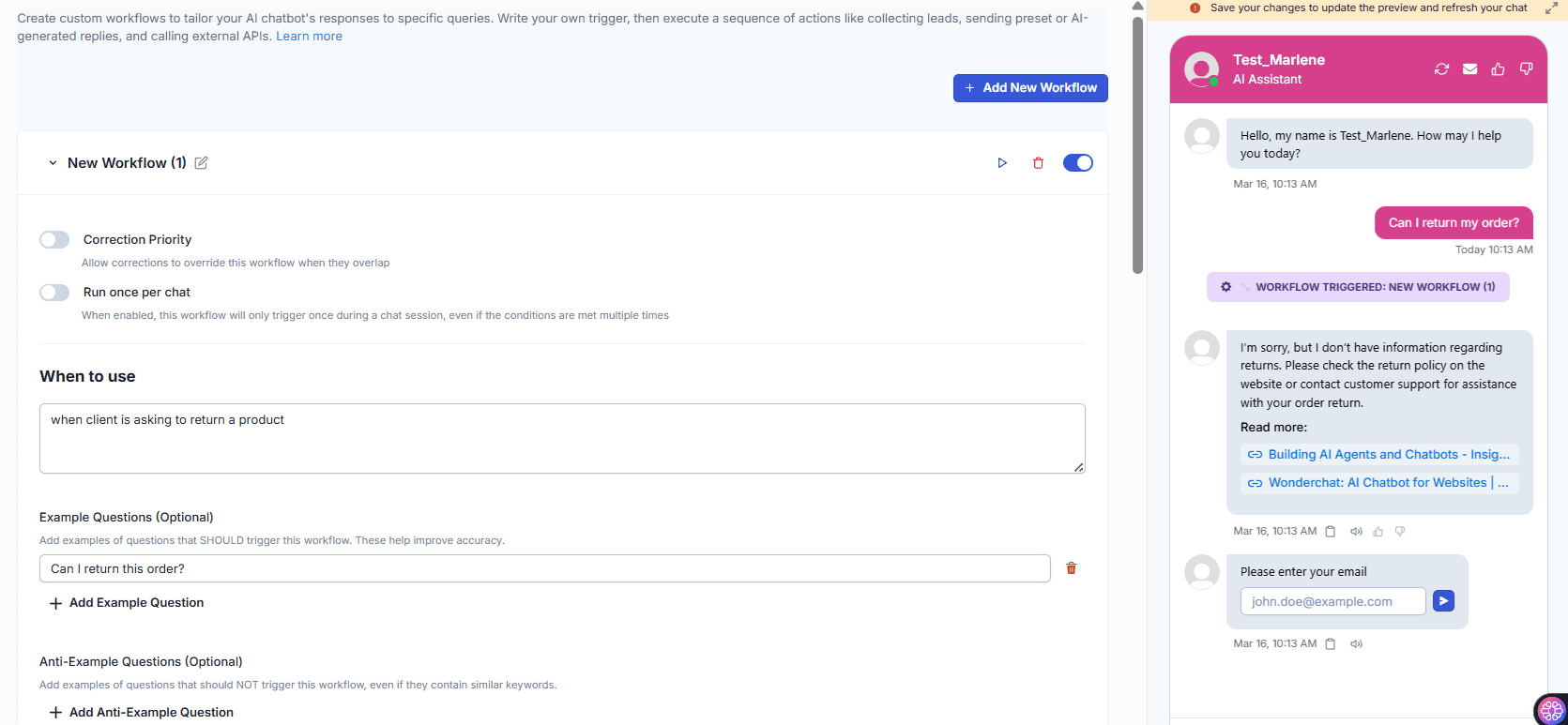
Inside Wonderchat, navigate to Chatbots, then Workflows to create and manage automated sequences. Add actions step by step, including custom fields, conditional responses, and free-text capture, all without writing a single line of code.

No-code workflow builder

Custom fields supported

Manage all workflows centrally
AI Return Request Automation

Automate return and refund requests end to end

Configure a return request workflow that asks for the customer's email, order number, and item condition in sequence. At the final step, either send an automated resolution with a return label or route a fully documented notification directly to your Freshdesk inbox.

Return label delivery automated

Freshdesk inbox notification

All details collected upfront

Testimonials

Businesses with successful customer service start

with Wonderchat

Testimonials

Businesses with successful customer service start

with Wonderchat

Industry Grade Compliance

Wonderchat is GDPR compliant and AICPA SOC 2 Certified.

Industry Grade Compliance

Wonderchat is GDPR compliant and AICPA SOC 2 Certified.

FAQ

How does Wonderchat deflect Freshdesk tickets with AI?

Wonderchat sits on top of your existing Freshdesk setup as an AI layer. When a customer initiates a conversation, the AI detects their intent and triggers a pre-built workflow that collects all necessary information automatically. Only conversations that genuinely require human judgment are escalated into Freshdesk as tickets, reducing overall ticket volume significantly.

Does Wonderchat replace Freshdesk or work alongside it?

Wonderchat works alongside Freshdesk, not instead of it. The AI handles Tier 1 inquiries autonomously before a ticket is ever created. When escalation is required, Wonderchat creates a Freshdesk ticket containing all the information collected during the workflow, so your agents can resolve the issue immediately.

What kinds of workflows can I automate for Freshdesk ticket deflection?

You can automate any multi-step support process where data needs to be collected before a human can act. Common examples include return requests, refund inquiries, account changes, and troubleshooting sequences. The workflow builder lets you define triggers based on customer intent, then add sequential steps to collect any custom fields you need.

How do I set up a workflow inside Wonderchat?

Navigate to Chatbots, select Edit, then open the Workflows section. From there you can create a new workflow, define the trigger intent with example phrases, and add sequential actions such as asking for an email address, an order number, or a free-text response. At the final step you can either deliver an automated resolution or send a notification directly to your Freshdesk inbox with all collected details.

Does the AI send collected data directly to Freshdesk?

Yes. At the end of a workflow, you can configure Wonderchat to send an email notification to your Freshdesk inbox (for example, [email protected]) with all the information collected during the conversation. This means the support team receives a single, complete message instead of managing a back-and-forth thread.

FAQ

How does Wonderchat deflect Freshdesk tickets with AI?

Wonderchat sits on top of your existing Freshdesk setup as an AI layer. When a customer initiates a conversation, the AI detects their intent and triggers a pre-built workflow that collects all necessary information automatically. Only conversations that genuinely require human judgment are escalated into Freshdesk as tickets, reducing overall ticket volume significantly.

Does Wonderchat replace Freshdesk or work alongside it?

Wonderchat works alongside Freshdesk, not instead of it. The AI handles Tier 1 inquiries autonomously before a ticket is ever created. When escalation is required, Wonderchat creates a Freshdesk ticket containing all the information collected during the workflow, so your agents can resolve the issue immediately.

What kinds of workflows can I automate for Freshdesk ticket deflection?

You can automate any multi-step support process where data needs to be collected before a human can act. Common examples include return requests, refund inquiries, account changes, and troubleshooting sequences. The workflow builder lets you define triggers based on customer intent, then add sequential steps to collect any custom fields you need.

How do I set up a workflow inside Wonderchat?

Navigate to Chatbots, select Edit, then open the Workflows section. From there you can create a new workflow, define the trigger intent with example phrases, and add sequential actions such as asking for an email address, an order number, or a free-text response. At the final step you can either deliver an automated resolution or send a notification directly to your Freshdesk inbox with all collected details.

Does the AI send collected data directly to Freshdesk?

Yes. At the end of a workflow, you can configure Wonderchat to send an email notification to your Freshdesk inbox (for example, [email protected]) with all the information collected during the conversation. This means the support team receives a single, complete message instead of managing a back-and-forth thread.

40+ Languages

Starts at $0.02/message

Available 24/7

AI agents that service your customers end-to-end

14-day free trial. No credit card required

40+ Languages

Starts at $0.02/message

Available 24/7

Start Deflecting Freshdesk Tickets Today

14-day free trial. No credit card required