Actionable Chatbot Knowledge Gap Detection
Stop guessing why users escalate to a human. Wonderchat surfaces every uncertain chatbot reply on a single dashboard so you can close knowledge gaps instantly.
Trusted by businesses worldwide








Easy 5 minute set-up
How Wonderchat Works
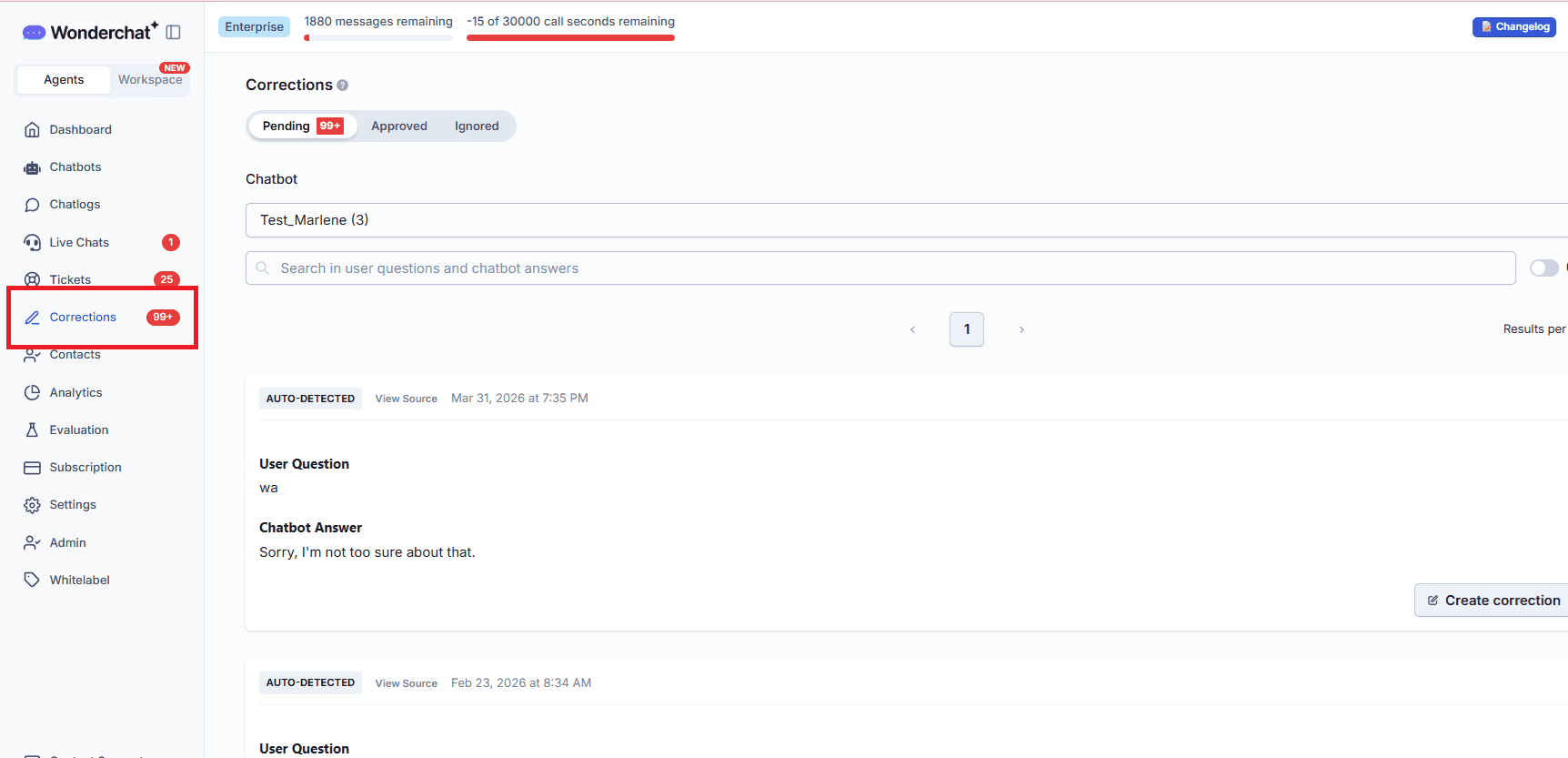
Chatbot Knowledge Gap Detection Dashboard
See every unanswered query in one place
The Corrections section inside the chatbot editor automatically collects every conversation where the bot was not fully confident in its reply — including cases where it said "I'm sorry, I'm not sure." No manual log-digging required. Every gap surfaces in one dashboard.
Automatic gap surfacing
Low-confidence replies flagged
No manual log review
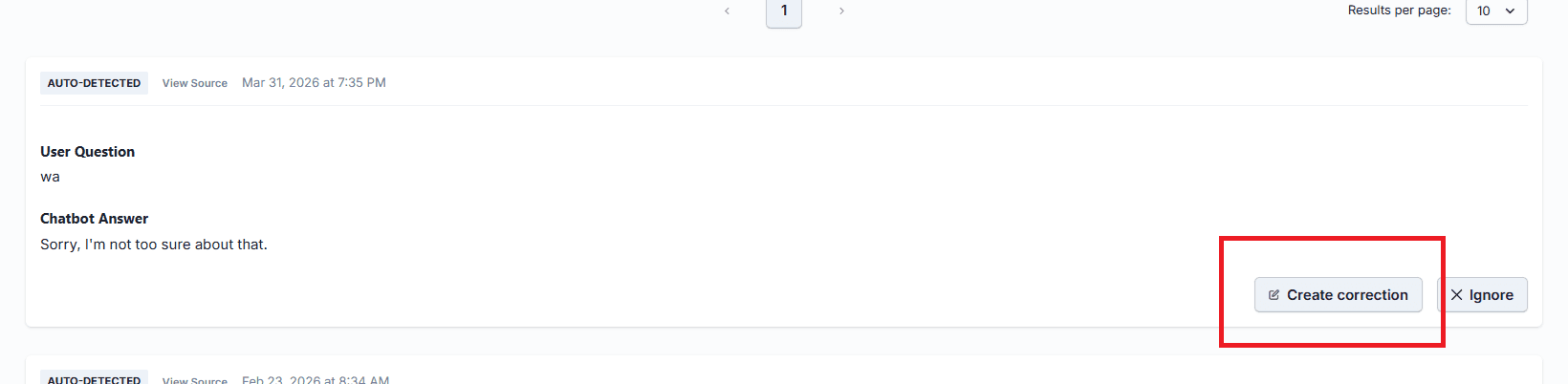
Fix Knowledge Gaps With One Click
Create corrections directly from flagged conversations
Click any flagged conversation, then click "Create Correction." Add the correct answer as an exact match or general information, then save. The chatbot immediately has that knowledge for all future similar queries — no retraining cycle, no developer required.
Exact match or general fix
Instant knowledge update
One correction, many queries
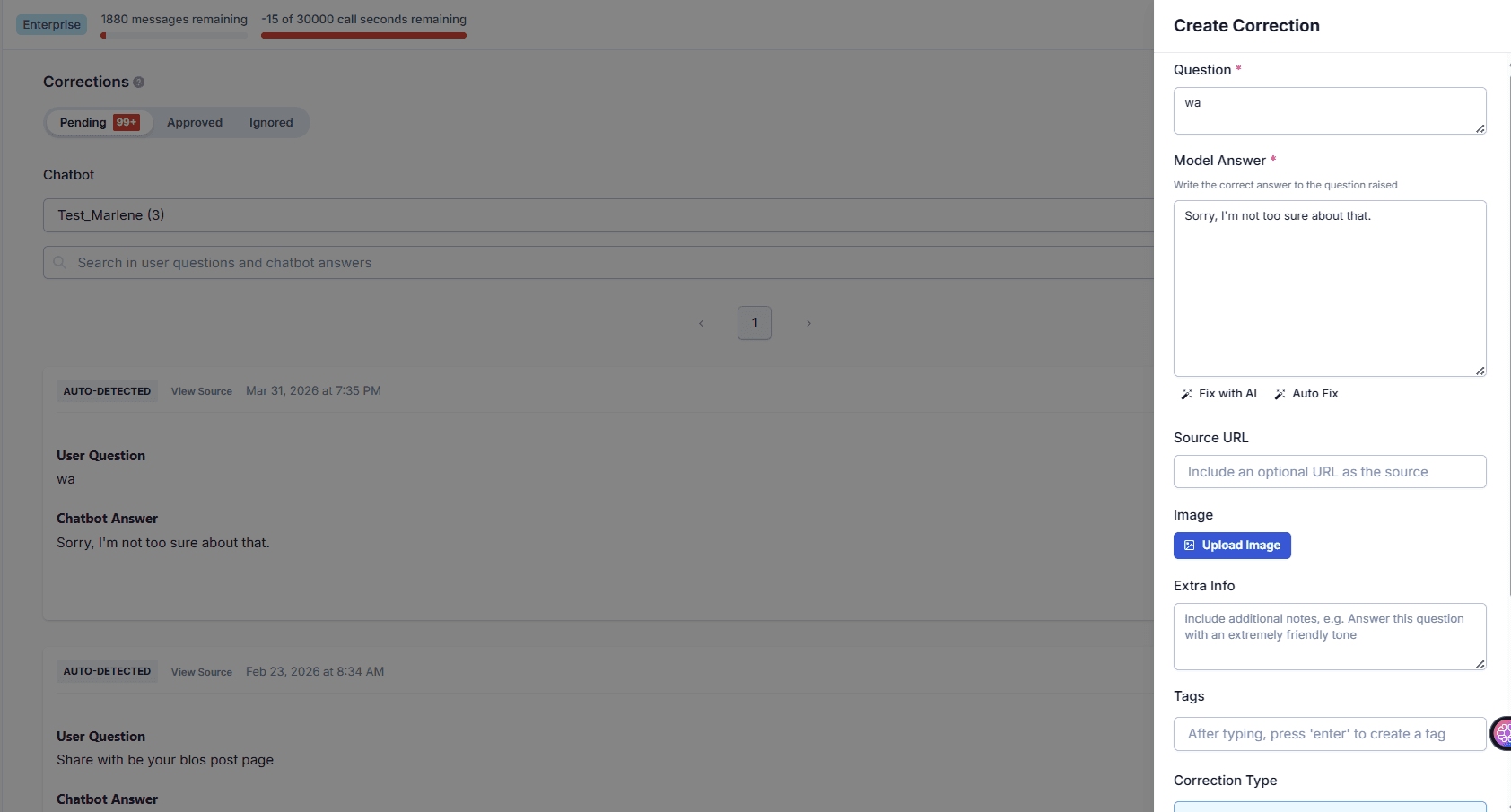
Knowledge Base FAQ Updates
Add missing answers directly to your data sources
Beyond one-off corrections, go directly into your chatbot's data source editor and create a dedicated FAQ entry for any missing topic. This gives you full control to enrich your knowledge base with structured content that persists across all future conversations.
Add FAQ entries inline
Structured knowledge control
Persistent across all chats
5-minute set up with our native integration
Set Up Your Live Chat Alternative in Minutes
1
Create your AI chatbot – Pick the perfect AI model fit for your support needs.
2
Train AI with Docs, FAQs & Policies – Upload knowledge base files and site links.
3
Customise Workflows & Escalation Rules – AI handles what it can, and escalates what it can’t.
4
Monitor & Optimise with Analytics – See where customers get stuck and fine-tune responses.
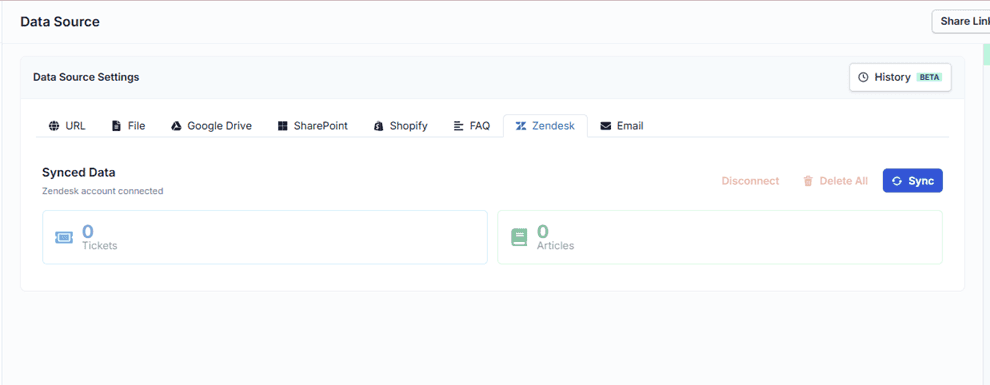
Zendesk Knowledge Base Re-Sync
Sync updated Zendesk content back into your chatbot
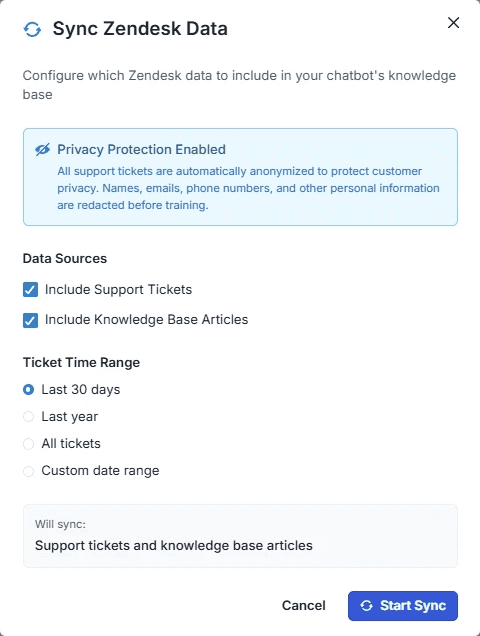
Prefer to fix gaps at the source? Update your Zendesk knowledge base article directly, then return to Wonderchat and click "Sync again." Wonderchat re-imports the entire Zendesk knowledge base, pulling every new article and edit into the chatbot automatically.
One-click Zendesk re-sync
Full knowledge base refresh
Fix at source or in-app
Post-Correction Chatbot Testing
Test your bot after every knowledge update
After applying corrections or syncing updated content, use the built-in test panel to type questions and verify the chatbot now responds correctly. Iterate and adjust in real time before the fix goes live for customers — no staging environment needed.
Built-in test panel
Verify fixes before going live
Iterate in real time










