Build Your Chatbot Lead Qualification Workflow

Build a sequence in Wonderchat that triggers on user interest, collects lead data, and syncs qualified contacts to HubSpot automatically. No manual entry, no missed leads.

Trusted by businesses worldwide

Easy 5 minute set-up

How Wonderchat Works
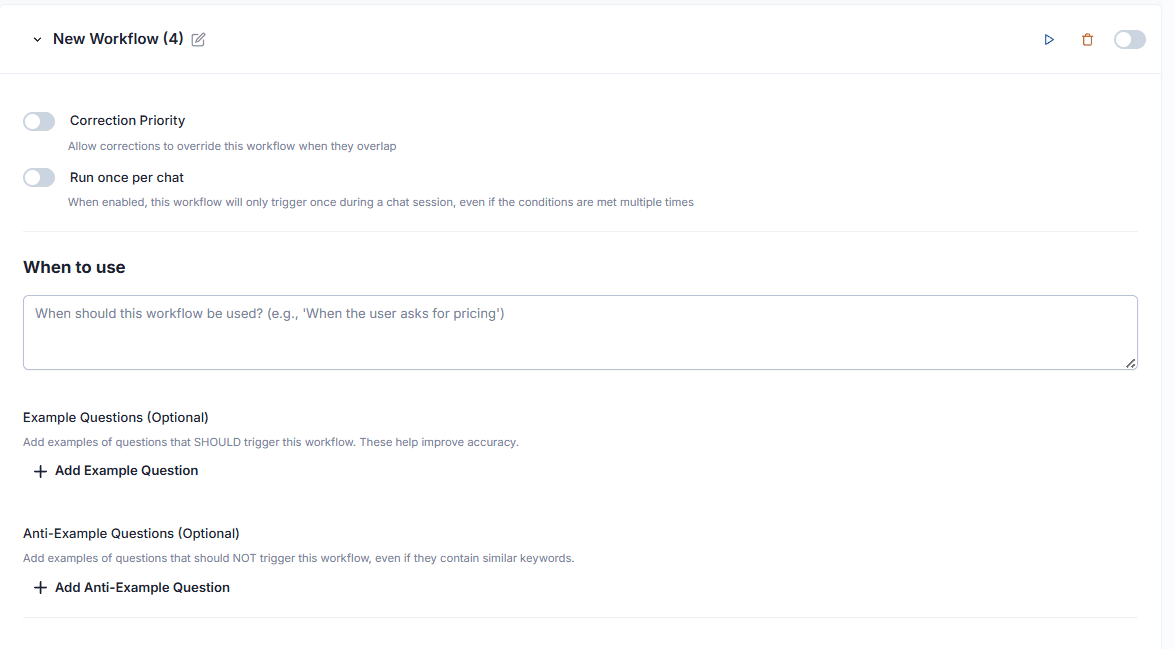
Chatbot Workflow Trigger Setup

Define exactly when your workflow activates

In the Wonderchat workflow builder, set a natural language trigger condition such as "when user shows interest in services." Add example questions to train the AI on what that intent looks like. The workflow fires automatically whenever a visitor matches that condition, with no manual intervention needed.

Natural language trigger conditions

Intent-based activation

Add qualifying example questions
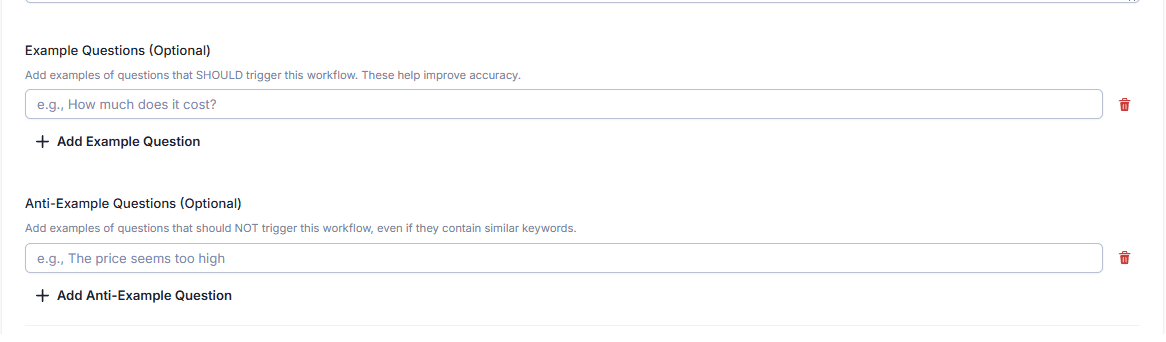
Lead Data Collection Actions

Collect email, name, phone and more

Click "Add action" to build your qualification sequence step by step. Choose from preset actions like Collect Email, Collect Name, and Collect Phone Number. For data points not covered by defaults, create a Custom Field to capture exactly what your sales process requires.

Preset lead capture actions

Custom fields for any data

Structured step-by-step sequence
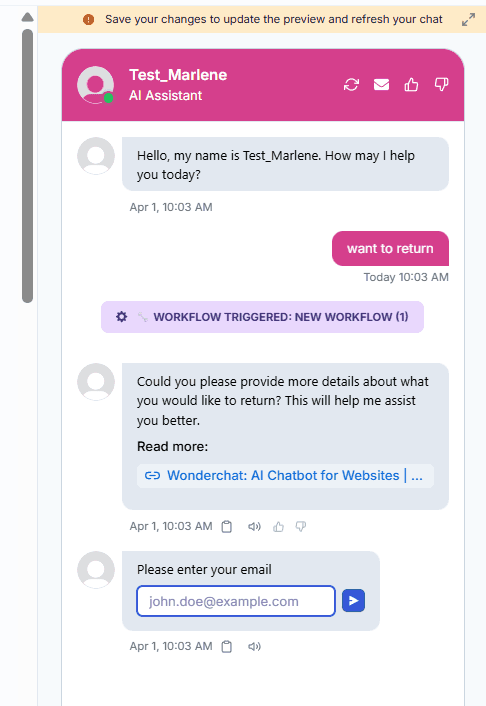
Qualifying Questions in Workflow

Ask fixed qualifying questions inside the conversation

Use the "Request User Response" action to ask a specific qualifying question, such as "Which service are you looking for?" The question is fixed and consistent across every conversation, ensuring uniform qualification criteria without relying on the AI to improvise.

Fixed qualifying questions

Consistent across all conversations

Maps to your qualification criteria

5-minute set up with our native integration

Set Up Your Live Chat Alternative in Minutes

1

Create your AI chatbot – Pick the perfect AI model fit for your support needs.

2

Train AI with Docs, FAQs & Policies – Upload knowledge base files and site links.

3

Customise Workflows & Escalation Rules – AI handles what it can, and escalates what it can’t.

4

Monitor & Optimise with Analytics – See where customers get stuck and fine-tune responses.
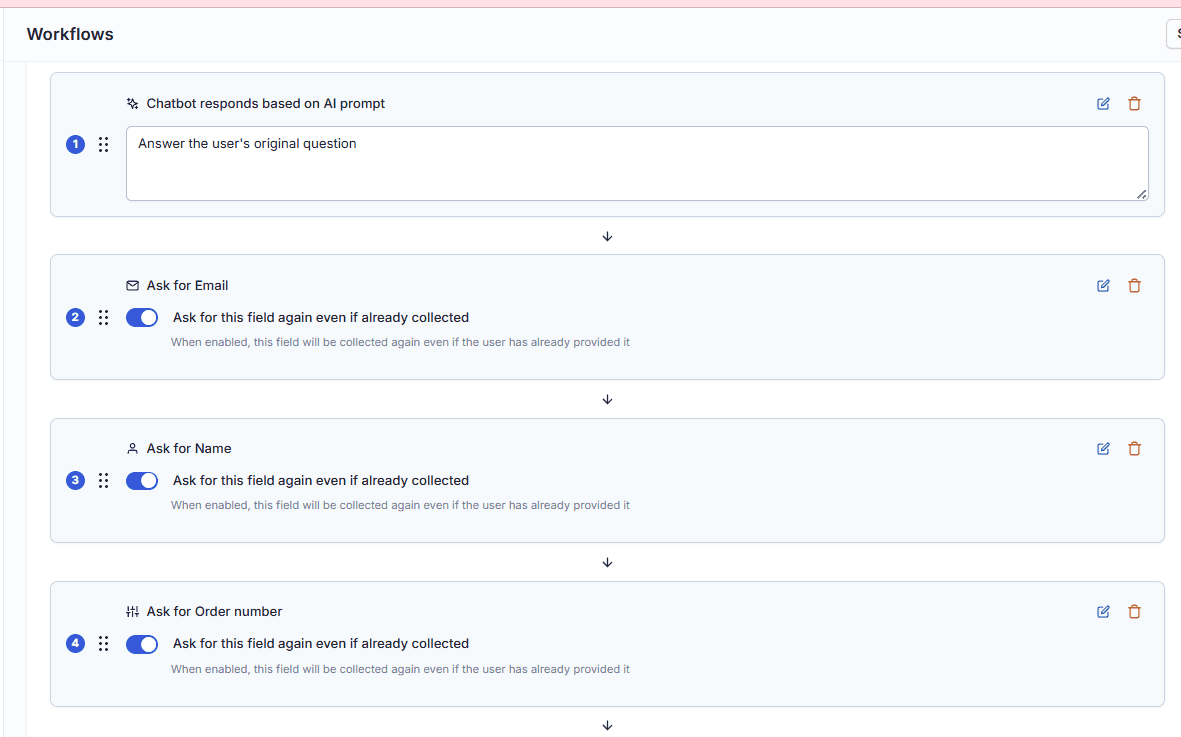
Workflow Step Ordering

Drag and reorder steps to control conversation flow

Once actions are added, reorder them by dragging to control the exact sequence of your qualification conversation. Put your highest-priority data collection first, then funnel into more specific qualifying questions, giving you full control over the lead experience.

Drag to reorder steps

Full conversation flow control

Prioritize key data fields
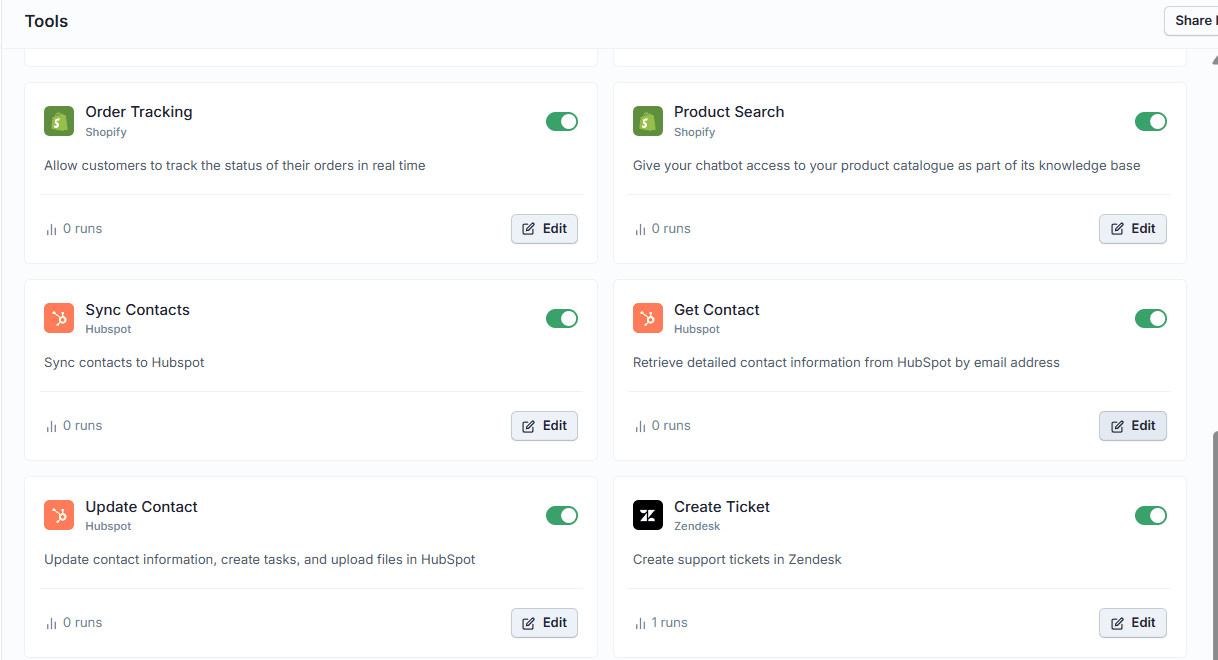
HubSpot CRM Sync Integration

Push qualified leads into HubSpot automatically

Add the "Get Contact" action at the end of your workflow to automatically push all collected lead data into HubSpot the moment a visitor completes the qualification sequence. Requires the HubSpot integration to be connected first. No manual data entry, no delays.

Automatic HubSpot contact creation

Zero manual data entry

Requires HubSpot integration setup

Testimonials

Businesses with successful customer service start

with Wonderchat

Testimonials

Businesses with successful customer service start

with Wonderchat

Industry Grade Compliance

Wonderchat is GDPR compliant and AICPA SOC 2 Certified.

Industry Grade Compliance

Wonderchat is GDPR compliant and AICPA SOC 2 Certified.

FAQ

What is a chatbot lead qualification workflow?

A chatbot lead qualification workflow is a structured, automated conversation sequence that triggers when a website visitor shows buying intent. It asks a predefined set of questions to collect contact details and qualifying information, then routes or syncs that data to your CRM. In Wonderchat, you build this by setting a trigger condition, adding data collection actions, and connecting a CRM integration like HubSpot at the end.

Does Wonderchat integrate with HubSpot for lead qualification?

Yes. Wonderchat has a native HubSpot integration. Once connected, you can add a "Get Contact" action at the end of any workflow so that all lead data collected during the conversation, including email, name, phone number, and custom fields, is automatically pushed into HubSpot. The integration must be set up before the workflow action becomes available.

Can I create custom qualifying questions in the workflow?

Yes. Wonderchat allows you to add a "Request User Response" action to ask a fixed, specific qualifying question, such as "Which service are you looking for?" You can also create Custom Fields to capture data points that go beyond the default presets like email, name, and phone number. This gives you full control over your qualification criteria.

How does Wonderchat decide when to trigger the lead qualification workflow?

You define the trigger condition in natural language when creating the workflow. For example, you can set it to activate "when user shows interest in services" and add example questions to help the AI recognize that intent. The workflow fires automatically whenever a visitor's message matches the defined condition, without any manual action required from your team.

Can I control the order of questions in the qualification sequence?

Yes. After adding your actions, you can drag and reorder them to control the exact sequence of the conversation. This lets you prioritize the most important data collection steps first and structure the qualification flow to match your sales process.

FAQ

What is a chatbot lead qualification workflow?

A chatbot lead qualification workflow is a structured, automated conversation sequence that triggers when a website visitor shows buying intent. It asks a predefined set of questions to collect contact details and qualifying information, then routes or syncs that data to your CRM. In Wonderchat, you build this by setting a trigger condition, adding data collection actions, and connecting a CRM integration like HubSpot at the end.

Does Wonderchat integrate with HubSpot for lead qualification?

Yes. Wonderchat has a native HubSpot integration. Once connected, you can add a "Get Contact" action at the end of any workflow so that all lead data collected during the conversation, including email, name, phone number, and custom fields, is automatically pushed into HubSpot. The integration must be set up before the workflow action becomes available.

Can I create custom qualifying questions in the workflow?

Yes. Wonderchat allows you to add a "Request User Response" action to ask a fixed, specific qualifying question, such as "Which service are you looking for?" You can also create Custom Fields to capture data points that go beyond the default presets like email, name, and phone number. This gives you full control over your qualification criteria.

How does Wonderchat decide when to trigger the lead qualification workflow?

You define the trigger condition in natural language when creating the workflow. For example, you can set it to activate "when user shows interest in services" and add example questions to help the AI recognize that intent. The workflow fires automatically whenever a visitor's message matches the defined condition, without any manual action required from your team.

Can I control the order of questions in the qualification sequence?

Yes. After adding your actions, you can drag and reorder them to control the exact sequence of the conversation. This lets you prioritize the most important data collection steps first and structure the qualification flow to match your sales process.

40+ Languages

Starts at $0.02/message

Available 24/7

AI agents that service your customers end-to-end

14-day free trial. No credit card required

40+ Languages

Starts at $0.02/message

Available 24/7

Build Your Lead Qualification Workflow

14-day free trial. No credit card required