Quick Summary
The top customer communication platforms reviewed here are Wonderchat, Aircall, LiveAgent, Front, HubSpot, and Help Scout. Wonderchat fits small teams that want an AI agent answering from their own docs with the source shown; Aircall fits phone-heavy teams; LiveAgent fits teams that want tickets, chat and calls in one system; Front and Help Scout fit shared-inbox teams; HubSpot fits teams that live in its CRM. More guides and reviews are on the Wonderchat blog.
Looking for the Right Customer Communication Platform for Your Team?
This Wonderchat guide reviews six customer communication platforms: what each does well, what it costs and where it falls short.
For more on keeping customers happy, there is also a review of the Best Customer Support Automation Tools for Personalized Interactions.
Why Listen to Wonderchat?
Wonderchat makes the AI customer service agent for small teams with real documentation, and analysed 5,848,078 conversations across 14,318 businesses between March 2023 and August 2026.
One example: Jortt, a Dutch accounting platform, resolves about 92% of roughly 30,000 monthly inquiries without a person. The reviews below look at the same thing for each tool: what it answers on its own, and what it leaves for your team.
What is a Customer Communication Platform?
A customer communication platform (CCP) puts your conversations with customers, by email, chat, phone and messaging, in one place so your team can answer, track and automate them.
They vary in function, and depending on your business needs, they take many forms:
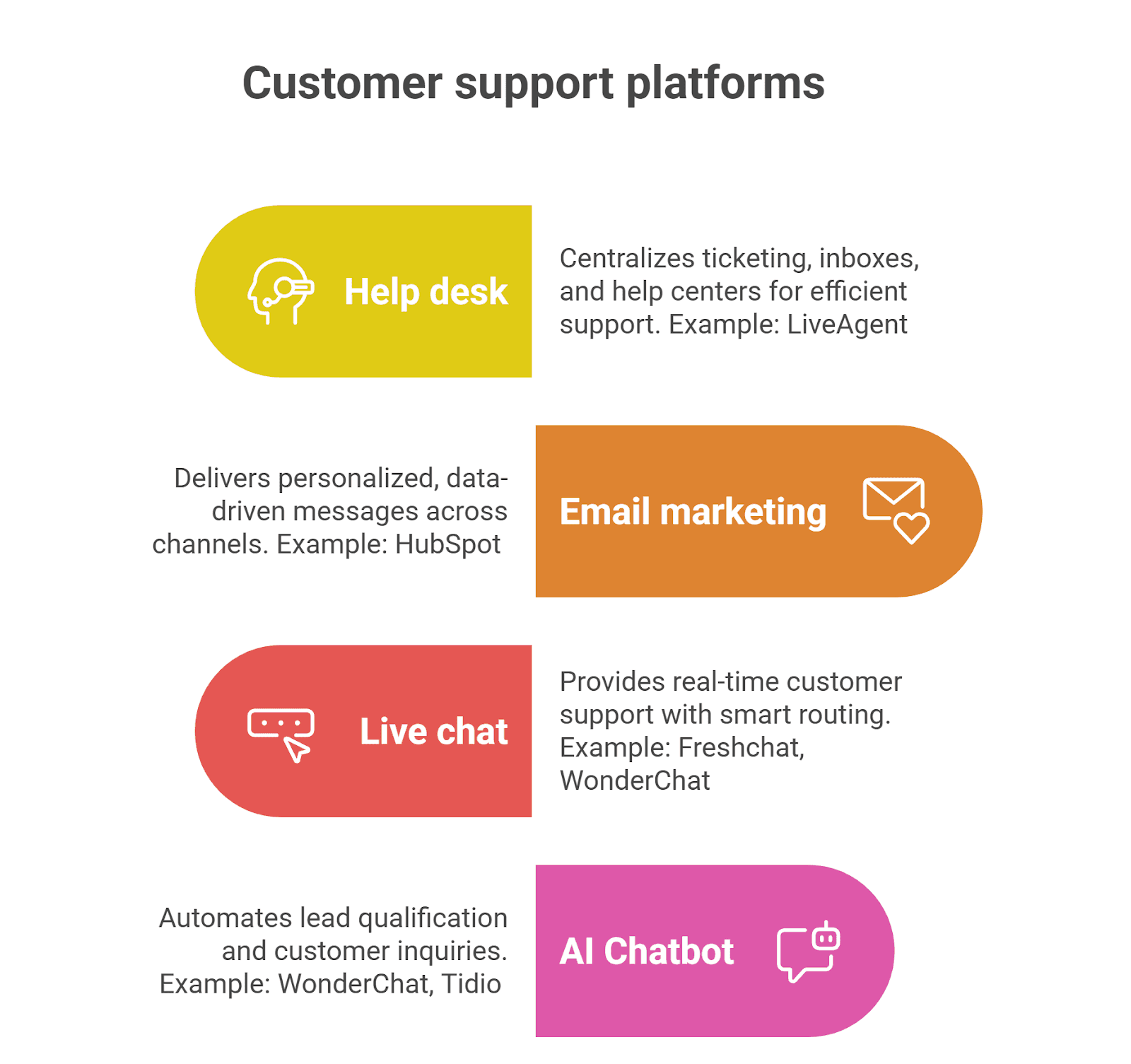
Help desk software: Centralizes ticketing, inboxes, and help centers for efficient support. Example: LiveAgent integrates multi-channel support.
Email marketing software: Delivers personalized, data-driven messages across channels. Example: HubSpot automates email and text campaigns.
Live chat software: Provides real-time customer support with smart routing on your website. Example: Freshchat, or Wonderchat, where a teammate takes over the conversation in real time with the full chat.
AI chatbot software: Automates lead qualification and customer inquiries. Example: Wonderchat's AI agents answer support questions from your own content and hand over to a person when they can't find the answer.
Top 6 Customer Communication Tools to Consider
1. Wonderchat
The first customer communication tool on the list is Wonderchat, the publisher of this guide, so weigh this entry with that in mind.
Wonderchat helps businesses connect with customers through AI agents built without code: the AI Customer Service Agent, the AI Sales Agent, and the Internal AI Agent. They answer from your business data, such as your help center, docs, website, and files.
Embedded on your website, the agents show the source on every reply and say so when your content doesn't cover a question.
Beyond answering questions, Wonderchat captures leads, keeps a review inbox of the questions it couldn't answer, and hands what it can't answer to a person with the whole conversation, as a ticket or in live chat on every plan. 80% of Wonderchat agents that go live do so the same day.
Key Features
AI agents: Answer from your business data with the source shown, which cuts response time on the questions your content already covers.
Multi-channel support: Website widget, search bar, live chat and email, with WhatsApp and Slack from Starter and Microsoft Teams and voice from Basic, so customers get the same answer wherever they ask.
Human handover: When a question needs a person, the agent hands over with the whole conversation, by email, as a ticket or in live chat on every plan; teams that keep Zendesk or Freshdesk get the handover there from Basic.
Analytics: Dashboards on agent performance and user behavior from the Basic plan, while the questions it couldn't answer land in a review inbox, so you know what to write next.
Languages: Answers in 40+ languages from the same content.
Security: SOC 2 Type II and GDPR, with data hosted in the EU (Frankfurt) and a HIPAA BAA available.
Pricing
Wonderchat has five pricing plans, metered on AI replies with no per-seat pricing:
Free ($0): 50 AI replies a month, refilled monthly, no card. A plan, not a trial.
Starter: 500 AI replies a month.
Basic: 3,000 AI replies a month, plus live chat, HubSpot contact sync and the analytics dashboard.
Scale: 9,000 AI replies, plus SharePoint, weekly auto-recrawl and AI lead scoring.
Enterprise: Custom pricing, with SAML SSO, an audit log and private crawling.
The Free plan is the way to try it on your own content before paying.
Pros
Tells you what your docs can't answer, in a review inbox
Quick and easy no-code setup
Integration with popular tools: hands over into Zendesk or Freshdesk, with HubSpot contact sync from Basic
Shows the source on every answer
Answers only from your own docs, with the source shown on every reply
Cons
Not a phone system: it can answer calls by voice, but call-heavy teams still need a phone platform such as Aircall
2. Aircall
Aircall is a cloud-based communication platform for business phone systems and call centers. It combines voice and text channels and, by Aircall's count, integrates with over 100 CRMs and helpdesk tools. It uses AI for call summaries, sentiment analysis, and keyword tracking, which speeds up call reviews.
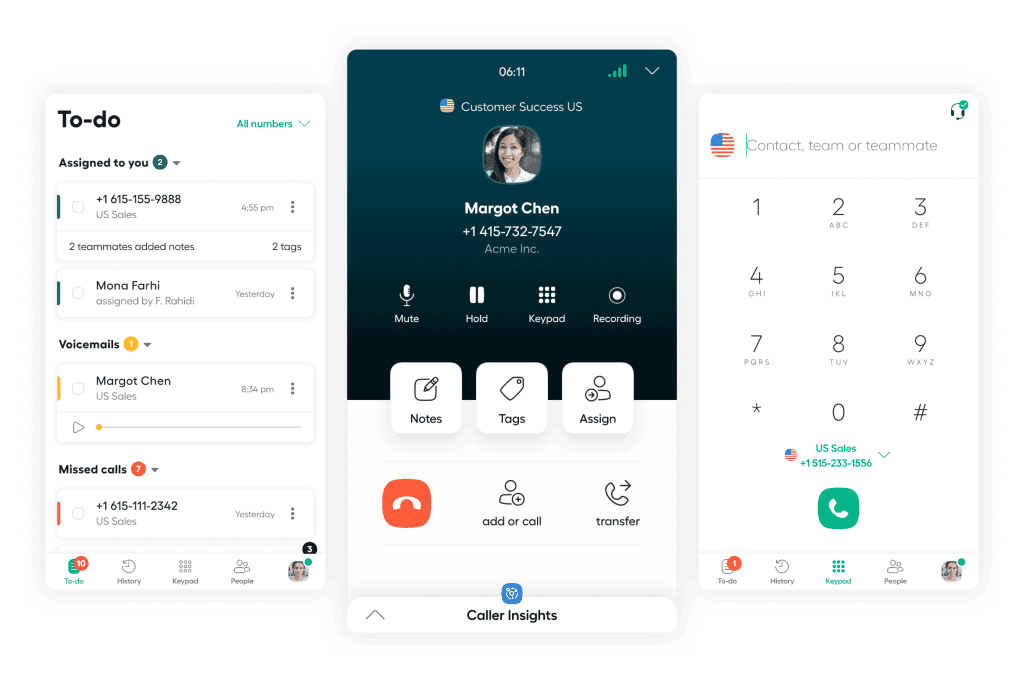
Aircall excels at post-call analytics and integration. For a call-heavy business it is the better choice than Wonderchat, which focuses on AI answers in text-based customer service.
Key Features
Multi-platform support: Aircall supports desktop and mobile apps, providing full flexibility for remote teams.
Shared inbox: Centralized organization for all conversations requiring follow-up actions.
Interactive voice response (IVR) menu: Directs customers to the right teams immediately for faster service.
AI call summaries: Automatically generates conversation snapshots to reduce review time.
CRM integration: Sync with popular CRMs like Salesforce, HubSpot, and Pipedrive for better customer insights and faster follow-ups.
Pricing
Aircall sells two paid plans priced per license per month, with a minimum number of licenses, plus a custom plan for enterprise needs. See Aircall's pricing page for current figures.
Pros
Flexible, scalable phone system
Easy-to-use interface with minimal setup
Great integration with major CRMs
Cons
Occasional issues with call quality
Minimum license requirement limits small business access
3. LiveAgent
LiveAgent is an all-in-one customer care solution that, by its own count, brings interactions from 17+ channels, including email, live chat, social media, and phone, into a single system. It is a cost-effective, quick-to-implement option for managing communication across channels.
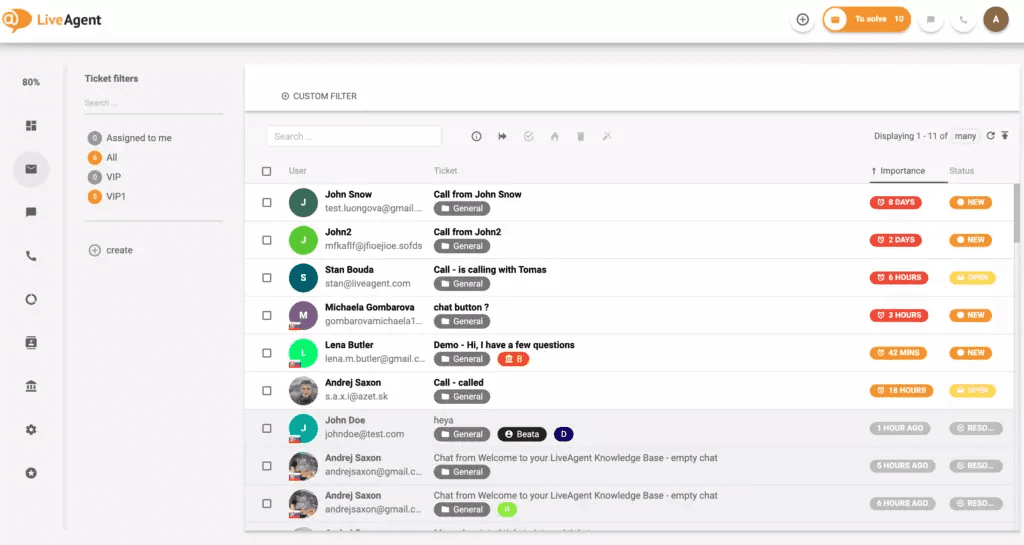
With built-in call center software, an integrated knowledge base, and an AI chatbot for simple inquiries, LiveAgent helps businesses give fast, personalized customer support.
Key Features
Multi-channel support: Manage live chat, email, social media, and phone calls from one platform.
AI chatbots: Automate responses to common inquiries and provide 24/7 support.
Ticketing system: Centralize all customer interactions into tickets for easy management.
Integrations: LiveAgent lists 200+ third-party tools, including CRM, e-commerce, and marketing platforms.
Customer portal: A dedicated space for customers to track tickets and search the knowledge base.
Pricing
LiveAgent prices per agent per month across small, medium, large, and enterprise business plans, with the call center, social integrations, and SSO on the higher tiers. See LiveAgent's pricing page for current figures.
Pros
Strong omnichannel integration
Customizable real-time notifications
Efficient all-in-one ticketing system
Cons
Clunky mobile app interface
Can be complex for new users
Social media integrations lack important options
4. Front
Front is a collaborative customer communication platform that unifies email, SMS, WhatsApp, live chat, and social media into a shared inbox. Its AI tools include Copilot for drafting responses, Autopilot for self-serve answers, and real-time sentiment analysis.
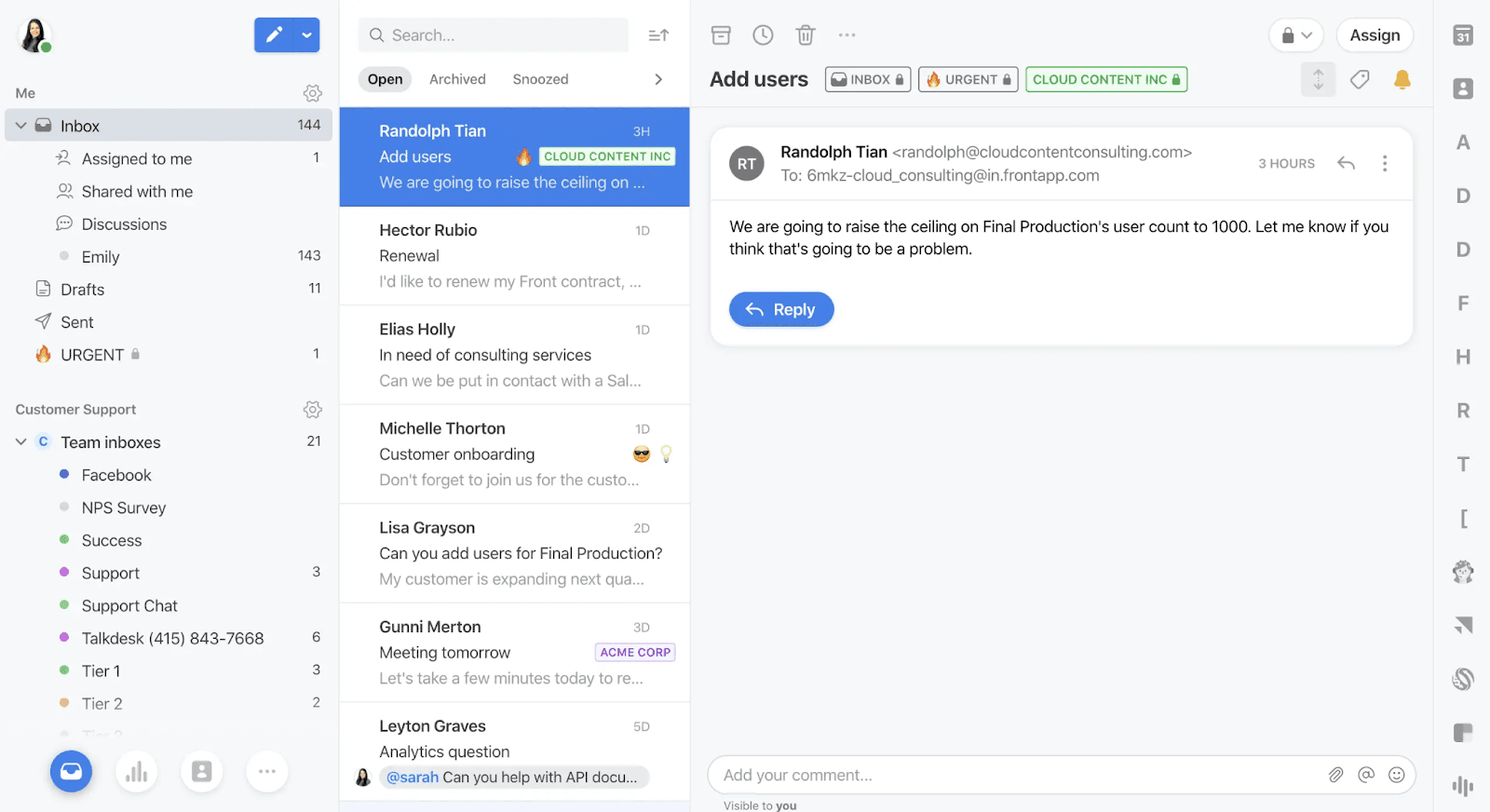
Built for mid-sized to large teams, Front emphasizes workflows, team collaboration, and personalized service across channels. It’s a strong option for businesses that want AI alongside omnichannel human support.
Key Features
Front AI: Analyzes conversations, assists with drafts, and automates resolutions.
Omnichannel inbox: Centralizes email, SMS, WhatsApp, social, and chat in one place for a unified customer experience.
Ticketing and workflows: Tracks inquiries with flexible ticketing and automates processes to codify best practices.
Integrations and knowledge base: Front lists 100+ integrations, and it builds internal knowledge bases for quick replies.
Pricing
Front offers tiered, per-seat pricing, with more channels, SSO and AI features on the higher tiers. See Front's pricing page for current figures.
Pros
Shared inboxes and internal comments aid organization and alignment
AI automation helps with quick responses and resolutions
Intuitive mobile functionality
Easy implementation process
Cons
Search functionality can be complex
Expensive pricing structure for small teams
5. HubSpot
HubSpot is a comprehensive business platform that connects with customers through a unified inbox spanning sales, marketing, customer service, and operations.
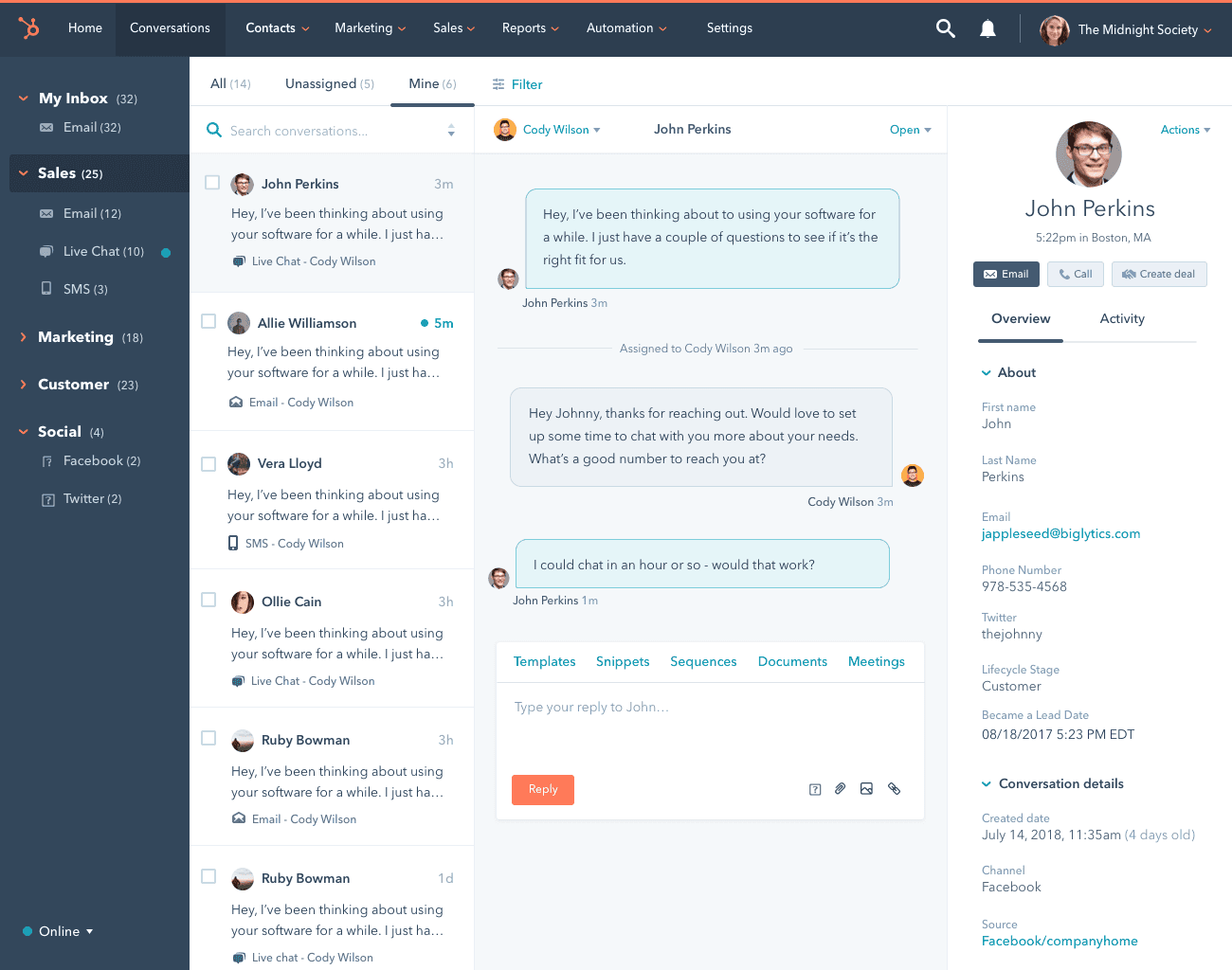
Its unified data hub gives a complete view of the customer journey, so teams can personalize interactions and align messaging across touchpoints. Key communication features include real-time live chat, email marketing automation, and AI tools for content creation and customer support. If your CRM is already HubSpot, its own inbox is the natural place to start.
Key Features
Unified inbox: Centralizes customer communication across email, chat, social media, and more.
AI chatbots: Automates responses, qualifies leads, schedules meetings, and offers support.
Workflow automations: Keep your teams aligned, automate tasks, and ensure customer queries are routed properly.
Custom chat surveys: Gather feedback directly from customers to uncover opportunities for improvement.
Visualized data dashboards: Analyze and visualize customer interactions for more informed decision-making.
Pricing
HubSpot offers a free version and tiered, per-seat plans, from Starter through Professional and Enterprise customer platforms with seat minimums. See HubSpot's pricing page for current figures.
Pros
No coding required for setup and management
Integrated CRM provides a unified customer data source
Easily integrates with other tools via open APIs
Free version available for small teams
Cons
Extensive features may overwhelm simple needs
Complex pricing structure makes costs hard to predict
6. Help Scout
Help Scout is a versatile customer communication platform that centralizes support tickets, live chat, and customer interactions across channels. It uses AI to draft replies, summarize threads, and translate messages, even on its free plan.
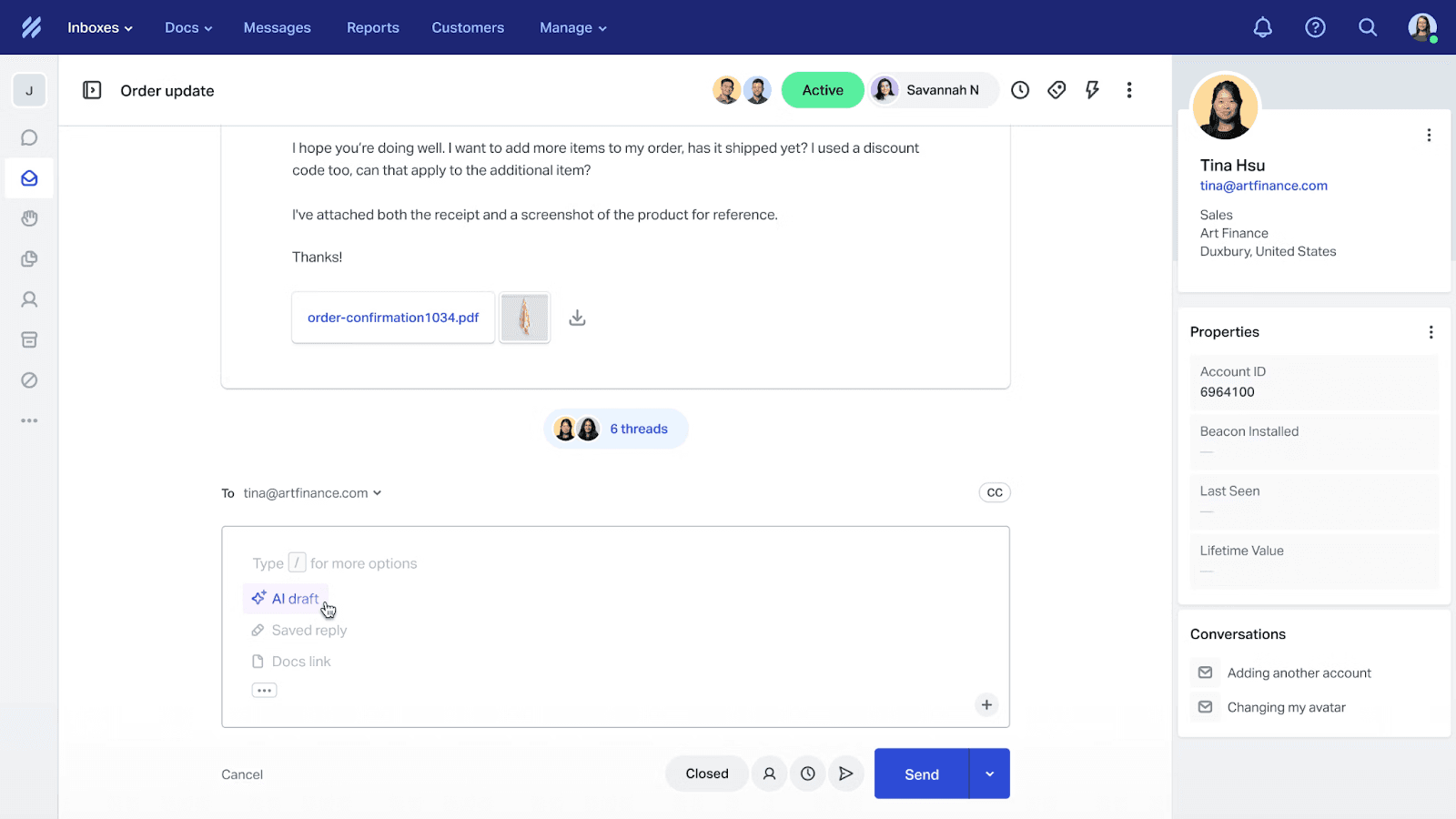
Help Scout gives personalized, human-centered support and tidy workflows, which makes it a good fit for small teams that want AI help without losing the human touch.
Key Features
Integrated AI: Automates replies, thread summaries, and translations.
Multiple inboxes: Organizes support teams or products, improving team collaboration.
In-app Messages: Tools for welcoming customers, collecting feedback (like NPS surveys), and sharing news or promotions.
Beacon: An AI support hub offering instant answers with human follow-up.
Pricing
Help Scout bases pricing on contacts rather than seats, with a free plan and paid Standard and Plus plans that add multiple inboxes, integrations, reports, permissions, and workflows. See Help Scout's pricing page for current figures.
Pros
Easy-to-use interface with great team collaboration features
Customizable workflows that organize customer support processes
Integrations with over 100 apps, by Help Scout's count
Cons
Limited real-time chat on lower-tier plans
Lacks advanced features like phones
What are the Benefits of a Customer Communication Platform
Moving from scattered tools to a Customer Communication Platform (CCP) pays off in four ways:
Faster, More Consistent Service
A unified inbox centralizes all customer messages, including email, chat, and calls, so your team can respond quickly without toggling between tools. Response times drop and nothing falls between channels.
Deep Personalization
CCPs store customer data and interaction history in one place. Your team can use it to personalize responses, which builds loyalty and retention.
Clear Team Collaboration and Alignment
With all communication in one place, internal teams can collaborate efficiently. Agents can tag managers or leave internal notes, so sales, service, and operations stay aligned and customers get a consistent experience.
Cost Efficiency and Scalability
A unified platform reduces the need for multiple subscriptions and scales with your business.
How to Choose the Right Customer Communication Platform
Each platform above has its own strengths. When choosing one for your business, check these factors:
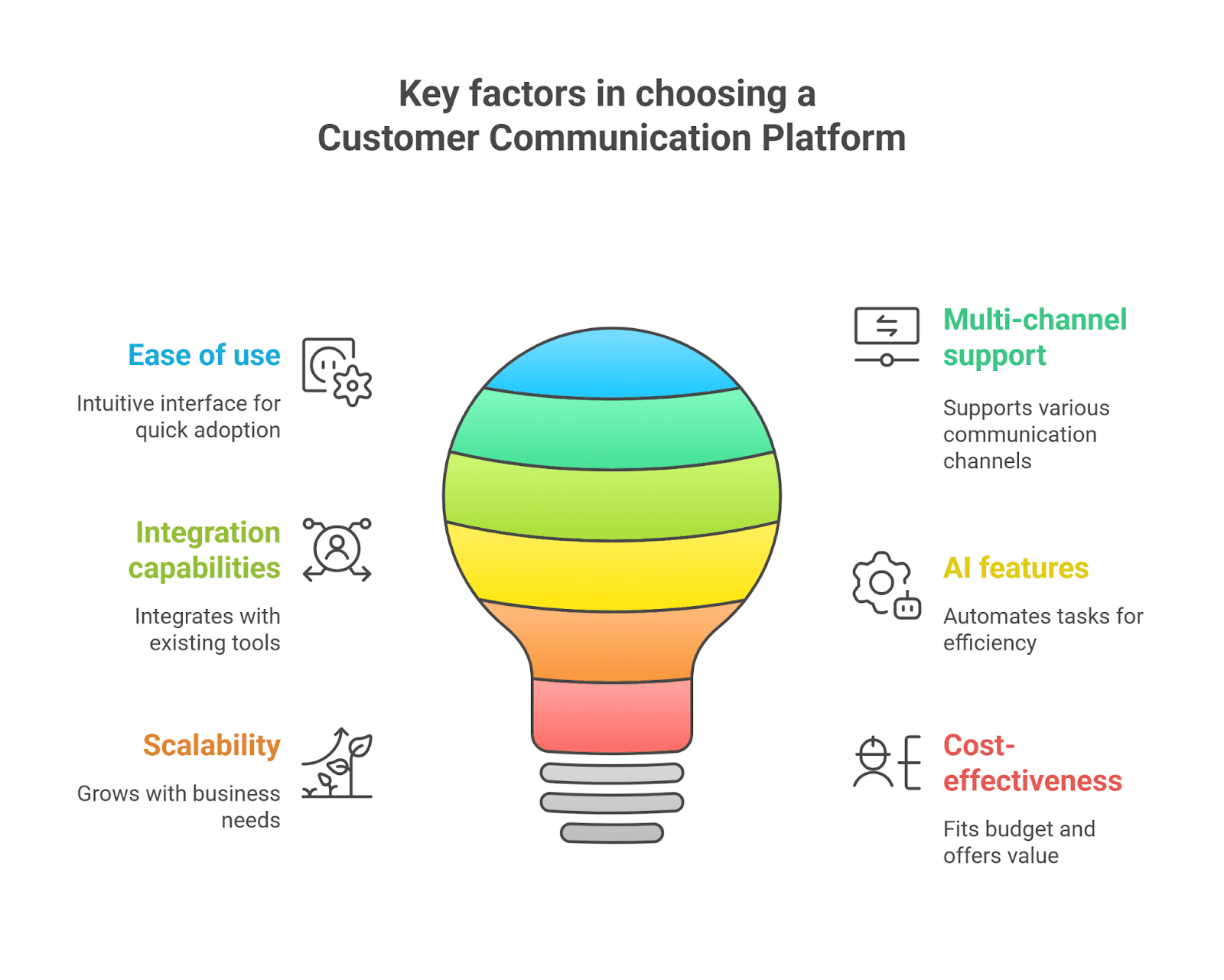
Ease of use: Pick a platform your team can adopt quickly and use well.
Multi-channel support: Make sure the platform supports the channels you use, like email, chat, social media, and phone, so customers get one consistent experience.
Integration capabilities: Look for a platform that integrates with your existing tools, such as CRMs or helpdesk software. Switching later is costly: teams migrating off a chat widget find that the export carries the transcript but not the routing rules, so every rule is rebuilt by hand.
AI features: Consider AI tools that automate routine tasks so agents can focus on complex issues, and check whether the AI shows where its answers come from. Also ask whether it shows the questions it couldn't answer: in September 2026 Wonderchat read every promise on twelve competitor homepages; on 10 September, none of the twelve promised to show the questions it couldn't answer.
Scalability: Choose a platform that grows with your business, handling more interactions and adding features as your needs evolve.
Cost-effectiveness: Make sure the platform fits your budget as you scale. Pricing is where buyers complain most: across 1,309 complaints in reviews of 18 vendors, pricing was the biggest theme (211), then setup (197).
Wonderchat covers most of these, as its feature overview shows: no-code setup, multi-channel support, integrations, AI agents that show their sources, and published pricing. It is not a phone system, so pair it with one if calls are most of your volume; for tickets, use its built-in help desk or keep yours.
Which Customer Communication Platform Should You Choose?
The right platform depends on where most of your conversations happen.
The verdict: for phone-heavy teams, Aircall. For a shared inbox, Front for larger teams or Help Scout for smaller ones. If you run on HubSpot's CRM, HubSpot. And if most of your volume is repeat questions on your website, Wonderchat's AI agents answer them from your content with the source shown, then hand the rest to your team through live chat, email, or your help desk.