


06/10/2026
Ticketing System
A ticketing system is software that turns incoming requests into tracked records, assigns each record an owner and status, and reports what happened. It organizes work around a request, but it doesn't answer or resolve the request by itself.
How a Ticketing System Works
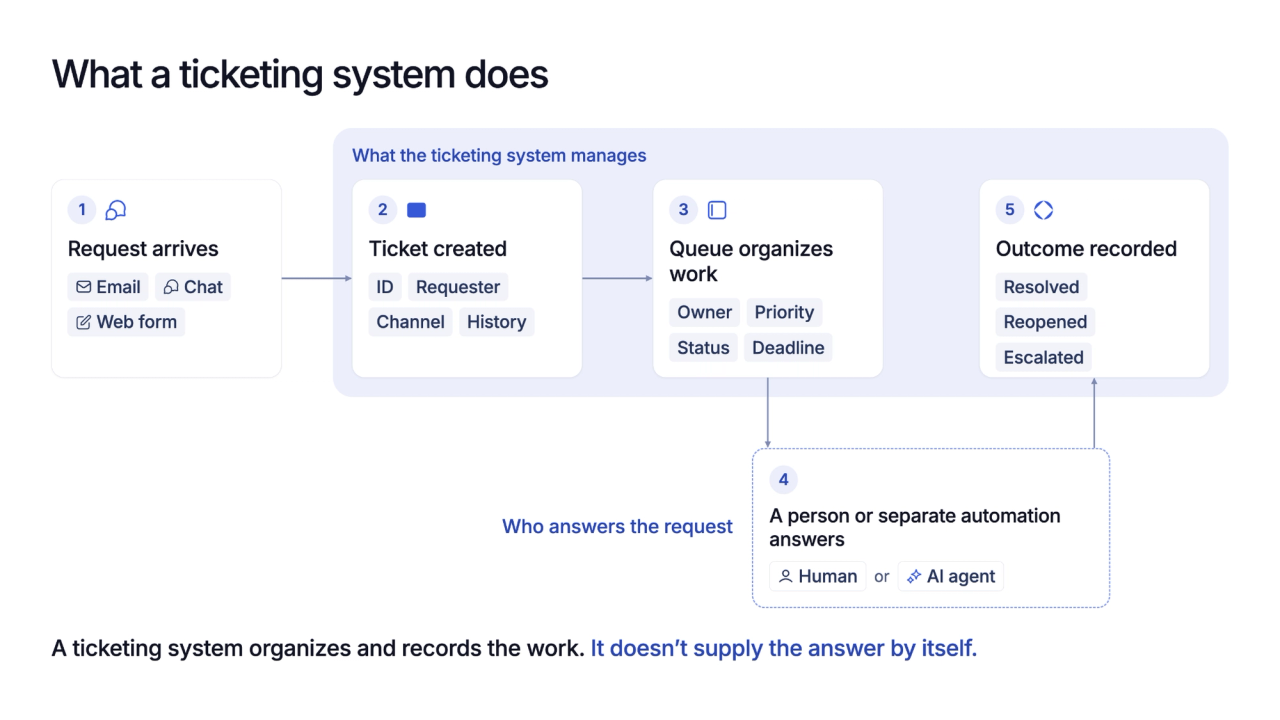
When a request arrives through email, chat, a form, or another connected channel, the system creates a ticket with the requester, arrival time, conversation history, and source channel. It may also add a category, priority, deadline, and unique reference so the request can be found later.
The ticket then enters a queue, where rules or team members assign an owner and update its status as work progresses. Replies, private notes, reassignments, and other actions remain attached to the record until someone closes it.
Closing the record shows that the workflow reached its final status, but it doesn't prove the customer's problem ended. That distinction becomes important when teams compare ticket counts with zero-touch resolution, which requires the issue to be solved without human involvement.
How to Test Whether a Team Needs One
The useful test isn't the size of the inbox. For one working week, mark every request that needs reassignment, a priority level, a deadline, a separate status, or an audit trail that another person must review.
If one person can handle nearly every request from beginning to end, a shared inbox may provide enough structure with less administration. A ticketing system earns its overhead when ownership becomes unclear, requests move between people, urgent work gets buried, or managers need consistent reporting.
A full help desk such as Zendesk is the better fit when a team needs formal service-level targets alongside ticket ownership and status tracking. Teams that need broader options can compare customer support solutions for SaaS teams before choosing the size of the system.
What a Ticketing System Doesn't Do
A ticketing system is often bought when the backlog grows, but adding a queue doesn't reduce the work inside it. The software makes volume, ownership, waiting time, and status visible; people, better documentation, process changes, or separate automation still have to resolve the underlying requests.
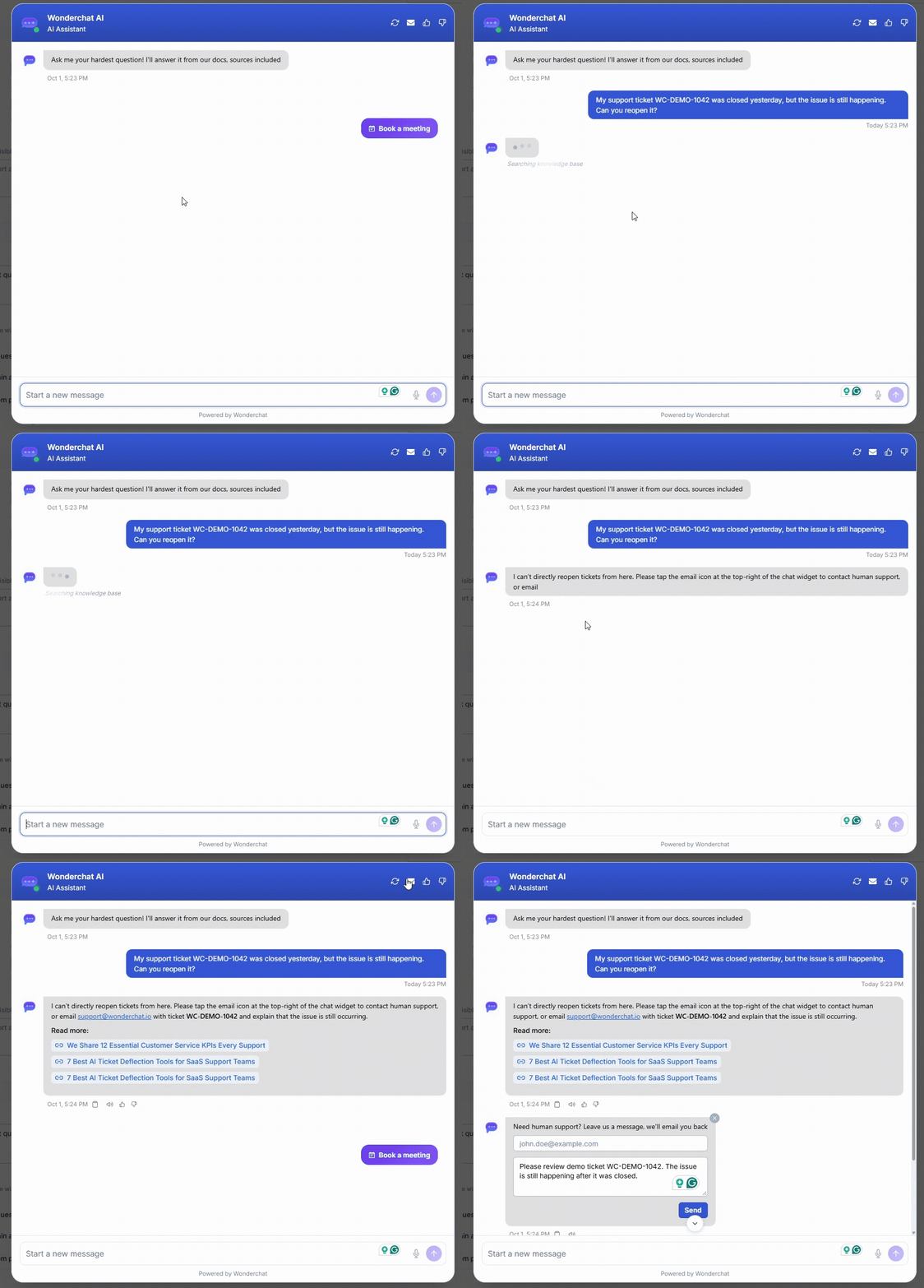
An AI customer service agent can answer from source material before a ticket is created, while the ticketing system records cases that still need a person. A falling ticket count also needs context from measures such as self-service rate, since fewer tickets can reflect successful answers or customers leaving without help.
Reports should therefore explain how created, reopened, escalated, and resolved tickets are counted. Wonderchat publishes the method behind the number.
Frequently Asked Questions
Does a small team need a ticketing system?
Not always. A shared inbox may be enough when one person handles most requests from beginning to end. Ticketing becomes useful when requests need separate owners, priorities, deadlines, status changes, or reporting.
Is a shared inbox a ticketing system?
Usually not. A shared inbox centralizes messages and may support assignments, while a ticketing system creates structured records with statuses, priorities, workflows, histories, and reports. Some products combine both approaches.
What is the difference between a ticketing system and a help desk?
A ticketing system manages the ticket lifecycle. A help desk is the broader support setup and may include ticketing, a shared inbox, a knowledge base, self-service tools, automation, and reporting.
