

AI Agent with Human Handoff
Wonderchat answers from your own help center and docs and shows the source on every reply. When it can't find the answer, it says so and hands the chat to a person with the full conversation attached. Start free, no credit card.

Trusted by 1000+ companies










What Happens When the Agent Doesn't Know
The fear with any AI agent is that it guesses in front of a customer. Wonderchat answers only from your content and shows the source. When your docs don't cover the question, it tells the customer it can't find the answer and passes the chat to your team.
The handoff lands in the help desk and unified inbox that every plan includes, next to the chat widget and live chat. Zendesk and Freshdesk ticket sync comes with Basic and up. The person who picks up sees everything the customer already typed, so nobody has to repeat themselves.
80% of Wonderchat agents that go live do so the same day. The free plan refills 50 AI replies every month, with no credit card, so you can try it on your own docs first.
Easy 5 minute set-up
How Wonderchat Works
Handoff With Context
A Person Takes Over With the Full Chat
When the agent can't find the answer in your docs, or the customer asks for a person, the conversation moves to your team with everything already said. Nobody asks the customer to start over.
- Says when it can't find the answer
- Full conversation passed along
- No dead end for the customer
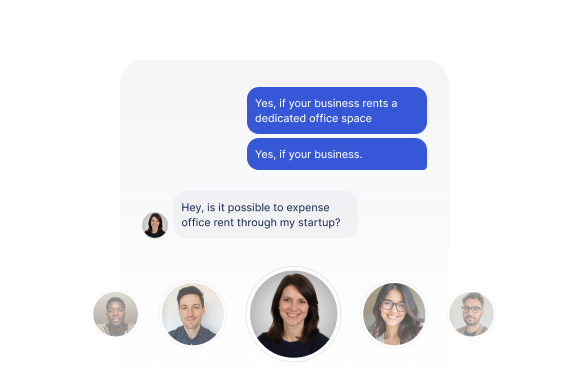
Help Desk and Inbox
Land in the Inbox You Already Check
Handed-over chats arrive in the unified inbox and help desk that come with every plan. Basic and up also sync tickets with Zendesk and Freshdesk.
- Unified inbox on every plan
- Zendesk and Freshdesk sync from Basic
- Full chat history with every handoff
Live Chat
Reply Live When It Matters
Anyone on your team can step into a conversation from the inbox and reply live. Live chat is on every plan, and there is no per-seat cost.
- Live chat on every plan
- No per-seat cost
- 2 team seats on the free plan


5-minute set up with our native integration
Start for free: set up AI with human handoff the same day
- 1
Create your AI chatbot
Pick the perfect AI model fit for your support needs.
- 2
Train AI with Docs, FAQs & Policies
Upload knowledge base files and site links.
- 3
Customise Workflows & Escalation Rules
AI handles what it can, and escalates what it can’t.
- 4
Monitor & Optimise with Analytics
See where customers get stuck and fine-tune responses.
Answers From Your Content
Keep the Agent Inside Your Docs
Point Wonderchat at your website and help center, PDF and Office files or Google Drive. It answers only from that content and shows the source, so you always know what a customer was told.
- Website and help center
- PDF, Office files, Google Drive
- Source shown on every reply
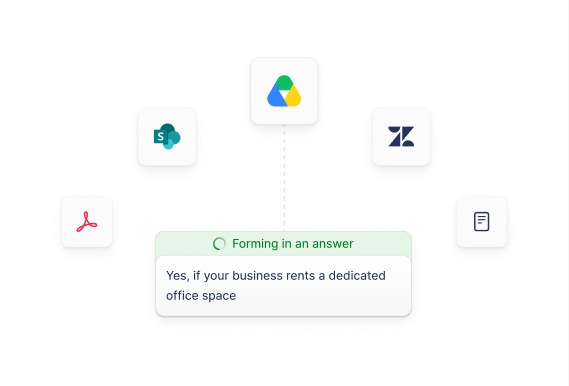
See the Gaps
See What It Couldn't Answer
Every question that ended in a handoff points at something missing from your docs. Review them, write the answer once, and the next customer gets it without a handoff.
- List of unanswered questions
- Handoffs show what to document
- Fix the doc, fix the answer
- 40+ Languages
- Starts at $0.02/message
- Available 24/7
AI support agents that service your customers end-to-end
Free plan, not a trial. No credit card required
FAQ
The agent answers from your content and shows the source. When it can't find the answer, it says so and offers to pass the chat to your team. The customer can also ask for a person at any point.
The chat then appears in your unified inbox with the full conversation attached. On Basic and up, it can also sync as a ticket to Zendesk or Freshdesk.
A handoff happens when the agent can't find the answer in your content, or when the customer asks for a person. What you control is the content. The agent only answers from the sources you add, so the wider your docs, the fewer chats need a person.
The list of questions it couldn't answer shows you exactly what to add next.
Every plan includes a help desk and unified inbox, so handed-over chats have a home without any extra tool. Zendesk and Freshdesk ticket sync comes with Basic and up, and HubSpot contact sync is also on Basic and up.
The full conversation travels with the handoff, so the person picking it up has the context.
Handed-over chats arrive in the unified inbox, where your team sees the waiting conversation with everything the customer typed. If you sync with Zendesk or Freshdesk on Basic or up, the chat also shows up there as a ticket.
Slack, Microsoft Teams and WhatsApp are available from Starter if your team already lives in those.
The agent doesn't rewrite its own answers behind your back. It answers only from your content, and that is the point: you decide what it says.
When a person resolves a handed-over chat, the question shows up in your list of what the agent couldn't answer. Add the answer to your docs once, and the agent can use it from then on, with the source shown.
The agent keeps answering what your docs cover and shows the source. When it can't find an answer, it says so, and the chat waits in your unified inbox with the full conversation.
Your team picks it up when it is back and doesn't need to ask the customer to repeat anything.
 4.9 / 5 · reviews
See it answer your hardest question from your own docs
- Free plan, not a trial
- No credit card required
- No coding required
AI Website Agents for complex product catalogs
Resolve 76% of ESAB's welding and cutting support questions accurately with AI. Across 30,000+ conversations, in a domain where a wrong answer is a safety issue.
View moreTrusted by 1,000+ businesses,
rated 4.9 out of 5 on G2