
Summary
Fin is the strongest starting point when you want to add a mature AI layer to a helpdesk you already use.
Documentation-heavy teams should compare Wonderchat, Chatbase, SiteGPT, and Help Scout by source access, citations, refresh rules, and what happens when the answer is missing.
Zendesk, Freshdesk, Crisp, and Featurebase make more sense when the human inbox and AI need to come from the same system.
Do not compare prices until you know whether the vendor bills an outcome, session, conversation, message, seat, or subscription.
The best AI customer service chatbot is the one that fits your current support system and can prove what happened when an answer goes wrong.
Start with Fin if you need an AI layer for an existing helpdesk, Wonderchat if your main problem is answering from documentation and reviewing knowledge gaps, or an integrated suite such as Zendesk or Freshdesk if you also need the human support workspace.
For deeper accuracy and escalation analysis, see how these products differ from a dedicated AI Agent for Customer Service.
The list below compares documented capabilities and live pricing, not private benchmarks or invented product tests.
How These AI Customer Service Chatbots Were Evaluated
Each product was compared on five buying questions:
Knowledge: Which websites, help centers, files, or connected systems can the chatbot use?
Evidence: Can the customer follow a source, or can only an operator inspect internal traces?
Handoff: Where does an unresolved conversation go, and what context follows it?
Control: Can the team test, correct, restrict, or review the system before it handles more work?
Billing: What event creates a charge, and what base plan or allowance sits underneath it?
The comparison uses official product, help, integration, pricing, and legal pages reviewed on September 29, 2026. It does not claim hands-on testing. The order helps you scan by fit rather than presenting a performance score.
Wonderchat publishes this comparison and is included in it. The useful question is which product fits your stack, documentation, actions, and budget.
The criteria reflect Wonderchat’s market research: across 1,309 complaints on 18 vendors, pricing was the biggest theme, then setup, then trust, then freshness. These are coded complaints from 837 reviews, not 1,309 separate customers. The list therefore checks billing definitions and source freshness.
For a narrower comparison of answer accuracy and escalation, see how these compare on accuracy and escalation.
Chatbot vs. AI Agent: Which One Do You Need?
A chatbot answers through a conversation. An AI agent can also follow a workflow, use connected tools, and take an approved action. The labels overlap, so the product name alone will not tell you whether a system can complete your use case.
Suppose a customer asks, “What is the cancellation policy?” A documentation chatbot can use retrieval to find the relevant policy and answer with a source. That is enough when the customer only needs information.
Now suppose the customer asks, “Cancel order 1842 and refund the card I used.” The system needs identity checks, order access, permission, an API operation, and a failure path. A policy answer does not complete that job.
Choose by the work required:
Answer from approved documentation: Look for source access, citations, refresh controls, and a clear path for missing knowledge.
Add AI to an existing helpdesk: Check whether the product supports your current inbox, channels, and handoff process.
Buy the inbox and AI together: Compare seats, routing, reporting, and the AI charge as one operating system.
Take actions in connected systems: Verify the exact action, authentication method, permissions, and fallback. “Integrates with” is not enough.
Fin can be the better choice for an established helpdesk, while Wonderchat can fit a smaller team focused on documentation answers and knowledge review. If you are comparing larger deployments, the ranking of 10 best enterprise AI customer service platforms may help. Neither product is universally better.
The 13 Best Customer Service Chatbots
1. Fin for an Existing Helpdesk
Fin, formerly Intercom, which Salesforce acquired in September 2026, is the strongest shortlist candidate when you want to keep an existing helpdesk and add AI. It can use websites, PDFs, and documented connectors for Zendesk, Notion, Confluence, Guru, Document360, and Box. Procedures can guide structured workflows and configured handoffs.
Fin charges $0.99 per outcome, with a 50-outcome monthly minimum for its existing helpdesk offer. An outcome can include a resolution or configured Procedure handoff, so 1,000 outcomes are not automatically 1,000 customer-confirmed solves.
Fin wins when compatible helpdesk support and Procedures matter more than a documentation-review loop.
2. Wonderchat for Documentation Answers and Knowledge-Gap Review
Wonderchat fits teams whose support answers live in help centers, websites, and supported files. That usually describes a founder or first support hire with a real help center, who wants an agent that answers only from those pages and shows which questions it could not answer.
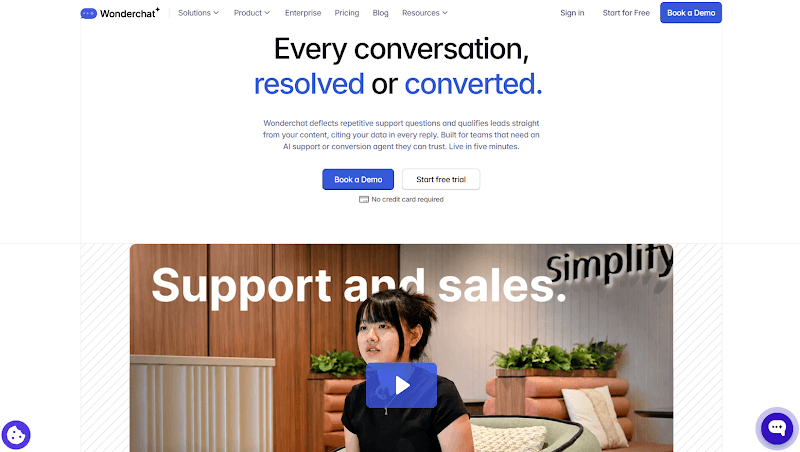
Source display is configurable, and its citation settings can show website references or PDF source and page information.
A gap report surfaces questions the connected knowledge could not answer, while a correction workflow lets the team review suggested changes before they become approved guidance.
Handoff can follow a direct request, message count, or repeated failed answers. Wonderchat is not a complete helpdesk and does not establish the same action depth as Fin or Ada.
Buyers should see pricing instead of using an old comparison figure.
3. Tidio Lyro for Teams Already Using Tidio
Lyro is the practical choice for a small team already using Tidio chat. It can learn from website and FAQ content, manual question-and-answer pairs, and configured Actions. Tidio also documents “Read more” links that can send the visitor to the supporting source.
Lyro starts at $32.50 per month on annual billing for 50 AI conversations. Tidio counts from Lyro’s first response, so the unit is not a verified solve.
Weekly URL auto-sync is limited to custom Plus or Premium arrangements. If policies change often, confirm who refreshes the knowledge.
4. Chatbase for a Standalone Builder With a Helpdesk
Chatbase is more than a chatbot builder with an email escape hatch. Its sources include websites, files, text, question-and-answer content, Notion, and tickets. Its helpdesk supports triage, assignment, human replies, and a link to the original AI conversation.

Chatbase pricing starts at $40 per month for 700 message credits. Standard is $150 for 4,000 and adds helpdesk features, while Pro is $500 for 15,000 and lists ticket sources and source suggestions. Weekly auto-resync begins on Standard.
The main limit is comparability: model usage, replies, source entitlements, and extra message packs do not produce a clean cost per solved conversation.
5. SiteGPT for a Website-Led Support Setup
SiteGPT suits a website-first team that wants to train a chatbot on published pages and selected files. Its product material shows cited-source answers and human handoff, while its Google Drive setup imports authorized files as snapshots. A changed Drive document may need to be imported again before the chatbot knows the new version.

SiteGPT Starter costs $59 monthly, or $39 per month equivalent when $468 is billed annually. It allows up to 4,000 GPT-4.1 mini messages or 400 GPT-4.1 messages. A model-dependent message allowance cannot be translated into 1,000 solved conversations.
6. Featurebase Fibi for a Lean Support and Feedback Team
Featurebase Fibi combines an AI support agent with Featurebase’s inbox, feedback, and product workflow.
Operators can improve an answer, update an article, or add a question-and-answer item to Training Data. That makes it useful when a lean team wants support and feedback in the same workspace.
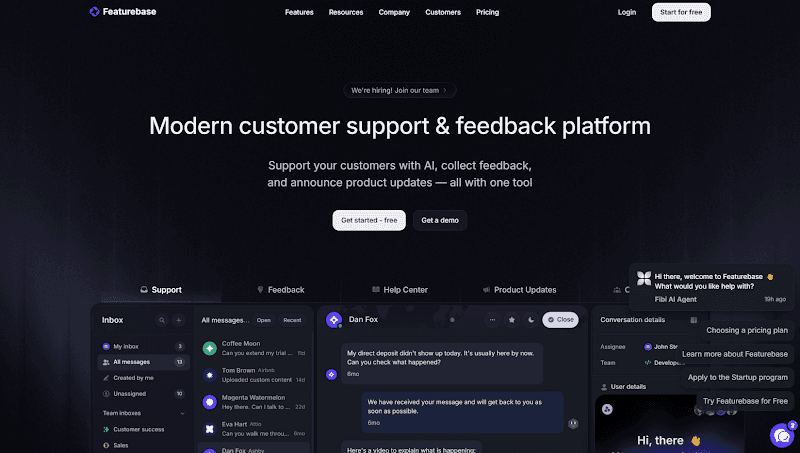
Fibi costs $0.49 per billable resolution on a paid plan. A resolution can be confirmed or assumed when the visitor leaves without asking for more help.
Featurebase can reverse it if the visitor later returns for human help. One annual-billed Growth seat plus 1,000 Fibi resolutions is $519 before tax and extras.
7. Help Scout AI Answers for an Existing Help Scout Inbox
Help Scout AI Answers is the low-friction option for an existing Help Scout team. It can use Help Scout Docs, public URLs, and uploaded PDF, Word, and Excel files. Its Improvements, Review and Apply, and Guardrails controls keep generated changes subject to review.

Help Scout charges $0.75 per AI resolution after its trial. It charges once per session when AI Answers responds, and the visitor does not request more help.
A greeting without a full answer does not count. Budget $750 for 1,000 billable resolutions, plus the Help Scout account.
8. Crisp Hugo for an Integrated Inbox With Inspectable Traces
Crisp Hugo fits a team that wants one workspace for human conversations and AI, with stronger operator diagnostics on its top plan. It can train on webpages, Crisp knowledge articles, text, CSV, and PDF files, plus question-and-answer content. Crisp knowledge updates synchronize, while external webpages require manual refresh.

Crisp plans cost $45, $95, or $295 per workspace each month. Plus includes Observability for searches, tools, models, errors, and handoff traces.
AI use varies with model and context, so displayed conversation estimates are not solved-ticket quotas. Crisp fits when the inbox and internal traces matter.
9. Zendesk AI Agents for Teams Committed to Zendesk
Zendesk AI Agents make the most sense when Zendesk already owns the service workflow. Zendesk can use its knowledge system plus imported or synchronized sources such as Confluence, SharePoint, Google Drive, crawled websites, and supported files. Connector and plan details still need checking for the intended source.

Zendesk Suite Team starts at $55 per agent per month when billed annually, and Suite Professional starts at $115. Included and additional automated resolutions depend on the account and agreement, so pricing 1,000 requires a quote. Zendesk is a strong ecosystem fit, not the simplest documentation widget.
10. Freshdesk With Freddy AI for Session-Based Support
Freshdesk with Freddy AI works for teams that want the chat AI and human service workspace together. Its knowledge setup supports public URLs, text-based PDFs, DOCX, and TXT files, solution articles, and custom question-and-answer entries. Admin controls can display article references and resync imported content.
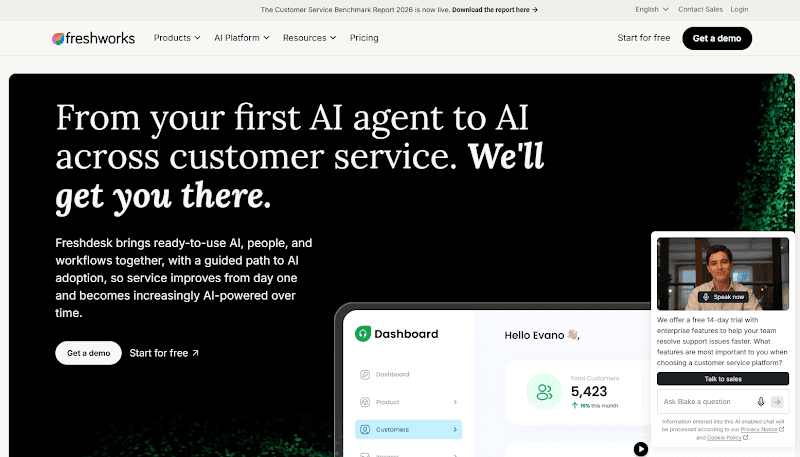
Freddy AI Agent sessions cost $49 per 100. One session covers interactions inside a time window, so 1,000 sessions cost $490 before the Freshdesk plan. Paid accounts receive 500 one-time introductory sessions. A session is not a confirmed solution.
11. Gorgias AI Agent for Ecommerce Order Workflows
Gorgias is the better fit when customer service depends on Shopify order data and approved commerce actions. Its AI Agent can use store context, website and help content, files, and configured actions for work such as refunds, cancellations, or subscription changes. The exact action still depends on the store, permissions, and setup.

Gorgias prices most AI Agent plans at $0.90 per resolved interaction on annual billing, while Starter begins at $1. The AI charge sits beside a helpdesk ticket charge, so $900 for 1,000 automated interactions is not the whole bill. Ecommerce action depth can outweigh the two-part model.
12. HubSpot Customer Agent for a HubSpot-Based Team
HubSpot Customer Agent is the natural shortlist option when the team already has an eligible HubSpot Professional or Enterprise subscription. It can use business content, CRM data, historical conversations, and configured actions, then hand the conversation to a person with context.
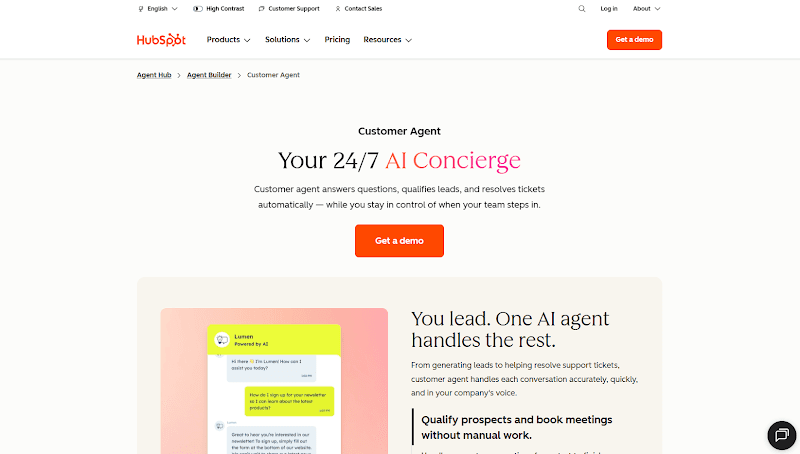
HubSpot charges 50 credits for a text resolution at $0.01 each. Gross usage is $0.50 per resolution or $500 for 1,000 before allowances. HubSpot uses a 72-hour window, and the subscription still matters. This is not a $500 standalone chatbot.
13. Ada for More Complex Connected Workflows
Ada is the boundary case for teams that need structured workflows rather than a simple answer-and-handoff widget. Its Playbooks support SEND, SET, ASK, RUN, IF/ELSE, and GOTO steps.
A RUN step can call a configured API or handoff behavior, which makes Ada relevant for multi-step work with valid inputs, credentials, permissions, and fallback handling.
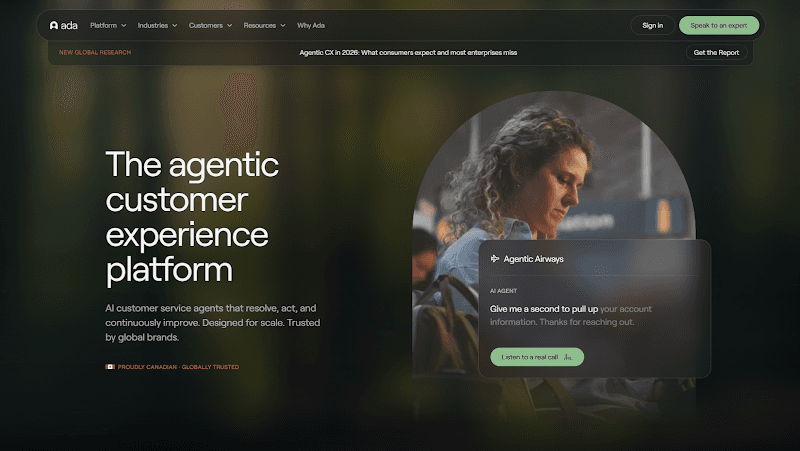
Ada does not publish a standard price. Buyers need a quote covering implementation, systems, usage, and support.
Ada’s Reasoning view can expose searches and snippets to operators, but the reviewed documentation does not establish customer-visible source footnotes in every channel. Consider it when connected actions justify a larger implementation.
AI Customer Service Chatbots Compared
Product | Best fit | Knowledge and evidence | Billing basis | Main trade-off |
Add AI to an existing helpdesk | Connected content; customer citation behavior varies by channel | $0.99 per outcome | Some configured handoffs can count as outcomes | |
Documentation answers and gap review | Source shown on every reply; unanswered-question review | See current pricing | Lighter help desk than Zendesk; does not take actions on orders or accounts | |
Existing Tidio chat teams | Website and FAQ content; “Read more” links | AI conversations | Auto-sync gate and non-solve unit | |
Standalone builder with an inbox | Broad sources; helpdesk and source suggestions by plan | Plan plus message credits | Model use prevents solve-cost comparison | |
Website-led support | Cited answers; imported sources | Subscription plus model-based messages | Imported files may need manual refresh | |
Lean support and feedback teams | Training Data and answer-improvement controls | $0.49 per billable resolution plus seats | Includes assumed completions | |
Existing Help Scout inbox | Docs, URLs, and files; review controls | $0.75 per AI resolution plus account | Public citation behavior not established | |
Integrated inbox with internal traces | Multiple sources; Plus-only Observability | Workspace plus AI usage | Trace depth is plan-gated | |
Teams committed to Zendesk | Native and synchronized knowledge | Seats plus automated resolutions | Quote needed for full usage | |
Integrated service workspace | Multiple sources and optional references | $49 per 100 sessions plus seats | Sessions are not solved tickets | |
Ecommerce order workflows | Store context, knowledge, and actions | Helpdesk plus AI automation | Two billing components | |
Eligible HubSpot teams | Content, CRM context, and source-backed replies | Subscription plus credits | Professional or Enterprise required | |
Complex connected workflows | Knowledge plus Playbook actions | Quote | Higher implementation scope |

What 1,000 Resolutions Actually Cost
The honest answer is that a 1,000-resolution price does not exist for every vendor. Each company decides what creates a bill:
Fin sells outcomes.
Freshdesk sells sessions.
Chatbase sells message credits.
Crisp uses a model- and context-dependent allowance.
Ada requires a quote.

That difference matters more than the dollar sign. A vendor’s resolution rate and billable event are not automatically the same as 1,000 independently confirmed customer solves.
Product | Published billing structure | 1,000-unit illustration | What is still missing |
Fin | $0.99 per outcome | $990 usage | Helpdesk cost and outcome mix |
Wonderchat | See current pricing | Not calculated | Current plan and billing unit |
Tidio Lyro | Plan with AI conversation allowance | Quote matching volume | Conversations are not confirmed solves |
Chatbase | Plan plus message credits | No valid solve conversion | Model use and replies per case |
SiteGPT | Plan plus model-based messages | No valid solve conversion | Messages per solved case |
Featurebase Fibi | $0.49 per billable resolution plus seats | $490 AI, or $519 with one annual Growth seat | Seat count, tax, and assumed completions |
Help Scout | $0.75 per AI resolution plus account | $750 AI | Eligible account cost |
Crisp Hugo | Workspace plus AI usage | No fixed solve price | Model, context, and plan |
Zendesk | Seats plus automated resolutions | Quote needed | Allowance, add-ons, and contract |
Freshdesk Freddy | $49 per 100 sessions plus seats | $490 for 1,000 sessions | Base plan and sessions per solve |
Gorgias | Helpdesk plus AI automation | About $900 AI on most annual plans | Helpdesk charge and overages |
HubSpot | 50 credits per text resolution | $500 gross usage | Subscription and unused allowance |
Ada | Quote | Not publicly calculable | Scope, implementation, and usage terms |
Use the table as a quote checklist, not a cheapest-tool ranking. Ask each vendor to price the same workload and state the base plan, included usage, overage, reopening rule, handoff rule, and cap. If the vendor cannot explain what creates the charge, the unit price is not useful yet.
How to Choose an AI Customer Service Chatbot
Start with six real questions from your support queue:
One common question answered in a current help article.
One question covered by both an old and a current policy.
One question deliberately missing from the approved sources.
One direct request for a person.
One account-specific question that cannot be answered without private data.
The first question again after an approved source correction and refresh.

Caption: Wonderchat routes the account-specific request and keeps the missing answer visible for review.
For each reply, record the exact source and version, what the customer can inspect, what the operator can inspect, where a handoff lands, what context follows it, and which billable event appears. Use realistic questions from customer service chatbot examples, but remove customer data before testing.
The hardest case is often the archived policy. Wonderchat’s support and quality-review records describe the recurring failure plainly: the failure seen most often is not invention. It is retrieval pulling an archived policy and answering from it correctly. A citation helps you find that mistake. It does not make an old policy current.
Choose the product that passes your actual questions and fits the system around it.
Fin deserves the first trial when you want to keep a compatible helpdesk and use Procedures.
Gorgias is stronger for supported commerce actions. Zendesk, Freshdesk, Crisp, or Featurebase can make sense when you also need the human workspace.
Wonderchat is the narrower fit when the job is to answer from documentation, show supporting sources, and turn missing answers into a review queue.
Find the Gaps in Your Support Docs With Wonderchat
Connect a help center, website, or files, choose how sources appear, and review questions the agent could not answer.

Those records show where an article needs a correction, explanation, or human decision instead of leaving the miss buried in a transcript.
Start with ten common questions and two deliberate gaps, then inspect the source, fallback, and handoff for each.
If your current chatbot lacks that control, start with your own documentation.
See What Your Support Docs Can Answer
Frequently Asked Questions
Does a source citation prove the answer is correct?
No. A citation shows which source supported the answer, but the source may be old, irrelevant, or inapplicable to the customer’s plan. Check the document version, exact passage, and scope. A chatbot can quote an archived cancellation policy accurately and still give the wrong current instruction.
Can these chatbots use private or gated documentation?
Some can use authenticated connectors or authorized imports, while other URL crawlers require public pages. The rules vary by product, source, and plan. Access to a private document also does not mean every visitor should see its contents. Verify source permissions and answer disclosure separately before connecting sensitive knowledge.
Is a billable resolution the same as a confirmed solve?
Not always. Featurebase can count an assumed completion, HubSpot uses a 72-hour rule, and Fin can bill certain configured Procedure handoffs as outcomes. Read the provider’s definition, including reopening and human-request rules, before comparing the price with a customer-confirmed solve.
What is the difference between an AI chatbot and an AI agent?
An AI chatbot answers through a conversation. An AI agent may also use tools, follow a workflow, and take an approved action in another system. Vendors use the labels differently, so verify the exact action, permissions, and fallback instead of buying from the category name.
What does an AI customer service chatbot cost per month?
Public prices in this comparison range from subscriptions under $100 to per-event fees and custom quotes, but the total depends on seats, channels, usage, model, actions, and the vendor’s billing definition. Price your own monthly workload and include the required base system before comparing totals.

