Changelog

What's new in Wonderchat

New features, integrations and AI models, as they ship.

  1. Introducing Wonderchat AI for Microsoft Teams

    Your chatbots, now inside every Teams channel.

    We're thrilled to launch our Microsoft Teams integration! Bringing the power of your Wonderchat AI chatbot directly into the place your team already spends their day.

    Just @mention and ask. Drop @Wonderchat AI into any standard or shared channel and get instant, AI-powered answers pulled straight from your own knowledge base. Onboarding questions, policy lookups, product specs, internal docs, answered in seconds, in-thread, without anyone leaving Teams.

    Why your team will love it:

    • Answers where work happens. No tab-switching, no hunting through wikis — knowledge comes to the conversation.
    • Grounded in your data. Replies are powered by the chatbot you've trained — never generic, never hallucinated.
    • Shared learning. Answers stay visible in-channel, so the whole team benefits every time someone asks.
    • One bot, many teams. Link the same chatbot across multiple teams, or assign a different chatbot to each.

    Setup takes under 5 minutes. Install the app, sign in with Microsoft and select your chatbot!
    👉 Get started with Teams

    👉 Install from the Teams app store

    See the Microsoft Teams integration
  2. New: QA Agent for Continuous Improvement

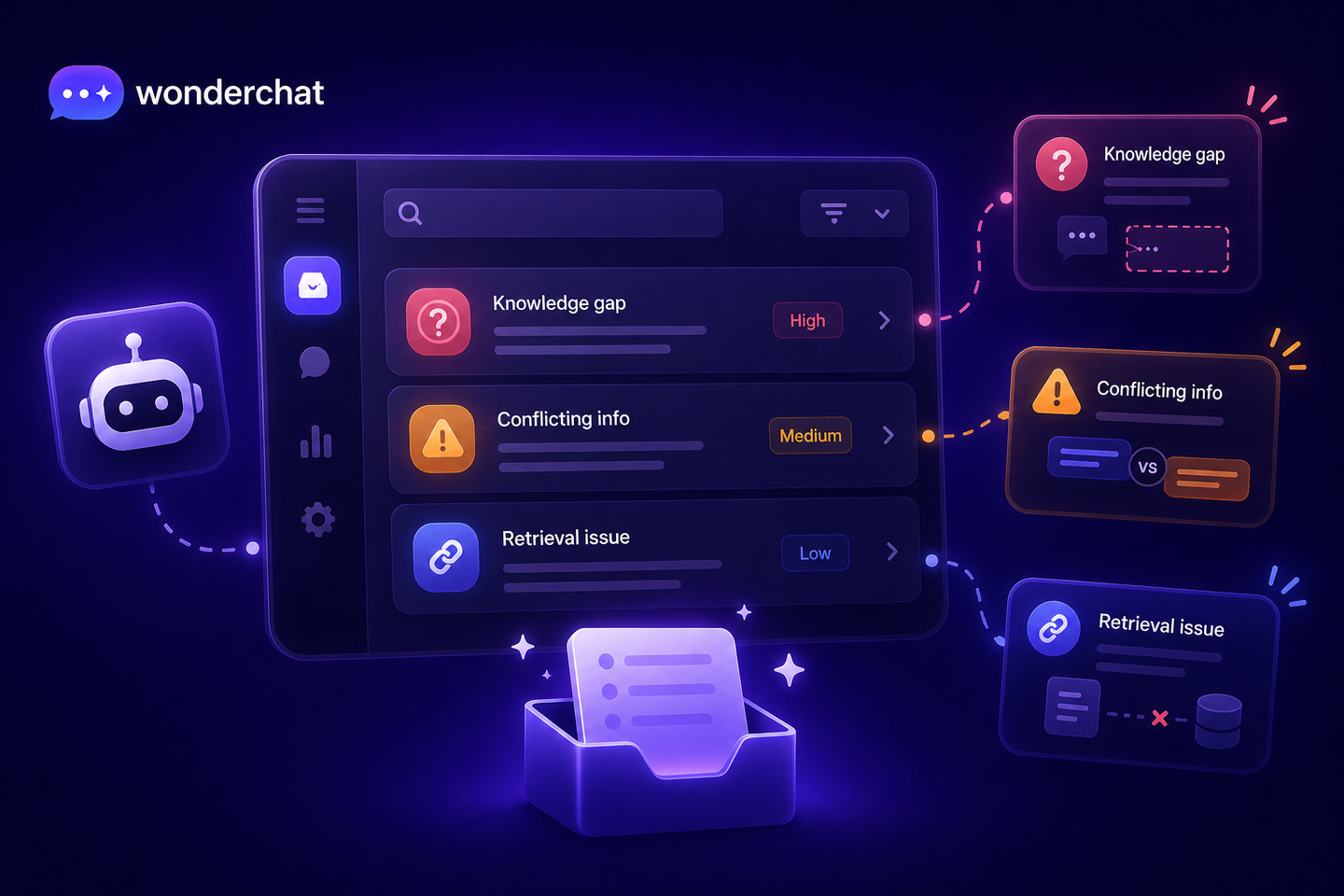
    We’ve introduced a powerful new QA Agent that continuously reviews your chatbot conversations and surfaces everything that needs attention - all in one place.

    • 📥 Unified Review inbox - see every issue across your chatbot in a single, prioritized feed
    • 🔍 Automatic issue detection - identifies knowledge gaps, conflicting content, missed retrievals, and more
    • ⚡ Actionable fixes - get one-click suggestions to resolve issues instantly
    • 🧠 Continuous improvement loop - your chatbot gets smarter with every fix you apply

    The QA Agent reads every conversation, evaluates response quality, categorizes issues, and suggests improvements — so you don’t have to manually sift through chat logs. Important Change

    • As part of this update, Pending Corrections has been deprecated. Its functionality is now fully subsumed by the QA Agent, with all corrections and issue handling moving into the new Review inbox for a more centralised and improved workflow

  3. New feature: Identity Verification

    You can now gate your Wonderchat bot behind your sign-in page so only your real, logged-in users can chat : no shared links or anonymous sessions! Every conversation is tied to a verified account, and you can personalize on top of it: greet users by name, tailor answers by plan or role, and see exactly who said what in your chat logs. Read our documentation over here

  4. New Channel Integration: Twilio SMS

    Bring your Twilio number into Wonderchat! Your AI handles SMS, and hands off to your team when it matters.

    • 💬 SMS, answered by AI: inbound texts to your Twilio number hit your chatbot automatically.
    • 🙋 Seamless human handover: When a customer asks for a human over SMS, the chat escalates to your team in real time, with the full thread in view.
    • 🔄 Back-to-AI on resolution: once an agent wraps up a live chat, the conversation drops back into the AI queue so nothing goes stale.
    • ⚙️ 2 minute setup: drop in your Twilio Account SID + Auth Token, pick a number per chatbot, and your AI will immediately start responding!

    See the Twilio integration
  5. Live Chat Improvements

    This update introduces several enhancements to the Live Chat experience, focused on improving agent efficiency and visibility.

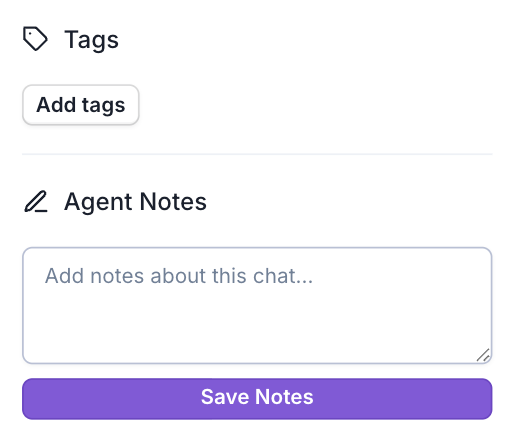
    • Added a live chat sidebar to display real-time chat information.
    • Agents can now save notes and add tags within chats.
    • Added configurable quick replies for agents in Live Chat settings.
    • Browser tabs now flicker with “New live chat message” when a new message arrives.
    • Added the ability to view online agents 🚀

    See live chat
  6. Refreshed Interface & Redesigned Settings

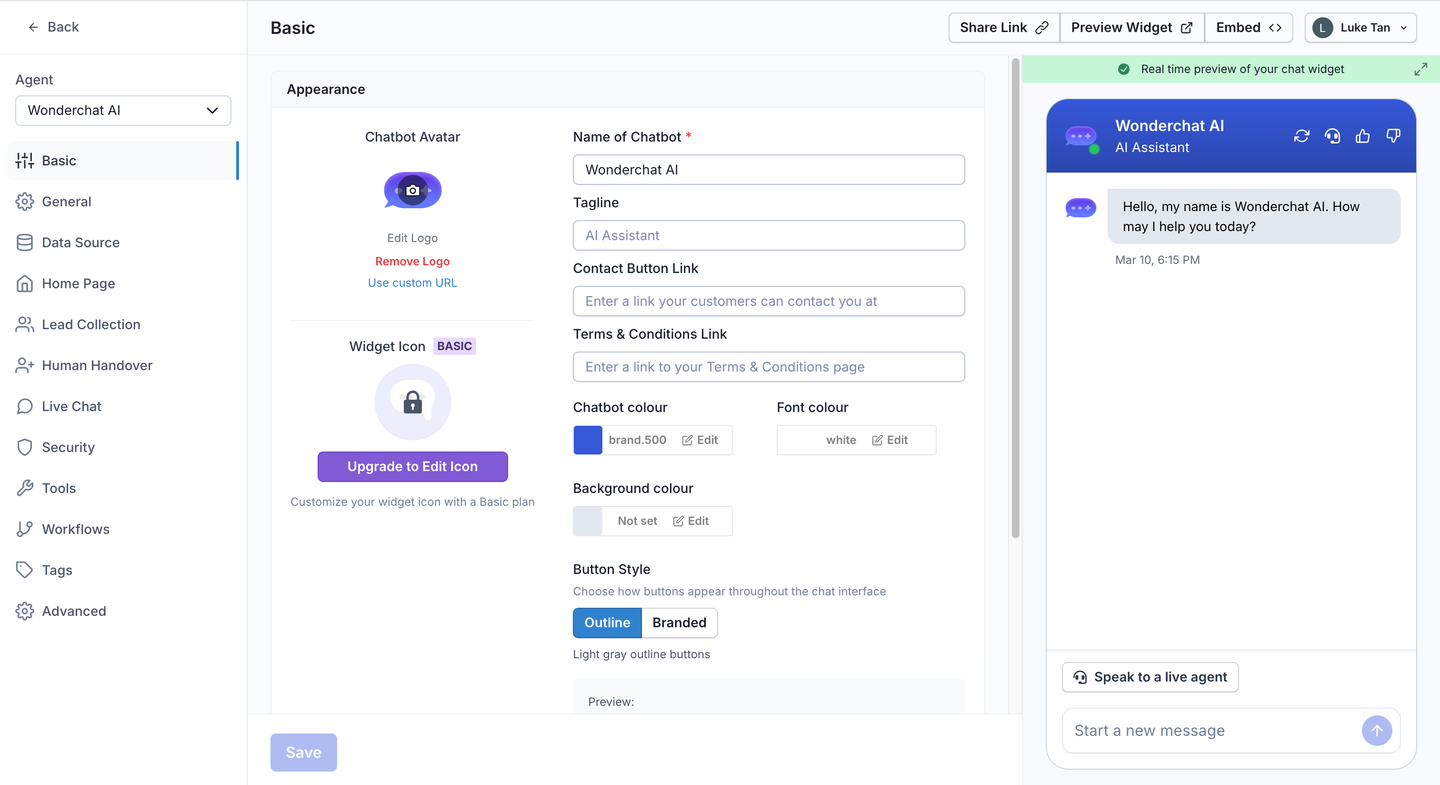
    We’ve rolled out a visual refresh across the app to make everything cleaner, more consistent, and easier to use.

    Core interface components - including buttons, inputs, selects, and menus—have been updated with improved spacing, clearer states, and a more cohesive design system. These improvements create a smoother and more predictable experience throughout Wonderchat.

    We’ve also redesigned the Settings page to make it easier to navigate and manage your preferences. Sections are now better organized in the sidebar, giving you more space to view and update your settings.

    This update focuses on polish and usability. While things may look a little different, the overall experience should feel more intuitive and consistent across the product!

  7. New Feature: Chatbot Knowledge Versioning

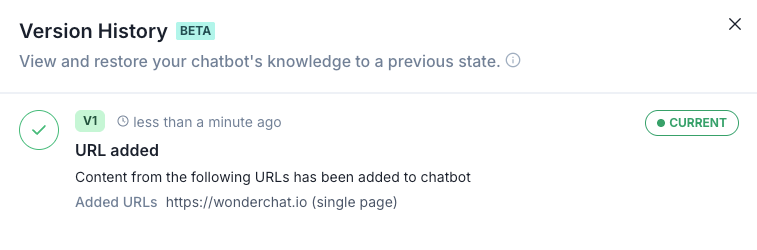
    We’re excited to introduce Data Versioning for Chatbots, a new capability that lets you track every data update, review previous versions, and roll back changes with precision and confidence.

    To explore it, navigate to:

    Edit Chatbot → Data Source → History (Beta)

    From there, you’ll be able to monitor all new changes made to your chatbot’s data and manage versions effortlessly!

See it answer your hardest question. from your own docs.

Connect your website or documents and see Wonderchat deliver a grounded answer with the source attached.