


29/10/2026
Customer service workflow
A customer service workflow is the set of steps a customer question follows from arrival to answer, covering the channel it arrives in, what answers it first, when it moves to a person, and where the answer is kept.
What are the steps in a customer service workflow?
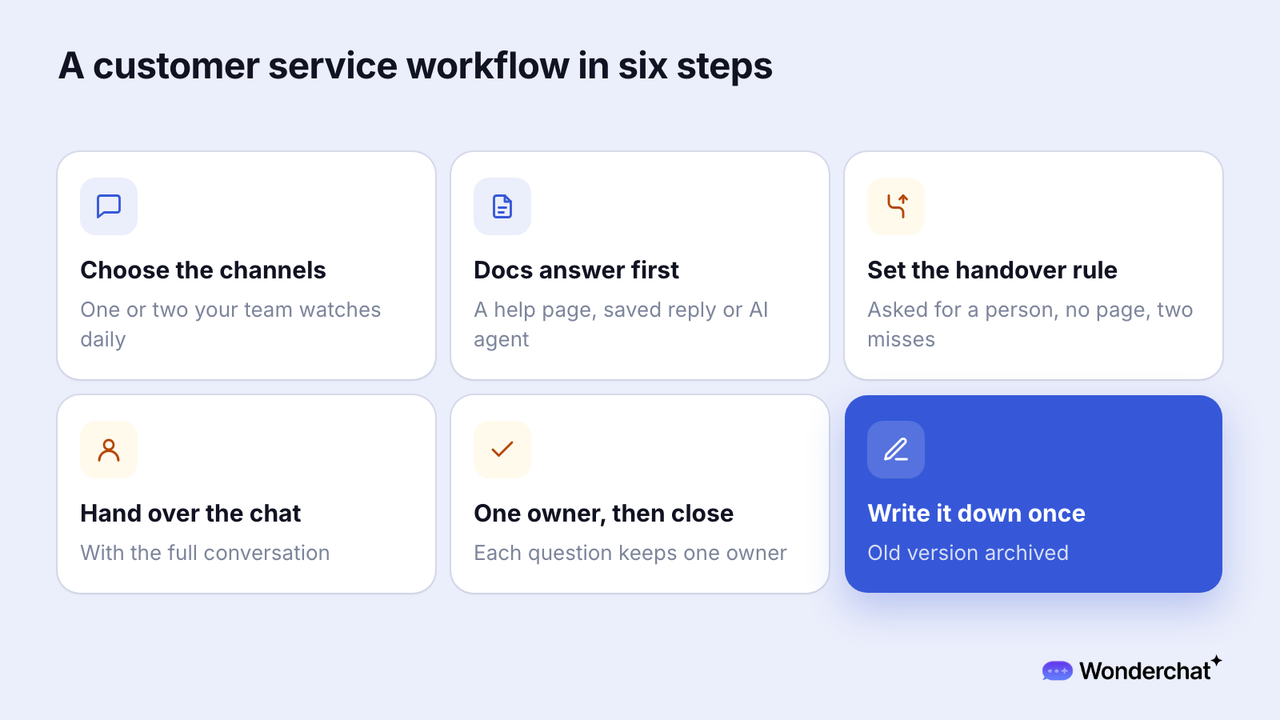
Six steps cover a question's whole path. Salesforce lists five stages, from intake to "review or escalate," and Zoho Creator runs to ten.
- Choose the channels: pick one or two channels the team can watch every day.
- Answer from the docs first: the first reply comes from a help center link, a saved reply, or an AI agent that answers from the help center.
- Set the handover rule: move a question to a person when the customer asks, no page covers it, or an answer fails twice.
- Hand over with the full conversation: give the person what was asked and answered, so the customer doesn't repeat it.
- Name an owner, answer, and close: each open question keeps one owner until it's closed.
- Write the answer down once: add it to the one place answers live, and archive the old version.
What does a customer service workflow look like in practice?
For example, a customer asks in chat whether an order can still be refunded. The refund page answers it, so the question ends at the second step.
Outside the refund window, the question goes to a person with the conversation attached, who answers, closes it, and adds the exception to the refund page.
The workflow decides whether a team answers the same question once or every time it returns.
How do you test a customer service workflow?
Run four checks on last week's questions.
- Trace: take 10 questions and write one line for each, noting where it arrived, what answered first, who it went to, and where the answer is kept. The check passes when all 10 are written without asking a teammate. A step no one can trace gets skipped.
- Context: open 5 conversations that moved to a person. The check passes when the person's first reply asks nothing the customer already said.
- One place: pick 5 common answers and count where each lives. The check passes when each has one current version and no archived copy is still published. Two live versions let the docs answer wrong.
- Write-back: list the questions no page covered. The check passes when each has a written answer or an owner and a date. Otherwise the same question returns next week.
The context check matters because, in Zendesk's CX Trends 2026 research, based on more than 11,000 consumers and business leaders in 22 countries, 74% of consumers said they get frustrated when they have to repeat information.
Why does one place for answers come before automation rules?
Rules move a question faster but don't decide whether a correct answer exists. Help Scout's help desk "workflows" are such rules, built from "conditions (what you're looking for) and actions (what you want to happen)."
Customer service automation is the name for those rules.
The failure Wonderchat's support team sees most often is retrieval pulling an archived policy and answering from it correctly.
Wonderchat answers from a team's own help center and shows the source on every reply.
Frequently asked questions
What are the five C's of customer service?
Call Centre Helper names care, competence, culture, consistency, and communication. The five C's describe how service feels, not the steps a question follows.
What are the 7 steps of customer service?
No standard set of seven exists. Hiver's seven steps run from greeting the customer to asking for feedback.
What is the difference between a workflow and workflow automation?
A customer service workflow, also called a customer support workflow, is the whole path a question follows. Workflow automation is the set of rules that moves it along that path, such as tagging or assigning. Help Scout calls those rules "workflows," so the two get mixed up.
