


29/10/2026
In-app support
In-app support is customer help delivered inside a software product, such as answers, help articles, and chat that appear where the user is stuck, so they don't have to leave the app or write an email.
What does in-app support include?
A complete in-app support layer has four parts.
- Answers: an AI agent or a search box that answers from the help center.
- Articles: the help page for the task, opened in a panel next to the work.
- A person: chat or a ticket when no page covers the question, with the conversation attached.
- Context: where the tool supports it, the screen the user was on travels with the question.
The order matters, because answers and articles take the repeat questions, so the person mostly sees what the docs don't cover.
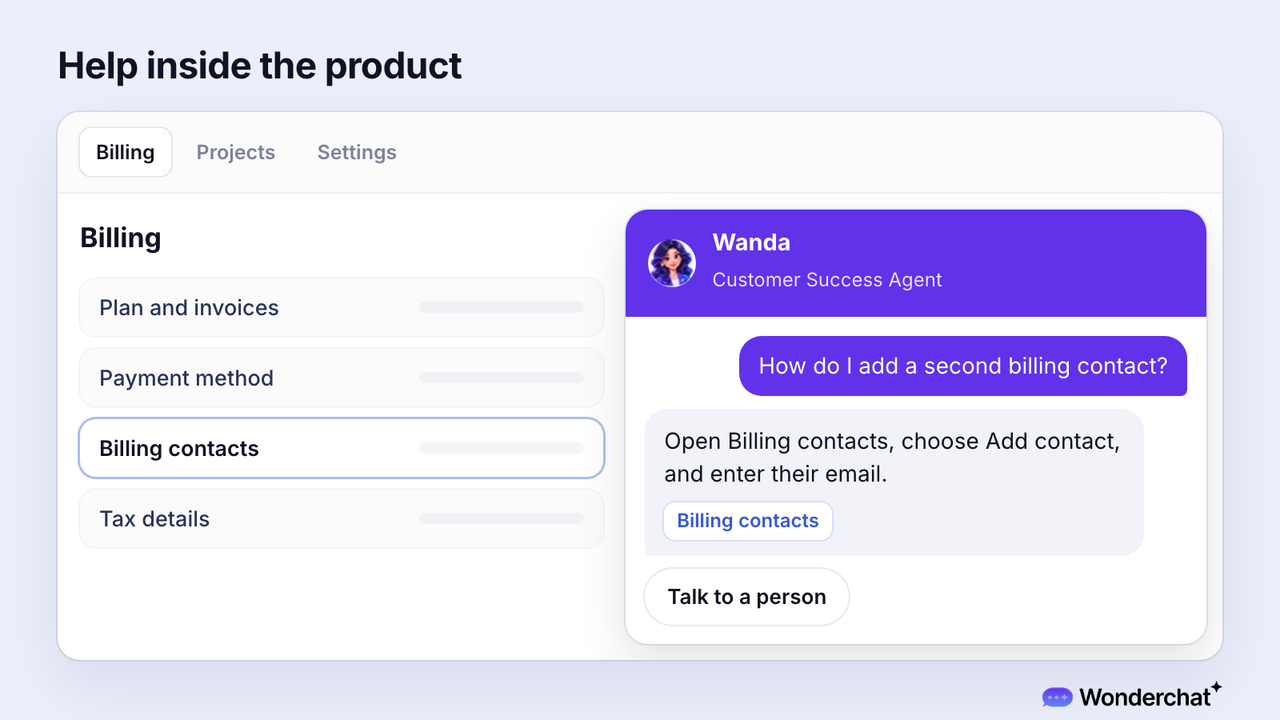
For example, a user on the billing screen asks how to add a second billing contact. The help panel answers with the steps, links the Billing contacts page it used, and keeps "Talk to a person" one click away.
Wonderchat answers from a team's own help center and shows the source on every reply.
How do you check your in-app support?
No standard metric exists for in-app support, so run three checks instead.
- Where requests start: take your last 20 tickets and mark how many began inside the product. If you can't tell, the tickets don't record it yet. The share shows how much of the load in-app help can take.
- Help in context: open help from three different screens. Each time, help should open without leaving the screen, and the first article should match that screen's task. Help that opens in a new tab pulls the user out of the task.
- The route to a person: ask one question your docs cover and one they don't. The first should show its source, and the second should offer a person who sees the whole conversation. Without that route, the question ends in an email instead.
Which users does in-app support help most?
Users stuck mid-task, especially new customers setting up and existing customers with a problem, since their questions tend to be harder for an AI agent to resolve.
In a sample of 5,000 scored conversations classified by stage, from Wonderchat's study of 5,848,078 conversations, the AI agent resolved 65.9% for new customers setting up (322 conversations) and 60.8% for existing customers with a problem, against 73.6% for people deciding whether to buy.
How is in-app support different from in-app chat?
In-app support isn't in-app chat. Chat is one channel, while in-app support is the whole layer, answers and docs first, then a person.
Adding a chat widget to an app doesn't make it in-app support until something behind it can answer.
Frequently asked questions
What is in-app support?
In-app support is help a customer gets inside the product they're using, such as answers, help articles, and a route to a person. The user stays on the screen where they got stuck instead of opening an email or another tab.
What are examples of in-app support?
Examples include a help panel that opens the article for the current screen, an AI agent that answers from the help center inside the app, and a chat that passes the question to a person with the conversation attached.
Is in-app support only for mobile apps?
No, in-app support also works in web apps and desktop software. What makes it in-app is that help opens inside the product, on the screen where the user is working.
