


20/11/2026
Ticket Tagging
Ticket tagging is adding short labels to support tickets, such as billing, bug, or enterprise customer, so a team can find and count them later. A ticket can carry several tags or none.
Where do ticket tags come from?
A tag can reach a ticket three ways:
- By hand: a teammate picks tags while reading or closing the ticket
- By rule: a keyword, a form field, or the address the message came to adds a tag
- By AI: a model matches the message against a list of tags, each with a short description
A field such as priority differs. It holds exactly one value and can be required, and Featurebase keeps one-answer information in fields.
In Wonderchat's helpdesk, teammates tag tickets by hand, and automatic tags, each with a plain-words description the AI agent matches conversations against, require at least the Scale plan.
How can you tell if your tag list works?
Check the list three ways:
- Look for twin tags: sort the tag list A to Z. "refund," "refunds," and "return-refund" are one reason spelled three ways, and a rule on one spelling misses the other two.
- Count the catch-all: in the last 100 closed tickets, count the untagged ones plus "other." When that count beats your biggest named tag, the list is missing the top reason customers write in.
- Add up the reasons: overlapping tags count one ticket twice. In Featurebase's example, 40 bug tickets and 50 integration tickets with 20 in both are 70 tickets, which a tag report adds up to 90. Move overlapping reasons to a one-value field.
What does a clean tag report change?
The tag report is how a team decides what to fix next, and a messy list still looks precise. Tags also feed ticket routing, and a wrong tag sends the ticket to the wrong queue.
Automatic tagging is only as good as the list it matches against. Tag by hand until the list stops changing every week, then follow how to categorize support tickets to move to rules and AI.
Should you tag what a ticket is about or what caused it?
Topic tags say what a ticket is about, such as billing, login, or integrations. None of those says what would have stopped the ticket. Add one cause label per ticket, as a one-value field:
- The answer was never written down
- The help center page is out of date
- It's a bug
- Only a person can do it, such as a refund or an account change
Set the topic on arrival and the cause at close, when the teammate who solved it knows what would have prevented it.
Wonderchat's study of 5,848,078 conversations between March 2023 and August 2026 read a random sample of 5,000 unresolved ones. In that sample, 58.5% asked for an answer never documented anywhere the AI agent could reach, and 1.2% met an out-of-date page.
When an AI agent answers first, a handover after it says it can't find the answer already names the cause, a missing page. Wonderchat answers from a team's own help center and shows the source on every reply.
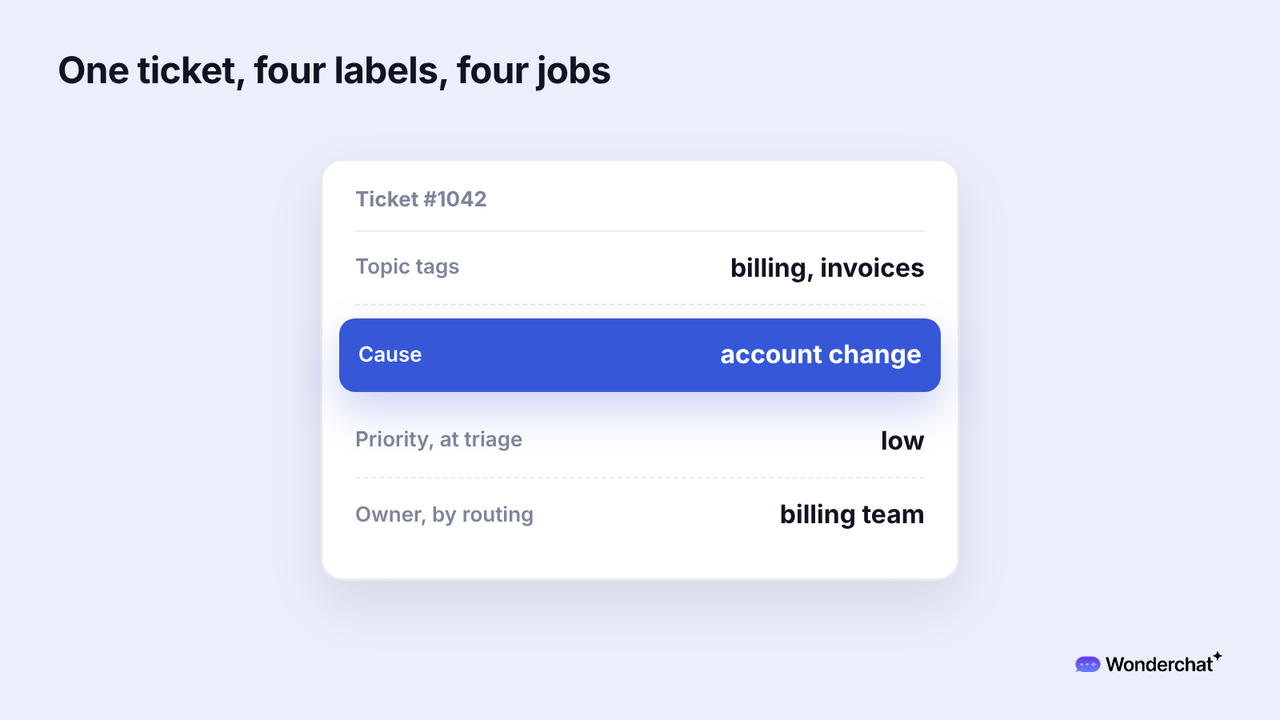
For example, "Can you reissue last month's invoice with our new VAT number?" gets the topic tags billing and invoices. Its cause is "account change," the kind only a person can do.
Frequently asked questions
What is the difference between ticket tagging and ticket triage?
Ticket triage decides what a new ticket is and how urgent it is, so the team knows what to work on first. Tags stay on the ticket afterward for search and reports.
What is an example of ticket tagging?
Common topic tags are billing, login, bug, and feature request. Common cause labels are missing answer, out-of-date page, bug, and account change.
How many tags should one support ticket have?
Featurebase suggests a primary type plus secondary topics, from a starter list of 15 values across issue type, product area, and severity. Merge any tag nobody used last quarter into a broader one.
