


13/11/2026
Ticket Routing
Ticket routing sends each support ticket to the person, team, or queue that should handle it, by set rules or by an AI model reading the message. Routing picks an owner and leaves the answer to that owner.
What decides where a ticket goes?
Rules read what is already known about a new message, such as a keyword, the address it was sent to, or a form field. An AI model reads the message text itself.
When ticket triage runs first, it labels the topic and urgency. Routing acts on those labels and picks the teammate with one of three methods:
- Round robin: the next available teammate in turn
- Load-balanced: the teammate with the fewest open tickets
- Skills-based: a teammate with the matching language or product skill
Freshdesk's routing skips teammates who aren't set to available, and HubSpot's help desk leaves a ticket unassigned when no teammate is available. A fallback queue keeps that ticket from waiting with no owner.
In Wonderchat, routing and assignment rules for the conversations the AI agent hands over are on the Scale plan.
How can a support team check its routing?
Routing has no single score, so test it three ways:
- Count hops: of the last 30 tickets that reached a person, count how many changed owner after the first assignment. A misroute only shows up as a hop.
- Test the empty hours: send one message with every teammate set to away. The message should land in a named fallback queue and tell the customer when a person will answer. An unassigned ticket has nobody watching it.
- Send five test messages: one per rule, plus one vague question. Each should land where its rule says, and the vague one in a catch-all queue a named teammate checks daily. Unmatched questions are the ones that wait longest.
Over time, track one ratio:
Reassignment rate = tickets reassigned at least once ÷ tickets assigned
What does a wrong route cost?
The customer sees routing only as the wait it adds. A ticket sent to the wrong owner joins a second queue before a teammate reads it.
Before paying for routing rules, count how many tickets need a person and how many hop today. Teams that keep their help desk keep routing there, so compare AI agents for Zendesk or AI agents for Freshdesk on which questions each one answers before routing starts.
Does every ticket need routing?
In a help desk without an AI agent, routing rules run on every new ticket.
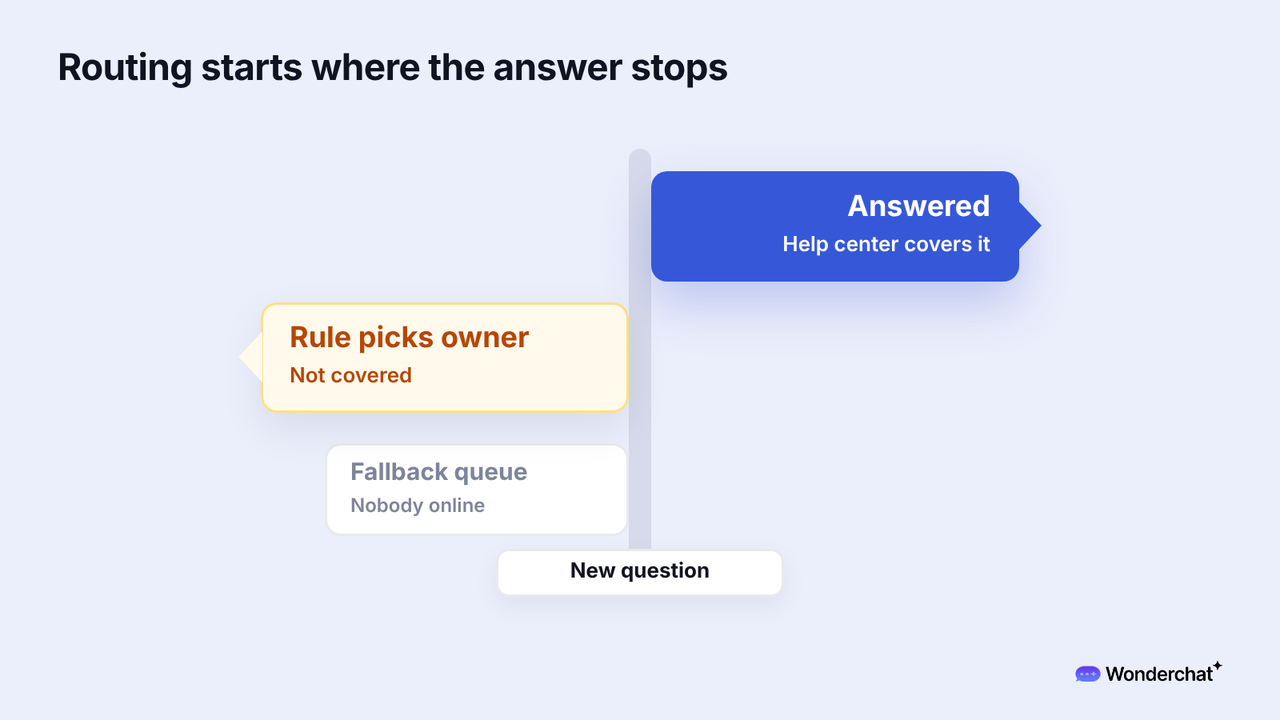
When an AI agent answers from the help center first, routing becomes the last step and handles only what the agent couldn't answer. Wonderchat answers from a team's own help center and shows the source on every reply.
In Wonderchat's study of 5,848,078 conversations between March 2023 and August 2026, 73.6% were resolved for people deciding whether to buy and 60.8% for existing customers with a problem, in 5,000 scored conversations classified by stage. Existing customers' problems go unresolved more often, so the routing rules for handed-over chats need an owner for those first.
For example, a customer writes in the chat, "I was charged twice after I canceled." The help center covers canceling and says nothing about double charges. The AI agent hands over with the chat, and a keyword rule on "charged" sends it to billing, where round robin would have given it to whoever was next.
Frequently asked questions
What is the difference between ticket routing and ticket triage?
Triage decides what a ticket is and how urgent it is. Routing decides who gets it.
What is a ticket queue?
A ticket queue is a list of open tickets waiting for a team or a teammate, ordered by rules such as priority or age.
Is round robin or skills-based routing better?
Round robin spreads tickets evenly and ignores who knows the answer. Skills-based routing sends billing or language questions to the teammate who can handle them. Start with round robin, then add skills once the hop count shows the same topics bouncing.
