


20/11/2026
Omnichannel Help Desk
An omnichannel help desk is support software where messages from every channel a team supports arrive in one inbox as tickets, with one history per customer and replies sent back on the same channel.
Common channels are email, live chat, messaging apps such as WhatsApp, social media, and phone.
How does an omnichannel help desk work?
The help desk does three jobs:
- Connects each channel once: a mailbox, the website chat, a WhatsApp Business number, a social page
- Recognizes the customer: an email address, a phone number, or a logged-in account joins a new message to that customer's open ticket
- Replies from one place: the reply goes out on the channel the customer used
With an AI agent in front, the agent answers on the channel first and hands the rest to the same inbox with the chat attached. Whether the agent itself works on each channel is multi-channel deployment.
Wonderchat's helpdesk brings email and website chat into one inbox on every plan. Live chats and the AI agent's handovers both arrive as tickets with the full conversation attached.
How do you test an omnichannel help desk?
Run three tests:
- Write in twice: use the website chat, then email about the same problem from the same address. A teammate should see one customer with both messages. Two tickets for one problem can get two answers.
- Reply where they wrote: answer a messaging-app message from the help desk. The reply should arrive in that app, because a reply by email makes the customer switch channels.
- Map last month: list where customers wrote last month and which of those channels land in the help desk. No channel with more than a handful of messages should be answered from a separate app.
Over time, track one ratio:
Duplicate tickets = customers with two or more open tickets ÷ customers with an open ticket
Why does an omnichannel help desk matter?
A channel added without one inbox becomes a second queue nobody watches, and the customer pays by repeating the problem.
Wonderchat's study of 5,848,078 conversations between March 2023 and August 2026 puts it in one line, "The same question answered three different ways is what generates the repeat contact."
For a buyer, two questions matter more than channel logos. Which channels do your customers use, and does each one land in the same ticket on the plan you'd buy?
Ask both of each tool you shortlist, whether a full help desk or shared inbox software.
Do you need every channel in your help desk?
A long channel list looks good on a pricing page, and for a team adopting its first help desk, every extra channel is one more place to watch. Start with the channels your customers already use, and add one when customers ask for it.
When an AI agent answers first, add each channel to the agent and to the help desk together, or the agent's handover from that channel has nowhere to land. Wonderchat answers from a team's own help center and shows the source on every reply.
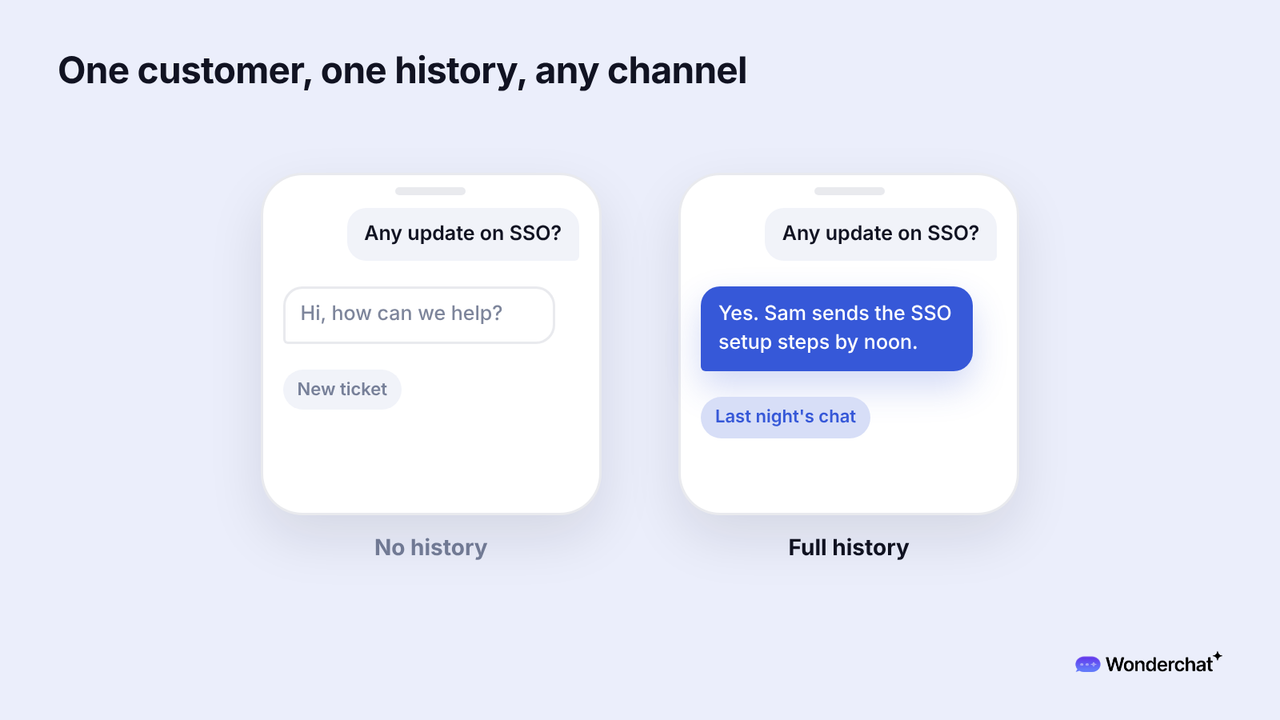
For example, a customer asks about SSO in the website chat at 9 p.m., and the AI agent can't find it in the docs and hands it over. Next morning the customer emails, "Any update on SSO?", and the teammate sees both messages in one ticket and replies by email.
Frequently asked questions
What does omnichannel mean in simple terms?
Every way a customer can reach you feeds one conversation history. The customer can switch channels, and the team still sees the whole story.
Can an AI agent be part of an omnichannel help desk?
Yes, when its handovers land in the same inbox as the team's tickets, with the chat attached.
What is the difference between an omnichannel help desk and a shared inbox?
A shared inbox is one email address that several people answer from. An omnichannel help desk brings every channel the team supports into one inbox, with one history per customer.
