
Quick Summary
A chatbot costs from free to about $600 a month on a subscription for most teams, $1,000 or more a month for enterprise tools, and $75,000 or more to build from scratch. Where you land depends on the pricing model (subscription, custom build or pay-as-you-go), the features you need and how many conversations the bot handles.
Wondering How Much a Chatbot Costs?
Chatbots now answer customer service, sales and lead generation questions on many websites. The price matters less than what you get for it: which questions the bot answers, which it can't, and what the bill looks like as volume grows. For a small team that answers support from its own docs, Wonderchat has no per-seat cost and a free plan that refills 50 AI replies a month, so the bill stays predictable.
Why Trust This Guide?
Wonderchat makes the AI Customer Service Agent for small teams with real documentation, and analysed 5,848,078 conversations across 14,318 businesses between March 2023 and August 2026. That work with startups and small teams gives Wonderchat a direct view of what chatbots cost in practice and what to expect from one.

What Is the Average Chatbot Cost?
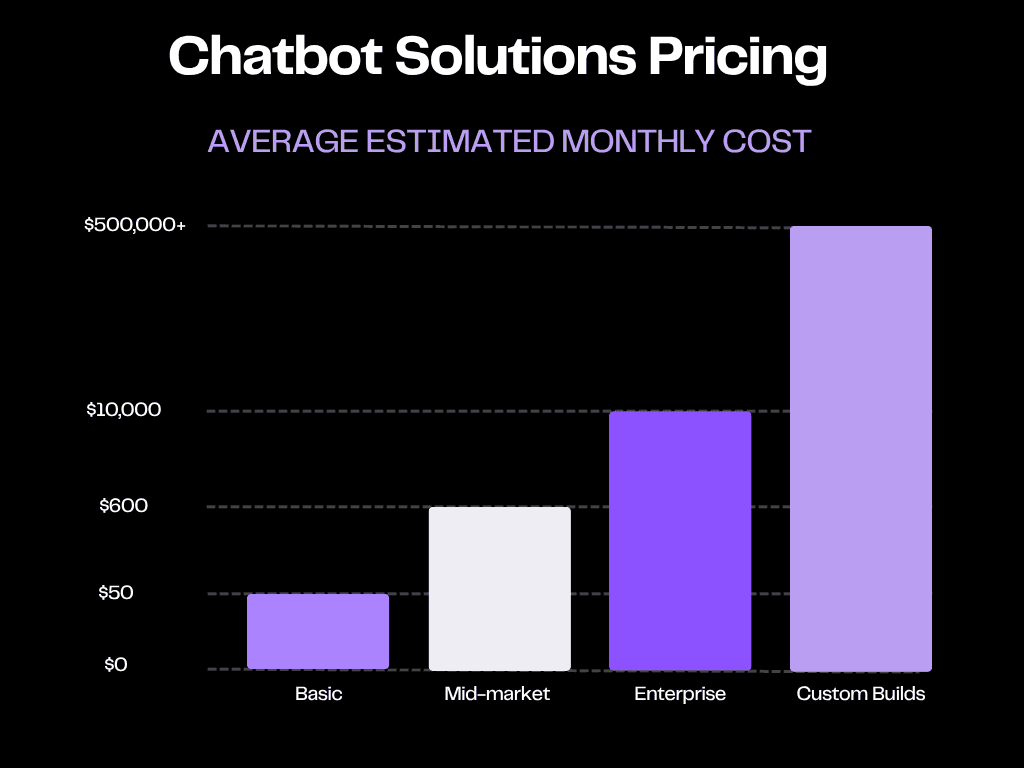
The cost of a chatbot depends on complexity, features, and scale. Here’s a simplified breakdown:
Basic bots (FAQs, simple workflows): free to $50 a month.
Mid-market AI chatbots: $50 to $600 a month.
Enterprise AI assistants: $1,000 to $10,000+ a month.
Custom-built solutions: $75,000 to $500,000+ upfront (plus ongoing maintenance).
Four factors drive these price differences.
What Determines Chatbot Pricing?
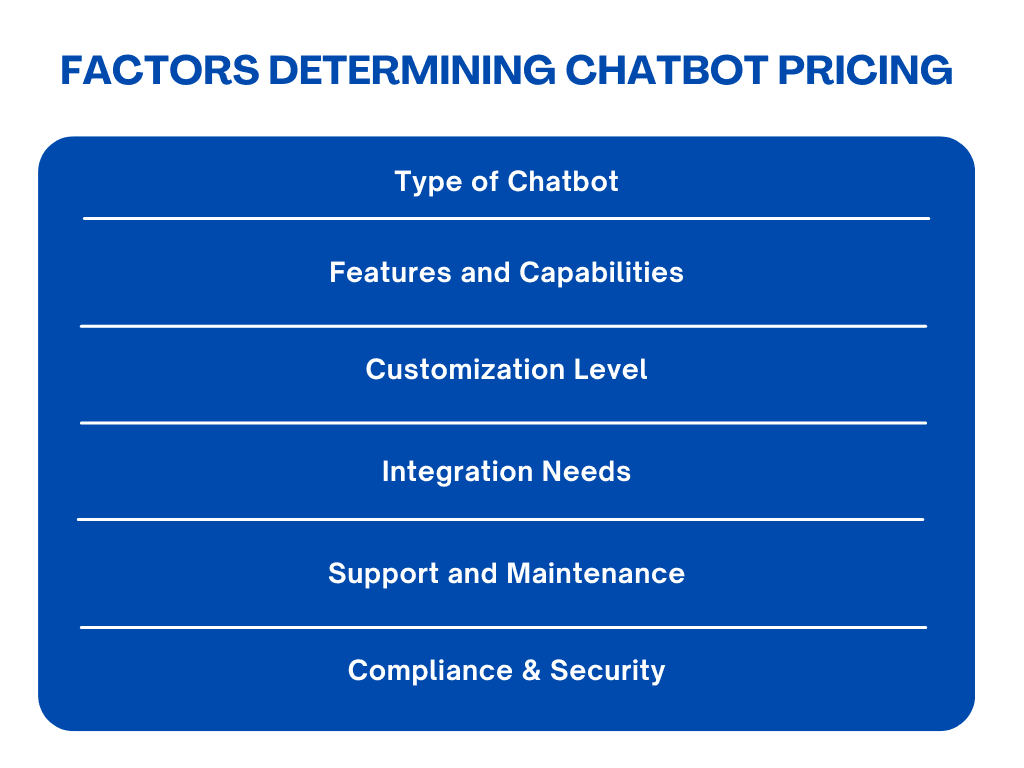
Type of Chatbot: Simple bots for basic tasks are cheaper, while AI bots that handle complex conversations are more expensive.
Features and Capabilities: Advanced functions like complex chatbot workflows, multilingual support, analytics, and personalization drive up the price.
Integration Needs: Chatbots that need to connect with other systems (like CRMs or e-commerce platforms) usually cost more due to the extra setup work.
Ongoing Costs: This includes regular updates, technical support, security measures, and compliance with standards like GDPR, SOC2, or HIPAA.
The 3 Main Chatbot Pricing Models
When evaluating chatbot pricing, you’ll typically encounter three models: Subscription, Custom Development, and Pay-as-you-go. Each caters to different needs and budgets.
1. Subscription Model
The subscription model is the most common pricing structure. You pay a monthly or annual fee, and the price usually depends on the level of AI, features, and usage limits.
Free chatbots
Free chatbots are great for small businesses or startups testing chatbot automation. They usually offer limited features, like handling simple questions or supporting a small number of users.
Examples of Free Chatbot Platforms
Platform | Best For |
|---|---|
Wonderchat | Small teams that want answers from their own help center and docs, with the source shown on every reply |
Chatbase | Developers building and testing knowledge-based bots |
Small businesses needing live chat with simple chatbot automation | |
HubSpot Chatbot Builder | Businesses already using HubSpot CRM that want to add a free chatbot for lead capture and meeting scheduling. |
ManyChat | Marketers and solopreneurs looking to automate conversations and marketing funnels for free on social media platforms. |
Typical Features of Free Chatbots:
Basic conversation handling for FAQs and simple queries
Limited integrations with popular platforms (e.g., WordPress, Shopify)
Pre-designed templates
Basic analytics and reporting features
Support for one or two channels (e.g., web chat, Facebook Messenger)
A limited number of active users or interactions per month
Example: Wonderchat's free plan refills 50 AI replies every month, needs no credit card, and includes the chat widget, live chat and the help desk (tickets with the full chat and handover to a person); it's a plan, not a trial.
Pro-Level Chatbots
As your business grows, these tools handle complex interactions, automate processes, and connect with existing systems.
Popular pro-level chatbots and their starting prices include:
Platform | Pricing |
|---|---|
Wonderchat | Free plan; paid plans for more AI replies |
Fin, formerly Intercom | See Fin's pricing page |
Chatbase | See Chatbase's pricing page |
CustomGPT | See CustomGPT's pricing page |
Drift | Retiring on 31 January 2027 (Salesloft and Clari) |
Features of Pro-level Chatbots:
Advanced AI and Natural Language Processing (NLP) to understand complex queries
Integration with CRM, help desk and sales tools
Automated lead qualification, routing and sales workflows
The ability to train the chatbot on your own proprietary documents and data
Detailed analytics and performance dashboards to track engagement
Customizable branding and scalability capacity
Live human handoff capabilities
Example: Wonderchat's Basic plan includes 3,000 AI replies a month.

It includes:
3,000 AI replies per month
Live chat, so a teammate can take over a conversation in real time
The AI model as a setting, with the models available depending on the plan
An analytics dashboard and automatic QA review
Teammates at $0, with no per-seat cost
HubSpot and ActiveCampaign contact sync, Shopify order tracking and chat webhooks
Enterprise Chatbots
Enterprise chatbots are powerful AI assistants designed for large organizations to handle complex, high-volume tasks. The pricing is usually custom (on request) and depends on scale, compliance, and integrations.
Features to Expect in Enterprise Chatbots:
Payment processing within the chat
Deep dialogue context with memory retention for more meaningful conversations
24/7 customer support with automatic escalations
Handoff to human agents when needed
Integration with calendar and scheduling systems
Advanced lead scoring and segmentation
Real-time data syncing with CRM and sales tools
Examples of enterprise solutions are Zendesk and IBM's watsonx (formerly Watson Assistant); Drift, once a common pick, retires on 31 January 2027.

2. Chatbot Development (In-house or Agency Build)
For businesses that want full control and customization, building a chatbot from scratch is an option. This can be done either by hiring an in-house team or by working with a specialized agency. Both approaches come with significant costs and trade-offs.
In-house Development
Creating a chatbot internally requires assembling a skilled team. Below are the typical roles involved, each a full-time salary.
Project manager
Developer
NLP engineer
UI/UX designer
QA tester
Other costs to consider include software licenses, development tools, training, and ongoing maintenance.
Pros:
Full control over features, design, and data privacy
Tailored to your brand’s unique needs
Complete ownership (no third-party dependencies)
Cons:
Very high upfront costs
Long development timelines
Requires continuous internal expertise and maintenance
Agency Build
Hiring an agency to create a chatbot can cost $75,000 to $150,000+, depending on the project scope, customization, and agency's expertise. While expensive, it offers advantages that off-the-shelf solutions can’t match.
If you decide to build your own chatbot, here’s what you can expect to get:
Tailored design & features: Built to reflect your brand, workflows, and customer needs.
Full control & ownership: No reliance on third-party tools; you decide how the chatbot evolves.
Integrations: Connects directly with CRMs, e-commerce or internal systems.
Enterprise-grade scalability: Handles complex, high-volume interactions as your business grows.
Professional testing & support: Agencies provide quality assurance and post-launch support to ensure stability
Pros:
Professional quality, reliable delivery, and ongoing support.
Cons:
High cost and reliance on the agency for changes.
3. Pay-As-You-Go Pricing
Pay-as-you-go pricing lets you pay only for the chatbot services you use, making it a flexible option for businesses with fluctuating traffic or those testing chatbot adoption. Instead of committing to a flat subscription, costs scale with usage.
Example: Google's Dialogflow, now part of Google Cloud's Conversational Agents, charges per request for text input; see Google Cloud's pricing page for current rates. While affordable for smaller volumes, costs can rise quickly with heavy traffic.
Note: Most pay-as-you-go platforms, Google's included, don't provide a ready-made chatbot. You’ll likely need to budget for a developer or agency to build and maintain the system.

Pros and Cons of Chatbot Pricing Models
Pricing Model | Pros | Cons |
|---|---|---|
Subscription | - Predictable monthly costs - No upfront investment - Includes software updates and support - Best for steady query volume | - May be more expensive over time for low-traffic businesses - Limited customization in some plans |
Development (custom build) | - Fully customizable to business needs - Complete control over features and functionality - Can integrate with existing systems | - High upfront cost - Requires ongoing maintenance and updates - Developer or agency dependency |
Pay-as-you-go | - Flexible and cost-efficient for businesses with low or variable traffic - You only pay for what you use - No long-term commitments | - Costs can fluctuate and increase with high traffic - Usually requires developer/agency setup - Some plans may have minimum usage requirements |
Chatbot Cost-Benefit Analysis
Before investing in a chatbot, it’s helpful to weigh the costs against the potential benefits. A simple cost-benefit analysis shows whether a chatbot will save time, increase sales, or improve customer support to justify the investment.
Here’s a 5-step process to estimate chatbot ROI:
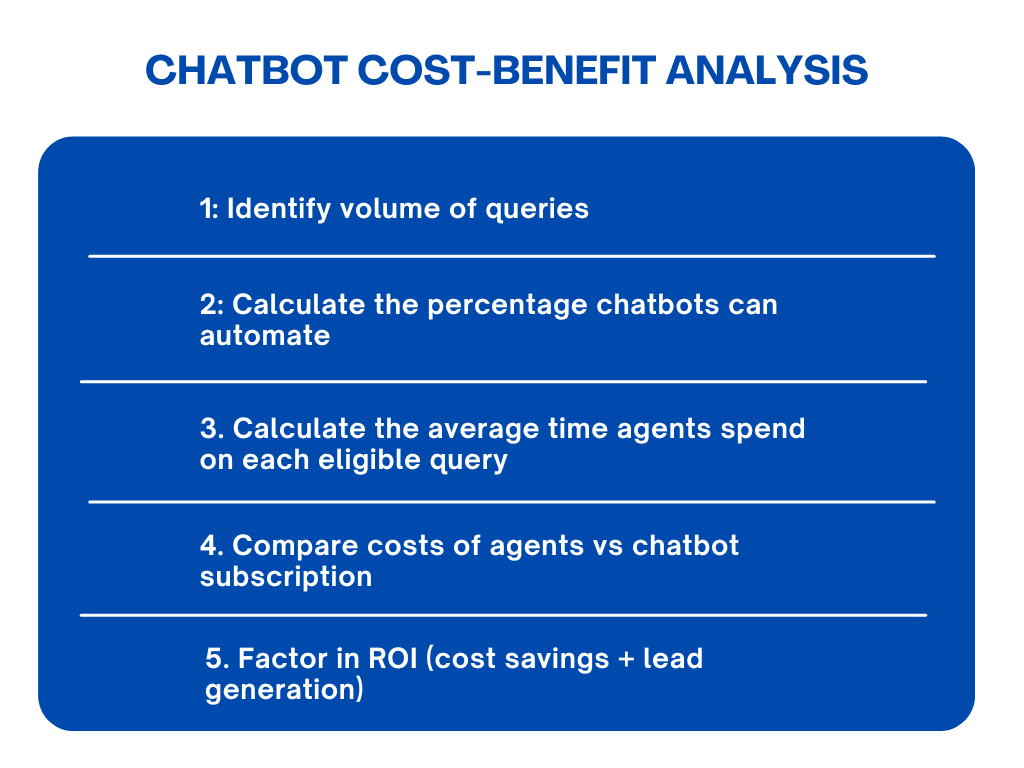
1. Identify Query Volume
First, figure out the total number of customer inquiries you receive each month from all channels, including emails, live chat messages, and phone calls. This establishes a baseline for measuring the chatbot's impact.
2. Calculate Automation Potential
Separate simple, repetitive tasks (like FAQs or order status updates) from complex issues that require a human agent.
To calculate the percentage of automation, use this simple formula:
(Number of simple, automatable queries ÷ Total number of queries) × 100 = % Automation
Example:
Total daily queries: 500
Simple queries (FAQs, order status, hours): 350
Automation % = (350 ÷ 500) × 100 = 70%
The chatbot could automate 70% of them, freeing up your team to focus on the remaining 30%.
3. Estimate Agent Time Savings
Next, find out how much time your agents spend on each query the chatbot can handle. This is important for calculating how much time you’ll save and the overall return on your chatbot investment.
For example, if your agents spend an average of 5 minutes per query and a chatbot can handle 1,000 queries per month, you could save 5,000 minutes (83 hours) of agent time.
4. Compare Agent Cost vs. Chatbot Cost
To see the financial impact, compare your monthly agent costs to a chatbot subscription.
Agent cost formula: Hourly rate × (time spent per query ÷ 60) × queries per day × working days per month
Example: your team's time costs $20 an hour and it handles 100 queries a day. Say each query takes about 10 minutes to resolve.
Monthly cost of those queries: $20 (hourly rate) × 1/6 (hours per query) × 100 (queries per day) × 22 (working days per month) = $7,333.33.
Compare that figure with the chatbot's monthly price, counting only the share of queries the chatbot actually answers (step 2), not all of them.
5. Factor in ROI (Cost Savings + Revenue)
To calculate your full ROI, add the revenue generated from qualified leads to your agent cost savings. Subtract what the chatbot costs, and what is left is the return.
Other Chatbot ROI Metrics
Besides cost savings and lead generation, there are other key metrics you can track to measure your chatbot's ROI. These include:
Customer satisfaction (CSAT): Measures how happy users are with the chatbot's interactions through post-chat surveys.
First contact resolution (FCR): The percentage of inquiries the chatbot successfully resolves without needing human intervention.
Human handoff rate: The frequency at which the chatbot has to escalate a conversation to a live agent.
Response time: The speed at which the chatbot answers user queries, a critical factor for user satisfaction.
Agent productivity: Tracks how much more work human agents can accomplish when routine, repetitive questions are handled by the chatbot.
Conversion rate: Calculate how many chatbot interactions lead to desired actions, such as a sale or booking. A higher conversion rate indicates a more effective chatbot.

Increase Your Chatbot ROI with Wonderchat
Wonderchat's customer service agent answers customers from your own help center and docs, shows the source on every reply, and tells you which questions your docs can't answer, so you know what you're paying for. The bill is flat: a free plan that refills 50 AI replies every month, paid plans when you need more, no per-seat cost and live chat on every plan. If the lowest cost per reply matters most, Chatbase gives more units per dollar and has gap detection on every plan.
Want to see which of your customers' questions it can answer from your docs? Try Wonderchat for free today.

