
Quick Summary
The best Tidio alternative depends on the job Tidio stopped doing for you. Wonderchat fits teams that want answers drawn from their own help center, with the source shown on every reply. LiveChat and Olark suit human-first chat, ManyChat and Chatfuel suit Instagram and WhatsApp marketing, Zendesk and Freshchat suit teams that need a full help desk, and Landbot or Tars suit lead-capture flows. This guide compares ten Tidio alternatives on AI depth, customization, handover and how pricing behaves as you grow.
Looking for a Better Tidio Alternative?
Tidio is a go-to chatbot for many small businesses, and its limits show as support volume grows. You may have hit the ceiling on customization, or you may be paying more each month for basics like AI replies and extra channels.
Switching has a cost of its own. Teams migrating off a chat widget hit the same wall: the export carries the transcript but not the routing rules, so every rule is rebuilt by hand. Budget for that work before you compare feature lists.
Maybe you want deeper Shopify integration, a no-code setup, or more control over your conversations. This Wonderchat guide covers the ten tools most often shortlisted, with what each automates, where each one stops, and how its chatbot pricing scales.
Why Listen to Wonderchat?
Wonderchat builds no-code AI agents that answer from a company's own help center, docs, website and files. Across all accounts, Wonderchat's long-run average is about 75% of evaluated conversations resolved without a person. Among Wonderchat's customers, Jortt resolves ~92% of its ~30,000 monthly customer inquiries without a person. Wonderchat analysed 5,848,078 conversations across 14,318 businesses between March 2023 and August 2026. The comparison below judges each tool on what it answers from, how it hands over, and what it costs as you grow. Wonderchat fits a small B2B team with real docs, where a founder or first support hire wants a source on every reply and a list of the questions the agent couldn't answer.
What is Tidio?
Tidio is a live chat and chatbot platform designed for small to mid-sized businesses. It combines real-time messaging with automated responses, helping store owners handle customer questions, recover abandoned carts, and generate leads.

Tidio offers multichannel support, including Messenger, Instagram, and email, and includes pre-built templates for faster setup.
While it’s beginner-friendly and easy to install on Shopify and other platforms, it can feel limited in terms of AI capabilities, advanced automation, and pricing transparency as your business scales.
Why Businesses Consider Tidio Alternatives
Limited AI Capabilities: While Tidio includes AI features like Lyro (its chatbot), users report that the AI is sometimes too rigid or generic compared to newer tools that offer GPT-powered or context-aware assistants.
Limited Chatbot Customization: Many users say Tidio’s chatbot builder is simple to use, but lacks flexibility for advanced workflows. You can’t easily set up complex branching logic or deeply personalize conversations based on user behavior without hitting limits.
Steep Pricing at Scale: Tidio’s free tier is attractive, but once you start scaling, costs can rise quickly, especially for AI chatbot usage, additional seats, and contacts. Several users say the pricing model penalizes growth, and the complaint is market-wide. In Wonderchat's review of 1,309 complaints in 18 vendors' reviews, pricing was the biggest theme (211), then setup (197), UI and bugs (166), trust (128) and stale knowledge (38).
Limited CRM & Helpdesk Functionality: Tidio works well as a live chat and chatbot tool, but it isn’t a full-featured helpdesk or CRM. Growing teams often find themselves needing more advanced ticketing, reporting, or contact management.
Limited Integrations and API Control: For businesses that need Tidio to plug into custom workflows or backend systems, the integration options are limited. Tidio works well with major platforms like Shopify and WordPress, but lacks reliable API access and webhooks for more technical setups.
Best 10 Tidio Alternatives
AI Chatbot Platform | Brief Description | Key Features | Pricing | Rating |
|---|---|---|---|---|
Wonderchat | No-code AI agent that answers from your own content and shows the source on every reply. | - No-code setup | Free plan (50 AI replies a month); paid plans when you need more | 4.9 on G2 |
LiveChat | Real-time human support platform with optional automation. | - Real-time chat | Tiered pricing by agent seats and features; 14-day free trial | 4/5 |
ManyChat | Multichannel chatbot built for social media marketing automation. | - Visual flow builder | Free plan available; paid plans based on contact/channel usage | 4/5 |
Botsify | Chatbot builder with AI and NLP, focused on multichannel support. | - Drag-and-drop builder | Tiered pricing by usage and features; enterprise plans available | 4/5 |
Zendesk | Full-service support suite with AI chatbot, ticketing, and workflows. | - AI Answer Bot | Tiered pricing; AI chatbot use may incur additional per-resolution costs | 4/5 |
Freshchat | Messaging tool by Freshworks for sales, support, and marketing. | - AI chatbots | Tiered pricing based on team size and feature access | 4/5 |
Landbot | No-code builder for creating conversational landing pages and user flows. | - Visual builder | Subscription-based pricing; WhatsApp automation is separate | 4/5 |
Olark | Real-time chat platform for human-first communication with light automation. | - Customizable widget | Flat-rate pricing per agent; optional add-ons (PowerUps) | 3/5 |
Tars | Conversational chatbot builder for lead gen and form replacement. | - Drag-and-drop builder | Custom pricing based on use case and conversation volume | 4/5 |
Chatfuel | Social media chatbot platform for automating Messenger, Instagram, and WhatsApp. | - Visual builder | Tiered pricing by conversation volume and channel access | 3/5 |
1. Wonderchat
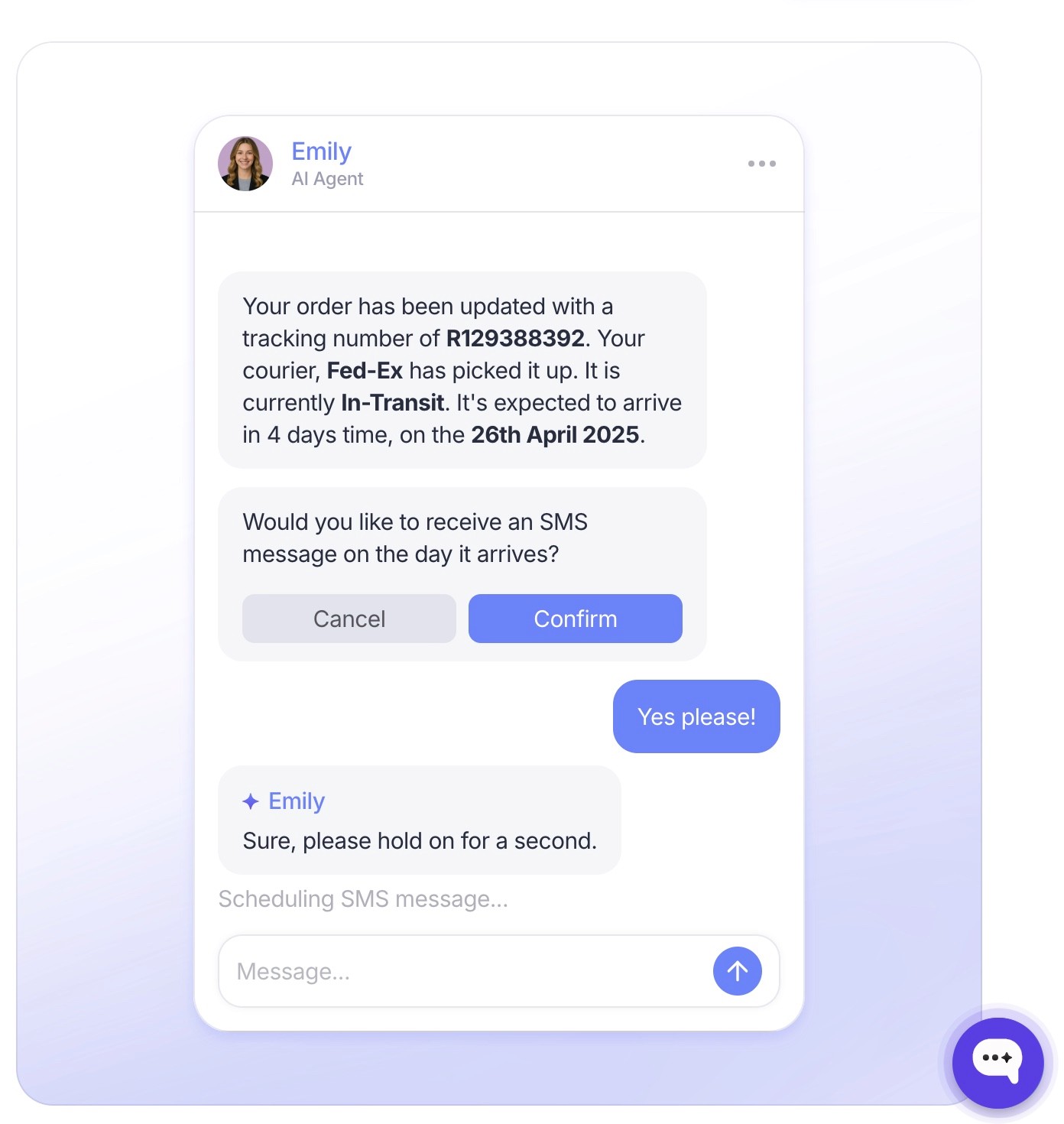
Wonderchat is a no-code AI agent platform (AI Customer Service Agent, AI Sales Agent, Internal AI Agent) for teams that want fast setup and full control without writing code. It installs on WordPress, Webflow, Shopify and other website builders, and most teams are live the same day.
Instead of scripted flows, the agent answers from your help center, docs, website, files and past tickets. It shows the source on every reply, says so when your content doesn't cover a question, and hands the conversation to a person. Wonderchat ships its own help desk, or sits on top of Zendesk or Freshdesk and hands conversations into them, so the same questions stop reaching your team without replacing the tool your team works in.
Key Features
No-Code Setup: No coding required, and most teams are live the same day.
Multi-Source Training: Add URLs, PDFs, help center articles and past tickets; the agent answers only from them.
Custom Persona Controls: Set the agent’s tone, role, and avatar to match your brand voice.
Human Handoff: Hand conversations to the live chat inbox on every plan or by email, and into Zendesk or Freshdesk as a ticket from Basic.
Detailed Analytics: From Basic, track usage and top queries, and see the list of questions the agent could not answer, so you know which page to write next.
Zapier and CRM integrations: Connect Zapier workflows; HubSpot and Zendesk sync start on Basic, Salesforce on Enterprise.
Pricing
The Free plan includes 50 AI replies a month, refilled monthly, with no card. Paid plans are Starter (500 AI replies a month), Basic (3,000) and Scale (9,000), and Enterprise is custom. The meter is AI replies, not seats; the full breakdown is on Wonderchat's pricing page.
Pros
Quick, no-code deployment
Answers only from your content, with the source on every reply
Highly customizable persona and styling
Integrates with CRMs and helpdesk tools
User-friendly dashboard and analytics
40+ languages
Cons
No mobile app (yet) for managing agents on the go
2. LiveChat
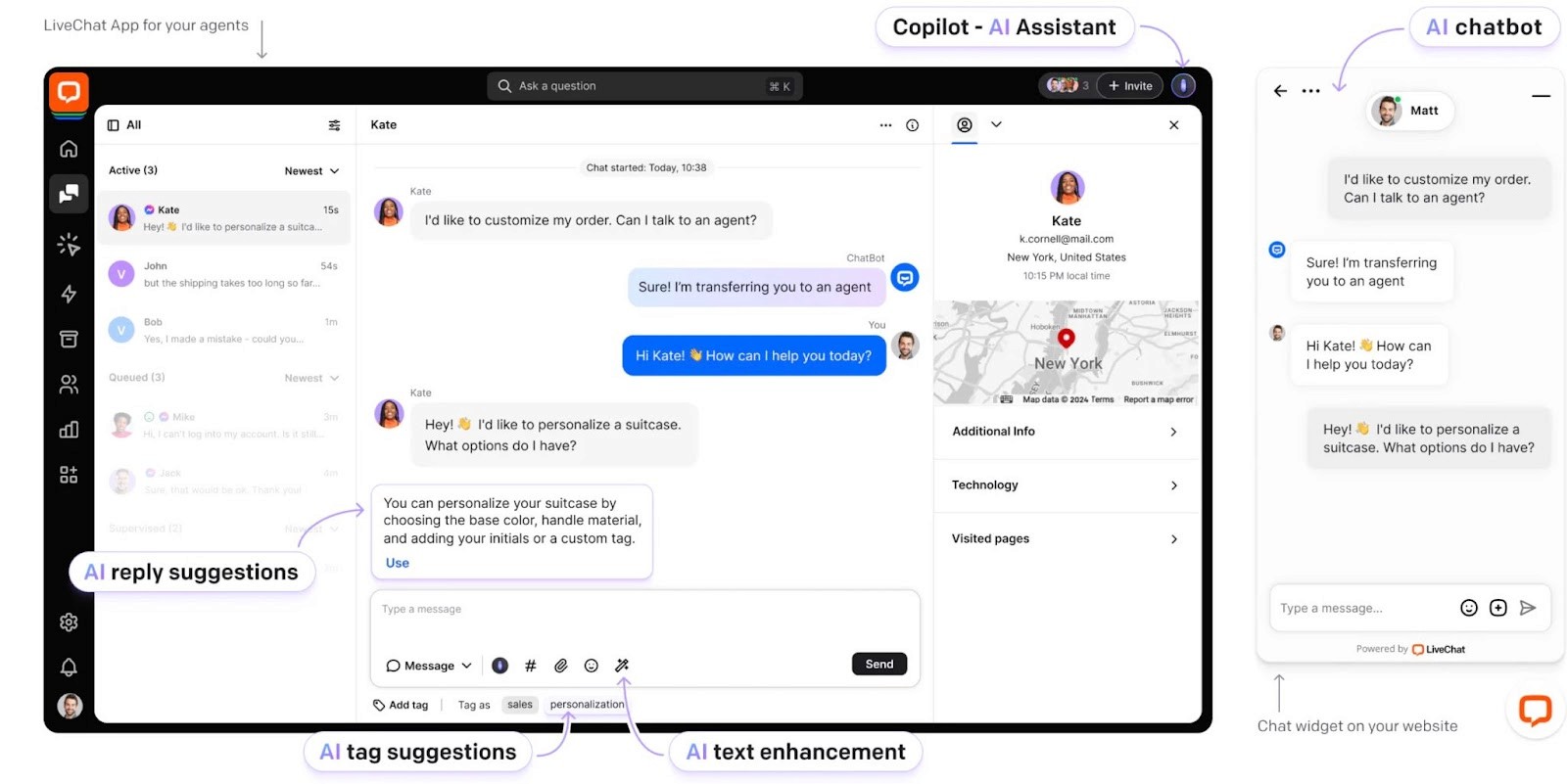
LiveChat is a customer service platform that focuses on real-time human support with automation add-ons. It’s built for sales and support teams that want fast, chat-based engagement across web and mobile.
Key Features
Real-Time Chat: Communicate instantly with website visitors.
Chat Routing: Assign conversations to the right agents who are specialized in those queries.
Integrations: Connect with CRMs, e-commerce, and marketing tools.
Chat Archives: Access conversation history for better context.
Customization: Personalize chat widgets to match your brand.
Pricing
LiveChat uses tiered pricing based on the number of agents and features. AI automation is available through paid integrations, with a 14-day free trial included.
Pros
Reliable live chat performance
Clean, user-friendly interface
Large library of integrations
Works well with sales and support workflows
Cons
AI features require separate add-ons
Limited chatbot functionality by default
3. ManyChat
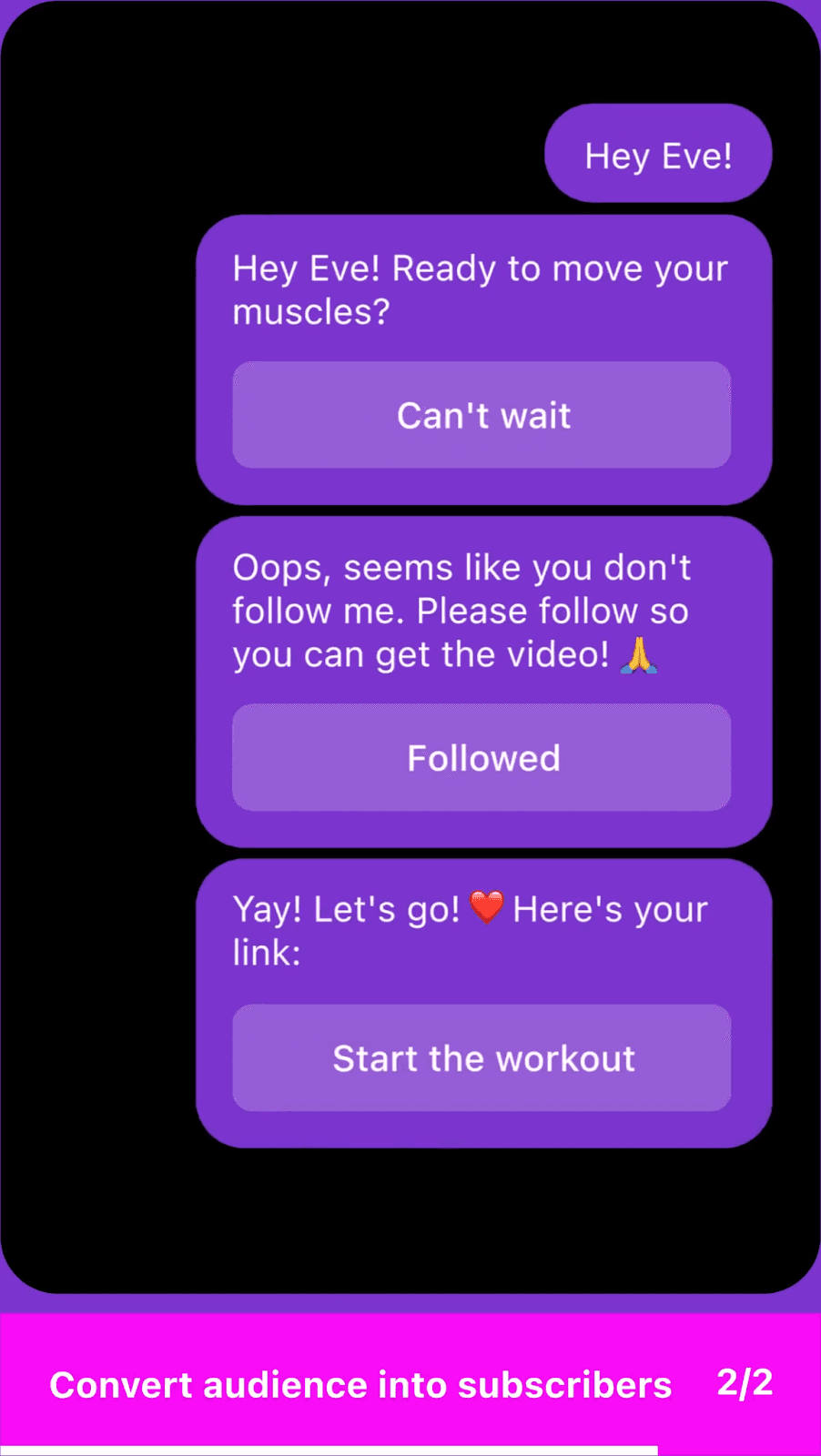
ManyChat is a chatbot platform built for marketing automation, especially across social channels like Instagram, Facebook Messenger, and WhatsApp. It’s popular with small businesses focused on lead generation and customer engagement.
Key Features
Visual flow builder for easy no-code automation
Native integration with Instagram, Messenger, and WhatsApp
Tools for SMS and email marketing within one platform
Audience segmentation and drip campaigns
Shopify product tagging and abandoned cart recovery
Pricing
ManyChat offers a free plan with basic features and paid plans based on contact volume and channel usage. Higher tiers add more automation, targeting tools, and team collaboration.
Pros
Easy to build and launch campaigns
Great for social media engagement
Multichannel messaging in one place
Strong abandoned cart recovery tools
Cons
Limited website chatbot support
Less suited for advanced support use cases
4. Botsify
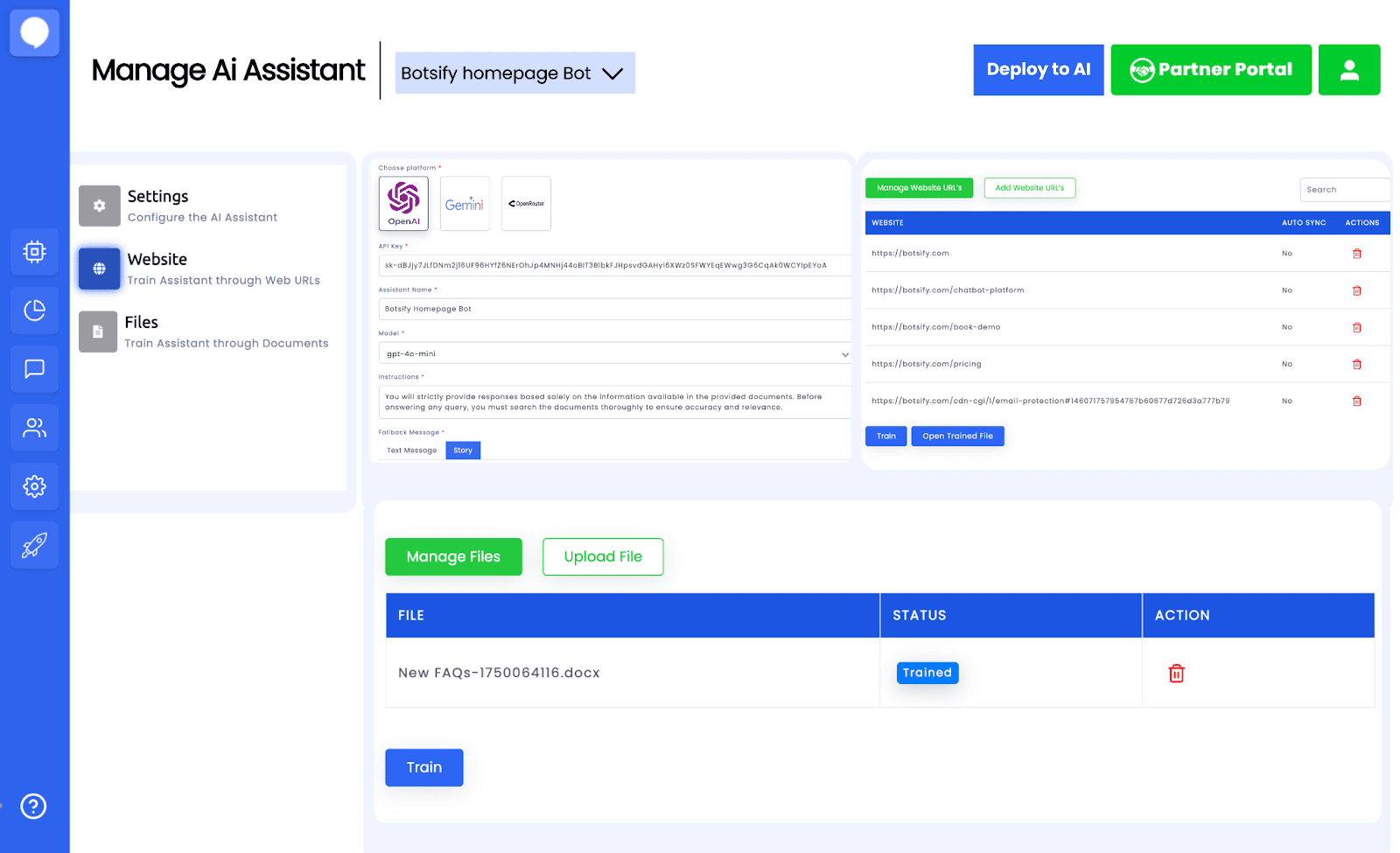
Botsify is a chatbot platform designed for businesses that want to automate conversations across websites and messaging apps. It offers easy setup, AI capabilities, and integration with various third-party tools for enhanced functionality.
Key Features
Drag-and-Drop Builder: Create chatbots without coding using an intuitive interface.
AI and NLP Support: Enable natural, human-like conversations.
Multi-Platform Integration: Connect bots to websites, Facebook Messenger, and WhatsApp.
Human Handoff: Transfer complex queries to live agents.
Analytics Dashboard: Monitor performance and optimize conversations.
Pricing
Botsify provides tiered pricing plans based on features and usage. Premium plans offer advanced AI tools, priority support, and multi-channel deployment, while enterprise solutions come with custom pricing.
Pros
Easy chatbot creation with no coding
Strong multi-channel support
AI for natural conversations
Good analytics and reporting tools
Cons
Learning curve for advanced customization
Limited free plan features
Can become costly as you scale
5. Zendesk
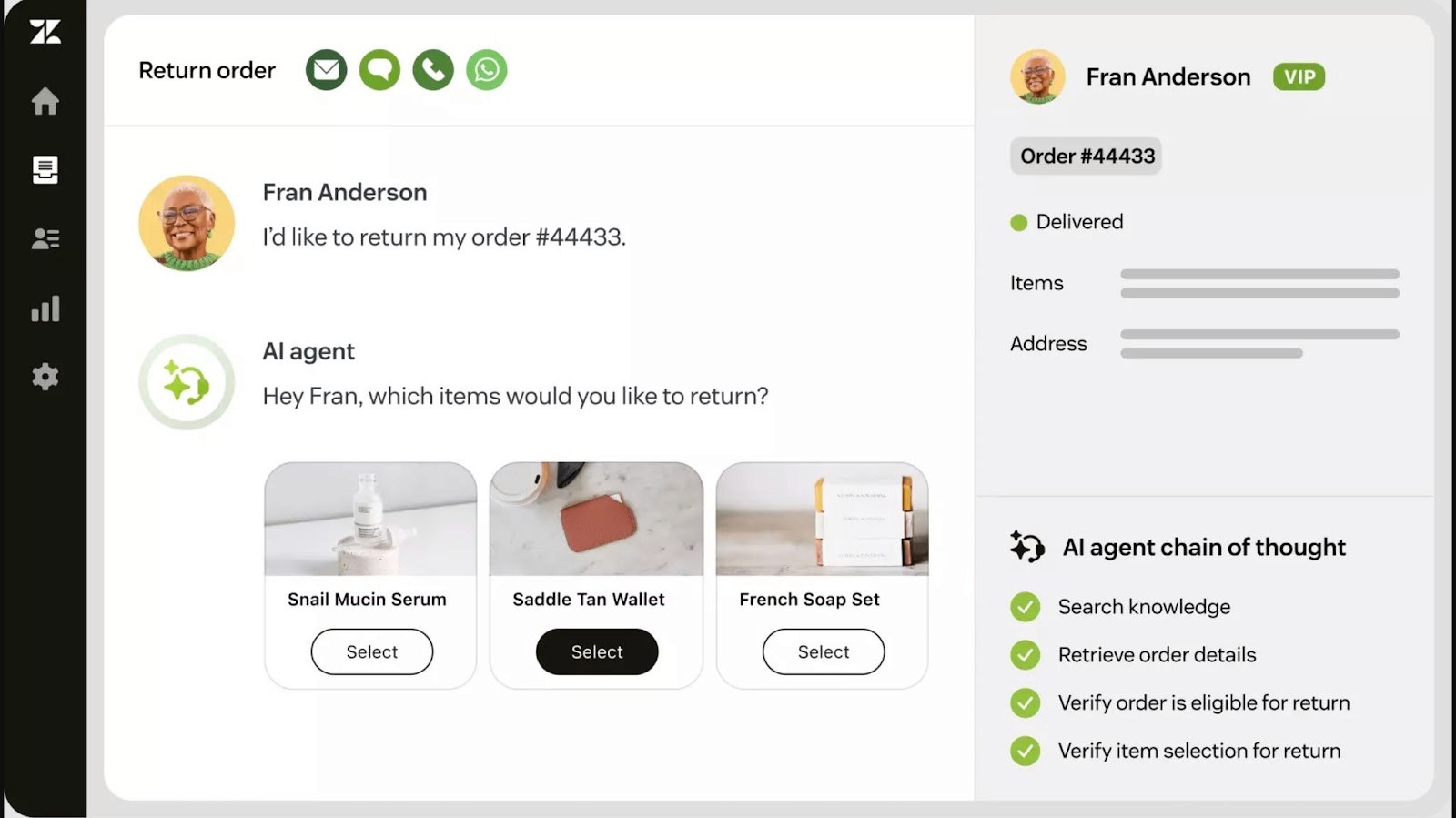
Zendesk is a widely used customer support platform that includes AI chatbots, ticketing, and automation tools. It’s built for scaling teams that need reliable workflows and multichannel support.
Key Features
AI chatbot powered by Zendesk’s Answer Bot for automated replies.
Deep Shopify integration to pull order and customer data.
Ticketing system with agent routing and macros.
Omnichannel support across web, email, social, and chat.
Automation tools for follow-ups, escalations, and reporting.
Pricing
Zendesk follows a tiered pricing model based on agent seats and feature access. AI chatbot functionality is available on higher-tier plans and may incur additional costs per resolution.
Pros
Strong support infrastructure
Great for large support teams
Native Shopify integration
Advanced workflow automation
Cons
Chatbot replies may incur per-use fees
Steep learning curve for setup
Expensive for small businesses
6. Freshchat
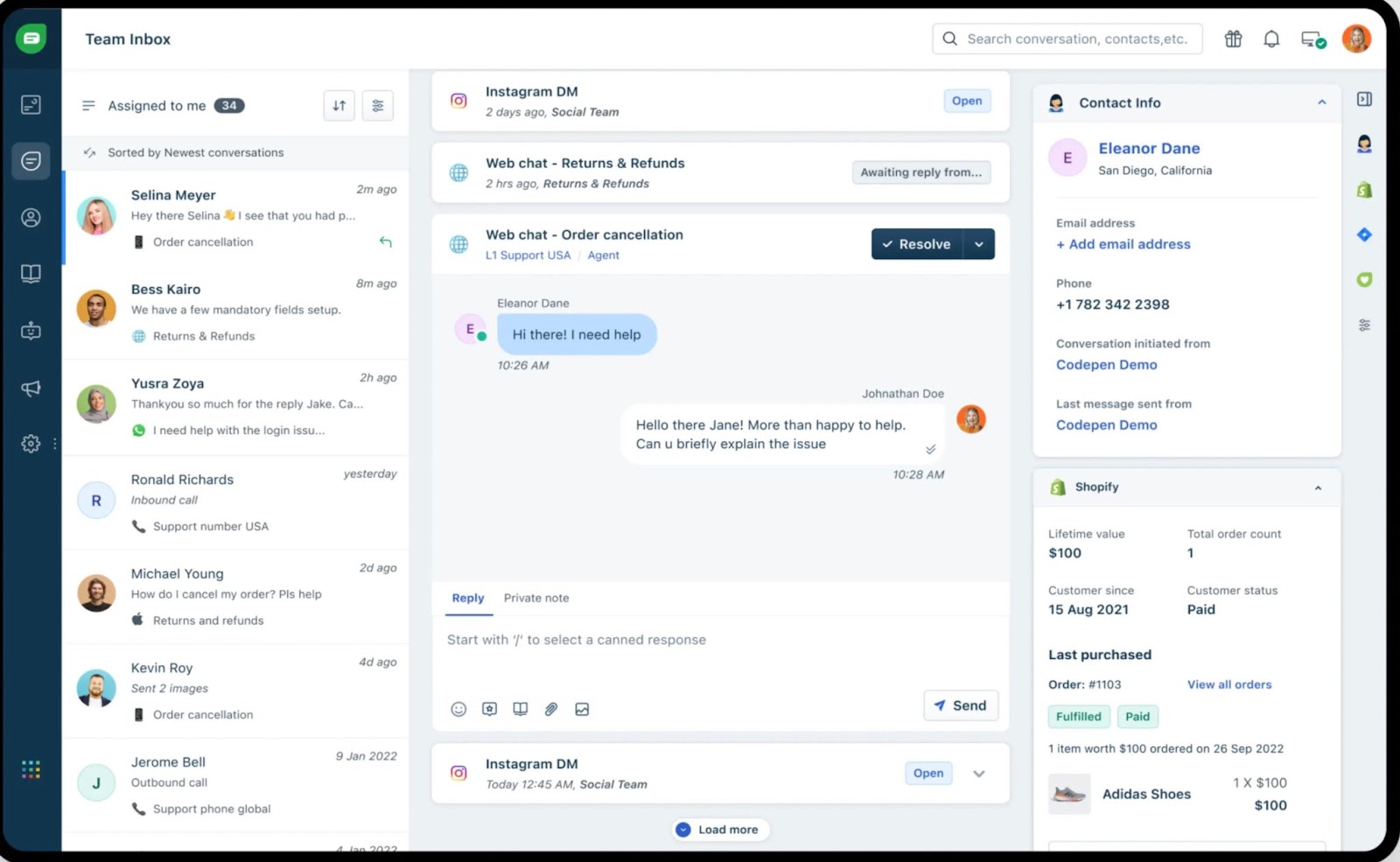
Freshchat is a messaging platform from Freshworks built for customer engagement. It combines live chat and AI chatbots to support marketing, sales, and customer service across multiple channels, all from one intuitive dashboard.
Key features
AI Chatbots: Automate common queries with intelligent replies.
Omnichannel Messaging: Engage across chat, email, in-app, and WhatsApp.
Smart Campaigns: Trigger proactive messages based on user behaviour.
Ticketing Integration: Turn chats into support tickets without copying them over.
Bot-to-Human Handoff: Ensure complex issues get real-time human attention.
Pricing
Freshchat uses a tiered pricing model based on team size and feature access. Entry tiers offer basic automation and chat tools, while higher tiers include advanced bots, AI capabilities, and full omnichannel support.
Pros
Unified platform for chat, bots, and tickets
Strong omnichannel engagement
Proactive messaging boosts user conversion
Easy handoff between bots and agents
Cons
Advanced features locked behind higher tiers
Learning curve for users new to helpdesk tools
7. Landbot

Landbot is a no-code chatbot builder focused on creating conversational landing pages and engaging user flows. It's designed for marketers and e-commerce teams that want to boost engagement without writing code.
Key Features
Visual builder for creating drag-and-drop chat flows.
Web, WhatsApp, and Messenger deployment options.
Lead capture forms, quizzes, and surveys built into chats.
Conditional logic for personalized conversations.
CRM and Zapier integration for automation.
Pricing
Landbot offers subscription-based pricing with plans based on channel support and monthly chats. WhatsApp automation is priced separately. A free plan is available with limited features.
Pros
Easy to use and highly visual
Great for lead generation and engagement
Works across web and messaging apps
Customizable logic without coding
Cons
Limited to basic support use cases
WhatsApp support requires an add-on
Not ideal for large-scale customer service teams
8. Olark
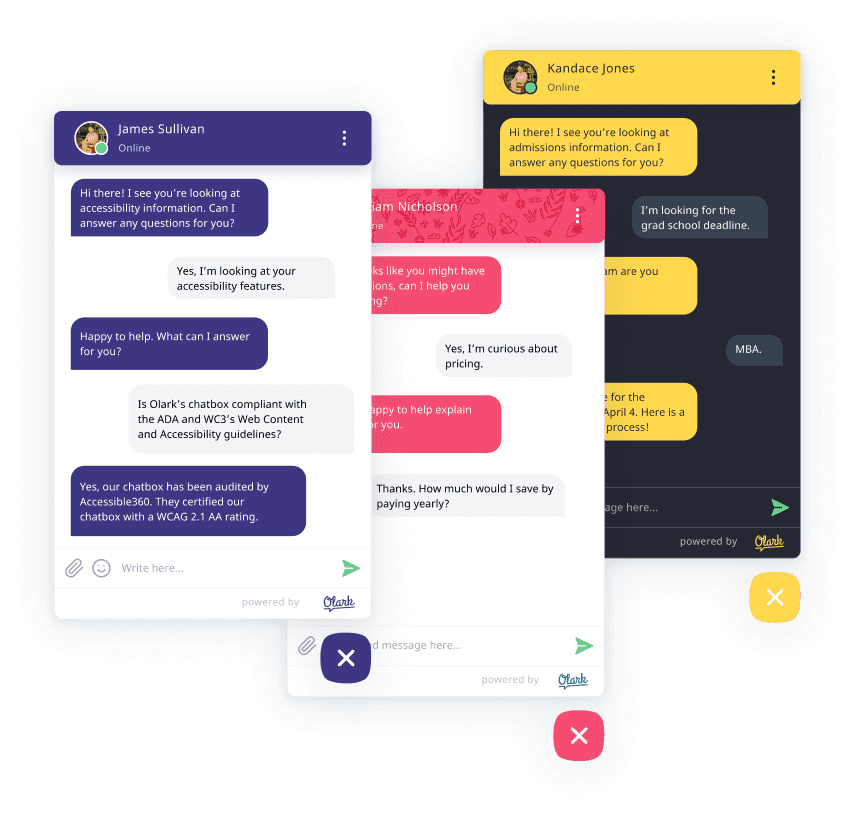
Olark is a live chat platform designed for small to mid-sized businesses that want simple, real-time customer communication. It focuses on human-to-human chat with light automation and clean reporting.
Key Features
Customizable chat widget for websites.
Real-time chat with visitor insights and behavior tracking.
Offline messaging with email follow-up.
Basic automation via pre-chat forms and canned responses.
Integrations with tools like HubSpot, Salesforce, and Slack.
Pricing
Olark uses flat-rate pricing based on the number of agents. It offers all core features in a single plan, with optional PowerUps (add-ons) for advanced functionality.
Pros
Simple and affordable pricing
Easy to set up and use
Clean interface with useful visitor data
Works well for human-first support
Cons
No true AI chatbot functionality
Limited automation features
Lacks multichannel support beyond web chat
9. Tars
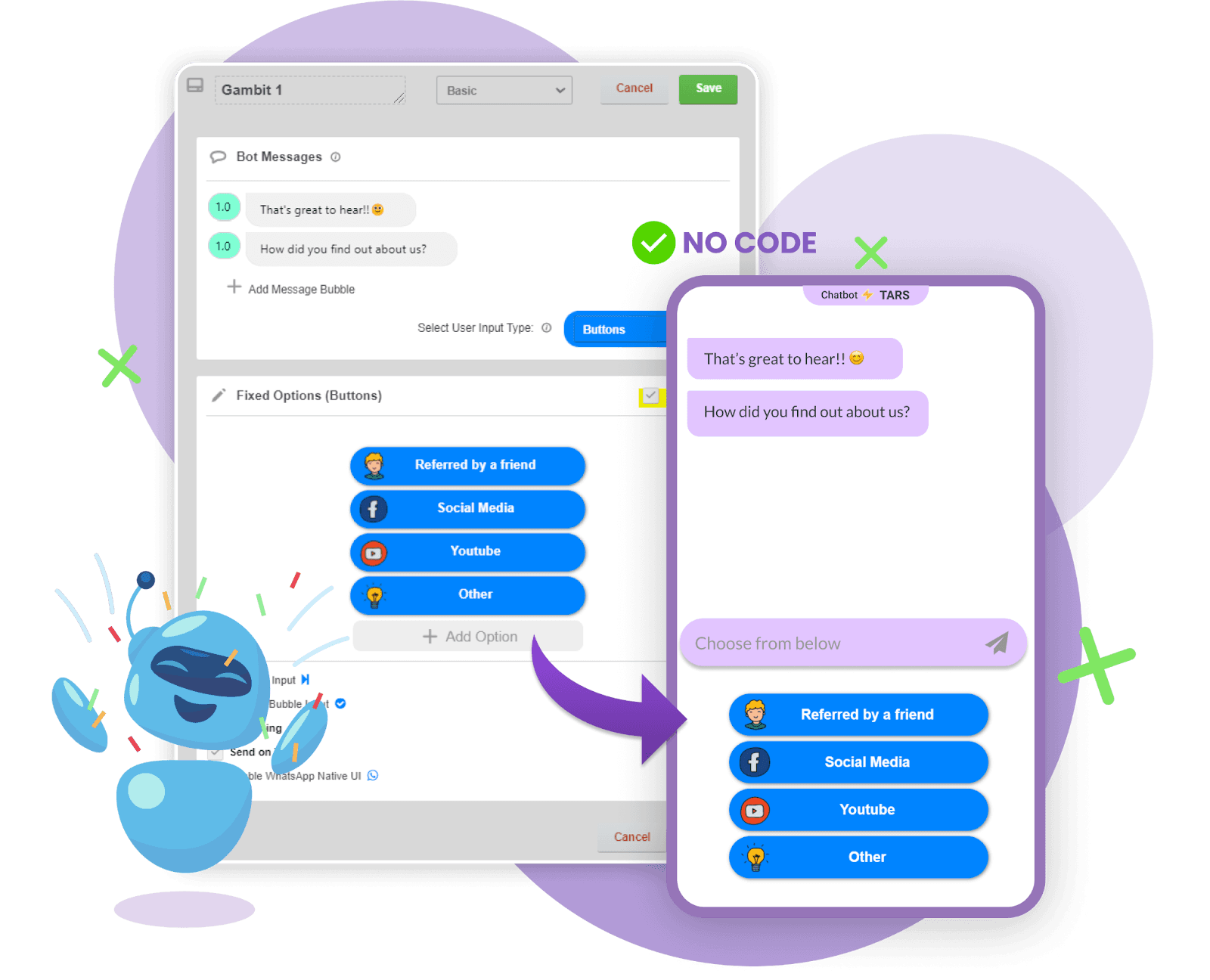
Tars is a no-code chatbot builder designed for lead generation and customer engagement through interactive chat flows. It’s especially popular with marketing and service teams looking to replace static forms with conversations.
Key Features
Drag-and-drop builder for creating conversational landing pages.
Conditional logic and branching for custom workflows.
Pre-built templates for lead capture, support, and onboarding.
Integrates with CRMs, Google Sheets, and webhooks.
Works on websites, landing pages, and ad campaigns.
Pricing
Tars offers custom pricing based on use case and traffic volume. Plans vary by the number of chatbots, conversations, and advanced integrations.
Pros
Intuitive setup for marketers and sales teams
Excellent for conversational lead funnels
Clear branching logic for structured flows
Smooth CRM integration
Cons
Not built for complex support automation
Lacks AI and NLP functionality
Multichannel options are limited
10. Chatfuel
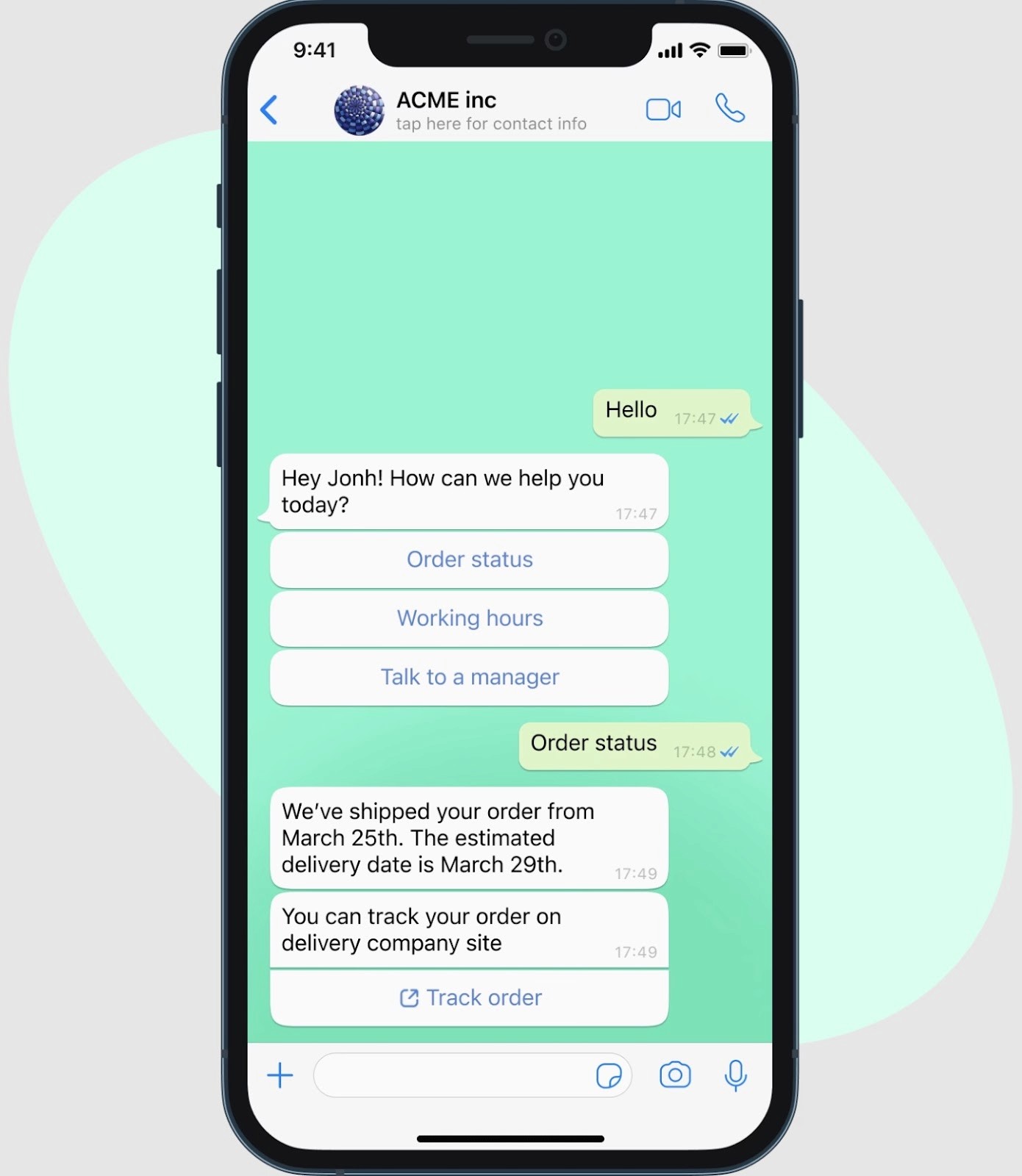
Chatfuel is a no-code chatbot platform built for automating conversations across social platforms like Messenger, Instagram, and WhatsApp. It’s designed to help businesses increase engagement, qualify leads, and handle basic support.
Key Features
Drag-and-drop visual builder with ready-made templates
Multichannel deployment across Messenger, Instagram, and WhatsApp
Shopify integration for product suggestions and order updates
Keyword triggers and AI responses
CRM and Zapier integrations for workflow automation
Pricing
Chatfuel offers tiered pricing based on conversation volume. Lower tiers support one channel; higher plans add multichannel support, team access, and automation features.
Pros
Great for social-first businesses
Fast setup with templates
Affordable entry-level pricing
Built-in automation for marketing
Cons
Limited website chatbot functionality
AI tools require external NLP setup
Complex flows can get hard to manage
Ready to Build Smarter Conversations?
Pick by the job Tidio stopped doing. If your team lives in Instagram and Messenger DMs, ManyChat or Chatfuel will serve you better than any website-first tool, Wonderchat included. If Zendesk is already installed and your agents work there all day, its own AI agent saves you a second vendor. If you want human-first chat with light automation, Olark and LiveChat are simpler.
If the problem is the same questions arriving every day, the deciding test is whether the tool answers from your own content and shows where the answer came from. Most of what is sold as help desk automation moves the ticket without answering it.
That test is where Wonderchat fits. Its AI Customer Service Agent answers from your help center, docs and website, cites the source, says so when your content doesn't cover a question, and hands over to your team by email or into Zendesk or Freshdesk. The AI Sales Agent captures leads from the same conversations.
Start on the Free plan, with 50 AI replies a month, and move to a paid plan when volume grows.
For a larger rollout, contact Wonderchat's sales team about Enterprise features such as SAML SSO and PII redaction.

