
Quick Summary
The short verdict for a small team: Wonderchat if you want an AI agent that answers from your own help center and shows the source on every reply, Zendesk or Freshdesk if you need a deeper help desk with ticket workflows. Chatbase gives more AI messages per dollar, Tidio suits stores that want live chat and visual chatbot flows, and CustomGPT.ai cites sources across large document sets. For more expert insights on improving customer support, explore the Wonderchat blog.
Want to Boost Customer Satisfaction with the Right Tools?
Traditional support systems often feel slow and impersonal. Customers expect faster, more personal service, and businesses need better tools to deliver it.
The right customer satisfaction tools shorten response times and keep support feeling human. When your customers feel valued, they stick around longer.
This Wonderchat article walks through six top tools that can improve your customer service and help you build stronger, lasting client relationships.
Why Listen to Wonderchat?
Wonderchat is the AI customer service agent for small teams with real documentation, so the trade-offs below are the ones small support teams run into. Wonderchat analysed 5,848,078 conversations across 14,318 businesses between March 2023 and August 2026.

What is a Customer Satisfaction Tool?
A customer satisfaction tool is software that helps businesses track and improve the customer experience. It collects feedback from surveys, reviews, and direct interactions, giving you valuable insights into how happy your customers are with your products or services.
These tools can automate tasks, track patterns, and even point out areas for improvement, making it easier to stay ahead of customer needs.
Why Do Businesses Need Customer Satisfaction Tools?
Better Understanding of Customer Needs: Customer satisfaction tools gather feedback that helps businesses understand what customers want, what frustrates them, and where improvements can be made.
Faster Response Times: These tools automate routine tasks like answering common questions, so customers get quick replies, and agents can focus on more complex issues.
Personalized Support: By tracking past interactions, these tools let businesses offer tailored support, making customers feel heard and valued at every step of the journey.
Smoother Workflow: Customer satisfaction tools help support teams work more efficiently by making it easier to access customer information and resolve issues quickly.
Consistent Service Quality: Businesses can maintain a consistent level of service across all customer interactions, ensuring that customers receive the same high-quality experience.
6 Top Customer Satisfaction Tools For Client Support
Wonderchat
Zendesk
Chatbase
Tidio
Freshdesk
CustomGPT.ai
1. Wonderchat
Wonderchat is the AI customer service agent for small teams with real documentation: it answers from your own help center and docs, shows the source on every reply, and tells you what your docs can't answer. Point it at your website, help center and files, and it answers the questions your team gets over and over; 80% of Wonderchat agents that go live do so the same day.
It fits small teams at SaaS companies and online stores that already have documentation and want support answered without a technical project. The same setup works for transportation companies that want a chatbot to answer customer inquiries about routes, schedules and fares.
When no page covers a question, it says so instead of guessing, offers a person and hands over with the whole conversation, and the question lands in the review inbox so you answer it once.
Key Features
No-Code Setup: Build the agent from your website, help center and files without writing code.

Personalized Interactions: Set the agent's tone and personality so every conversation sounds like your brand.
Multi-Language Support: The agent answers in 40+ languages, so customers can ask in their own.
Multi-Source Knowledge: Wonderchat answers from your website, help center, docs, files and Google Drive, and shows the source on every reply.
Integrations: Hands over into Zendesk or Freshdesk, syncs contacts to HubSpot from the Basic plan, and connects other tools through Zapier on every plan.

Analytics and Review Inbox: The analytics dashboard, from the Basic plan, shows chat volume, and the review inbox lists the questions your docs couldn't answer.

Handover: When no page covers a question, the agent says so instead of guessing and hands the conversation to a person with the full transcript.

Pricing
Starter: Perfect for beginners. Includes 500 AI replies a month, file uploads, lead collection, Slack and WhatsApp, with teammates at no extra cost.
Basic: Great for growing teams. Offers 3,000 AI replies a month, plus live chat, the analytics dashboard and HubSpot contact sync.
Scale: Built for high-volume needs. Includes 9,000 AI replies a month, AI lead scoring (hot, warm, cold), SharePoint and weekly auto-recrawl.
Enterprise (Contact for pricing): Salesforce, SSO and audit log, PII redaction, SOC 2 report and DPA. A custom AI reply allowance, SAML SSO, an audit log, and the SOC 2 report and DPA.
Note: There is also a free plan that refills 50 AI replies every month, with no credit card, and you can try any paid plan free.
Pros
No-code setup from the docs you already have
Shows the source on every reply, so customers and your team can check the answer
Multi-language support for communication with a global audience
Answers only from your own content, and says so when no page covers a question
Integrations with HubSpot, Zendesk and Zapier
No per-seat cost: teammates are not billed on any plan
Cons
Doesn't take actions in your systems, such as refunds, cancellations or account changes
2. Zendesk

Zendesk is a customer support platform designed to make managing customer interactions across email, chat, and social media easy and efficient. It centralizes all communication channels in one place, so teams can handle customer inquiries faster and more effectively.
Zendesk’s automation handles repetitive questions quickly and accurately across multiple channels, making it ideal for enterprises and e-commerce.
Key Features
Zendesk AI: A suite of AI tools that includes chatbots and intelligent triage to automate resolutions, route tickets, and provide personalized support.
Zendesk Explore: An analytics and reporting tool that provides pre-built dashboards and customizable reports to measure team performance and track key metrics.
Knowledge Base: Allows you to create and manage a comprehensive self-service help center, helping customers to find answers on their own.
Triggers & Automations: Enables the creation of automated workflows that handle routine tasks, such as sending notifications, escalating tickets, or updating ticket properties.
App Marketplace: Offers a vast selection of over 1,000 integrations with third-party apps and services to extend the platform's functionality.
Pricing
Zendesk offers a tiered pricing structure with different suites for support, sales, and a combination of both. The cost is primarily based on a per-agent, per-month fee, and can increase with premium add-ons and advanced AI features.
Pros
Advanced reporting and analytics for data-driven decisions
A vast app marketplace with over 1,000 integrations
Highly customizable ticket workflows and automation rules
A strong focus on enterprise-level scalability and security
Cons
Complex and expensive pricing
Advanced customization requires technical skills or a developer
Reporting can be difficult to generate
3. Chatbase

Chatbase is an AI chatbot platform designed to enhance customer support across multiple channels. It brings all your customer interactions, from live chat and messaging apps to emails and social media, into one easy-to-manage dashboard.
It also automates common queries and uses AI to provide accurate responses, speeding up response times and reducing the workload on support teams. It integrates with existing tools while maintaining personalized customer service.
Key Features
No-Code Builder: A user-friendly interface for creating and customizing chatbots without any coding or technical expertise.
Knowledge Base Uploads: Trains a chatbot on specific data by ingesting documents, website links, or text directly.
Customization: Personalizes the chatbot's tone, behavior, and appearance to match a brand's specific voice and style.
AI Actions: Enables bots to perform advanced tasks like booking meetings or sending Slack messages through custom actions and integrations.
Performance Analytics: Provides insights into chatbot performance, user engagement, and common queries to optimize responses.
Pricing
Chatbase's pricing is based on a tiered subscription model, with plans determined by the number of chatbots, monthly message credits, and included features. See Chatbase's pricing page for current plans and trial terms.
Pros
Supports file uploads, website links, and knowledge base integration.
Multi-platform deployment on web, WhatsApp, Messenger, and more
Easy to set-up chat bot for answering FAQs
Cons
Costs rise with message credits and add-ons; see Chatbase's pricing page for current plans
Not a complete ticketing system like Zendesk; its help desk starts on the Standard plan
Some tasks still need manual review for accuracy.
4. Tidio
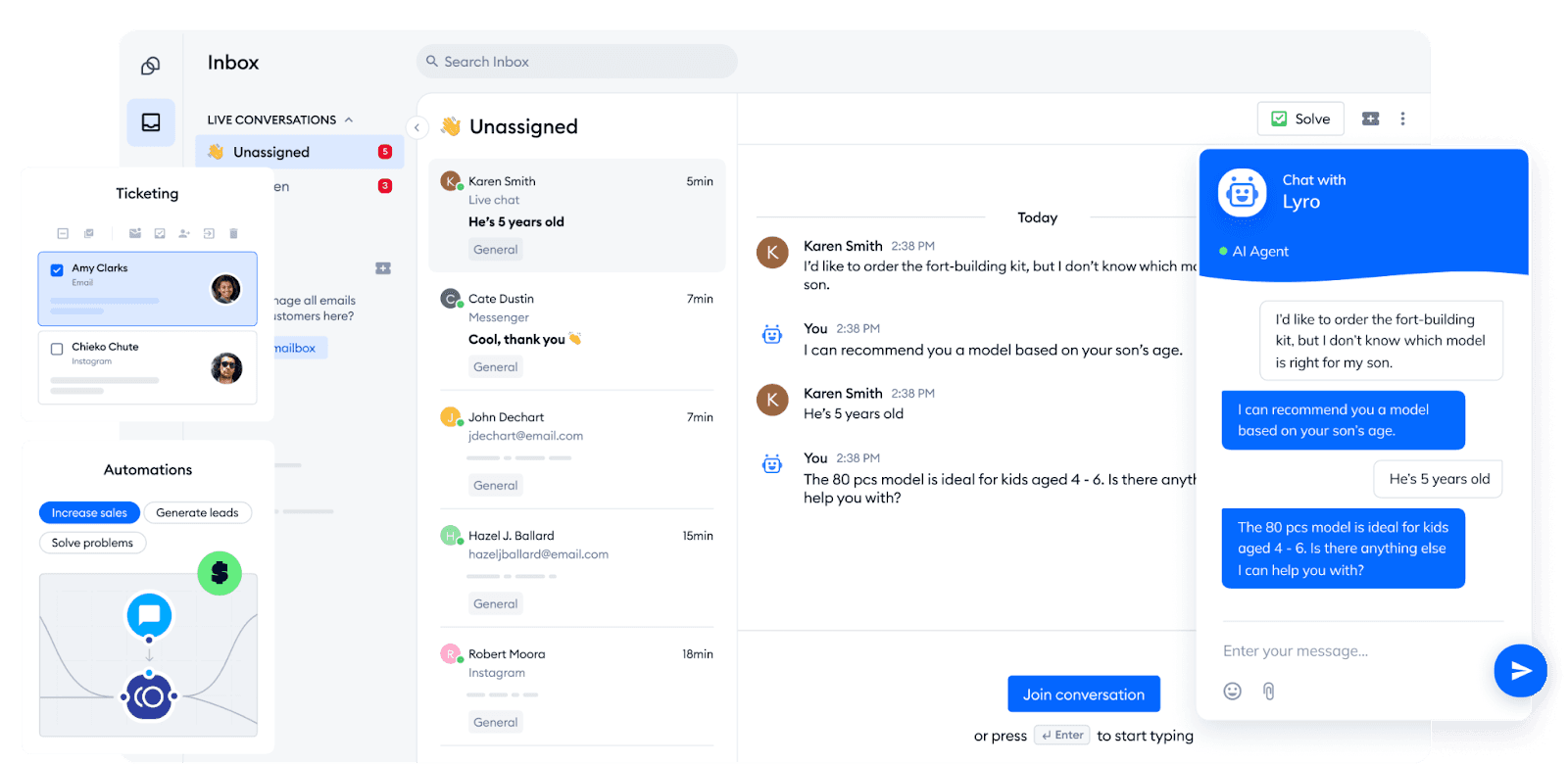
Tidio is a unified customer communication platform that brings together live chat, chatbots, and email in one workspace. It's built to help businesses like e-commerce stores, SaaS companies, and small to medium-sized enterprises automate their customer support and engage website visitors in real-time.
The platform enables a powerful hybrid support model where AI chatbots handle routine queries, and human agents can step in for more complex conversations.
Key Features
Visual Chatbot Editor: A simple drag-and-drop builder that lets you create custom chatbot flows without writing a single line of code.
Multi-Channel Communication: Consolidates live chat, email, and Messenger conversations into one shared inbox for easy management.
Proactive Engagement: Uses triggers to automatically initiate chats with visitors based on their behavior, like how long they've been on a page.
Dedicated Mobile App: Manage customer chats and chatbot flows on the go with a mobile app for both iOS and Android.
Visitor Analytics: Provides real-time insights into website visitor behavior, including their location and browsing history.
Pricing
Tidio offers a variety of plans, including a free-forever option with limited features. Paid plans are tiered by billable conversations, with Lyro AI conversations and Flows sold as separate quotas.
Pros
Visual chatbot editor that creates custom workflows
Multi-channel support unifies communication across email, live chat, and social media
integrations with popular platforms like Shopify, WordPress, and Zapier
Offers automation for answering FAQs and qualifying leads.
Cons
The extensive features can make the interface feel cluttered
Customization options are limited for more complex workflows
It can become costly as chat volume or team size grows.
5. Freddy AI by Freshdesk
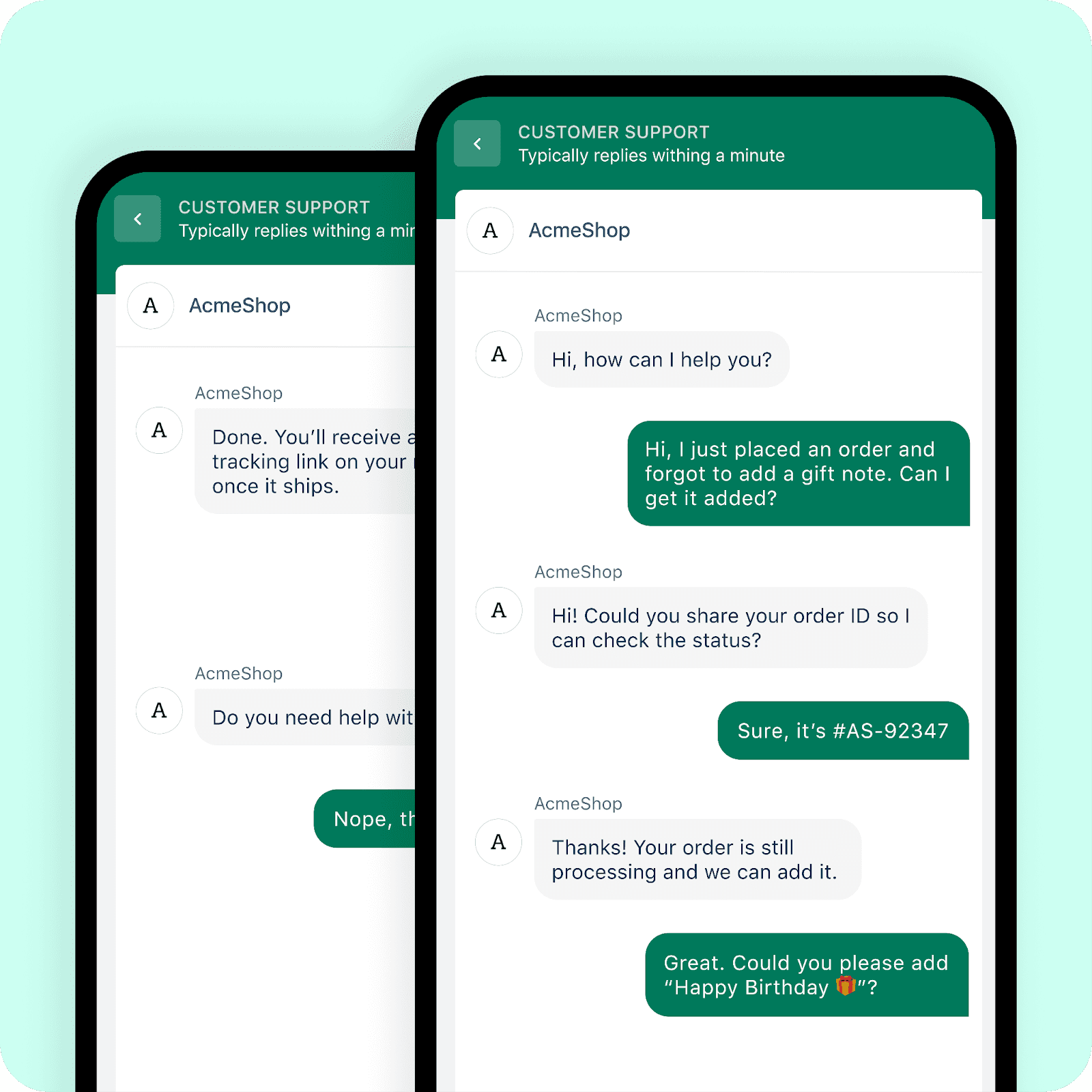
Freddy AI is Freshdesk’s built-in AI suite that makes customer support smarter, faster, and more intuitive.
It helps automate repetitive tasks, provides instant assistance to customers, and equips support agents with real-time insights and suggestions. With Freddy, businesses can handle large volumes of queries more efficiently while still delivering personalized, high-quality service.
Key Features
Freddy AI: An AI assistant that automates support tasks, suggests accurate answers, and understands customer needs to reduce agent workload.
Omnichannel Support: Unifies all communication channels into a single, easy-to-use inbox.
Ticket Automation: Automatically categorizes, prioritizes, and routes tickets to the right agents for efficient handling.
Knowledge Base: Allows you to create and manage a comprehensive self-service portal, helping customers to find answers on their own.
Performance Analytics: Provides comprehensive reports and dashboards to track key metrics like ticket volume, agent performance, and customer satisfaction.
Pricing
Freshdesk offers tiered plans; see Freshdesk's pricing page for what each includes. The paid plans are based on a per-agent, per-month fee and are categorized by the size and needs of the team.
Pros
Omnichannel support in one dashboard
Customizable workflows to match your needs
Real-time collaboration for quicker resolutions
Powerful analytics for actionable insights
Cons
Pricing can be expensive, especially for small teams.
The entire Freddy Copilot suite is not compatible with multiple languages
It's restricted to Freshworks products.
6. CustomGPT.ai

CustomGPT.ai is a no-code platform that lets businesses build AI chatbots using their own content. Just upload documents, links, or support articles, and CustomGPT.ai uses that data to create a chatbot that understands brand-specific information.
The platform helps to automate customer support, generate leads, and improve user experience. It prioritizes security, with SOC2 Type II compliance, GDPR adherence, and enterprise-level encryption.
Key Features
Custom Knowledge Base: Trains the AI chatbot exclusively on your private company data, including documents, URLs, and text, for accurate, source-cited answers.
No-Code Builder: A user-friendly interface that lets you create and customize your chatbot without coding.
Integrations: Connects your chatbot to various platforms like Slack, WordPress, and more, to extend its functionality and automate workflows.
Source Citations: The bot provides direct links to the source documents for its answers, giving customers confidence in the information.
Embeddable Widget: Easily embed the chatbot widget on any website or application to provide instant support and engagement.
Pricing
CustomGPT.ai offers a tiered pricing structure with three main plans. The cost is determined by the number of chatbots, monthly queries, and the amount of content storage you need.
Pros
No-code setup makes it easy to build custom chatbots quickly
Trains directly on your own data (docs, links, PDFs, etc.) for accurate, brand-specific responses
High accuracy with citations to original sources
Prioritizes security and compliance (SOC2, GDPR, enterprise-level encryption)
Cons
Pricing is higher than some basic chatbot tools
Accuracy depends on the quality and structure of uploaded content
Best suited for businesses with lots of documentation
Improve Customer Satisfaction With Wonderchat
Customers stay satisfied when they get a correct answer quickly, and a person when the answer isn't in your docs. Zendesk is the deeper help desk if your team already runs on it, Chatbase gives more AI messages per dollar, and Tidio has the wider brand reach; Wonderchat is the pick when a small team wants answers from its own docs, the source on every reply, and a list of what the docs can't answer. Anyone comparing options can also read about Wonderchat as an alternative for teams currently on Chatbase.
With Wonderchat, a free plan refills 50 AI replies every month, live chat is included, and teammates cost nothing. Every question the agent couldn't answer lands in the review inbox, so you answer it once and it answers it from then on.
Ready to improve your customer support? Try Wonderchat for free.

