
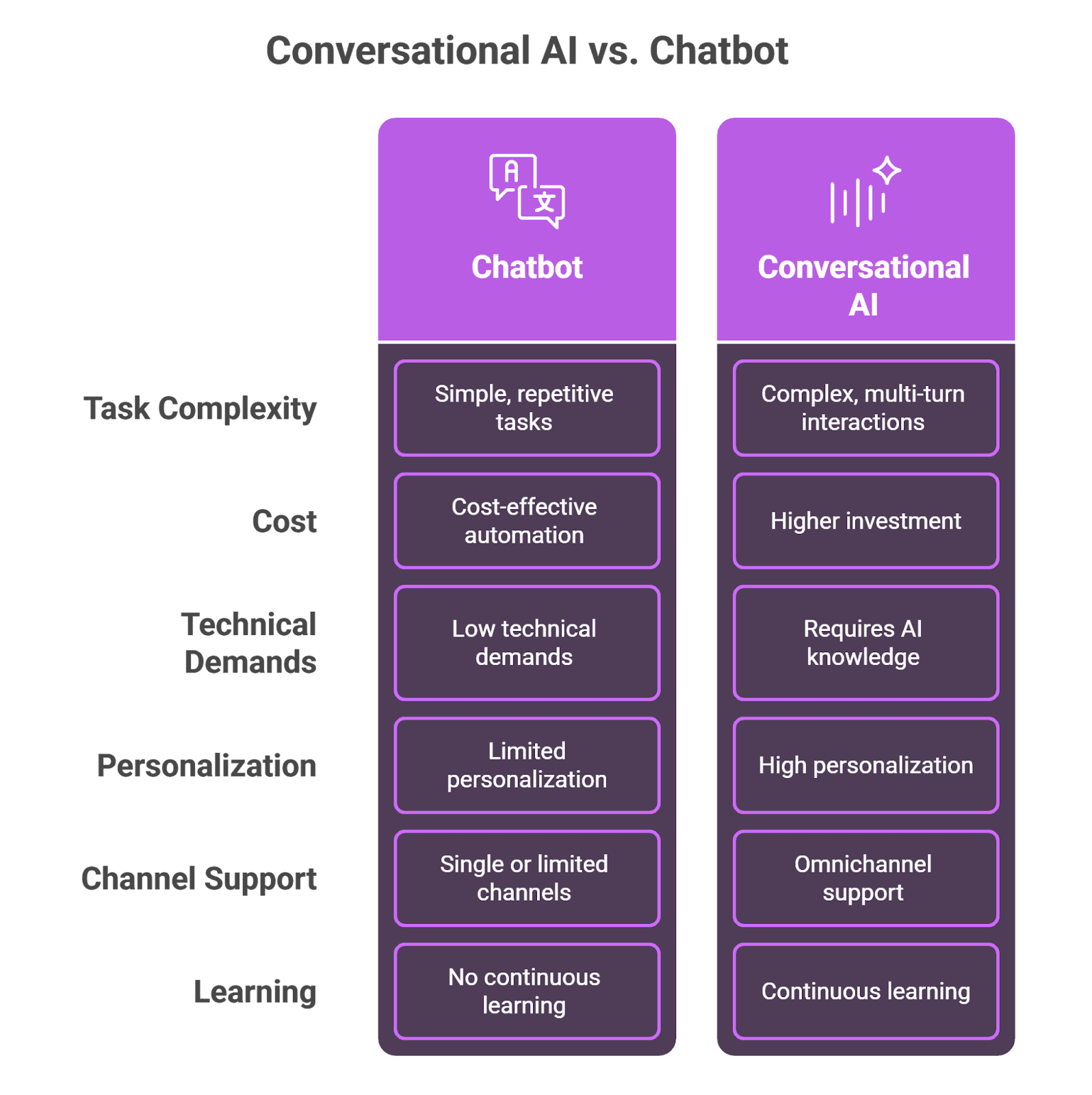
A chatbot is software that holds a conversation in a chat window. A rule-based chatbot follows a script: buttons, keywords and a decision tree. Conversational AI is the technology that lets software understand free-form language, keep track of context across turns and reply in its own words. An AI agent is conversational AI given a job and the means to do it: it reads your content, decides what to answer, and takes the next step, such as handing the conversation to a person or opening a ticket. The terms overlap and vendors use them loosely. For customer support, two questions matter more than the label: what does it answer from, and what does it do when it does not know?
Why the labels mislead buyers
A few years ago most vendors sold a chatbot. Today the same products are sold as AI agents, and the rename did not always change the product. A decision tree with a language model writing the greeting is still a decision tree. A large language model with no access to your help center is still guessing about your refund policy, however natural it sounds.
The marketing has converged on the same words, and the proof has not caught up. In September 2026 Wonderchat read every promise on twelve competitor homepages. On 10 September, none of the twelve promised to show the questions it couldn’t answer. Words like "intelligent" and "human-like" are easy to put on a homepage. A promise to show you the questions the agent failed on is not, and it is the one thing that tells you whether it works on your content.
The bigger problem is that the three types fail in different ways. A rule-based chatbot fails loudly: "Sorry, I didn't understand that." The customer knows to look elsewhere. Conversational AI fails quietly, because it sounds right. Wonderchat's support team finds that the failure seen most often is not invention. It is retrieval pulling an archived policy and answering from it correctly: the citation is real, and the answer is wrong. A fluent wrong answer costs more than a clumsy right one, which is why fluency is the wrong test for any of the three.
What is a chatbot?
A chatbot is a program that imitates conversation through text or voice, on a website, in a messaging app or inside a product. "Chatbot" is also the market's word for the whole category, so most people searching for one mean the chat window in the corner of a website. Underneath that window there are two very different machines.
Rule-based chatbots follow "if this, then that" scripts. They react to keywords or menu choices and can only say what someone wrote for them in advance. They are cheap, predictable and quick to build for a short list of questions. They break when a customer phrases something in a way the script did not expect.
AI chatbots use natural language processing to understand varied phrasing and intent. Since large language models arrived, most of them write their replies rather than picking one from a list. That makes them flexible, and it is also why they need to be grounded in your content to stay accurate.
A chatbot answers. Whether it answers well depends on what sits behind the window, which is where the other two terms come in.
What is conversational AI?
Conversational AI is a capability, not a product. It is the stack of technology that lets a machine hold a natural conversation: understanding what the person means (intent), picking out the details that matter (an order number, a product name, a date), keeping track of what was already said across several turns, and generating a reply. Voice assistants add speech recognition and synthesis on either end.
Two things are commonly misunderstood about it.
It does not learn from every conversation. Most production systems do not retrain themselves on each chat. They get better when someone improves the content they read, the instructions they follow or the model underneath. Products that seem to remember a returning customer do it by storing conversation history and reading it back, a pattern covered in this guide to chatbots with memory.
On its own, it answers from what the model was trained on. That is the general internet, not your pricing page. For customer support, conversational AI is useful only when it is grounded: the system first retrieves the relevant passages from your help center or docs and then writes the answer from them. This is retrieval-augmented generation, and the comparison of RAG chatbots shows how differently vendors implement it.
So conversational AI is what makes a chatbot feel human. It is not what makes it right.
What is an AI agent?
An AI agent is conversational AI with a goal, access to sources and tools, and rules about what it may do on its own. Where a chatbot replies to the last message, an agent works out what the person needs, looks it up, decides on a next step and takes it. That can mean breaking a request into steps, pulling information from more than one system, or handing the conversation to the right person with the context attached.
"Agent" covers a wide range in practice:
Answering agents read your help center, docs and website, answer with the source shown, say so when the content does not cover the question, and hand over to a person when they cannot help. Most customer support questions live here. Coverage questions, claims status and renewal queries are typical examples for an insurance chatbot, answered from your policy documents.
Action agents change things in other systems: issue a refund, cancel a booking, update an account. Ada, Decagon and Sierra sell on multi-step actions like these. The more an agent can change, the more its guardrails matter.
An agent is only as good as its limits. The useful ones are told what they handle alone, what they hand over, and when.
Chatbot vs conversational AI vs AI agent: side by side
Rule-based chatbot | Conversational AI | AI agent | |
|---|---|---|---|
What it is | A scripted program in a chat window | The technology for understanding and generating language | Conversational AI with a job, sources, tools and rules |
How it understands | Keywords and buttons | Intent, details and context across turns | The same, plus a plan for what to do next |
What it answers from | Replies written in advance | The model's training, unless grounded in your content | Your content and connected systems |
What it can do | Follow the flow | Hold a natural conversation | Answer, hand over, open tickets, and in some products take actions |
How it fails | Loudly: "I didn't understand" | Quietly: a fluent wrong answer | Depends on its grounding and its guardrails |
Upkeep | Rewrite the flows by hand | Model and prompt updates | Keep the content current; read what it could not answer |
Best for | A fixed menu of options | Any interface where people type freely | Customer support, sales questions, internal help |
Examples of each, from script to agent
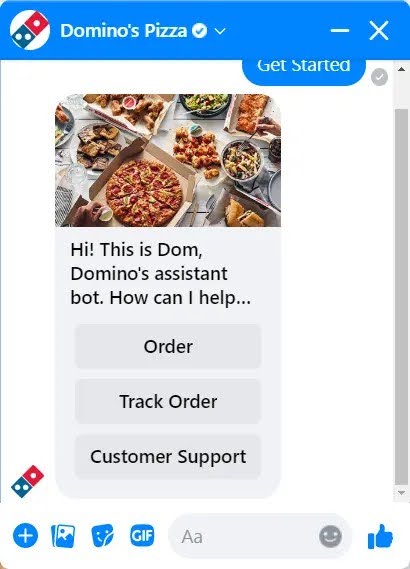
Domino's Dom: a rule-based ordering bot
Domino's ordering assistant has taken pizza orders and tracked deliveries through channels such as Facebook Messenger, Alexa and Google Assistant. It works because the task is a fixed menu: size, crust, toppings, address. Requests outside the flow it was built for get sent elsewhere, which is the defining limit of a rule-based bot.
HelloFresh's Freddy: a decision tree in Messenger
HelloFresh's Freddy shared promo codes and answered frequently asked questions inside a predefined decision tree. It did not learn from conversations and did not need to. For a short list of routine questions, a script is fast and cheap.
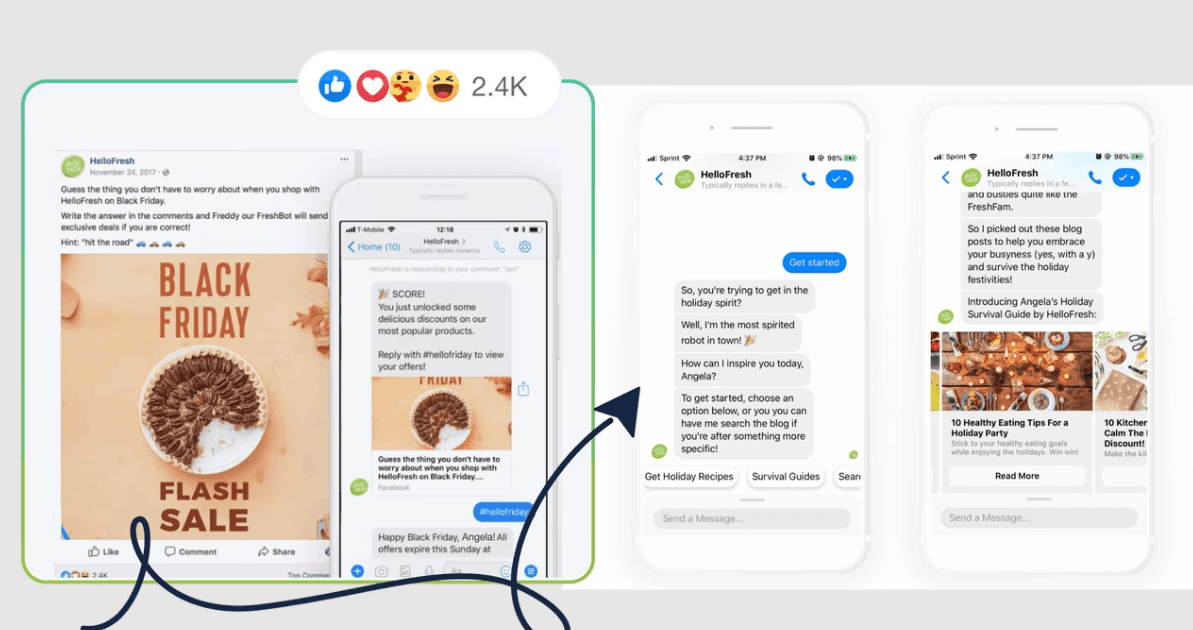
Image source: chatfuel.com
Tidio's Lyro: an AI chatbot on a knowledge base
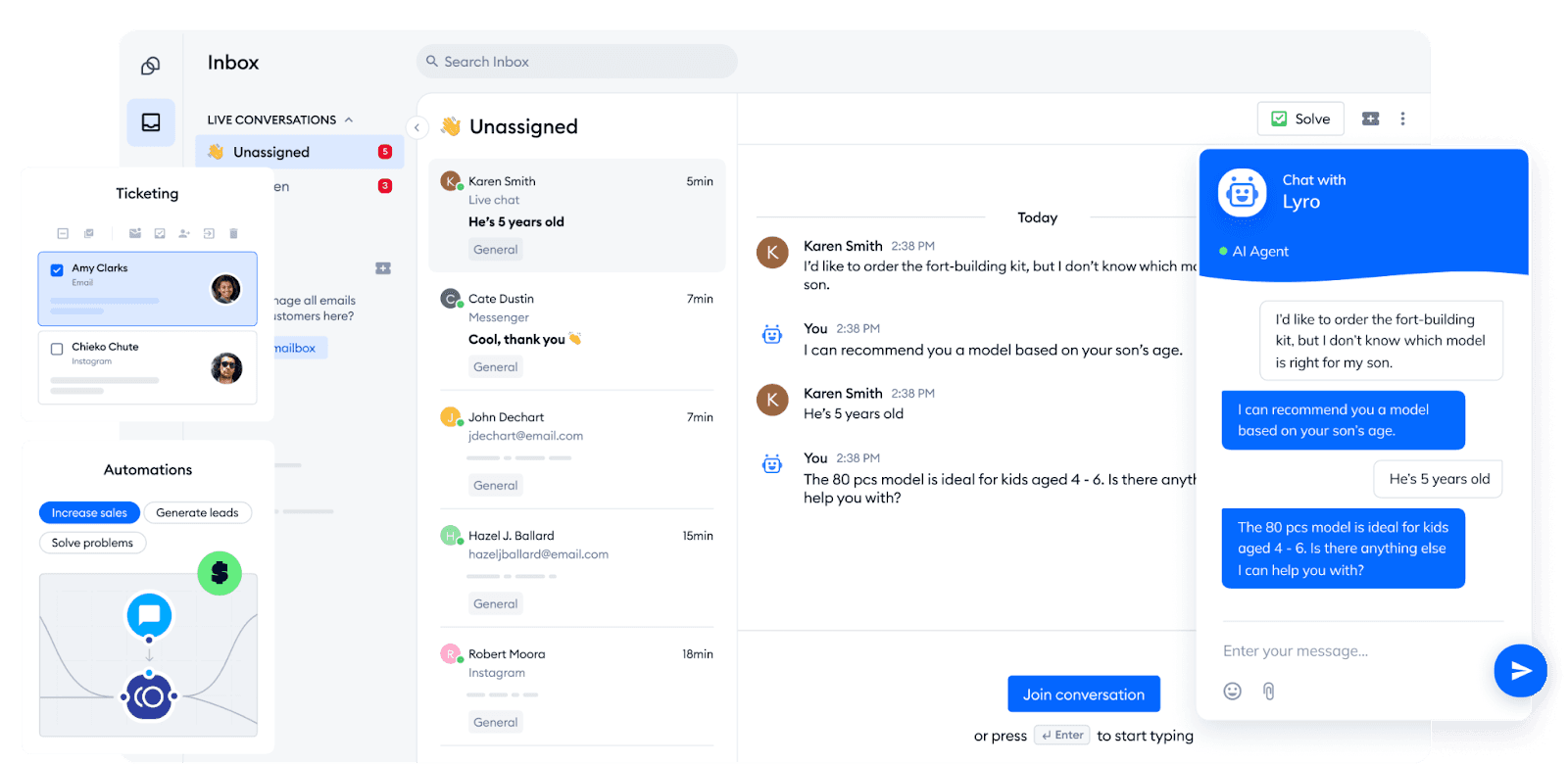
Lyro answers routine questions, such as product details or opening hours, from a company's FAQ and knowledge base, and passes the conversation to Tidio's live chat when it cannot help. It shows how blurred the labels are: built on conversational AI, sold as an AI agent, and used mostly as a fast FAQ answerer. It suits short, common questions better than deep technical documentation.
Capital One's Eno: conversational AI on account data
Eno answers questions about a customer's own account in plain language, by text and in the app, and flags things like unusual charges. The value is not the chat. It is that the assistant reads live account data, so the answer is about this customer, not customers in general.

Zalando's assistant: conversational AI for open-ended requests
Zalando's fashion assistant, built on OpenAI's ChatGPT, takes a request a script could never anticipate, such as what to wear to a wedding in Santorini, and suggests items from the catalog. This is conversational AI doing what rule-based bots cannot: handling a question nobody wrote a flow for.

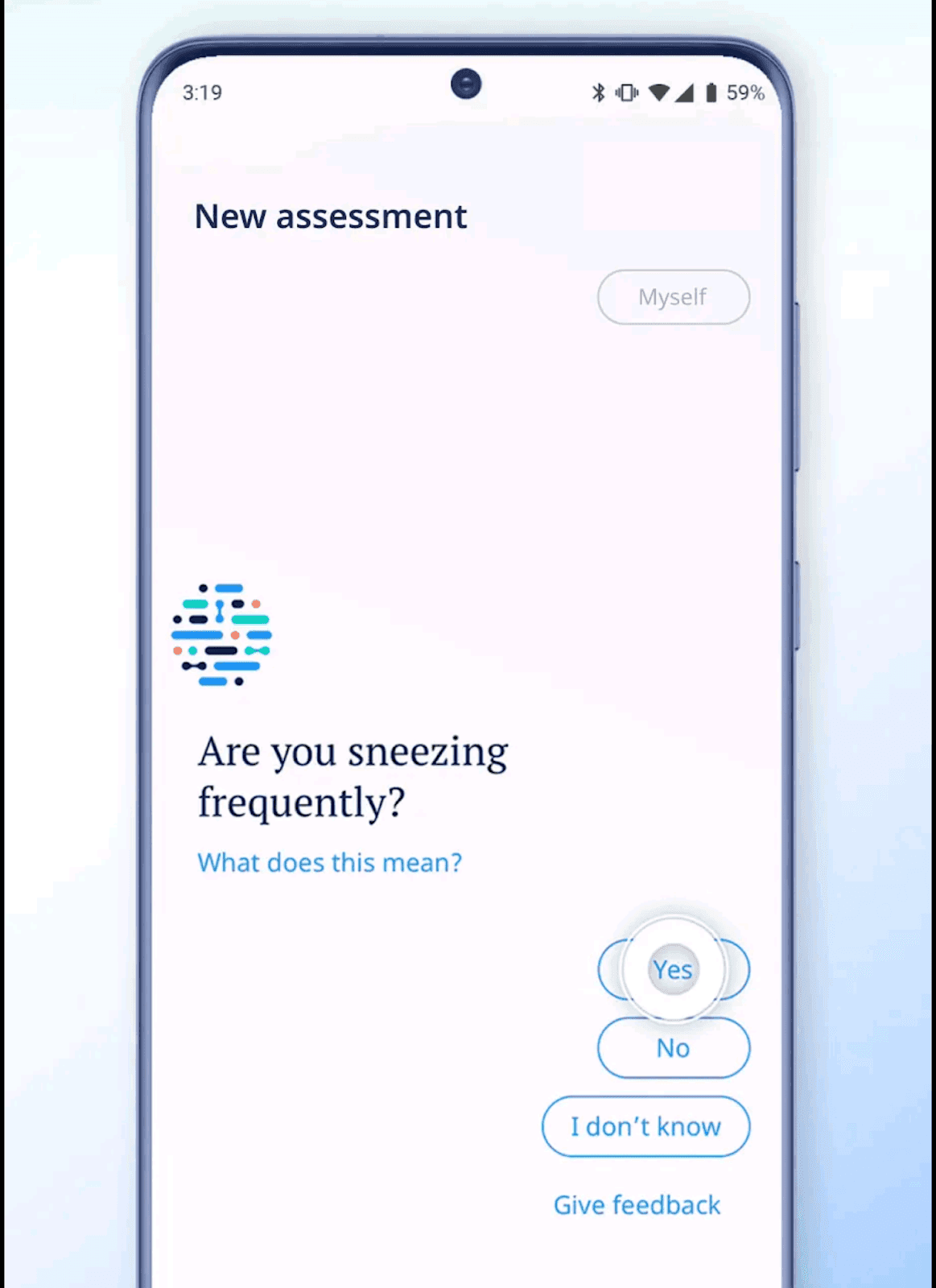
Ada Health: adaptive questions, not a script
Ada Health's symptom assessment app (unrelated to Ada, the customer service platform) chooses its next question based on the answers already given. Two people with the same first symptom get different follow-ups. That context across turns is the core of conversational AI.
Lyft's assistant: an AI agent with a handover
Lyft's customer service assistant, built on Anthropic's Claude, resolves common rider and driver issues and passes complex cases to human agents. Lyft reported that it cut average customer service resolution time by 87%. The handover is what makes it an agent rather than a talker: it knows where its job ends.
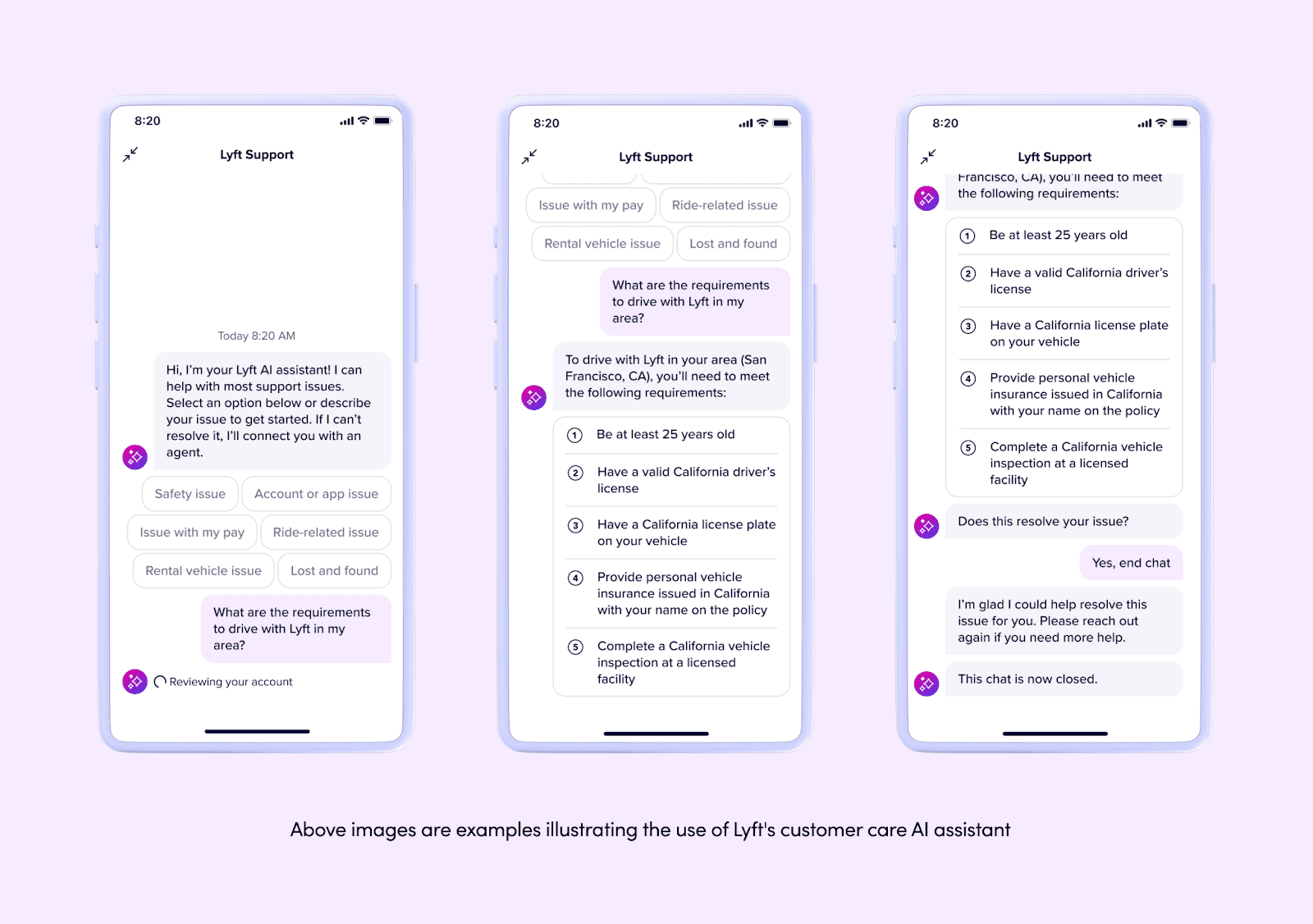
More support deployments are collected in these customer service chatbot examples.
Where Wonderchat fits: an answering agent on your own content
Wonderchat makes three agents: the AI Customer Service Agent, the AI Sales Agent and the Internal AI Agent. They answer from your help center, docs, website and files. Every reply shows its source, and when your content does not cover a question the agent says so instead of improvising. Handover goes to a person with the whole conversation as a Wonderchat ticket on every plan or by email, and the agent can also hand over into Zendesk or Freshdesk from Basic, as the Zendesk integration shows. Wonderchat fits a founder or first support hire with a help center already written, who wants every answer sourced and the unanswered questions in view.
Setting one up follows the agent pattern above:
Add your content. Point it at your help center, website and docs, and upload files such as product sheets or past tickets.
Define the job. Say what it should handle, such as support questions or product recommendations, and what it should leave alone.
Set the handover rules. Decide when a conversation goes to a person and where it lands: email, live chat (on every plan) or your help desk.
Embed it and read the gaps. Put it on your site, then read the questions it could not answer in the review inbox and answer each one once: paste a URL, pick a file or write it.
About 75% of evaluated Wonderchat conversations are resolved without a person. Jortt, a Dutch accounting platform, resolves about 92% of roughly 30,000 monthly inquiries without a person. The last step matters most: Wonderchat agents flag the questions their customers’ content did not answer. Each of those is a question a script would have failed loudly and an ungrounded model might have answered wrongly.
The Free plan covers 50 AI replies a month, refilled monthly, with no credit card, and paid plans are there when you need more; the detail is on the Wonderchat pricing page. For website use, see how AI agents for websites answer visitors' questions on your site.
Where Wonderchat loses
If most of your support volume is doing things rather than explaining things, such as issuing refunds, cancelling orders or changing plans inside your billing system, an action agent like Ada, Decagon or Sierra is the better choice. They are built to take multi-step actions in back-office systems; Wonderchat is built to answer from your content and hand the rest to a person. And if your conversation really is a fixed menu, like choosing a pizza size or booking one of six appointment slots, a rule-based chatbot is cheaper and more predictable than any language model. Domino's does not need conversational AI to take a topping.
Which one should you choose?
Match the tool to the job, not the label.
A fixed set of options that never changes: a rule-based chatbot. Cheap, predictable, done.
Customers asking in their own words, with the answers in your documentation: an AI agent that answers from your content, shows the source and hands over when it cannot help. This is most customer support.
Requests that require changing records in other systems: an action agent, with tight rules on what it may do alone.
Raw conversational AI, a language model with no grounding, is the one option that suits none of these jobs on its own. For a support team the verdict is the answering agent: it handles the phrasing a script cannot, and it is honest about the questions it cannot answer. The comparison of AI agents for customer support covers the main options, and the AI Customer Service Agent is free to try on your own help center.
Frequently asked questions
Is ChatGPT a chatbot or conversational AI?
Both. ChatGPT is conversational AI delivered through a chat window. On its own it answers from its training data, not your business's content, so it is not ready to answer your customers until it is grounded in your documentation and given handover rules.
Is an AI agent the same as a chatbot?
No. A chatbot replies to messages. An AI agent works toward a goal: it retrieves information, decides on a next step and takes it, such as handing over to a person or opening a ticket. Many products sold as agents are still chatbots underneath.
Does conversational AI learn from every conversation?
Usually not. Most systems do not retrain on each chat. They improve when the content they read, their instructions or the underlying model is updated. That is why reading the questions an agent could not answer, and fixing the content, matters more than waiting.
Which is cheaper, a chatbot or an AI agent?
A rule-based chatbot is cheap to run but every new question means editing flows by hand. AI agents cost more per conversation but cover phrasing nobody scripted. Wonderchat has a Free plan with 50 AI replies a month and paid plans when you need more.
Do you need developers to build an AI agent?
Not for an answering agent. No-code tools take a help center URL, documents and handover rules. 80% of Wonderchat agents that go live do so the same day. Action agents that change records in other systems usually need integration work.

