


20/11/2026
Support Ticket Lifecycle
The support ticket lifecycle is the path a ticket takes from the first message to closed. Its statuses show whether nobody has picked it up, the team owes a reply, the customer owes one, or it's done.
Zendesk, for one, names them new, open, pending, on-hold, solved, and closed.
What moves a ticket from new to closed?
A ticket waits in one of five positions, with their common names:
- Waiting for an owner: new, unassigned
- Waiting on the team: open, active
- Waiting on the customer: pending
- Waiting on another team: on-hold, such as engineering or a vendor
- Done: solved or resolved, then closed
A team reply hands the ticket to the customer, and a customer reply brings it back to the team. Picking the owner is ticket routing's job, and the record that moves is a support ticket.
In Wonderchat's helpdesk, the four statuses name whose move it is, and a customer reply moves a ticket back to the team.
How do you check your ticket statuses?
Run three checks:
- Ask whose move it is: for every status in your help desk, name who acts next. A status that only means "not closed" hides who the customer is waiting for.
- Audit waiting on the customer: every ticket parked there for more than three business days should end in a question the customer can answer. A ticket without one is really waiting on the team.
- Read the reopens: sort the last 30 reopened tickets into real problems and thank-you replies. In Zendesk, a thank-you reopens a solved ticket too, and the raw count overstates the problem.
Why does the ticket lifecycle matter?
The status decides which clock runs. First response time runs from new, resolution time stops at solved, and the ticket backlog counts everything not yet solved.
Customers feel one clock only, the time a ticket waits on the team. When you compare support ticketing systems, ask what moves a ticket between statuses, because a status a teammate sets by hand is the one that goes stale.
Why isn't "open" a useful status?
"Open" mixes tickets the team owes a reply with tickets the team can't touch until the customer answers. Ask of every status whose move it is, and put the answer in its name.
The usual lifecycle also starts at new, as if every question lands in the queue. When an AI agent answers from the help center first, only the questions it hands over become tickets.
Wonderchat answers from a team's own help center and shows the source on every reply.
Wonderchat's study of 5,848,078 conversations between March 2023 and August 2026 read a random sample of 5,000 unresolved ones, and 58.5% of that sample asked for an answer never documented anywhere the AI agent could reach. New tickets lean toward what the docs don't cover, and a longer handling time after go-live can mean the mix changed before it means the team slowed down.
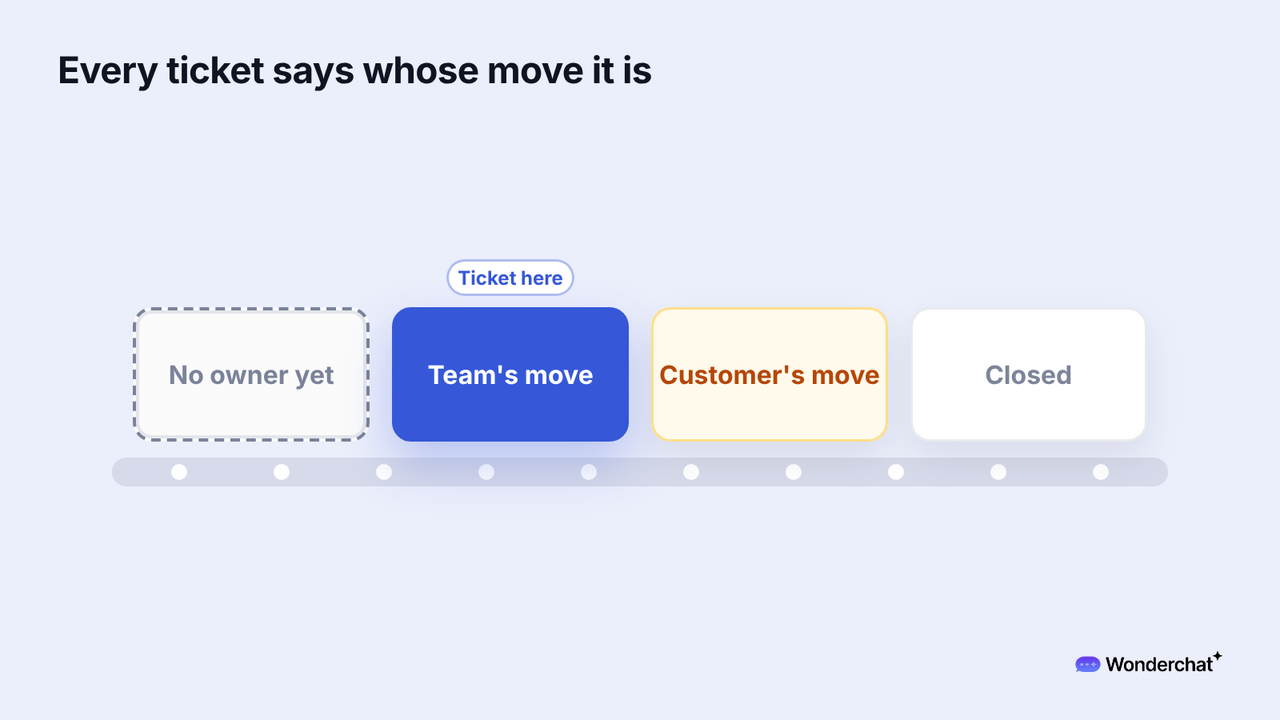
For example, "How do I export last quarter's invoices as CSV?" isn't in the help center, and the AI agent says so and hands it over. The ticket waits on the team, then on the customer while a teammate asks which workspace, then it's solved and closed.
Frequently asked questions
What is the difference between solved and closed tickets?
A solved ticket has an answer and reopens if the customer replies. A closed ticket is done, and Zendesk turns a later reply into a follow-up ticket, after closing solved tickets four days after they're solved by default.
Is the ticket lifecycle the same as the customer lifecycle?
The ticket lifecycle covers one request until it's closed. The customer lifecycle covers a customer's whole relationship with a company, through renewal or churn.
How does a support ticket work?
A customer writes in by email, chat, or form, and the help desk turns the message into a ticket with an ID, an owner, and a status. The ticket then moves through the statuses until it's closed.
