Google Drive AI Agent Template
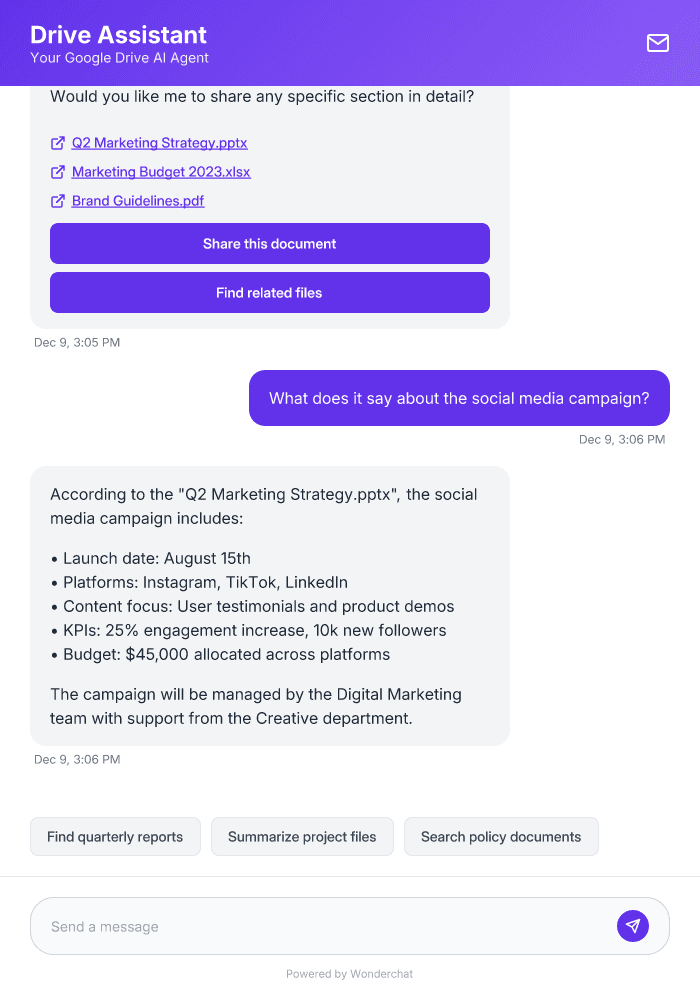
Build a no-code Google Drive AI assistant in minutes. Connect your documents and files to instantly answer questions and automate workflows across your organization without any coding skills.
Trusted by businesses worldwide








About This Template
Transform how your team interacts with Google Drive documents using Wonderchat's intelligent AI assistant. Our template lets you create a powerful AI agent that understands, searches, and extracts information from all your Drive files - PDFs, DOCXs, spreadsheets, and presentations. Your team can ask natural language questions about any document content and receive instant, accurate answers with source attribution. This eliminates manual searching through folders, speeds up information retrieval, and ensures everyone works with verified data from your Drive repository.
Answer Common Questions Like:
Where is our company policy on remote work?
Can you summarize the Q3 financial report?
Find documents about project Sunrise
Share the latest marketing presentation
What's in the employee handbook about leave?
Easy 5 minute set-up
How Wonderchat Works

Train on Your Content
Deploy AI Agents with Your Knowledge
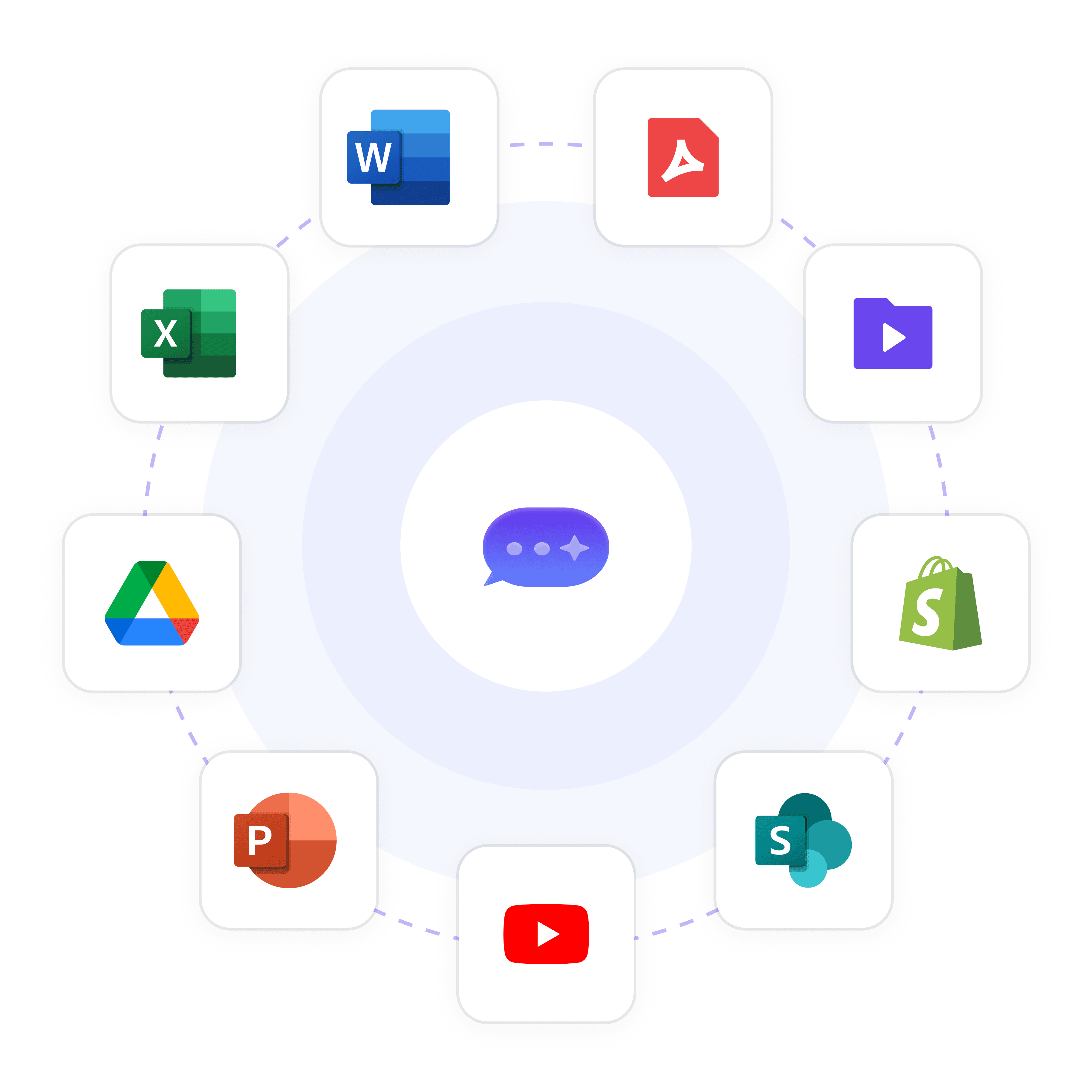
Build an AI agent that knows your business inside out by training it on your website, documents, and help desk articles in minutes.
Website content crawling
PDF & document uploads
Integrated with 100+ apps and content platforms
Never Miss an Opportunity
Seamless Handoff to Human Teams
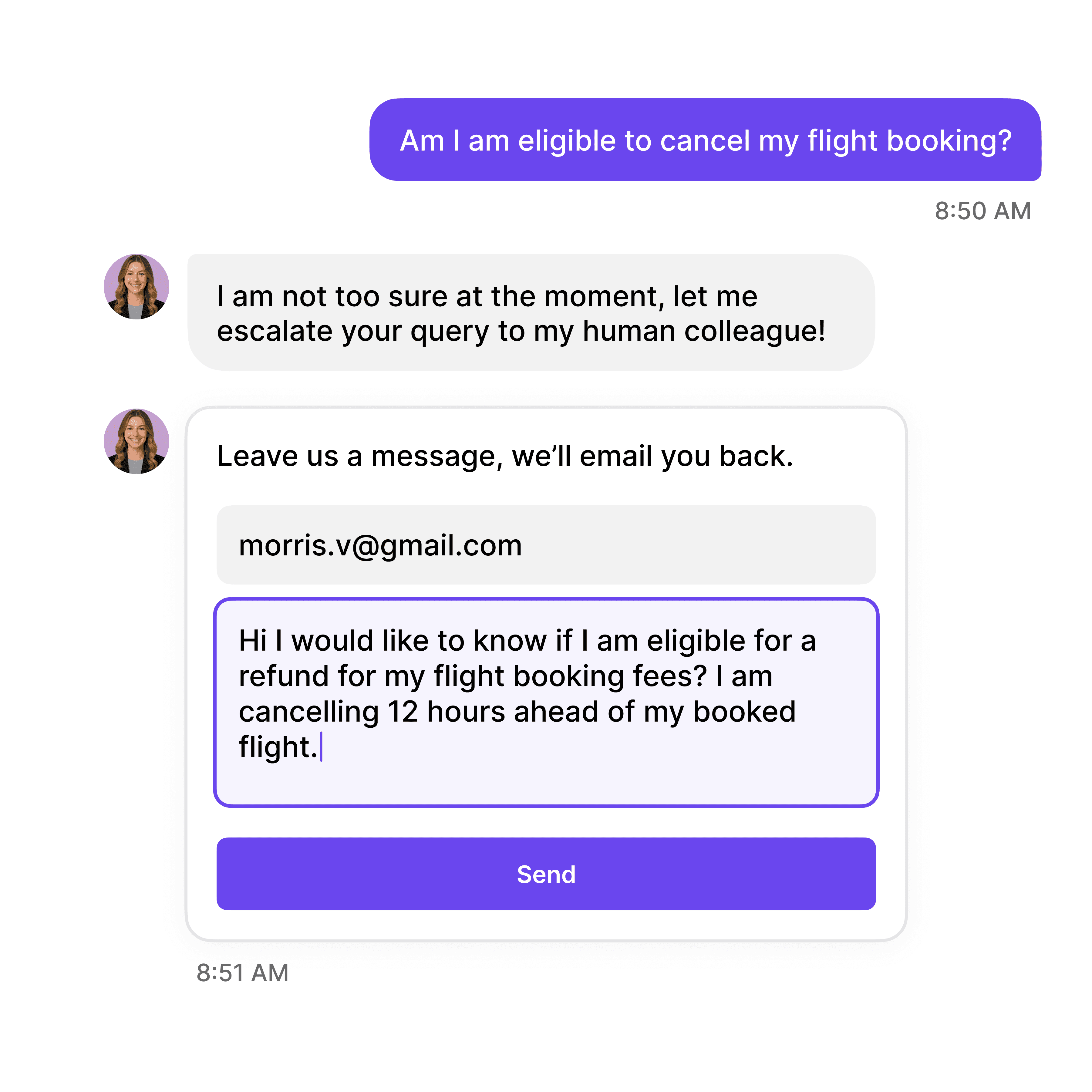
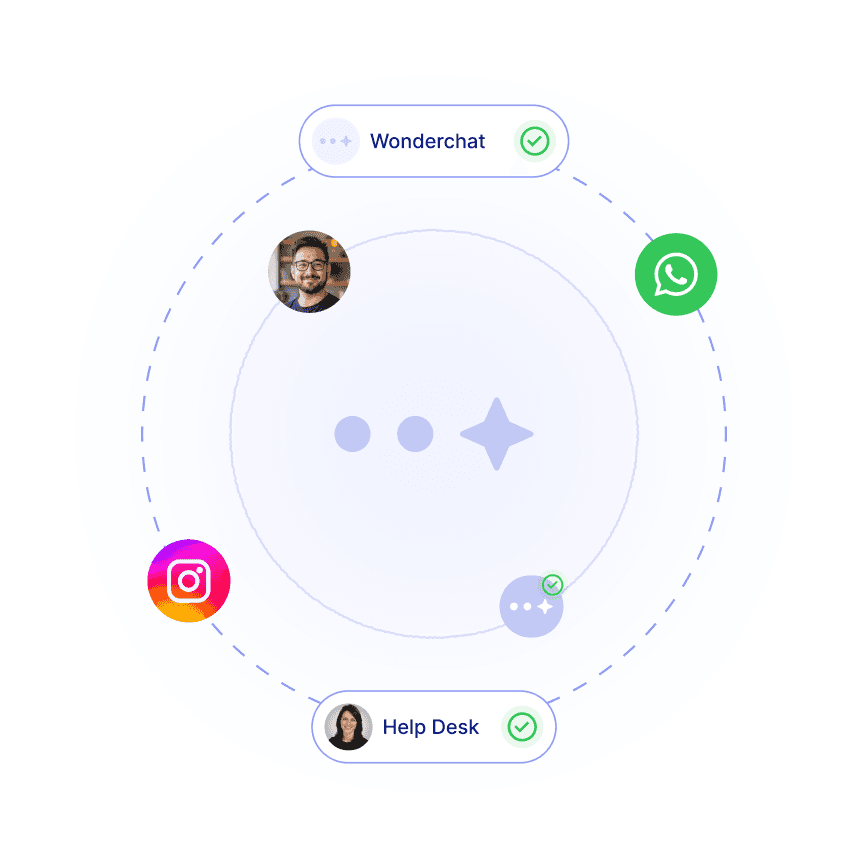
When conversations require a human touch, your AI agent can smoothly transition the conversation to your human support or sales team.
Email notification system
Live chat takeover
Conversation history transfer
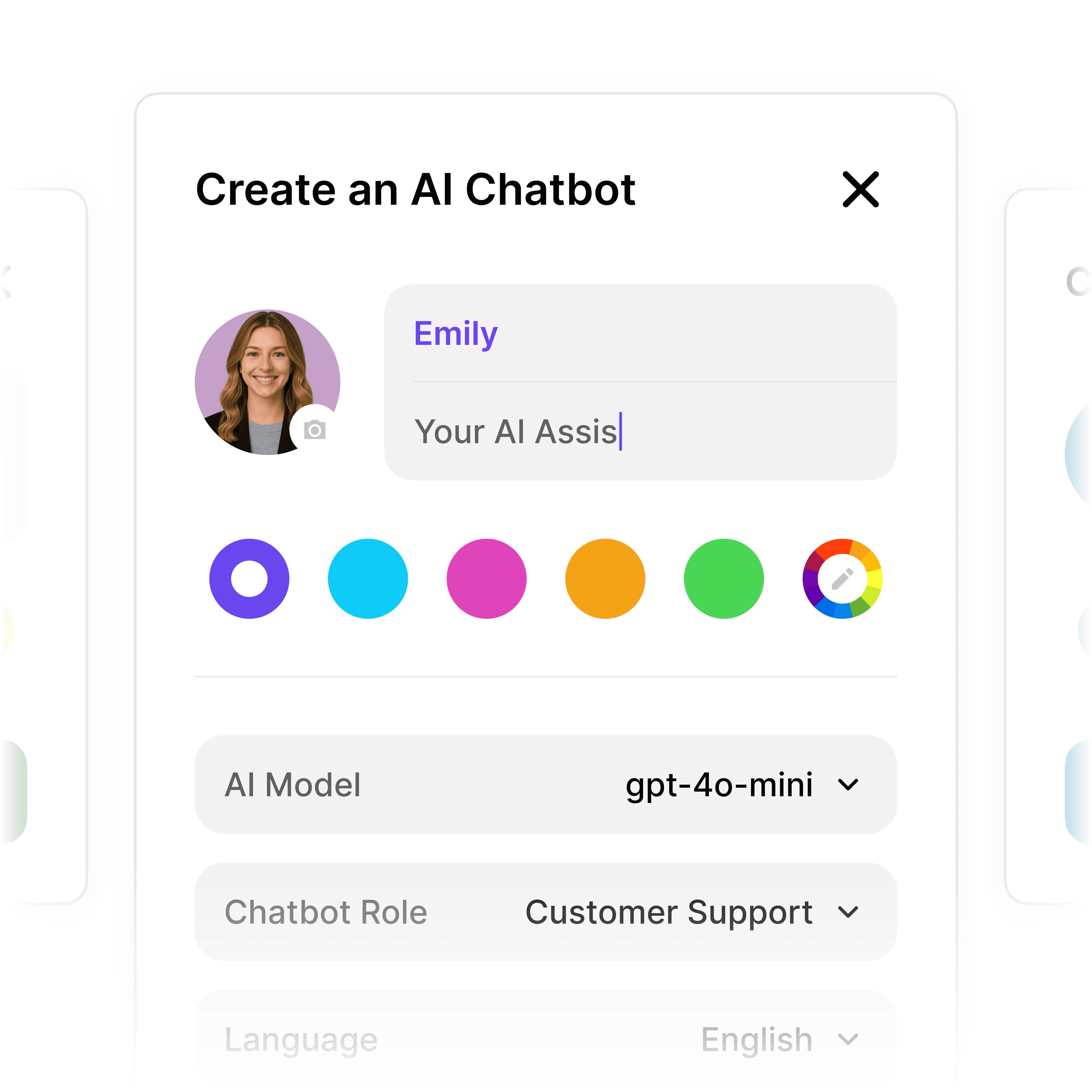
Automate Lead Qualification
Build Custom AI Conversation Flows
Create structured multi-step workflows that qualify leads, collect contact information, and book meetings—all without writing a line of code.
Custom qualifying questions
Contact information collection
Meeting scheduling integration
5-minute set up
Deploy Your Google Drive AI Agent in Minutes
1
Select the Right AI Model – Pick the perfect fit for your support needs.
2
Train AI with Docs, FAQs & Policies – Upload knowledge base files and site links.
3
Customise Workflows & Escalation Rules – AI handles what it can, and escalates what it can’t.
4
Monitor & Optimise with Analytics – See where customers get stuck and fine-tune responses.
Industry Grade Compliance

Wonderchat is GDPR compliant and AICPA SOC 2 Certified.



Testimonials
Businesses with successful customer service start
with Wonderchat

"Wonderchat has made it easier than ever to find the information I need without getting lost in the complexities. It also brings convenience and clarity to my searches."

Josh Levitsky
Global Head of Professional Services, Filewave

“Wonderchat has been a game-changer for bazuba. We’ve seen improved customer satisfaction and a noticeable boost in efficiency. Wonderchat handles our customer queries with precision and speed.

Julien Pflanzl
Web Development Lead, bazuba
“Ever since implementing Wonderchat on our site, I've seen up to a 70% reduction of customer support queries in my inbox.”

Bryce Conway
Founder and CEO, 10xTravel

"Wonderchat has given us the ability to offer real-time answers to our customer’s questions on their terms, pulling from our extensive portfolio of Insurance content. The response has been tremendous."

Ryan Hanley
Founder and President, Rogue Risk LLC
"Wonderchat has made it easier than ever to find the information I need without getting lost in the complexities. It also brings convenience and clarity to my searches."
Josh Levitsky
Global Head of Professional Services, Filewave
“Wonderchat has been a game-changer for bazuba. We’ve seen improved customer satisfaction and a noticeable boost in efficiency. Wonderchat handles our customer queries with precision and speed.
Julien Pflanzl
Web Development Lead, bazuba
“Ever since implementing Wonderchat on our site, I've seen up to a 70% reduction of customer support queries in my inbox.”
Bryce Conway
Founder and CEO, 10xTravel
"Wonderchat has given us the ability to offer real-time answers to our customer’s questions on their terms, pulling from our extensive portfolio of Insurance content. The response has been tremendous."
Ryan Hanley
Founder and President, Rogue Risk LLC
"Wonderchat has made it easier than ever to find the information I need without getting lost in the complexities. It also brings convenience and clarity to my searches."
Josh Levitsky
Global Head of Professional Services, Filewave
“Wonderchat has been a game-changer for bazuba. We’ve seen improved customer satisfaction and a noticeable boost in efficiency. Wonderchat handles our customer queries with precision and speed.
Julien Pflanzl
Web Development Lead, bazuba
“Ever since implementing Wonderchat on our site, I've seen up to a 70% reduction of customer support queries in my inbox.”
Bryce Conway
Founder and CEO, 10xTravel
"Wonderchat has given us the ability to offer real-time answers to our customer’s questions on their terms, pulling from our extensive portfolio of Insurance content. The response has been tremendous."
Ryan Hanley
Founder and President, Rogue Risk LLC
"Wonderchat has made it easier than ever to find the information I need without getting lost in the complexities. It also brings convenience and clarity to my searches."
Josh Levitsky
Global Head of Professional Services, Filewave
“Wonderchat has been a game-changer for bazuba. We’ve seen improved customer satisfaction and a noticeable boost in efficiency. Wonderchat handles our customer queries with precision and speed.
Julien Pflanzl
Web Development Lead, bazuba
“Ever since implementing Wonderchat on our site, I've seen up to a 70% reduction of customer support queries in my inbox.”
Bryce Conway
Founder and CEO, 10xTravel
"Wonderchat has given us the ability to offer real-time answers to our customer’s questions on their terms, pulling from our extensive portfolio of Insurance content. The response has been tremendous."
Ryan Hanley
Founder and President, Rogue Risk LLC
40+ Languages
Starts at $0.02/message
Available 24/7
Connect your Drive to AI now
14-day free trial. No credit card required
FAQ
What can a Google Drive AI agent do?
A Google Drive AI agent built with Wonderchat can search, analyze, and extract information from your entire Drive repository, including PDFs, Word documents, spreadsheets, and presentations. It answers questions in natural language about document content, summarizes files, locates specific information across multiple documents, and provides source-attributed responses to ensure accuracy. The agent can be used for instant policy lookups, finding specific data points in reports, extracting insights from large document collections, and helping teams quickly access information without manual searching through folders and files.
Do I need coding skills to create a Google Drive AI agent?
No coding skills are required. Wonderchat's no-code platform lets you build a Google Drive AI agent in minutes through a simple interface. You simply connect your Google Drive account, select the folders you want the AI to access, and customize the agent's appearance and behavior. The platform handles all the technical aspects of training the AI on your documents, setting up the natural language processing, and creating a user-friendly interface. Anyone can set up and deploy a fully functional Google Drive AI agent without writing a single line of code.
How accurate is the Google Drive AI agent?
The Google Drive AI agent built with Wonderchat delivers high accuracy through source attribution and verification. Every answer is linked directly to the specific document and section where the information was found, eliminating AI hallucination. The agent maintains accuracy by continuously updating its knowledge as documents change in your Drive. You can set automatic or manual re-crawling options to ensure the AI always works with the latest versions of your files. For sensitive information, the platform also allows you to review and correct responses to maintain complete accuracy.
What file types does the Google Drive AI agent support?
The Google Drive AI agent supports a wide range of file formats commonly stored in Google Drive, including: • PDFs • Word documents (DOCX, DOC) • Google Docs • Spreadsheets (XLSX, Google Sheets) • Presentations (PPTX, Google Slides) • Text files (TXT) The AI can extract and understand information from all these formats, making it versatile for organizations with diverse document types in their Drive repositories.
How secure is the Google Drive AI agent?
Wonderchat's Google Drive AI agent offers enterprise-grade security with SOC 2 and GDPR compliance. Your documents remain secure with role-based access controls that ensure only authorized users can access specific information. The platform maintains data privacy by never storing your original documents—only the AI-processed information needed for retrieval. All connections between Google Drive and Wonderchat are encrypted, and you maintain complete control over which folders and files the AI can access. For organizations with strict security requirements, custom deployment options are available.
Can I integrate the Google Drive AI agent with other tools?
Yes, the Google Drive AI agent can be integrated with numerous business tools. It works seamlessly with popular platforms like Slack, Discord, and Microsoft Teams, allowing users to query documents directly from these communication tools. You can also connect the agent to CRMs like HubSpot, helpdesk systems like Zendesk, and thousands of other applications through Zapier integration. For custom needs, Wonderchat provides a robust API and SDK that lets developers embed the Google Drive AI functionality into any application or workflow.
The platform to build AI agents that feel human
Product
© 2026 Wonderchat Private Limited
Google Drive AI Agent Template
Build a no-code Google Drive AI assistant in minutes. Connect your documents and files to instantly answer questions and automate workflows across your organization without any coding skills.
Trusted by businesses worldwide
About This Template
Transform how your team interacts with Google Drive documents using Wonderchat's intelligent AI assistant. Our template lets you create a powerful AI agent that understands, searches, and extracts information from all your Drive files - PDFs, DOCXs, spreadsheets, and presentations. Your team can ask natural language questions about any document content and receive instant, accurate answers with source attribution. This eliminates manual searching through folders, speeds up information retrieval, and ensures everyone works with verified data from your Drive repository.
Answer Common Questions Like:
Where is our company policy on remote work?
Can you summarize the Q3 financial report?
Find documents about project Sunrise
Share the latest marketing presentation
What's in the employee handbook about leave?
Easy 5 minute set-up
How Wonderchat Works
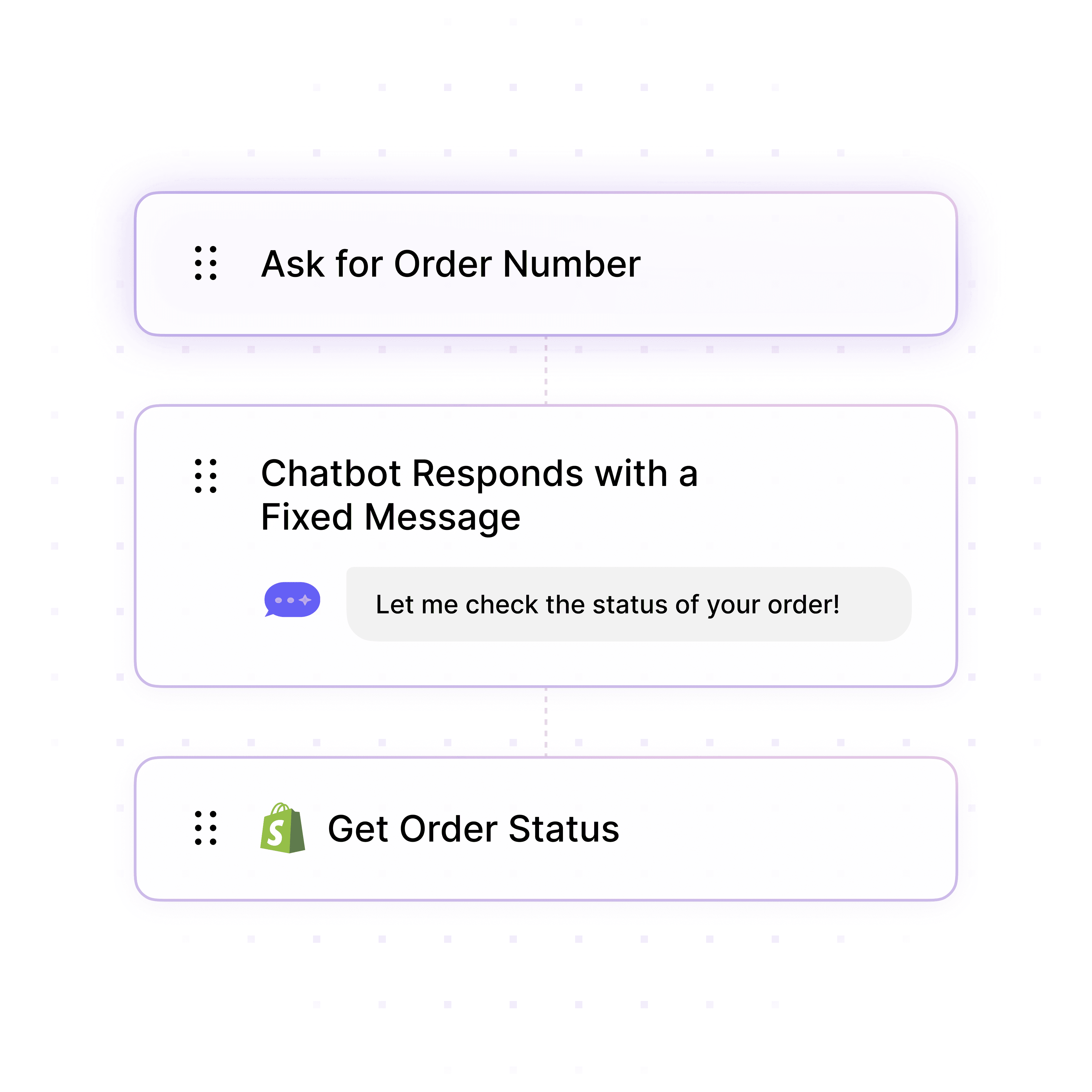
Automate Lead Qualification
Build Custom AI Conversation Flows
Create structured multi-step workflows that qualify leads, collect contact information, and book meetings—all without writing a line of code.
Custom qualifying questions
Contact information collection
Meeting scheduling integration
Train on Your Content
Deploy AI Agents with Your Knowledge
Build an AI agent that knows your business inside out by training it on your website, documents, and help desk articles in minutes.
Website content crawling
PDF & document uploads
40+ languages supported
Automate Lead Qualification
Build Custom AI Conversation Flows
Create structured multi-step workflows that qualify leads, collect contact information, and book meetings—all without writing a line of code.
Custom qualifying questions
Contact information collection
Meeting scheduling integration
Enterprise-Grade Security Standards
SOC2 & GDPR Compliant AI Platform
Meet strict regulatory requirements with Wonderchat's enterprise-grade security framework designed specifically for financial institutions handling sensitive customer data.
Verified security protocols
Regulatory compliance assured
Data protection guaranteed
Never Miss an Opportunity
Seamless Handoff to Human Teams
When conversations require a human touch, your AI agent can smoothly transition the conversation to your support or sales team.
Email notification system
Live chat takeover
Conversation history transfer
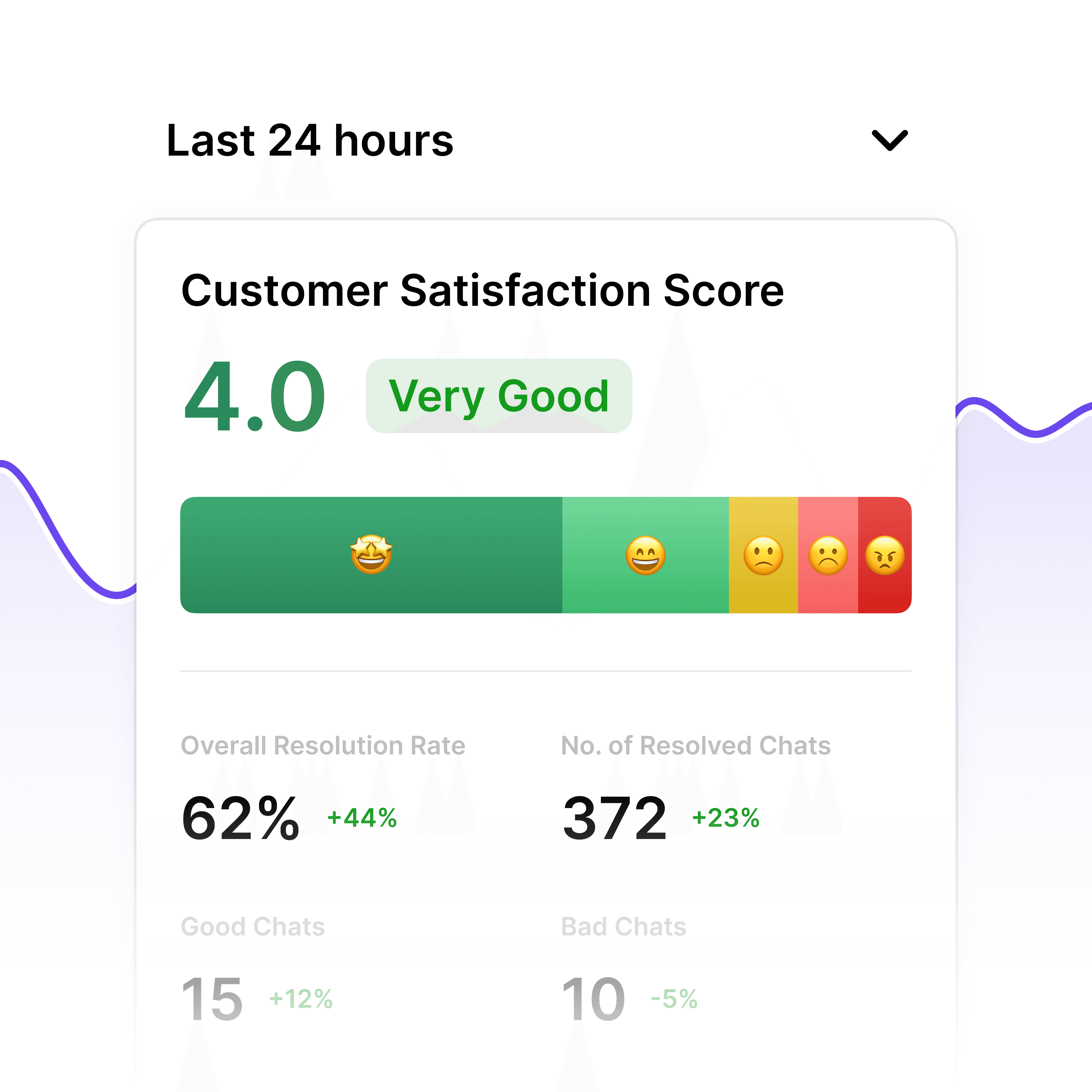
Compliance Performance Metrics
GDPR Compliance Analytics Dashboard
Monitor your AI agent's compliance performance with comprehensive analytics. Track user data handling, consent management, and potential compliance issues to maintain regulatory adherence and optimize your data protection strategy.
Data processing visibility
Consent tracking metrics
Compliance reporting
5-minute set up
Deploy Your Google Drive AI Agent in Minutes
1
Select the Right AI Model – Pick the perfect fit for your support needs.
2
Train AI with Docs, FAQs & Policies – Upload knowledge base files and site links.
3
Customise Workflows & Escalation Rules – AI handles what it can, and escalates what it can’t.
4
Monitor & Optimise with Analytics – See where customers get stuck and fine-tune responses.
Industry Grade Compliance
Wonderchat is GDPR compliant and AICPA SOC 2 Certified.
Testimonials
Businesses with successful customer service start
with Wonderchat
"Wonderchat has made it easier than ever to find the information I need without getting lost in the complexities. It also brings convenience and clarity to my searches."
Josh Levitsky
Global Head of Professional Services, Filewave
“Wonderchat has been a game-changer for bazuba. We’ve seen improved customer satisfaction and a noticeable boost in efficiency. Wonderchat handles our customer queries with precision and speed.
Julien Pflanzl
Web Development Lead, bazuba
“Ever since implementing Wonderchat on our site, I've seen up to a 70% reduction of customer support queries in my inbox.”
Bryce Conway
Founder and CEO, 10xTravel
"Wonderchat has given us the ability to offer real-time answers to our customer’s questions on their terms, pulling from our extensive portfolio of Insurance content. The response has been tremendous."
Ryan Hanley
Founder and President, Rogue Risk LLC
"Wonderchat has made it easier than ever to find the information I need without getting lost in the complexities. It also brings convenience and clarity to my searches."
Josh Levitsky
Global Head of Professional Services, Filewave
“Wonderchat has been a game-changer for bazuba. We’ve seen improved customer satisfaction and a noticeable boost in efficiency. Wonderchat handles our customer queries with precision and speed.
Julien Pflanzl
Web Development Lead, bazuba
“Ever since implementing Wonderchat on our site, I've seen up to a 70% reduction of customer support queries in my inbox.”
Bryce Conway
Founder and CEO, 10xTravel
"Wonderchat has given us the ability to offer real-time answers to our customer’s questions on their terms, pulling from our extensive portfolio of Insurance content. The response has been tremendous."
Ryan Hanley
Founder and President, Rogue Risk LLC
"Wonderchat has made it easier than ever to find the information I need without getting lost in the complexities. It also brings convenience and clarity to my searches."
Josh Levitsky
Global Head of Professional Services, Filewave
“Wonderchat has been a game-changer for bazuba. We’ve seen improved customer satisfaction and a noticeable boost in efficiency. Wonderchat handles our customer queries with precision and speed.
Julien Pflanzl
Web Development Lead, bazuba
“Ever since implementing Wonderchat on our site, I've seen up to a 70% reduction of customer support queries in my inbox.”
Bryce Conway
Founder and CEO, 10xTravel
"Wonderchat has given us the ability to offer real-time answers to our customer’s questions on their terms, pulling from our extensive portfolio of Insurance content. The response has been tremendous."
Ryan Hanley
Founder and President, Rogue Risk LLC
"Wonderchat has made it easier than ever to find the information I need without getting lost in the complexities. It also brings convenience and clarity to my searches."
Josh Levitsky
Global Head of Professional Services, Filewave
“Wonderchat has been a game-changer for bazuba. We’ve seen improved customer satisfaction and a noticeable boost in efficiency. Wonderchat handles our customer queries with precision and speed.
Julien Pflanzl
Web Development Lead, bazuba
“Ever since implementing Wonderchat on our site, I've seen up to a 70% reduction of customer support queries in my inbox.”
Bryce Conway
Founder and CEO, 10xTravel
"Wonderchat has given us the ability to offer real-time answers to our customer’s questions on their terms, pulling from our extensive portfolio of Insurance content. The response has been tremendous."
Ryan Hanley
Founder and President, Rogue Risk LLC
40+ Languages
Starts at $0.02/message
Available 24/7
Connect your Drive to AI now
14-day free trial. No credit card required
FAQ
What can a Google Drive AI agent do?
A Google Drive AI agent built with Wonderchat can search, analyze, and extract information from your entire Drive repository, including PDFs, Word documents, spreadsheets, and presentations. It answers questions in natural language about document content, summarizes files, locates specific information across multiple documents, and provides source-attributed responses to ensure accuracy. The agent can be used for instant policy lookups, finding specific data points in reports, extracting insights from large document collections, and helping teams quickly access information without manual searching through folders and files.
Do I need coding skills to create a Google Drive AI agent?
No coding skills are required. Wonderchat's no-code platform lets you build a Google Drive AI agent in minutes through a simple interface. You simply connect your Google Drive account, select the folders you want the AI to access, and customize the agent's appearance and behavior. The platform handles all the technical aspects of training the AI on your documents, setting up the natural language processing, and creating a user-friendly interface. Anyone can set up and deploy a fully functional Google Drive AI agent without writing a single line of code.
How accurate is the Google Drive AI agent?
The Google Drive AI agent built with Wonderchat delivers high accuracy through source attribution and verification. Every answer is linked directly to the specific document and section where the information was found, eliminating AI hallucination. The agent maintains accuracy by continuously updating its knowledge as documents change in your Drive. You can set automatic or manual re-crawling options to ensure the AI always works with the latest versions of your files. For sensitive information, the platform also allows you to review and correct responses to maintain complete accuracy.
What file types does the Google Drive AI agent support?
The Google Drive AI agent supports a wide range of file formats commonly stored in Google Drive, including: • PDFs • Word documents (DOCX, DOC) • Google Docs • Spreadsheets (XLSX, Google Sheets) • Presentations (PPTX, Google Slides) • Text files (TXT) The AI can extract and understand information from all these formats, making it versatile for organizations with diverse document types in their Drive repositories.
How secure is the Google Drive AI agent?
Wonderchat's Google Drive AI agent offers enterprise-grade security with SOC 2 and GDPR compliance. Your documents remain secure with role-based access controls that ensure only authorized users can access specific information. The platform maintains data privacy by never storing your original documents—only the AI-processed information needed for retrieval. All connections between Google Drive and Wonderchat are encrypted, and you maintain complete control over which folders and files the AI can access. For organizations with strict security requirements, custom deployment options are available.
Can I integrate the Google Drive AI agent with other tools?
Yes, the Google Drive AI agent can be integrated with numerous business tools. It works seamlessly with popular platforms like Slack, Discord, and Microsoft Teams, allowing users to query documents directly from these communication tools. You can also connect the agent to CRMs like HubSpot, helpdesk systems like Zendesk, and thousands of other applications through Zapier integration. For custom needs, Wonderchat provides a robust API and SDK that lets developers embed the Google Drive AI functionality into any application or workflow.
The platform to build AI agents that feel human
Product
Wonderchat 2026