Zendesk AI Chatbot Template: Automate Support Today
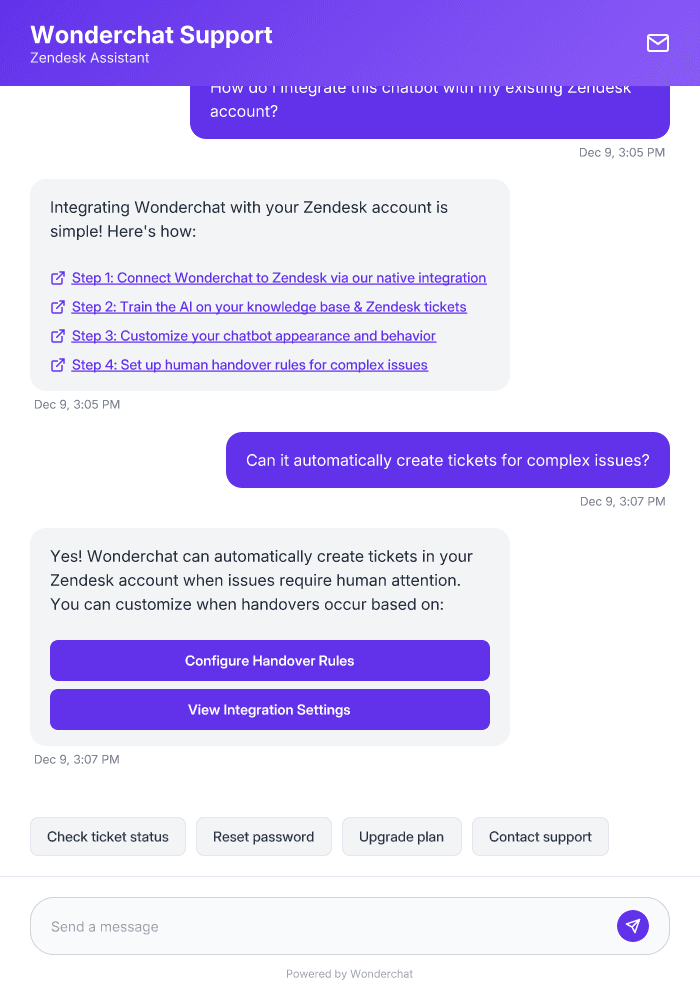
Transform your Zendesk support with Wonderchat's AI chatbot template. Deflect up to 70% of common tickets, provide instant 24/7 responses, and free your support team for complex issues.
Trusted by businesses worldwide







About This Template
Wonderchat's Zendesk AI Chatbot Template provides a powerful no-code solution that seamlessly integrates with your Zendesk help desk. Trained on your specific content – knowledge base articles, FAQs, and support documentation – it delivers accurate, instant responses to customer inquiries while maintaining your brand voice. This template enables automatic ticket creation for complex issues, supports 40+ languages, and continuously improves through real conversations. With customizable workflows and easy setup, you can deploy a fully functional Zendesk chatbot in minutes, reducing support costs while enhancing customer satisfaction.
Answer Common Questions Like:
How do I reset my account password?
What are your subscription pricing tiers?
Can I upgrade my current plan?
How do I submit a support ticket?
Where can I find API documentation?
Easy 5 minute set-up
How Wonderchat Works

Train on Your Content
Deploy AI Agents with Your Knowledge
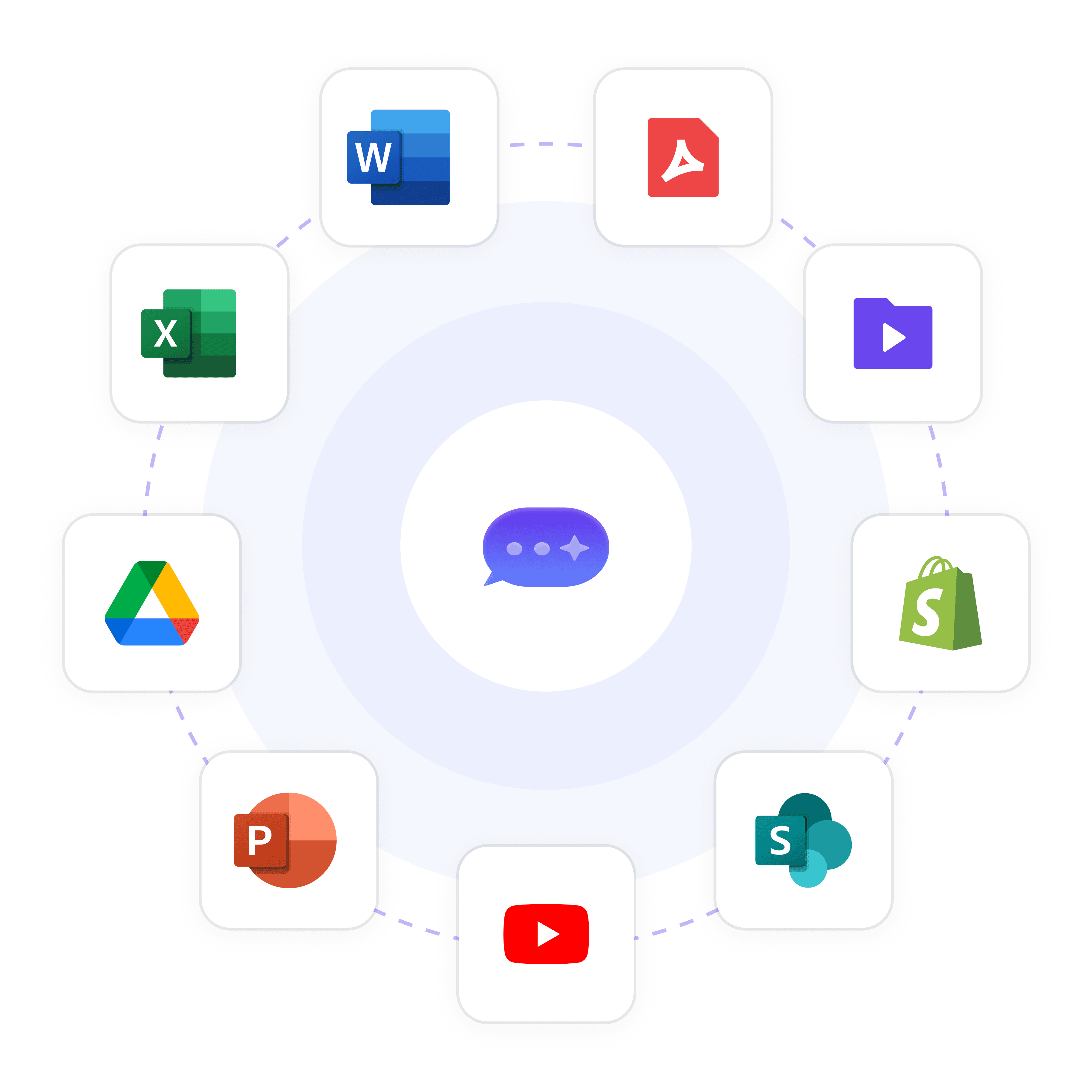
Build an AI agent that knows your business inside out by training it on your website, documents, and help desk articles in minutes.
Website content crawling
PDF & document uploads
Integrated with 100+ apps and content platforms
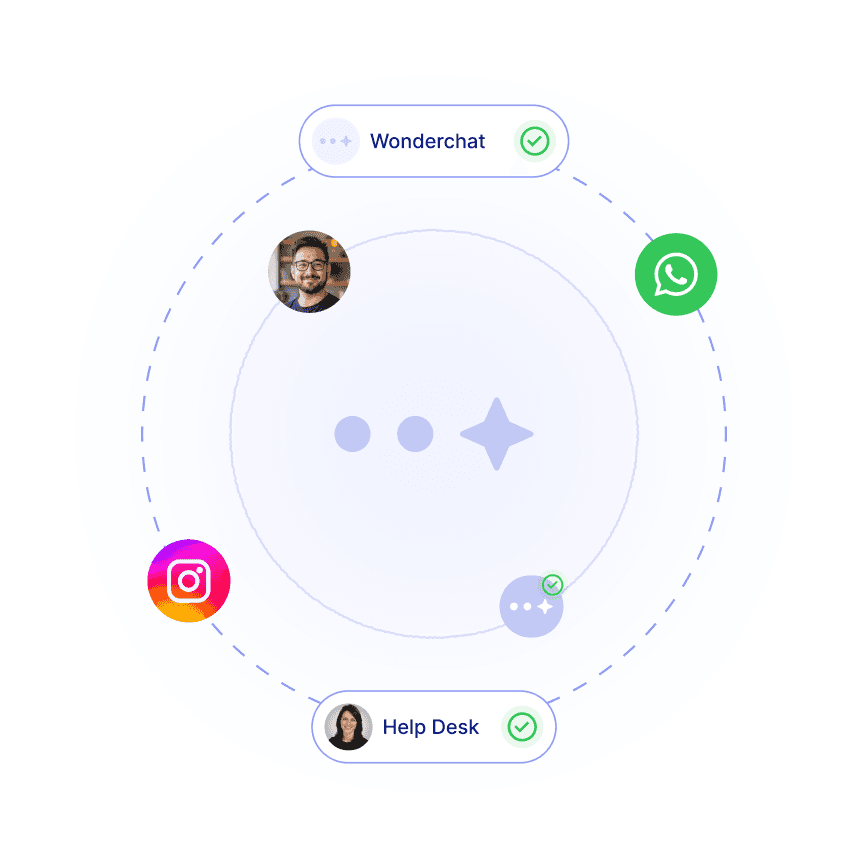
Never Miss an Opportunity
Seamless Handoff to Human Teams
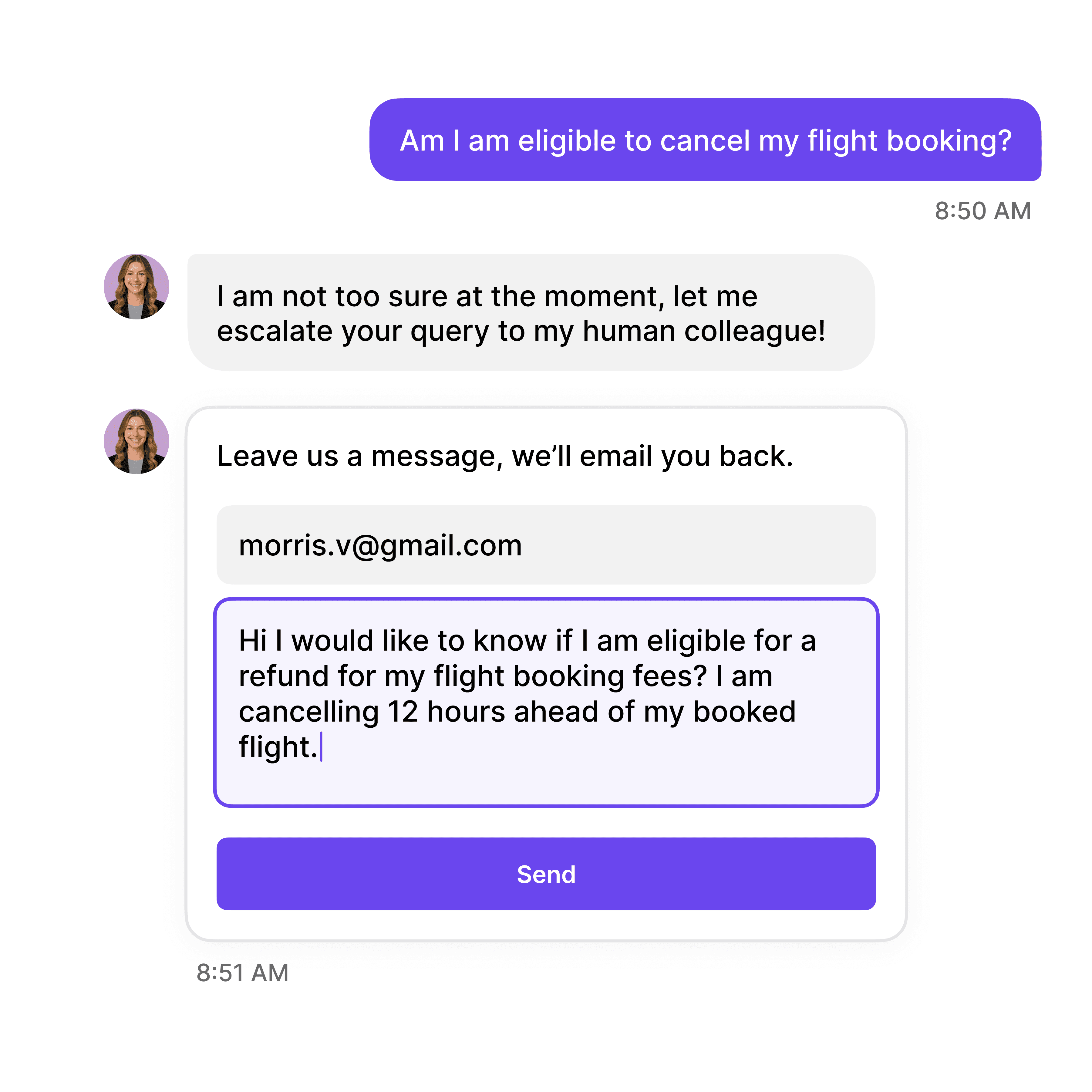
When conversations require a human touch, your AI agent can smoothly transition the conversation to your human support or sales team.
Email notification system
Live chat takeover
Conversation history transfer
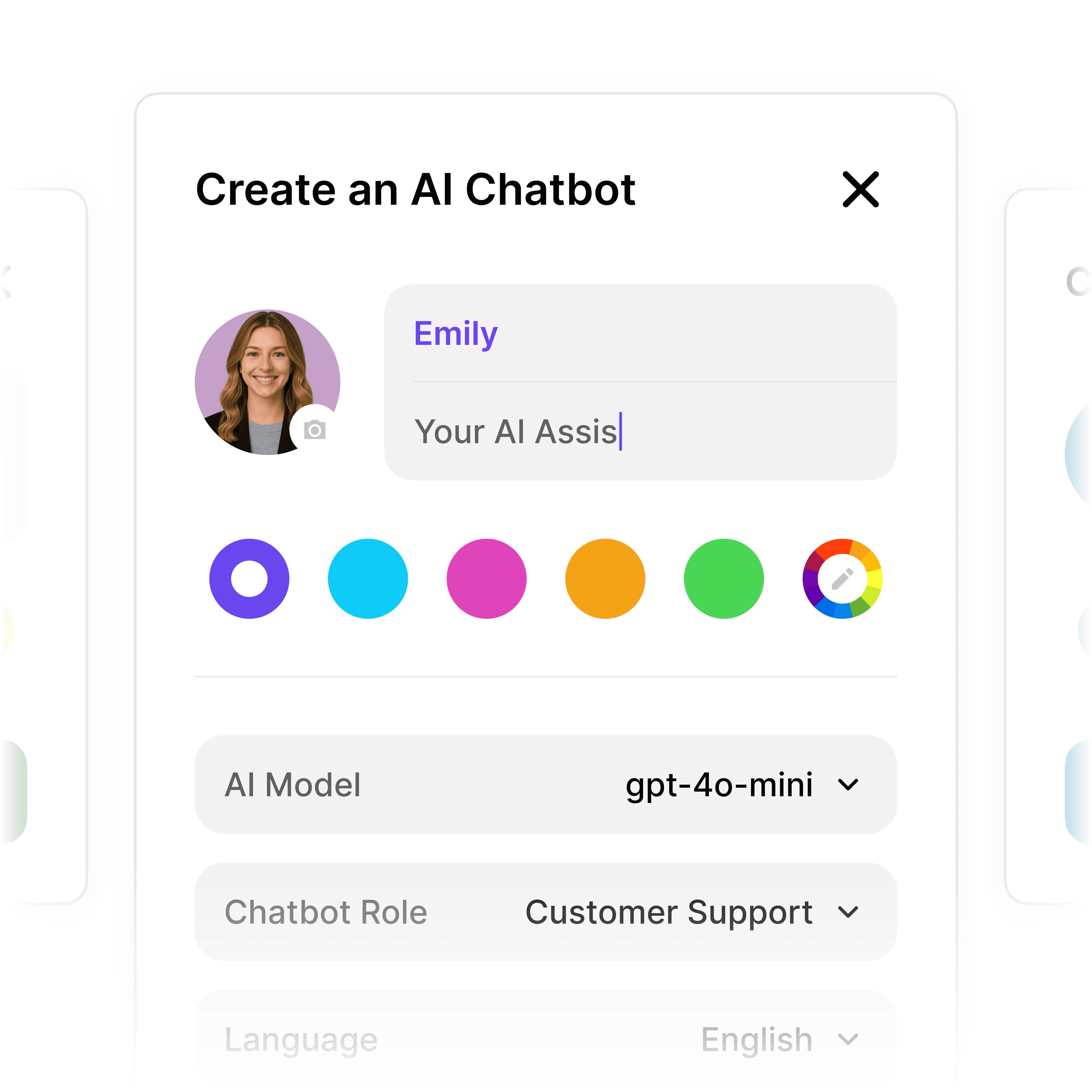
Automate Lead Qualification
Build Custom AI Conversation Flows
Create structured multi-step workflows that qualify leads, collect contact information, and book meetings—all without writing a line of code.
Custom qualifying questions
Contact information collection
Meeting scheduling integration
5-minute set up
Deploy Your Zendesk AI Chatbot in Minutes
1
Select the Right AI Model – Pick the perfect fit for your support needs.
2
Train AI with Docs, FAQs & Policies – Upload knowledge base files and site links.
3
Customise Workflows & Escalation Rules – AI handles what it can, and escalates what it can’t.
4
Monitor & Optimise with Analytics – See where customers get stuck and fine-tune responses.
Industry Grade Compliance

Wonderchat is GDPR compliant and AICPA SOC 2 Certified.



Testimonials
Businesses with successful customer service start
with Wonderchat

"Wonderchat has made it easier than ever to find the information I need without getting lost in the complexities. It also brings convenience and clarity to my searches."

Josh Levitsky
Global Head of Professional Services, Filewave

“Wonderchat has been a game-changer for bazuba. We’ve seen improved customer satisfaction and a noticeable boost in efficiency. Wonderchat handles our customer queries with precision and speed.

Julien Pflanzl
Web Development Lead, bazuba
“Ever since implementing Wonderchat on our site, I've seen up to a 70% reduction of customer support queries in my inbox.”

Bryce Conway
Founder and CEO, 10xTravel

"Wonderchat has given us the ability to offer real-time answers to our customer’s questions on their terms, pulling from our extensive portfolio of Insurance content. The response has been tremendous."

Ryan Hanley
Founder and President, Rogue Risk LLC
"Wonderchat has made it easier than ever to find the information I need without getting lost in the complexities. It also brings convenience and clarity to my searches."
Josh Levitsky
Global Head of Professional Services, Filewave
“Wonderchat has been a game-changer for bazuba. We’ve seen improved customer satisfaction and a noticeable boost in efficiency. Wonderchat handles our customer queries with precision and speed.
Julien Pflanzl
Web Development Lead, bazuba
“Ever since implementing Wonderchat on our site, I've seen up to a 70% reduction of customer support queries in my inbox.”
Bryce Conway
Founder and CEO, 10xTravel
"Wonderchat has given us the ability to offer real-time answers to our customer’s questions on their terms, pulling from our extensive portfolio of Insurance content. The response has been tremendous."
Ryan Hanley
Founder and President, Rogue Risk LLC
"Wonderchat has made it easier than ever to find the information I need without getting lost in the complexities. It also brings convenience and clarity to my searches."
Josh Levitsky
Global Head of Professional Services, Filewave
“Wonderchat has been a game-changer for bazuba. We’ve seen improved customer satisfaction and a noticeable boost in efficiency. Wonderchat handles our customer queries with precision and speed.
Julien Pflanzl
Web Development Lead, bazuba
“Ever since implementing Wonderchat on our site, I've seen up to a 70% reduction of customer support queries in my inbox.”
Bryce Conway
Founder and CEO, 10xTravel
"Wonderchat has given us the ability to offer real-time answers to our customer’s questions on their terms, pulling from our extensive portfolio of Insurance content. The response has been tremendous."
Ryan Hanley
Founder and President, Rogue Risk LLC
"Wonderchat has made it easier than ever to find the information I need without getting lost in the complexities. It also brings convenience and clarity to my searches."
Josh Levitsky
Global Head of Professional Services, Filewave
“Wonderchat has been a game-changer for bazuba. We’ve seen improved customer satisfaction and a noticeable boost in efficiency. Wonderchat handles our customer queries with precision and speed.
Julien Pflanzl
Web Development Lead, bazuba
“Ever since implementing Wonderchat on our site, I've seen up to a 70% reduction of customer support queries in my inbox.”
Bryce Conway
Founder and CEO, 10xTravel
"Wonderchat has given us the ability to offer real-time answers to our customer’s questions on their terms, pulling from our extensive portfolio of Insurance content. The response has been tremendous."
Ryan Hanley
Founder and President, Rogue Risk LLC
40+ Languages
Starts at $0.02/message
Available 24/7
Automate Your Zendesk Support Today
14-day free trial. No credit card required
FAQ
How does the Zendesk AI chatbot integration work?
Wonderchat's Zendesk AI chatbot integrates through our native connector that syncs with your Zendesk knowledge base and support tickets. The setup process takes under 5 minutes – simply connect your Zendesk account, select the data sources to train the AI on, customize the appearance, and set up handover rules for complex issues. Once deployed, the chatbot automatically responds to common customer inquiries based on your knowledge base, creates tickets for issues requiring human attention, and continuously improves through real conversations. All customer interactions are seamlessly logged in your Zendesk dashboard for full visibility.
Can I customize the chatbot's appearance and responses?
Yes, Wonderchat offers extensive customization options for your Zendesk AI chatbot. You can fully brand the chat widget with your company colors, logo, and messaging style. The response templates can be tailored to match your brand voice, and you can create custom workflows for specific conversation paths. You can also define specific trigger points for lead collection, meeting scheduling, or human handover based on conversation context. All customization is done through our intuitive no-code interface, so technical skills aren't required to create a chatbot that perfectly represents your brand.
What types of Zendesk data can the chatbot access?
The Wonderchat Zendesk AI chatbot can be trained on multiple data sources within your Zendesk environment, including your Help Center articles, knowledge base content, FAQs, support documentation, and resolved ticket history. It can also incorporate data from external sources like your website, product documentation, PDF files, and other document formats. The chatbot continuously updates its knowledge through automatic and manual re-crawling options, ensuring it always provides the most current information. This comprehensive training enables accurate, contextual responses to customer inquiries across all support topics.
How does the human handover process work?
When a customer inquiry requires human intervention, the Zendesk AI chatbot automatically triggers a smooth handover process. You can configure handover rules based on specific triggers such as the number of back-and-forth messages, certain keywords, or when the AI detects it cannot adequately resolve an issue. The chatbot can create a new Zendesk ticket with the full conversation history, route the inquiry to specific departments based on the topic, and collect necessary customer information before escalation. This ensures your support team has all the context needed to efficiently resolve complex issues while the AI handles routine inquiries.
What analytics and reporting features are available?
Wonderchat provides comprehensive analytics for your Zendesk AI chatbot, including conversation metrics, resolution rates, common topics, and user satisfaction scores. You can track which knowledge base articles are most frequently referenced, identify information gaps, and monitor handover rates to continuously optimize performance. All chatbot interactions are logged in both the Wonderchat dashboard and your Zendesk platform, enabling unified reporting across all support channels. These insights help you refine your knowledge base, improve self-service options, and quantify the ROI of your AI chatbot implementation through support deflection metrics and time savings.
Is the Zendesk AI chatbot secure and compliant?
Yes, Wonderchat's Zendesk AI chatbot is built with enterprise-grade security and compliance in mind. We offer SOC 2 and GDPR compliance to ensure your customer data remains protected. All conversations are encrypted, and you maintain complete control over data retention policies. The platform includes role-based access controls for your team members and supports single sign-on (SSO) for secure authentication. Wonderchat never uses your customer conversations to train general AI models, ensuring your proprietary support information remains confidential and secure.
The platform to build AI agents that feel human
Product
© 2026 Wonderchat Private Limited
Zendesk AI Chatbot Template: Automate Support Today
Transform your Zendesk support with Wonderchat's AI chatbot template. Deflect up to 70% of common tickets, provide instant 24/7 responses, and free your support team for complex issues.
Trusted by businesses worldwide
About This Template
Wonderchat's Zendesk AI Chatbot Template provides a powerful no-code solution that seamlessly integrates with your Zendesk help desk. Trained on your specific content – knowledge base articles, FAQs, and support documentation – it delivers accurate, instant responses to customer inquiries while maintaining your brand voice. This template enables automatic ticket creation for complex issues, supports 40+ languages, and continuously improves through real conversations. With customizable workflows and easy setup, you can deploy a fully functional Zendesk chatbot in minutes, reducing support costs while enhancing customer satisfaction.
Answer Common Questions Like:
How do I reset my account password?
What are your subscription pricing tiers?
Can I upgrade my current plan?
How do I submit a support ticket?
Where can I find API documentation?
Easy 5 minute set-up
How Wonderchat Works
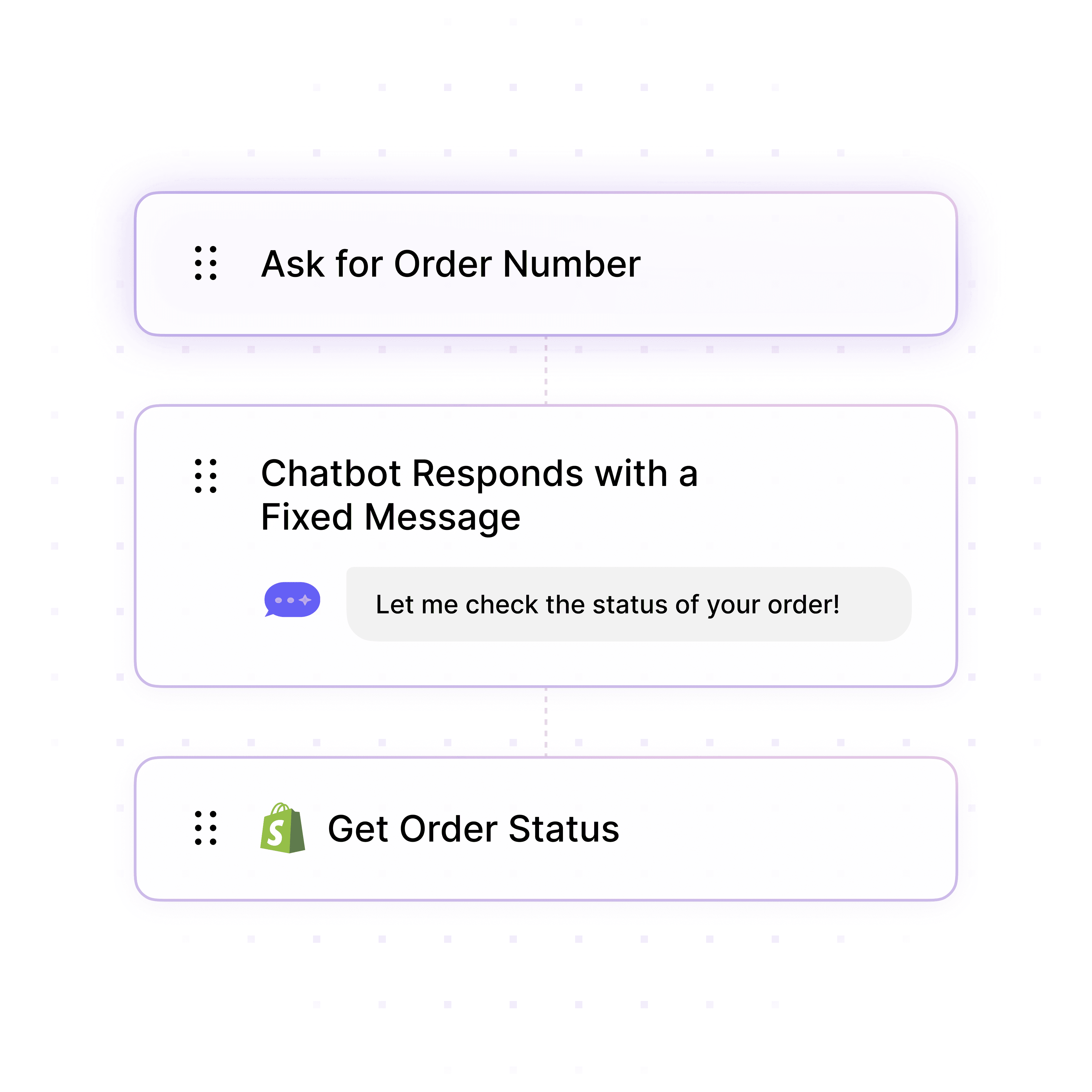
Automate Lead Qualification
Build Custom AI Conversation Flows
Create structured multi-step workflows that qualify leads, collect contact information, and book meetings—all without writing a line of code.
Custom qualifying questions
Contact information collection
Meeting scheduling integration
Train on Your Content
Deploy AI Agents with Your Knowledge
Build an AI agent that knows your business inside out by training it on your website, documents, and help desk articles in minutes.
Website content crawling
PDF & document uploads
40+ languages supported
Automate Lead Qualification
Build Custom AI Conversation Flows
Create structured multi-step workflows that qualify leads, collect contact information, and book meetings—all without writing a line of code.
Custom qualifying questions
Contact information collection
Meeting scheduling integration
Enterprise-Grade Security Standards
SOC2 & GDPR Compliant AI Platform
Meet strict regulatory requirements with Wonderchat's enterprise-grade security framework designed specifically for financial institutions handling sensitive customer data.
Verified security protocols
Regulatory compliance assured
Data protection guaranteed
Never Miss an Opportunity
Seamless Handoff to Human Teams
When conversations require a human touch, your AI agent can smoothly transition the conversation to your support or sales team.
Email notification system
Live chat takeover
Conversation history transfer
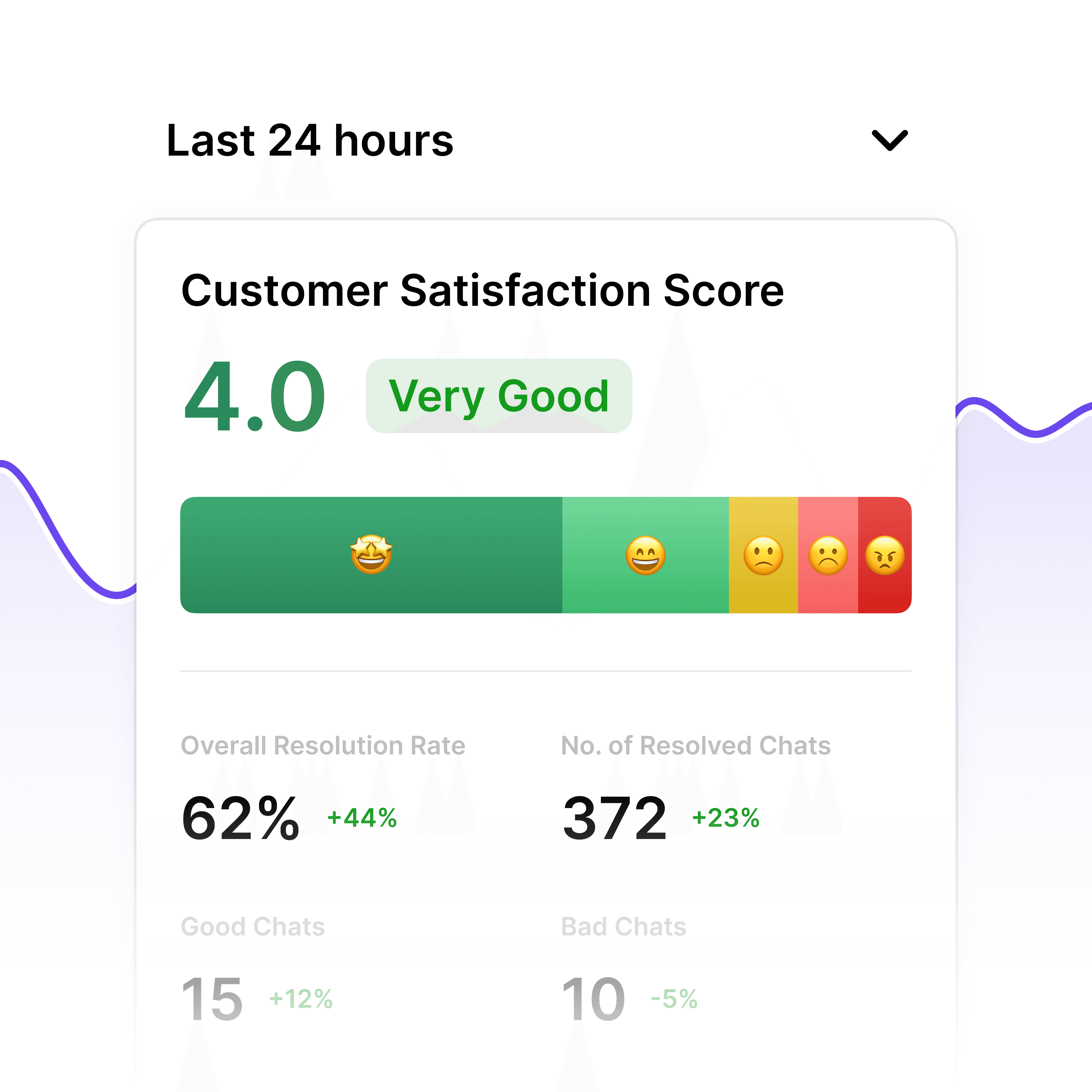
Compliance Performance Metrics
GDPR Compliance Analytics Dashboard
Monitor your AI agent's compliance performance with comprehensive analytics. Track user data handling, consent management, and potential compliance issues to maintain regulatory adherence and optimize your data protection strategy.
Data processing visibility
Consent tracking metrics
Compliance reporting
5-minute set up
Deploy Your Zendesk AI Chatbot in Minutes
1
Select the Right AI Model – Pick the perfect fit for your support needs.
2
Train AI with Docs, FAQs & Policies – Upload knowledge base files and site links.
3
Customise Workflows & Escalation Rules – AI handles what it can, and escalates what it can’t.
4
Monitor & Optimise with Analytics – See where customers get stuck and fine-tune responses.
Industry Grade Compliance
Wonderchat is GDPR compliant and AICPA SOC 2 Certified.
Testimonials
Businesses with successful customer service start
with Wonderchat
"Wonderchat has made it easier than ever to find the information I need without getting lost in the complexities. It also brings convenience and clarity to my searches."
Josh Levitsky
Global Head of Professional Services, Filewave
“Wonderchat has been a game-changer for bazuba. We’ve seen improved customer satisfaction and a noticeable boost in efficiency. Wonderchat handles our customer queries with precision and speed.
Julien Pflanzl
Web Development Lead, bazuba
“Ever since implementing Wonderchat on our site, I've seen up to a 70% reduction of customer support queries in my inbox.”
Bryce Conway
Founder and CEO, 10xTravel
"Wonderchat has given us the ability to offer real-time answers to our customer’s questions on their terms, pulling from our extensive portfolio of Insurance content. The response has been tremendous."
Ryan Hanley
Founder and President, Rogue Risk LLC
"Wonderchat has made it easier than ever to find the information I need without getting lost in the complexities. It also brings convenience and clarity to my searches."
Josh Levitsky
Global Head of Professional Services, Filewave
“Wonderchat has been a game-changer for bazuba. We’ve seen improved customer satisfaction and a noticeable boost in efficiency. Wonderchat handles our customer queries with precision and speed.
Julien Pflanzl
Web Development Lead, bazuba
“Ever since implementing Wonderchat on our site, I've seen up to a 70% reduction of customer support queries in my inbox.”
Bryce Conway
Founder and CEO, 10xTravel
"Wonderchat has given us the ability to offer real-time answers to our customer’s questions on their terms, pulling from our extensive portfolio of Insurance content. The response has been tremendous."
Ryan Hanley
Founder and President, Rogue Risk LLC
"Wonderchat has made it easier than ever to find the information I need without getting lost in the complexities. It also brings convenience and clarity to my searches."
Josh Levitsky
Global Head of Professional Services, Filewave
“Wonderchat has been a game-changer for bazuba. We’ve seen improved customer satisfaction and a noticeable boost in efficiency. Wonderchat handles our customer queries with precision and speed.
Julien Pflanzl
Web Development Lead, bazuba
“Ever since implementing Wonderchat on our site, I've seen up to a 70% reduction of customer support queries in my inbox.”
Bryce Conway
Founder and CEO, 10xTravel
"Wonderchat has given us the ability to offer real-time answers to our customer’s questions on their terms, pulling from our extensive portfolio of Insurance content. The response has been tremendous."
Ryan Hanley
Founder and President, Rogue Risk LLC
"Wonderchat has made it easier than ever to find the information I need without getting lost in the complexities. It also brings convenience and clarity to my searches."
Josh Levitsky
Global Head of Professional Services, Filewave
“Wonderchat has been a game-changer for bazuba. We’ve seen improved customer satisfaction and a noticeable boost in efficiency. Wonderchat handles our customer queries with precision and speed.
Julien Pflanzl
Web Development Lead, bazuba
“Ever since implementing Wonderchat on our site, I've seen up to a 70% reduction of customer support queries in my inbox.”
Bryce Conway
Founder and CEO, 10xTravel
"Wonderchat has given us the ability to offer real-time answers to our customer’s questions on their terms, pulling from our extensive portfolio of Insurance content. The response has been tremendous."
Ryan Hanley
Founder and President, Rogue Risk LLC
40+ Languages
Starts at $0.02/message
Available 24/7
Automate Your Zendesk Support Today
14-day free trial. No credit card required
FAQ
How does the Zendesk AI chatbot integration work?
Wonderchat's Zendesk AI chatbot integrates through our native connector that syncs with your Zendesk knowledge base and support tickets. The setup process takes under 5 minutes – simply connect your Zendesk account, select the data sources to train the AI on, customize the appearance, and set up handover rules for complex issues. Once deployed, the chatbot automatically responds to common customer inquiries based on your knowledge base, creates tickets for issues requiring human attention, and continuously improves through real conversations. All customer interactions are seamlessly logged in your Zendesk dashboard for full visibility.
Can I customize the chatbot's appearance and responses?
Yes, Wonderchat offers extensive customization options for your Zendesk AI chatbot. You can fully brand the chat widget with your company colors, logo, and messaging style. The response templates can be tailored to match your brand voice, and you can create custom workflows for specific conversation paths. You can also define specific trigger points for lead collection, meeting scheduling, or human handover based on conversation context. All customization is done through our intuitive no-code interface, so technical skills aren't required to create a chatbot that perfectly represents your brand.
What types of Zendesk data can the chatbot access?
The Wonderchat Zendesk AI chatbot can be trained on multiple data sources within your Zendesk environment, including your Help Center articles, knowledge base content, FAQs, support documentation, and resolved ticket history. It can also incorporate data from external sources like your website, product documentation, PDF files, and other document formats. The chatbot continuously updates its knowledge through automatic and manual re-crawling options, ensuring it always provides the most current information. This comprehensive training enables accurate, contextual responses to customer inquiries across all support topics.
How does the human handover process work?
When a customer inquiry requires human intervention, the Zendesk AI chatbot automatically triggers a smooth handover process. You can configure handover rules based on specific triggers such as the number of back-and-forth messages, certain keywords, or when the AI detects it cannot adequately resolve an issue. The chatbot can create a new Zendesk ticket with the full conversation history, route the inquiry to specific departments based on the topic, and collect necessary customer information before escalation. This ensures your support team has all the context needed to efficiently resolve complex issues while the AI handles routine inquiries.
What analytics and reporting features are available?
Wonderchat provides comprehensive analytics for your Zendesk AI chatbot, including conversation metrics, resolution rates, common topics, and user satisfaction scores. You can track which knowledge base articles are most frequently referenced, identify information gaps, and monitor handover rates to continuously optimize performance. All chatbot interactions are logged in both the Wonderchat dashboard and your Zendesk platform, enabling unified reporting across all support channels. These insights help you refine your knowledge base, improve self-service options, and quantify the ROI of your AI chatbot implementation through support deflection metrics and time savings.
Is the Zendesk AI chatbot secure and compliant?
Yes, Wonderchat's Zendesk AI chatbot is built with enterprise-grade security and compliance in mind. We offer SOC 2 and GDPR compliance to ensure your customer data remains protected. All conversations are encrypted, and you maintain complete control over data retention policies. The platform includes role-based access controls for your team members and supports single sign-on (SSO) for secure authentication. Wonderchat never uses your customer conversations to train general AI models, ensuring your proprietary support information remains confidential and secure.
The platform to build AI agents that feel human
Product
Wonderchat 2026